The Holiday season is often a gamer’s favorite. New systems, new accessories, and new games are given and received all over the world. Depending on where you live, the weather is voting against your venturing outside, and there’s a good chance that you are off work for at least one extra day.
Many an online community got an infusion of fresh players over the last few days. Are you a gracious welcoming committee, or do you rain destruction on the fields of innocents?
If you are an established player, try to keep in mind what it was like to get started. Maybe don’t go full “pro mode” in the casual queues. Or at least not in every match. Your beloved game will fade to black if new players are unable to gain a foothold and feel like they are progressing.
If you are one of the beginners, brace for repeaded loss. It is a normal part of your initiation. Veterans have memorized the maps, ranked up their weapons, and have full armor. Grinding for all those hours has honed their skills to a razor’s edge. You will be an easy target until you rank up.
You can minimize the noob phase with study. I start with the single-player campaign to learn the ropes. Some story modes reward you with XP to boost your stats online. Most will run you through the various offensive and defensive tools along with the general gameplay scenarios. Many titles have a test range, which also helps.
If your new game supports spectating, it can also be a shortcut to getting up to speed. Watching on Youtube and Twitch are good ways to get an edge. For some of the more popular games, professionally led lessons are available.
I often find that the experienced players are less aggressive in their style of play. Preferring to wait for group pushes rather than rushing in alone is a trait often observed in veteran players. Knowing when to cut and run from a one-on-one engagement rather than pursuing is another.
There are often weapon and armor sets that are advantageous for people who are just getting started. In class-based titles, playing the medic can be a fast way to gain XP and to learn the nuance of team play. Playing your role can be key to gaining rank and moving up the leaderboards. Snipers are typically backline suppression, assault players should be mixing it up in the middle ground, and shot guns are good in CQB.
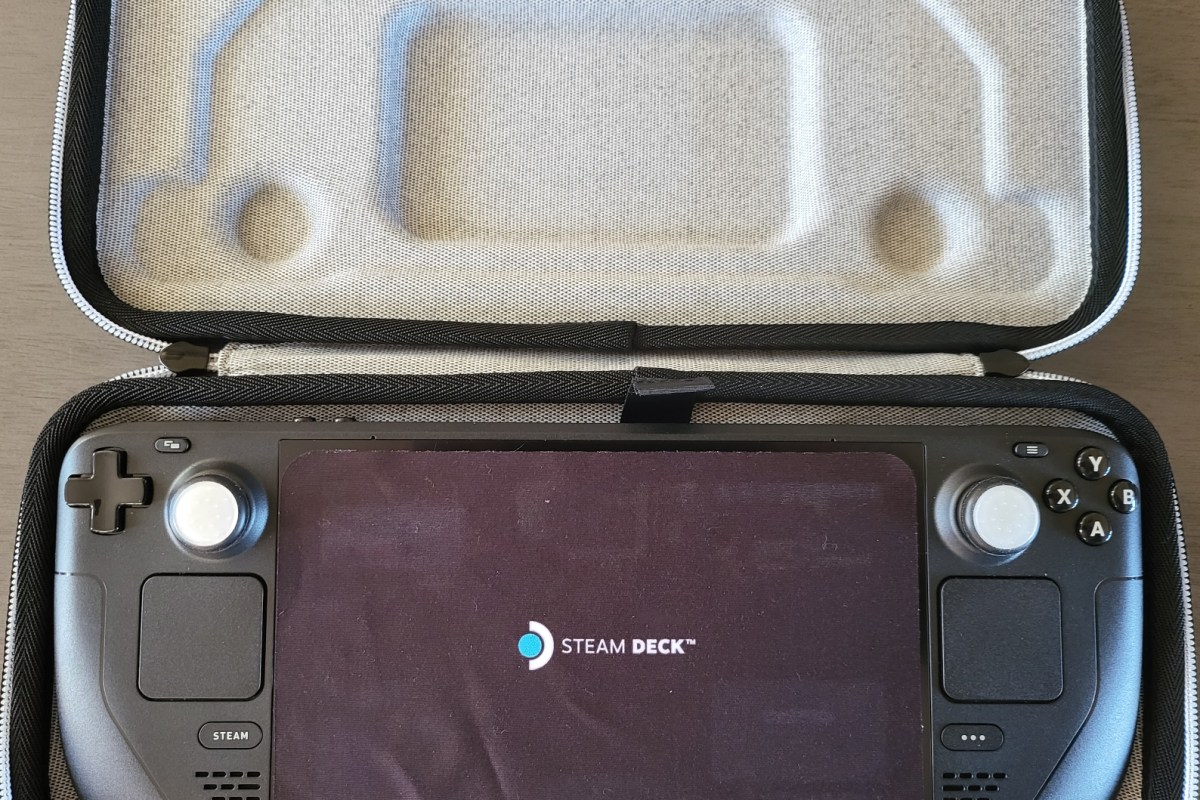
The Steam Deck isn’t the first attempt at squeezing a PC gaming experience into a small form factor. There have been gaming oriented laptops since the beginning. Other companies have prototyped and released handheld gaming computers in small batches over the years.Valve’s Steam Deck is considered to be the first attempt at a triple-A handheld gaming PC.
The custom designed AMD APU (Accelerated Processing Unit – CPU/GPU combo chip) is the proverbial bat that knocks the performance ball out of the park. It’s capable of 1.6 TFLOPS of processing throughput. To put that in perspective, an Xbox One S hits about 1.4 TFLOPS and a Switch struggles to make 1.0 TFLOPS.
TFLOPS is an acronym for a Billion Floating Point Operation Per Second and is a measurement that can provide a general idea of a system’s potential performance. Given that an Xbox One S is capable of playing modern titles like the new Modern Warfare 2, albeit on very low settings and slower frame rates, you can get a general idea of how powerful the Deck is.
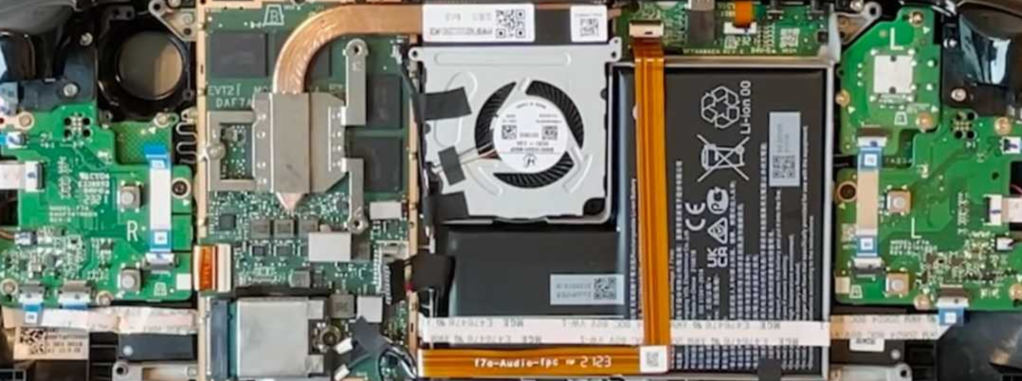
Valve Supports Self-Repair of the Steam Deck.
Getting games and services running on the diminutive computer can be tricky. The Steam Deck’s operating system is a customized distribution of Linux. Games that are certified by Steam to run on the Deck are simple installations from the store, not unlike your phone. Everything else requires knowing your way around a computer. This is not vastly different than the knowledge usually needed for PC gaming anyway, but may be unexpected for those coming to the device from a console only experience.
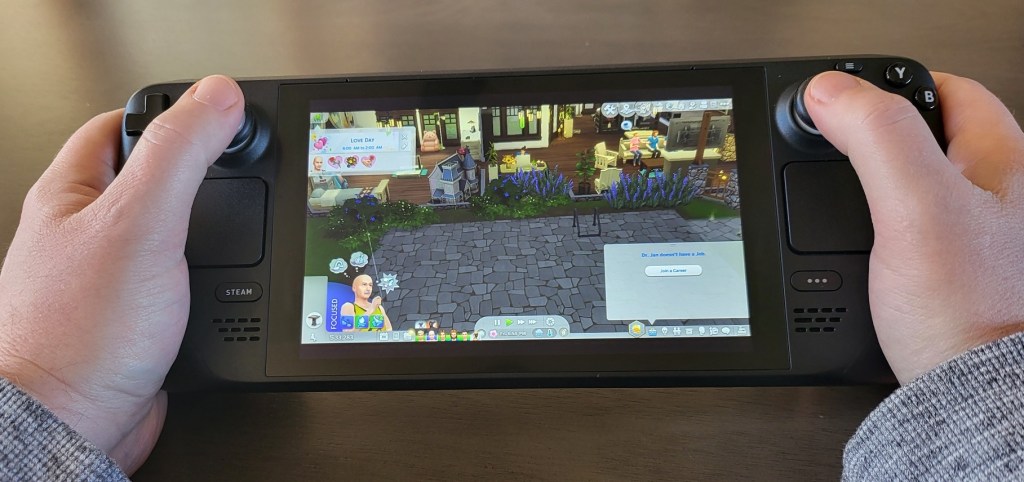
My partner wanted to run The SIMS 4 on her Steam Deck. She had purchased the expansive game and most of the add-ons from the EA store well before the Steam Deck ever existed. The SIMS 4 and its DLC packages are more expensive than the Steam Deck itself. Purchasing all of it again from the Steam store was not an option for us. Getting the game to run from the EA Desktop launcher involved following several complicated videos and written tutorials and multiple attempts.
The project was extensive and required knowledge beyond the average computer user’s. I personally enjoyed the process but many people may find it frustrating. There are plenty of online guides available and I like to feel that I have a good idea of what I’m doing. However, anytime you enter SUDO level BASH commands that you don’t fully understand, you are accepting risk to your system and to the identities registered on it.
The handheld is marketed as a gaming PC, not a Steam console. Yet, stepping outside of the curated experience provided by Steam is often met with a steep learning curve. The built-in Proton solution for playing Windows games on Linux works well, once you get to know the ins and outs. For example; learning to create shortcuts to launchers rather than directly to games was a trial and error adventure, all by itself.
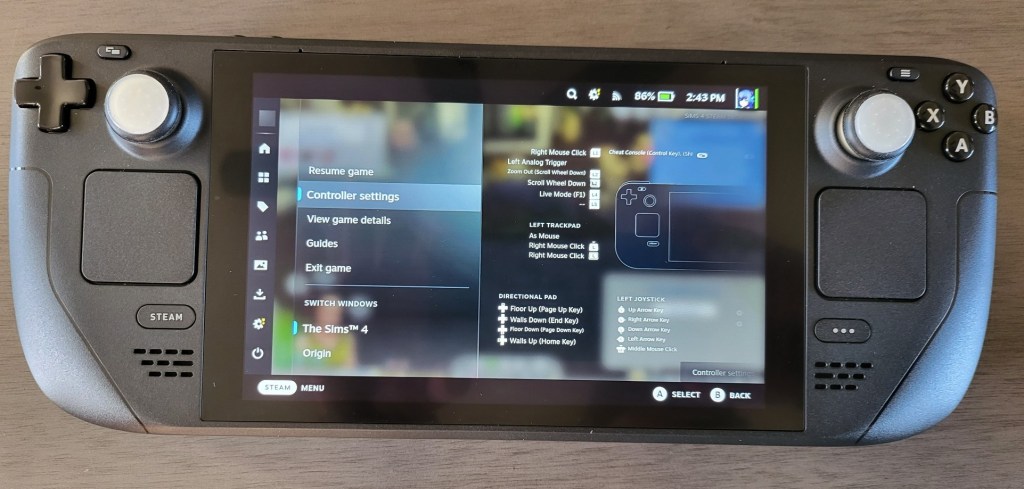
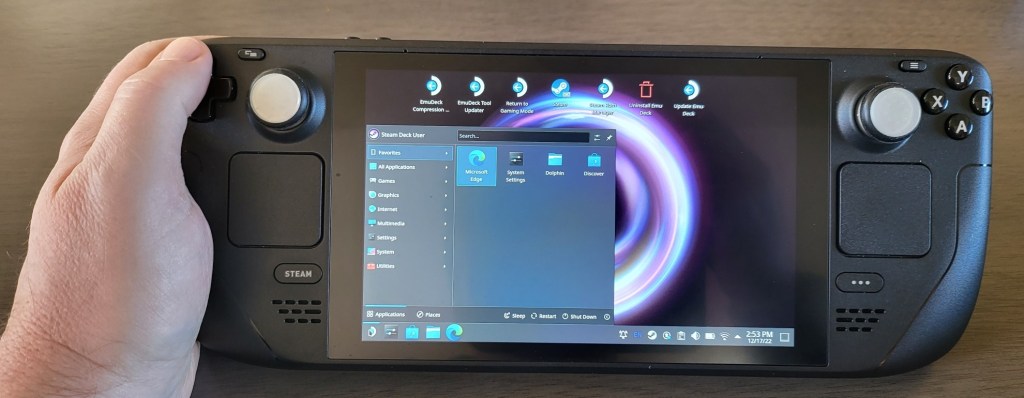
The operating system is dual sided, not unlike Windows 8’s ill-received desktop and tablet modes. The “Game Mode” boots into the Steam store’s Big Picture mode. It looks and works like a console for the most part. The desktop mode of the Steam Deck gives you full access to the Linux operating system and this is where you’ll do most of the work to get the non-steam store software working. Adding Office software, a Remote Desktop solution, or other non-gaming software is also an option on the desktop side of the system.
Desktop Mode is more complicated than the default Game mode.
Installation difficulties aside, The SIMS 4 plays really well. The controls are better than those on the Xbox edition of them game. The dual thumbtack and dual touchpad design is simply genius. I’ve had great experiences with other “un-supported” games including emulators for the Xbox, Playstation, Nintendo, and Sega consoles. It seems that low settings, and 30 FPS is the average for intensely graphical games. Older titles and those with casual hardware requirements can hit 60 FPS.
There is still plenty of room for Valve to improve the design. The unit can get very warm during extended play sessions. The fans are loud, yes even the new one, and the battery life is short. As I alluded to before, the software’s learning curve can be challenging at times. The device seems to fragile and complicated for young children to enjoy unsupervised.
Those who like to tinker with technology and gaming, will almost certainly enjoy owning one. It runs standard PC hardware which means that it can be customized to no end. Everything from parts replacement to swapping out the operating system is possible. The usual fair of custom skins, cases, docks, and other accessories is available online. If you’re in the market for a portable gaming experience, the Steam Deck offers access to more games than other handheld systems and costs less than most gaming laptops. If you can tolerate the learning curve it makes a great alternative.
Unlike Samsung and Microsoft’s pen solutions, Apple’s Scribble handwriting recognition has to be programmatically added to each application it is used in. This has contributed to a slow rollout of the popular feature.
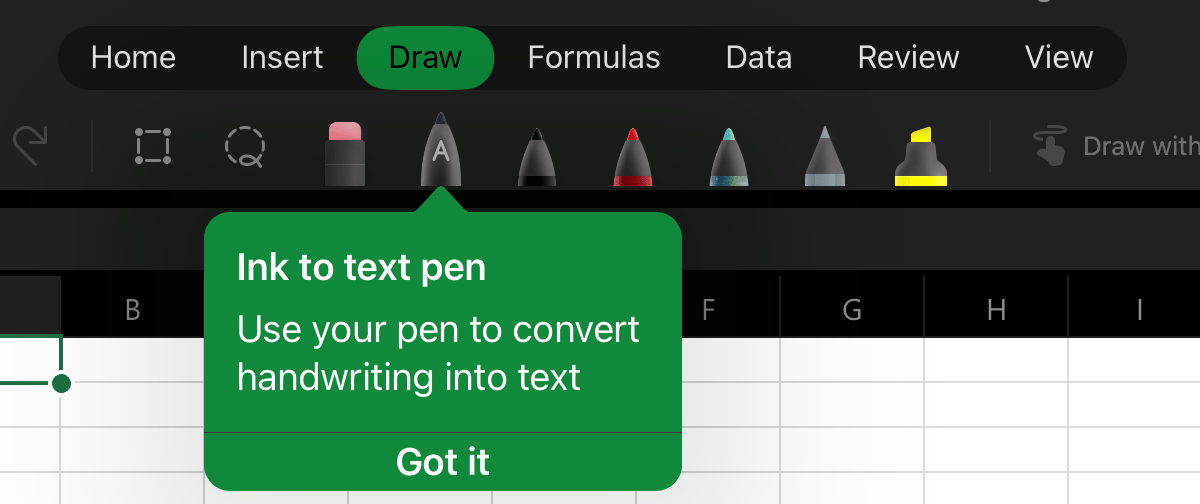
Microsoft Word mobile was the app I wanted it to work most in. I had given up checking whether or not it had been added a while back. Just out of necessity, I accessed the draw tab in Word on my iPad today and noticed a new icon in the pen carousel, it activates Scribble.
Activate Scribble in the Draw Menu
I checked Excel and it works the same way there. It is also available in PowerPoint, but it is missing from the OneNote app. Open the Draw tab from the file menu and select the Apple Pencil icon to enable Scribble, then you can use your Apple Pencil to write on the screen in any space that would normally take typed text as input.
For a better experience, keep your handwriting as straight as you can. Writing a little larger than you are used to also helps. Print will probably be the most accurate, but Scribble can understand cursive and the combo I seem to write in most often.
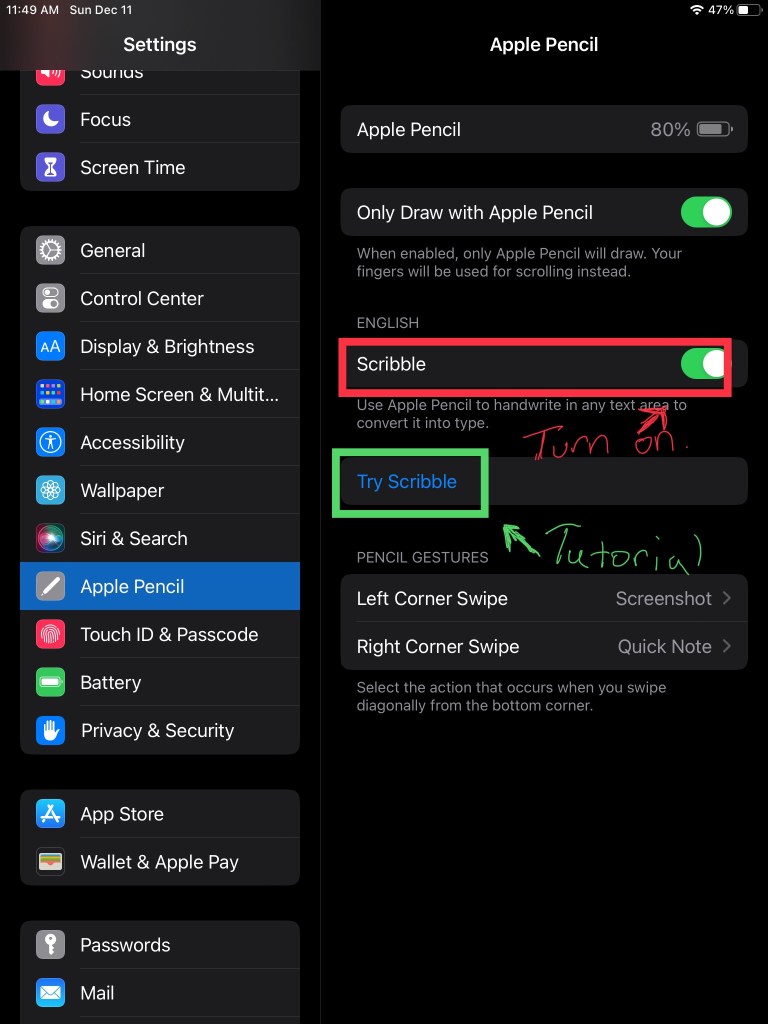
If it doesn’t work with your Apple Pencil, make sure that you have the latests software updates installed. Check in settings to be sure the feature is enabled. There’s also a tutorial wizard that teaches you how to use Scribble in the settings app.


 techbloggingfool.com