Almost everyone knows a paper-oriented organization person. They want to draw on a paper calendar and stick sticky notes to everything. Long ago, I attempted to convert one from paper notebooks that were easily lost or damaged and impossible to search to a digital system.
The only thing I found that the friend enjoyed using nearly as much as paper was Goodnotes on an iPad. A few years ago, they had hoped to migrate from an iPad to a Windows tablet. Not because of anything against iPads, but because they were growing tired of needing to carry an iPad and a laptop, along with a phone everywhere they went. Ultimately, they kept the iPad because there wasn’t a satisfactory digital paper app for Windows.

No doubt everyone that just read that paragraph asked themselves “What about OneNote?”. I am a OneNote fan and tried to get my person to use it. There’s a fundamental difference that keeps paper people from really getting into OneNote. It was designed as a digital note taking system from the ground up. Whereas, Goodnotes emulates paper journals. They both have very similar functions, but the overall feeling is different.

While searching the Microsoft store last night, I noticed that Goodnotes was out of beta and downloaded it. The app installs from the store, but upon opening, it is obviously a PWA (Progressive Web Application), which means it is running the Edge browser. There’s nothing wrong with this method. I was just surprised. It’s the first PWA app from a vendor other than Microsoft I have personally encountered.

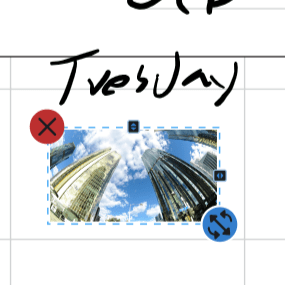
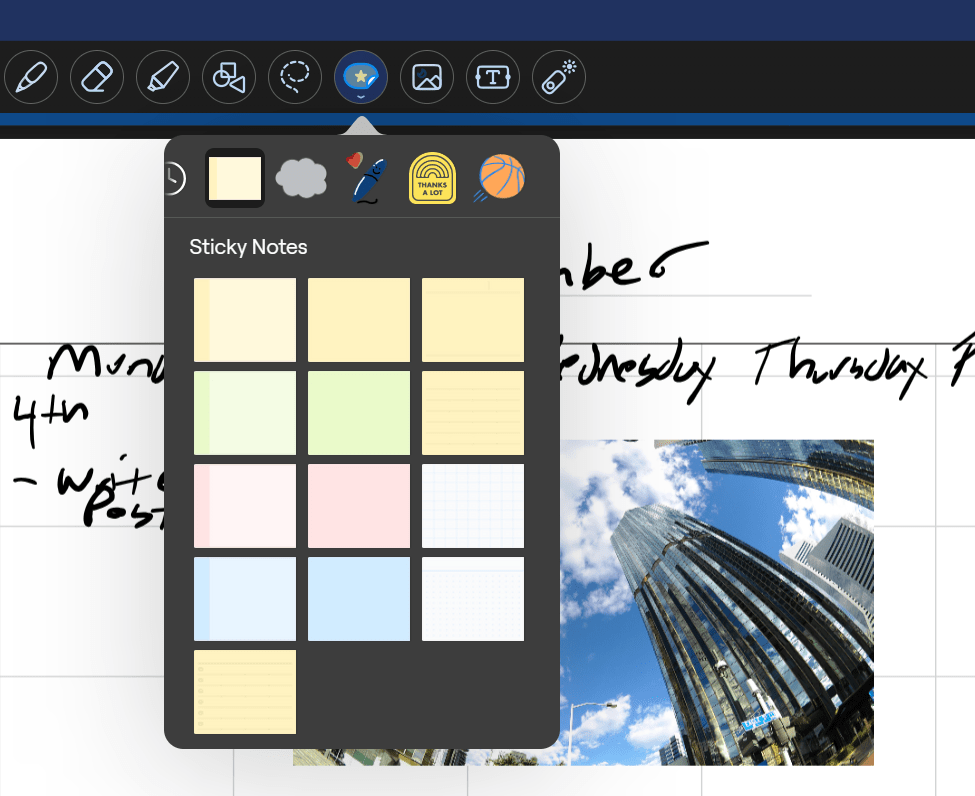
I’m happy to report that the application functions pretty much exactly like its Apple counterpart. The ability to lasso and move anything is there. Dozens of templates for things like calendars and todo lists are easily accessible and well designed for their roles. Inserting pictures, sticky notes, text boxes, and handwriting are all based on a simple tool selection menu that hangs out at the top of every page.
The application is free to download and trial for 7 days. After the trial you’ll need to decide between a yearly subscription, or a one-time purchase. You can find more info about pricing options on their website @ https://www.goodnotes.com/pricing. If you wished that your Windows or Android device could operate more like a paper notebook you probably won’t find a better experience than Goodnotes.
 techbloggingfool.com