Allow RDS Shadowing without Domain Admin Rights

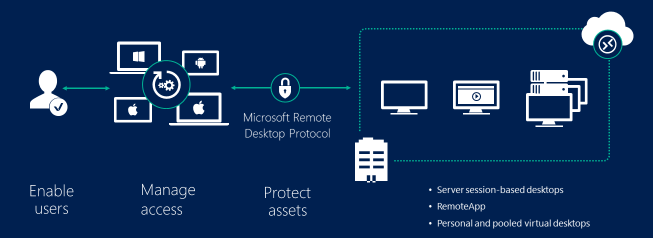
Microsoft’s Remote Desktop Services have taken center stage in the technology spotlight as of late. If your organization did not have an RDS platform before the work from home revolution, it probably does now.  The effort to build so many of them in such a short time reminded me of Y2K remeditation efforts.

The shadowing function built-in to RDS allows one remote user to view and interact with another’s session. A form of remote control. Starting with the 2012 edition, Microsoft made changes to the RDS role that required Domain Administrator rights to use shadowing.

The feature is quite popular with the help desk, training staff, and onboarding teams. Today’s need to help users with RDS desktops and remote apps is greater than ever. However, making that many people domain administrators is nightmare fuel for your average system admin.

As with many of the limitations found in Microsoft’s products, this one can be overcome, just not via the GUI controls. MS has a programmatic class and method to control these permissions named “Win32_TSPermissionsSetting AddAccount.” 

Unfortunately, this solution is not perfect. Shadowing a session still requires local administrator rights on the session host. Still, local admin rights on single systems is better than domain admin rights. So, create a group for your shadow users in AD, like “Domain\RDS Shadow”. Then, add that group to each session host’s local administrator group.

Once that is done, open an elevated CMD prompt on each session host. Special Note: normally you can run almost any CMD in a PowerShell console and it will execute correctly. This is one of the few cases where that is not true. It has to be CMD prompt, unless recent patches have changed the outcome.

In the CMD console run (replace Domain\RDS_Shadow with your domain and group names):

wmic /namespace:\root\CIMV2\TerminalServices PATH Win32_TSPermissionsSetting WHERE (TerminalName=”RDP-Tcp”) CALL AddAccount “Domain\RDS_Shadow”,2 

Now, users who are members of the RDS Shadow group will be able to RDP to a session host and shadow another person’s session.

The shadowing session can take a long time to initialize, and all you see is a black screen while the output stream is mirrored. Be patient; if you didn’t receive an error, it eventually works.
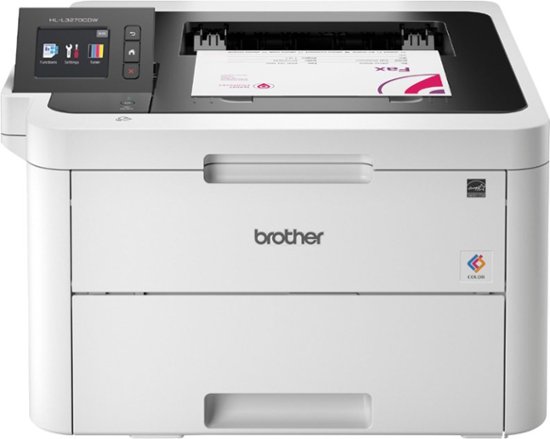
The Brother HL-L3270CDW. Toss the Ink and get a Color Laser Printer Instead

I have a challenging relationship with paper printers. They have been nothing but trouble for me throughout my career. They posess an uncanny ability to malfunction exactly when they are needed most and always in the most obscure ways.

Don’t get me wrong. The ability to bring a digital construct into the physical world in any form will always be astonishing. The machines we utilize to facilitate the physical output are often complicated, temperamental, and crucial to some aspect of their owner’s ambitions.

Printing my own photos still makes me smile. Right up until I remember how much that ink costs. My wife and kids print photos, artwork, and papers for school. How much was I spending on those annoying cartridges anyway?

Warning: Using your finance app to answer that question will not lead to warm fuzzies.

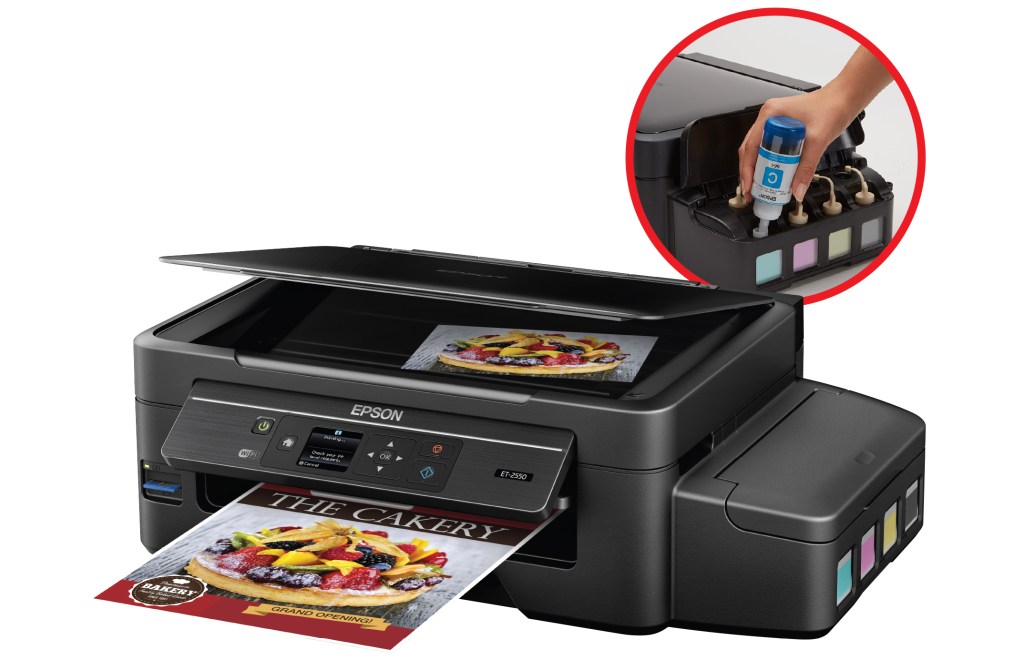
Not long ago, I was watching TV with the family and caught a commercial in which Shaq was pitching a printer with big ink tanks. Epson’s eco-tank series is pitched as holding more ink than cartridges and is supposed to be easily refillable.

Subconsciously, my mind recognized that something must be driving the one-hundred and eighty degree flop. Printer manufactures are notorious for their near total control of the little paint tubs. Going so far as RFID tagging them to prevent a third party from making competing cartridges. It didn’t take long for me to discover what had changed in the market.

Several color laser printers had hit the shelves with price points squarley in the inkjet’s territory. Thanks for the heads up, Epson. I was immediately ready to change. Average ink cartridges struggle to print 100 pages. Small toner cartridges will usually top 1000 pages.

Before you consider changing to a laser printer, there are some key differences to be aware of. Do your research. Inkjet printers typically produce more vibrant photo prints. Inkjets are also capable of printing on surfaces other than paper. CDs \ DVDs, T-Shirts, stickers, and more can be inked. LaserJet’s are stuck with plain old paper, card-stock if you push it.

That isn’t to say that color laser printers can’t print photographs. They do, and the results are fantastic. They just aren’t the glossy things most people think of as pictures.

Magic and other card games allow for proxy decks that you print at home. Each card is a work of art. Printing on our inkjet, we go through the cartridges about every one-hundred pages or so. So far, we have printed almost 300 of these pages, plus another forty pages of generic printing, and the toner status has barley dipped.

There are countless studies and debates about the cost per page of ink vs. toner, I have nothing to add. The Brother is available for $249.00 and will print around 1500 pages on the cartridges that come with it. At that price and for the type of printing I’m doing, I could purchase a new printer each time the toner ran out and would still come out ahead.

The Brother HL-L3270CDW supports wired and wireless networks, Apple and Android device printing, dual sided prints, and all the other modern features. It should be noted that it is only a printer, not an MFP.

If you find yourself blasting through ink cartridges faster than you can afford, check it out. We’ve been happy with the change.