Have you ever wondered if radar detectors still work? They were all the rage back in the day. I remember having one in my Mustang. It faithfully hung from its little suction cup on my windshield for years. It’s annoying squawk and flashing red LEDs reminding me to slow down. I eventually lost track of the power cord. Most of my driving was just for commuting by then so I didn’t bother replacing it.
Recently, I was watching a video on YouTube where the creator was discussing the true cost of speeding tickets. They had mentioned radar detectors as one method to avoid being saddled with the exorbitant insurance increases. I decided that I wanted to find out what modern detectors were like.
I did a bunch of research and narrowed down the field to a couple of choices. At first, I was pretty convinced that I wanted an Escort MaxCam 360c. It combines a high-end radar detector with a decent dashcam in a single unit. There are some trade-offs of course. It is both larger and heavier than a standalone detector. Some people report that the range is shorter than its standalone counterpart. It’s also incredibly expensive at almost a thousand dollars.
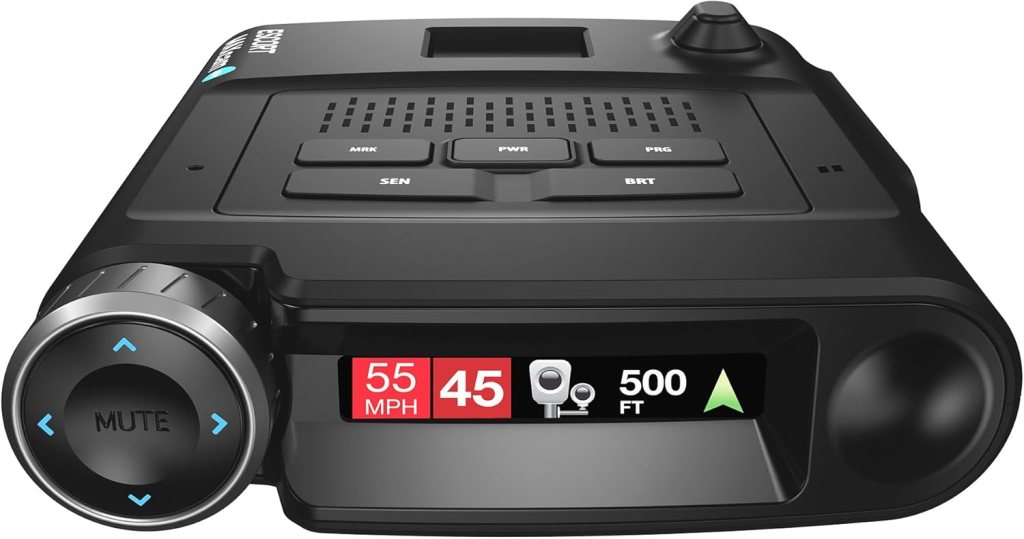
What really dissuaded me from going with a combo unit was the difference in pace between each technology’s development. Radar detector improvements are slow. People keep these things for several years. Camera upgrades on the other hand, are fast and furious.
Eventually, I chose the Escort Max 360c Mark II. It was on sale at my local Best Buy for $499.00 which is in the middle of the cost spectrum for these types of devices. It has a ton of features and functions for its price. One that stood out is the expansion capability. Escort makes an add-on camera module that costs around $150.00 online. There are only a few detectors on the market that offer an expansion feature.
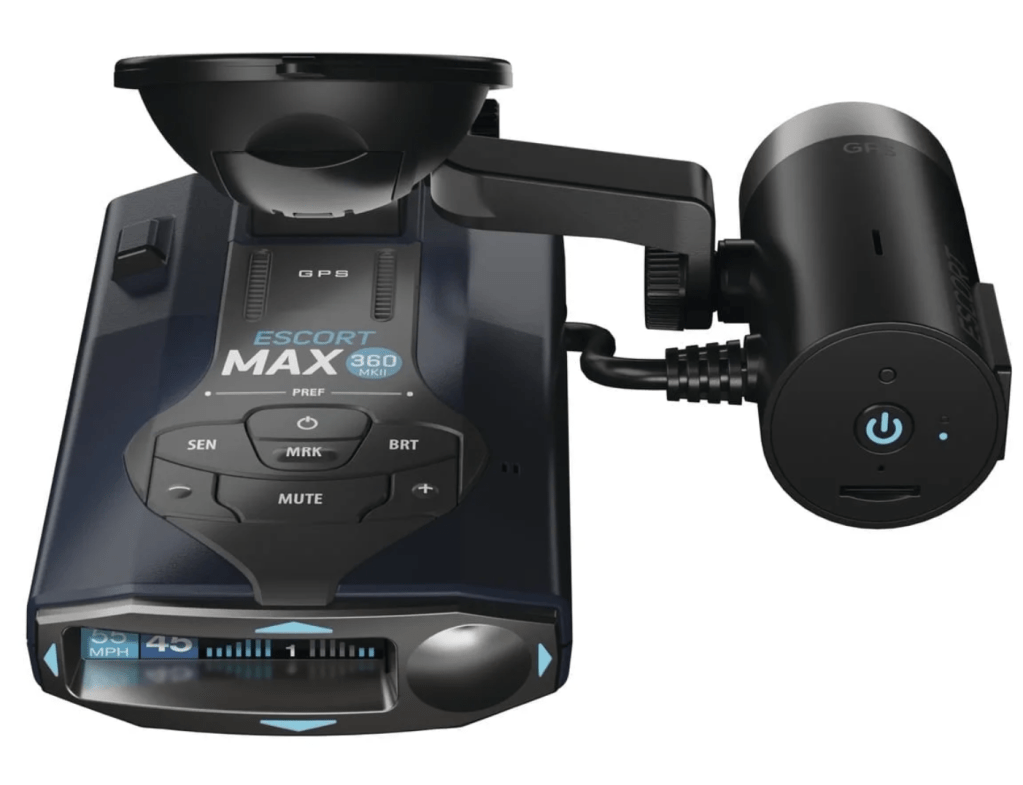
There are multiple radio sensors in the 360c’s chassis. Its brain tracks which one gets hit by the radar gun’s pulse first. The detector uses that information to calculate which direction the hit came from. It also works out how strong (far away) the signal was. A directional arrow on the screen tells you where to look. Bar graphs on the screen show you how much energy the signal carried across each sensor.
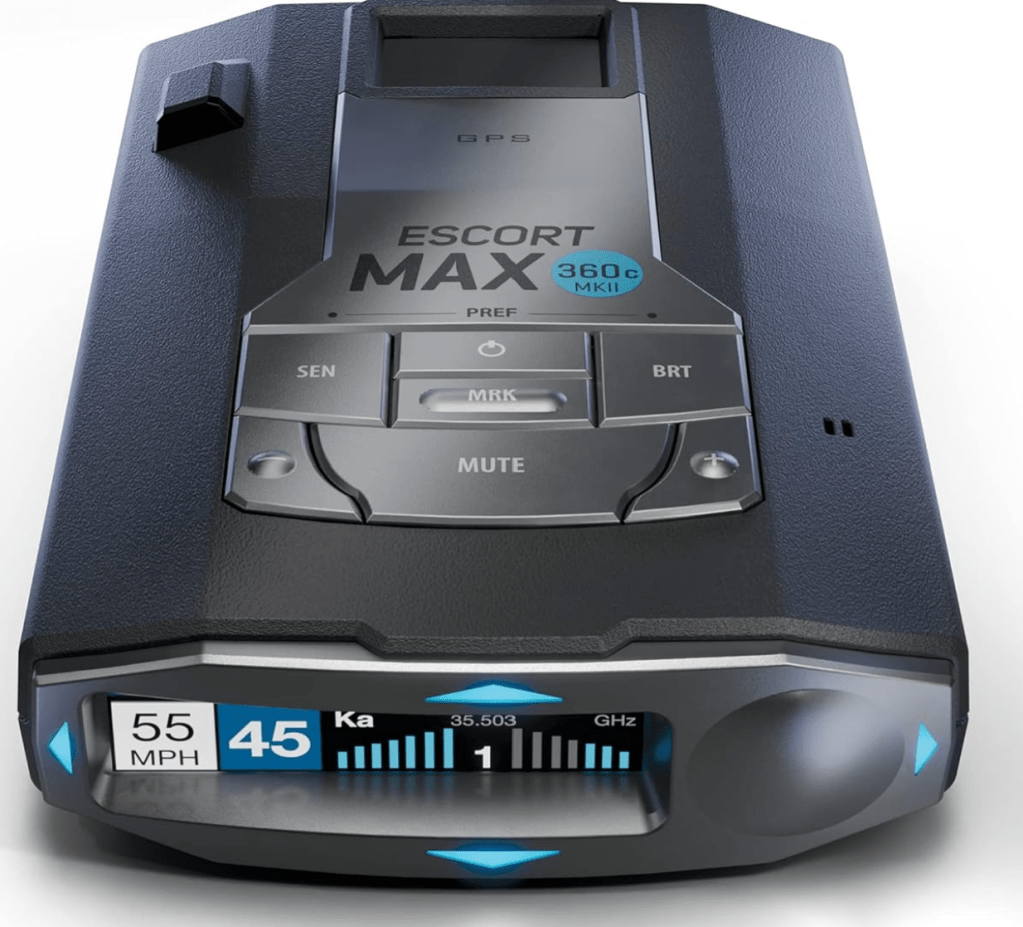
The Max 360c Mark II also has a built-in GPS sensor. The unit will warn you when you are over the speed limit by a certain amount (you set). It can also warn you about known speed cameras and other road challenges in your vicinity. It uses the GPS to record each detection it makes in an internal database. If the same detection is made three times that location is marked as a false positive result. False alerts played a big part in giving up on radar detectors the first time around.
I also ordered a couple of radar detector/dashcam mirror mounts from Amazon. The mounts are comprised of an articulating clamp. This clamp attaches to the support your rear-view mirror hangs from with a U-bolt and a couple of nuts. They were easy to install in both of my vehicles. The radar detector magnetically attaches to them which makes moving between vehicles much easier.
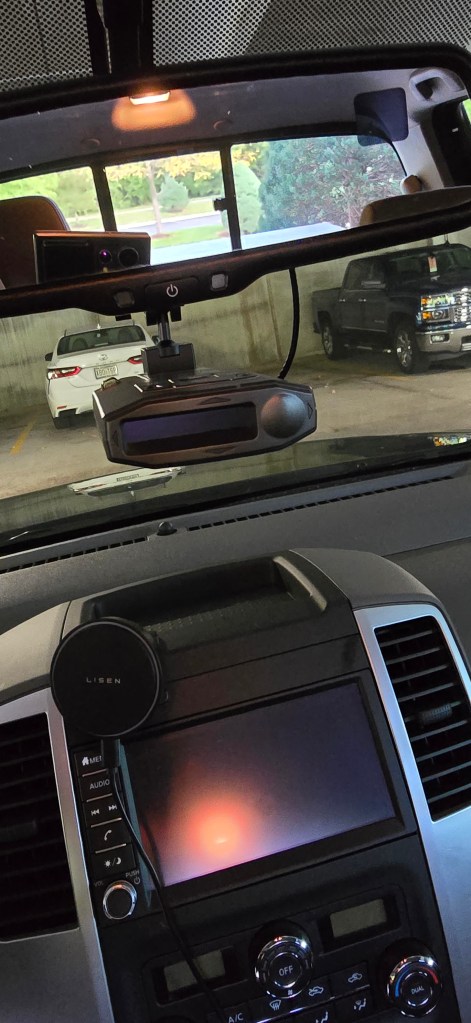
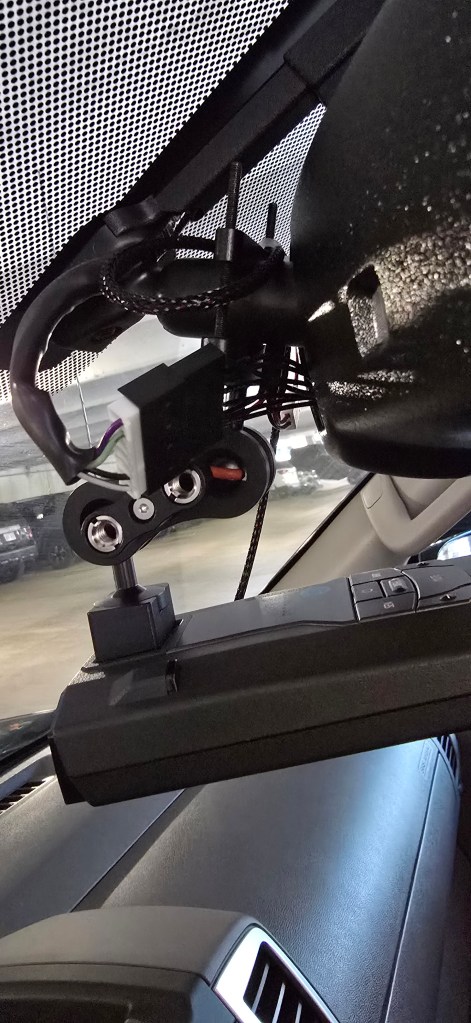
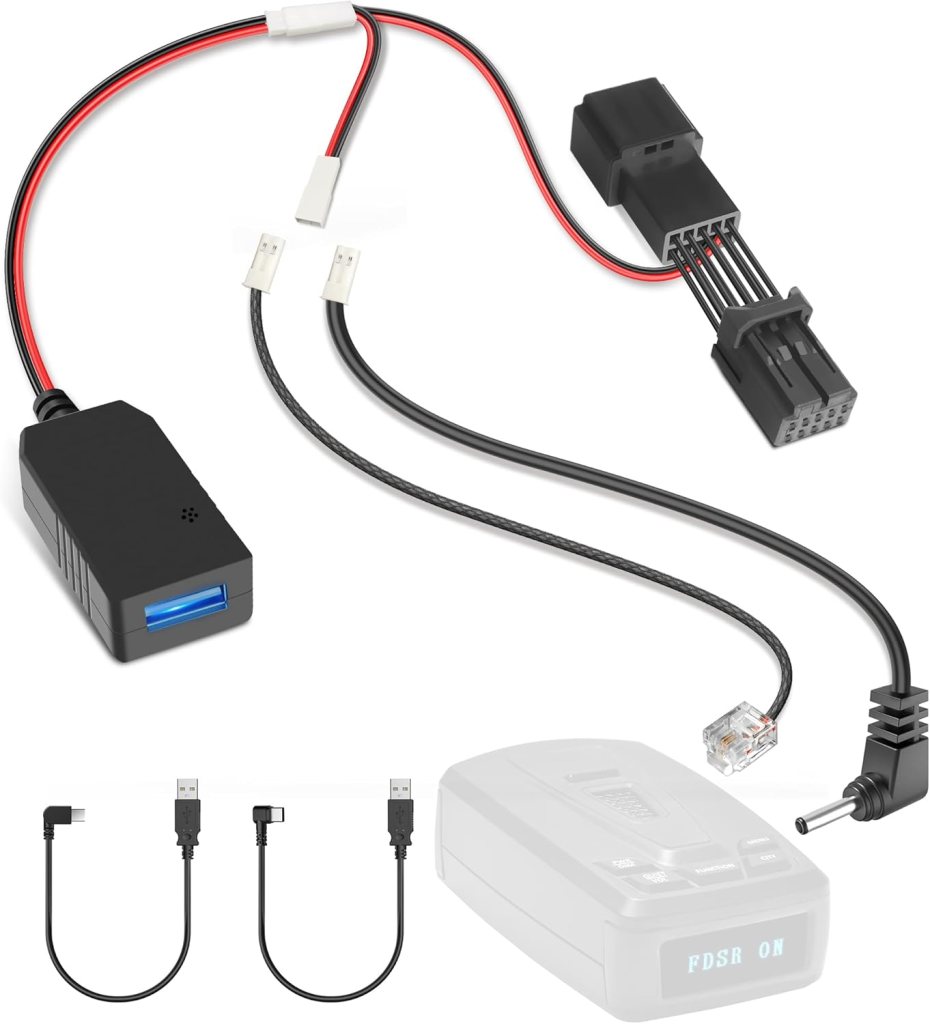
The 360c Mark II comes with a cigarette lighter based power cord. Our car does not have this type of power connector. Like I said, radar detector tech is in the R&D slow lane. Oh well, I wouldn’t have wanted the cable stretched across my dash and windshield anyway. I ordered two mirror power pass-through adapters from Amazon. They power the detector and add an extra USB power port near the windshield. If you’re in the market for one, shop around. The first ones I found were more than $100.00, these were $24.95.
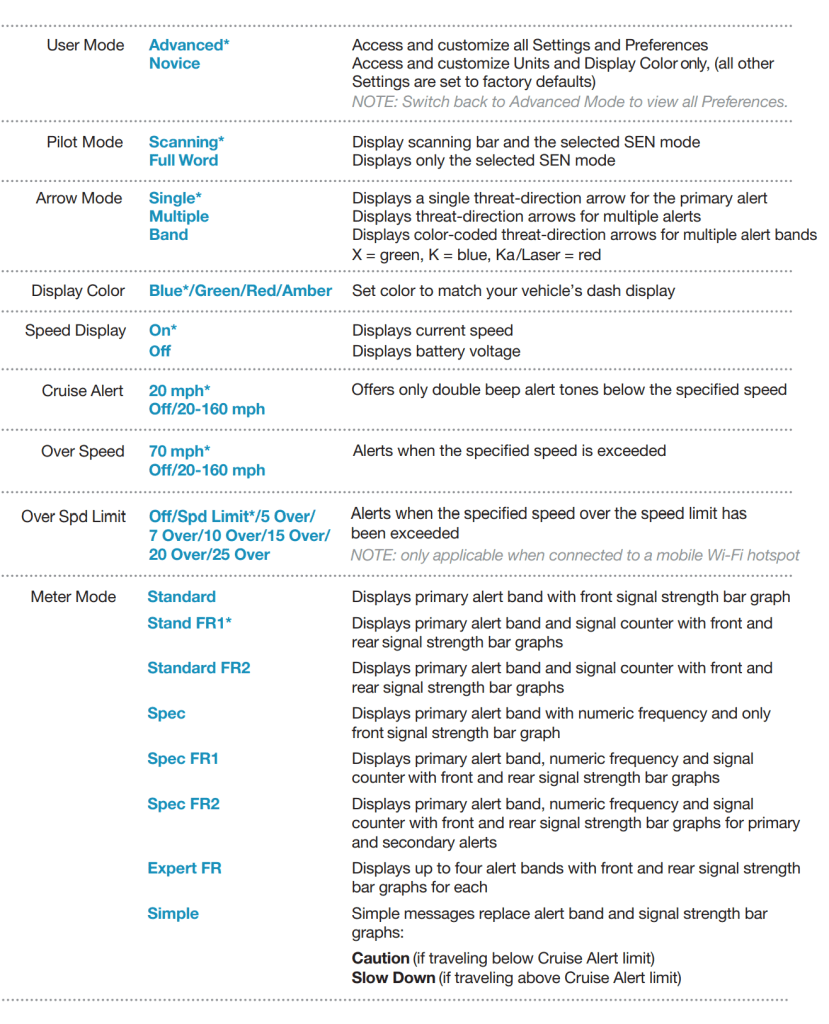
I had intentionally ordered the Max 360c and accessories a couple of weeks before a big family road trip. We’d be driving nearly two thousand miles in total. I got the detector mounted and all the options and preferences configured to my liking before we left. The Mark II has dozens of settings you can adjust. You need to install the Drive Smarter app on your phone and connect to the detector via Bluetooth. Then you can use the app to manage the device’s configuration.
There are a lot of settings that control the receivers themselves. Things like which one is active when, how sensitive they are to the different radar frequencies, that type of thing. I left them on automatic. You can change the alert tones, set speed limits, change the look of the screen’s various messages, and more. It is a little over-whelming at first, I left most of the settings on automatic.
The trip involved driving through small towns, hundreds of miles of highway, and navigating two major US cities. We went across the Midwest Plains and up into the Colorado Rocky Mountains. The Escort worked better than I had expected. One of my concerns had been the proliferation of laser speed guns.
The Escort 360c Mark II can detect lasers from both the front and back. Unfortunately, that still isn’t a lot of protection. The speed of light is nearly instant at these distances. You don’t get enough of an advanced warning to adjust your speed. I had assumed they would be everywhere by now, given that they existed way back in the nineties. To my surprise, the laser band was only triggered a handful of times on the entire trip.
The direction indicator works as designed. I visually located the source of the signal in most of the detection events that were triggered on our trip. In fact, to answer my opening question, yes, radar detectors still work in general. They also still have all the same problems.
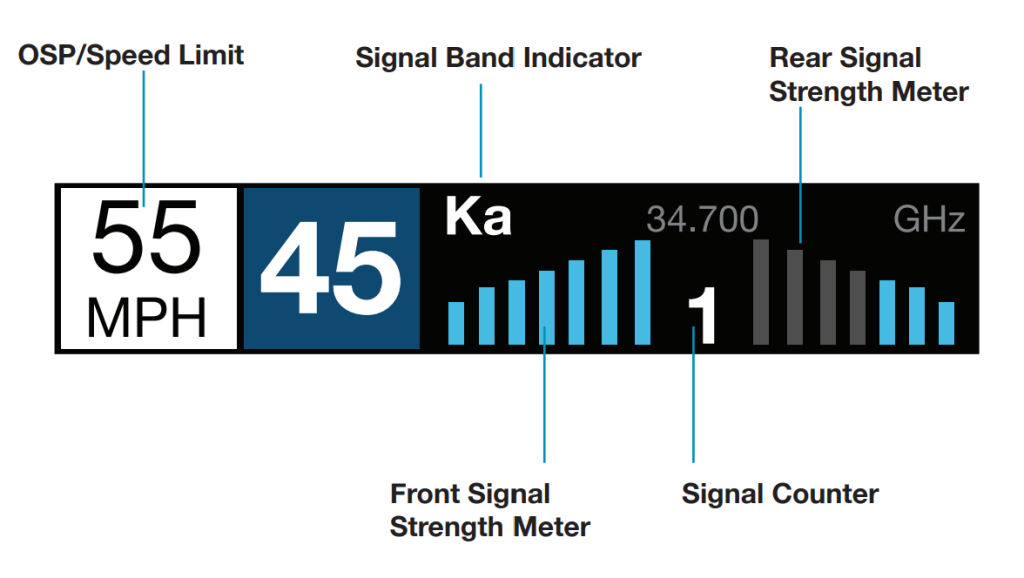
False alerts are minimized by the GPS system, but they still happen a lot. On one-time trips like ours, the false alert database doesn’t apply at all. Physics also suggests problems with the entire concept of radar detection. Radar is faster than you are even when it’s based on a radio wave. If you turn to look and see a cop, it’s already too late.
Shortly after we returned from our trip, my Mark II suffered a major hardware failure. The GPS receiver failed, and the screen would only flash an error. During the trip I learned something important. I don’t have any need for a radar detector. I’m a safe driver that follows the rules of the road. So rather than exchanging my broken unit (they offered), I returned it and all the accessories for a refund.




 techbloggingfool.com