
I learned something new this morning. A colleague asked how they could send an Outlook meeting invitation to a large group. They wanted to do this without exposing the attendee’s email addresses to the entire group. A quick on-line search suggested that it wasn’t an easy thing to do.
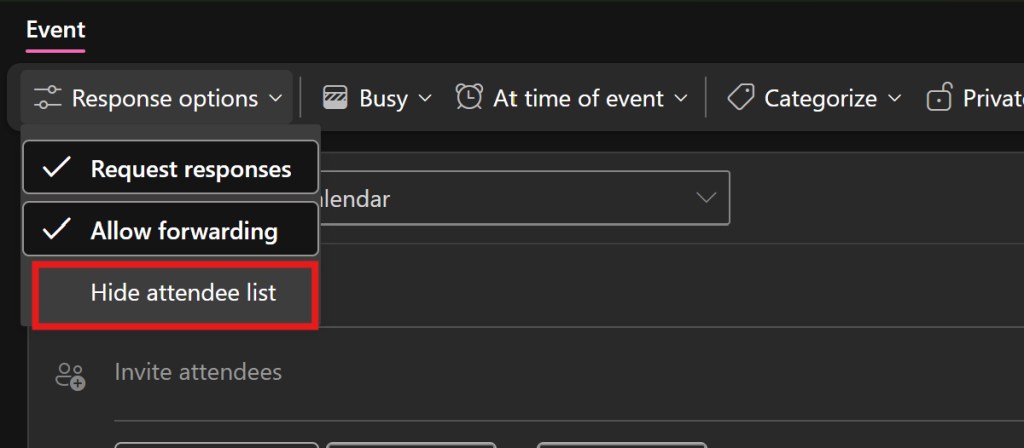
As it turns out, that search was wrong. Another colleague enlightened us. If you are using the new Teams or new Outlook, you can easily hide attendees. This option is available in the “Response Options” menu on the invitation form itself.
- Start a new calendar/meeting invite.
- In the menu bar, click on “Response Options”.
- Choose “Hide attendee list” from the menu.
 techbloggingfool.com