Earlier today I installed the newest driver update for my Nvidia 2080 Ti. Not long after, I decided it was time to play some Skyrim VR. When I slid the headset down over my face, I was concerned to see that the colors were off.
Everything was dull and washed out, like the contrast was turned down too low. I’ve run into similar issues with HDMI only monitors before with this GPU. TV screens typically operated with at limited color range. Nvidia GPUs tend to detect everything that connects via HDMI as a television and restrict the colors that are rendered on the display.
There’s a setting in the Nvidia control panel that will allow you to force a full color spectrum on an HDMI connected device. Seems simple, we’ll just open the control panel and, oh no the Oculus does not show up as a display. to apply the setting to. Now what?
There are all kinds of methods to deal with this issue posted on-line. One of the more common is to get a HDMI display and connect it to the same port you use to connect your Oculus. Then use the control panel to force the color setting. The idea is that setting will stick on that port. Personally I was not able to get this method to work. Every time I plugged in my headset the setting was changed back to restricted.
In the end, I found that some kindly sole has written a utility that searches through your registry and sets all of the HDMI devices to full color. It worked perfectly for me and the next time I update my driver, I’ll just need to run it again. You can download the Nvidia Full Color Toggle utility here. Keep in mind downloading and running anything off the Internet can be dangerous and that you are doing so at your own risk.
By default you can not pass sound through to your host Windows system’s audio devices from a Linux virtual machine. I struggled finding reliable instructions for getting this to work and ended up using a third party solution called PulseAudio.
To get started, you’ll need an Ubuntu VM to work with and we’ll need to install Hyper-V if you haven’t already. Open PowerShell as an Administrator and install the Hyper-V components. Run: Enable-WindowsOptionalFeature -Online -FeatureName Microsoft-Hyper-V -All
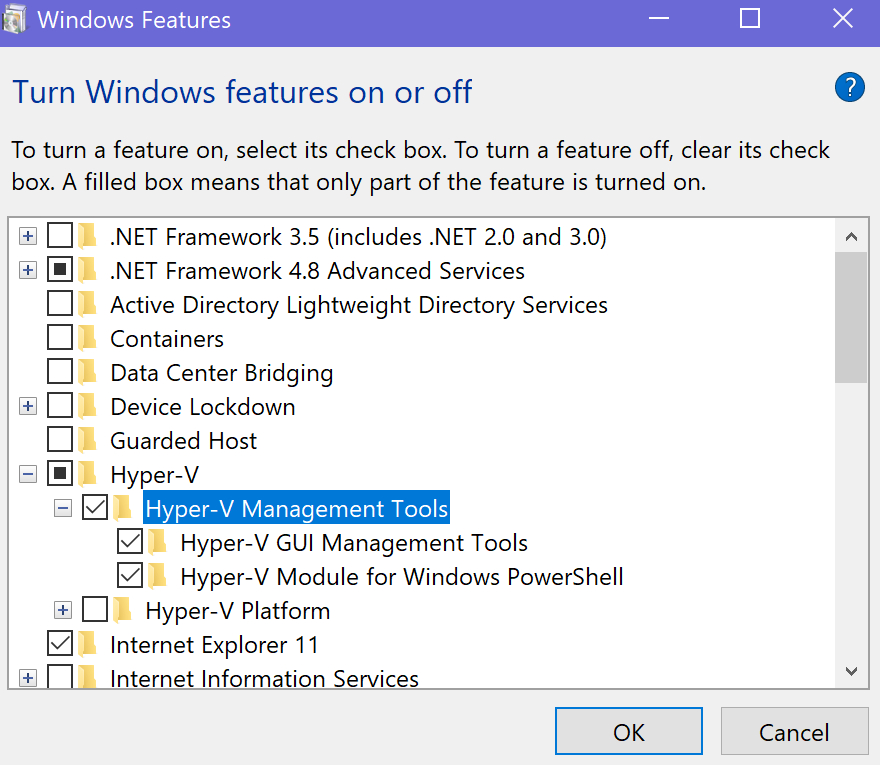
Hyper-V can also be installed using the GUI. Go to the Control Panel -> Programs and Features > Turn Windows Features on or off and choose it from the menu (both boxes).
Once you have the Hyper-V tools installed, launch the Hyper-V Manager and use the Quick Create feature to automatically install and configure and Ubuntu Linux VM.
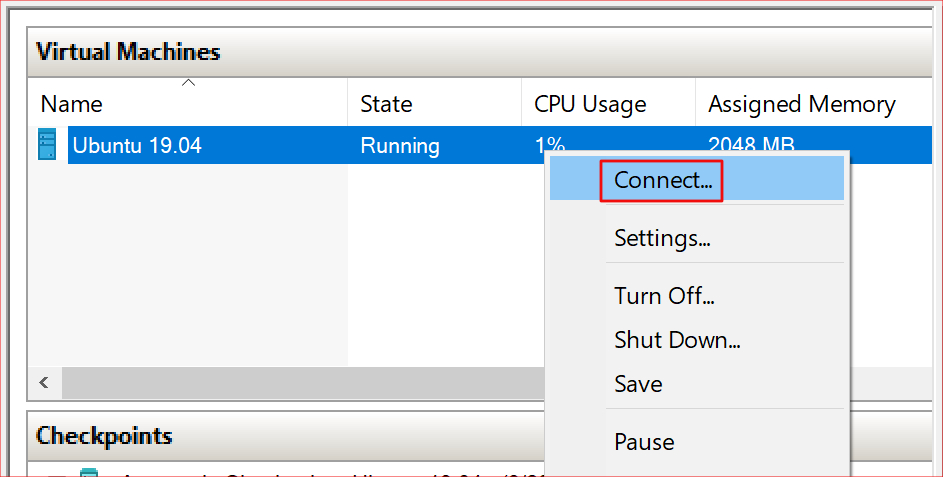
After the creation of your new VM has finished, right click on it in the Hyper-V Manager and start the virtual machine. Right click on it again to connect to the console.
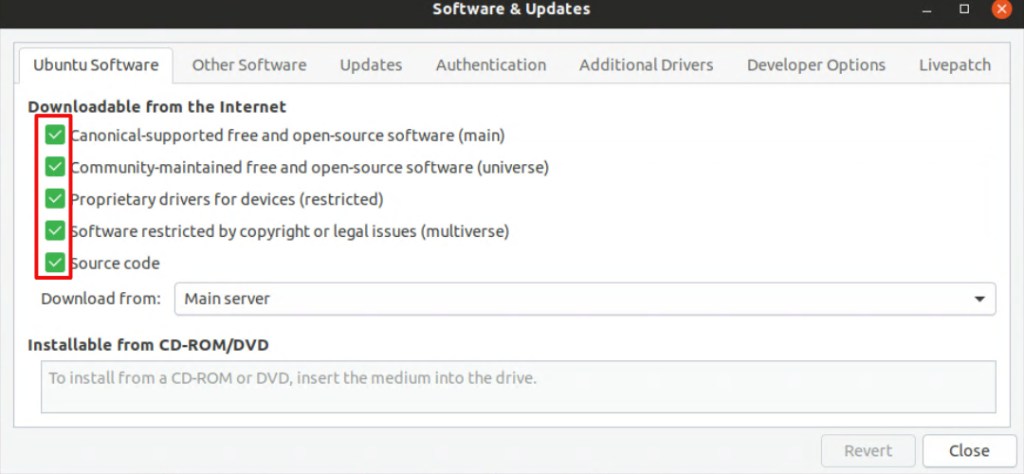
After you get logged on to your new Linux machine, the first thing we need to do is to configured the repos so that you can download the PulseAudio software we will be using to enable your VM’s sound. In the show Applications menu, open Software and Updates. Go to the Ubuntu Software tab and select all of the boxes.
Now, open a terminal from the Show Applications menu and run the following lines to install and configure PulseAudio. Reboot the Linux VM when you are finished.
cd /tmp
sudo apt source pulseaudio
cd /tmp/pulseaudio*
sudo ./configure
cd /usr/src/xrdp-pulseaudio-installer
sudo make PULSE_DIR="/tmp/pulseaudio-11.1"
sudo install -t "/var/lib/xrdp-pulseaudio-installer" -D -m 644 *.so
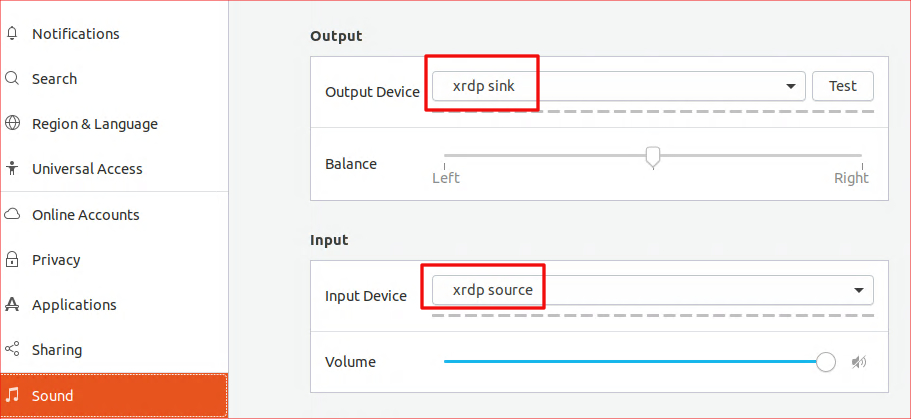
When the system comes back on line, connect again and use the Show Applications menu to open Settings. Go to the sound section and set the Output device to xrdp sink. Set the Input Device to xrdp source. That’s it. If everything went according to plan, your Ubuntu VM should be able to pass sound through to your Windows Host.
Schools around the world are closing early or stopping classes for an extended period of time due to the Covid-19 mitigation efforts. Many school children and their parents are used to having breaks during the summer. A few trips to the pool, some video games, a vacation, and the time is up. This time we’re looking down the barrel of a five month stretch depending on the source. That’s a lot of time to fill and a lot of lessons left uncompleted or forgotten. Read on to lean about some of the on-line resources available to keep your kids engaged.
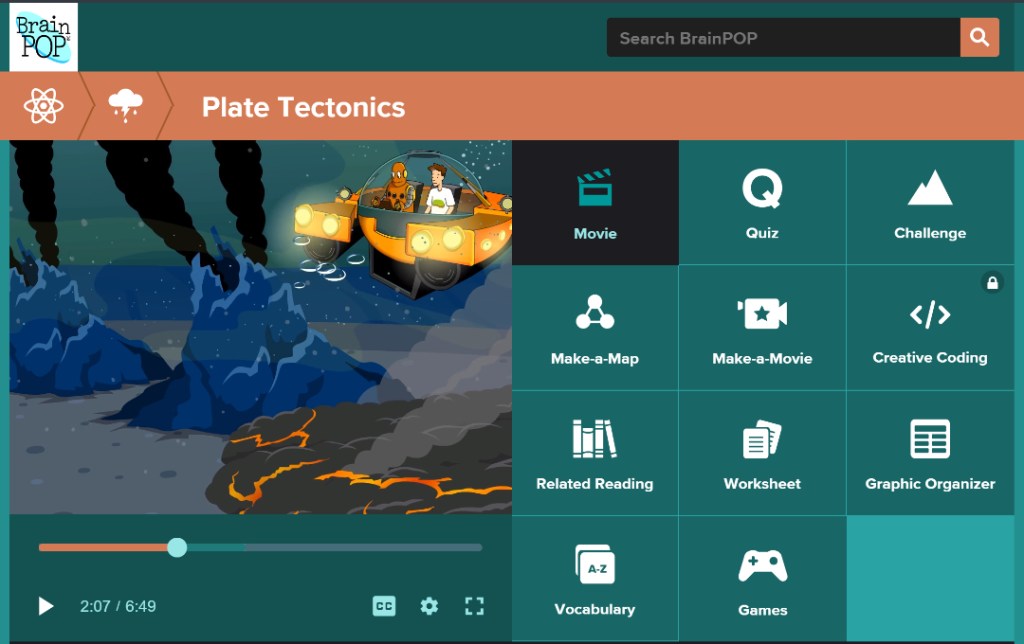
BrainPOP is an extremely well produced educational platform based on short-form videos. The videos follow Tim and his robot friend Moby as they explore every subject under the sun. From basic grade school lessons to engineering, you will be amazed at the depth exhibited in this easy to use and free system.
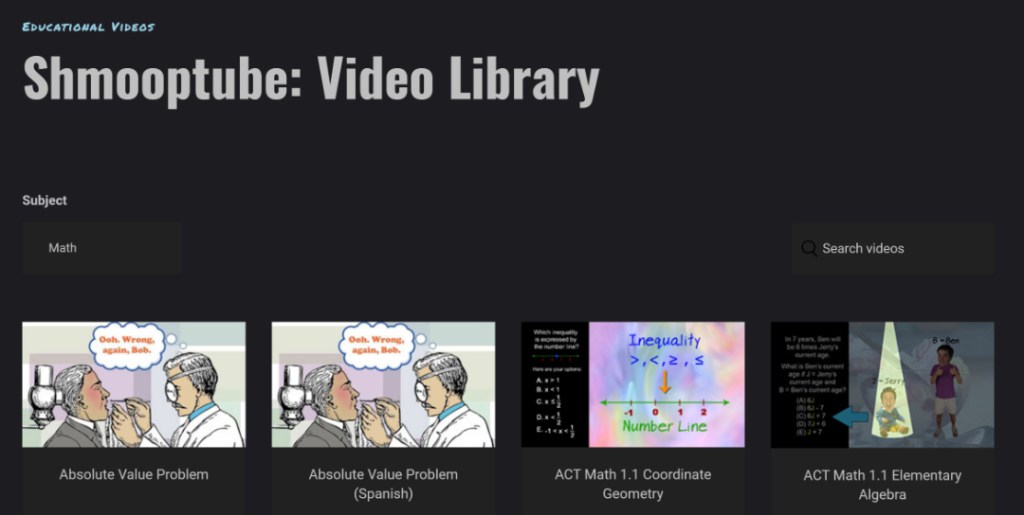
Shmoop is complete on-line curriculum for every level of student. From Kindergarten through SAT/ACT prep, the system is designed to replace traditional school entirely. Both video and interactive lessons are featured in a, “School On-line” method of teaching. While the entire Shmoop solution is not free, the company is offering several of its resources for no cost during the crisis.
Schoolastic is offering daily projects to keep kids engaged with learning throughout the extended break. Lessons for K-9 are free and new exercises are being added weekly.
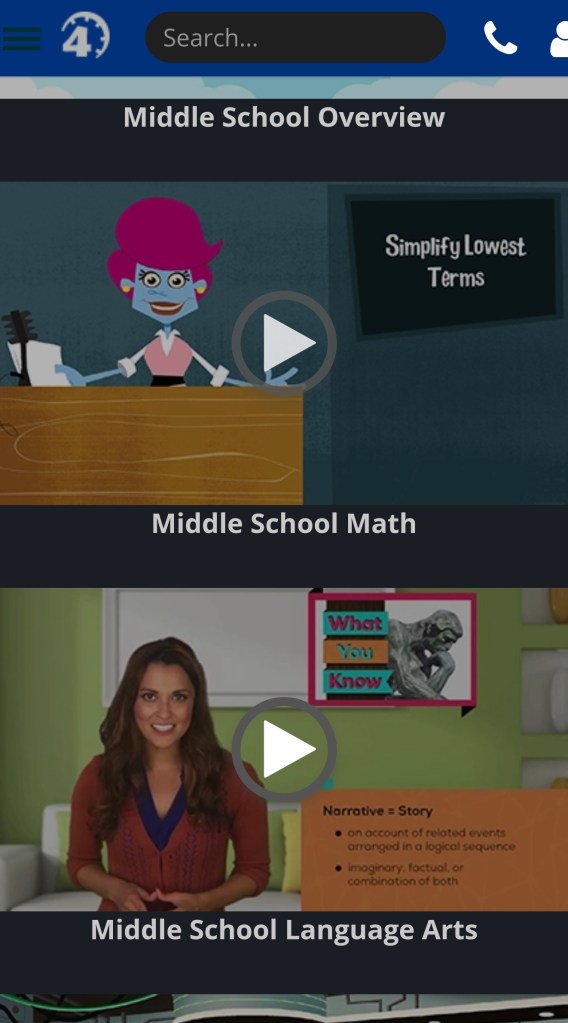
Time4Learningwas developed as an online program for homeschool families. The system features built-in lesson plans and automatic grading. Core subjects from kindergarten through twelth grade are covered. The lessons flow from one to another in a logical order and student achievements are automatically recorded. The system isn’t free, but there are plenty of demonstrations to help you decide if it is a good fit for your family.
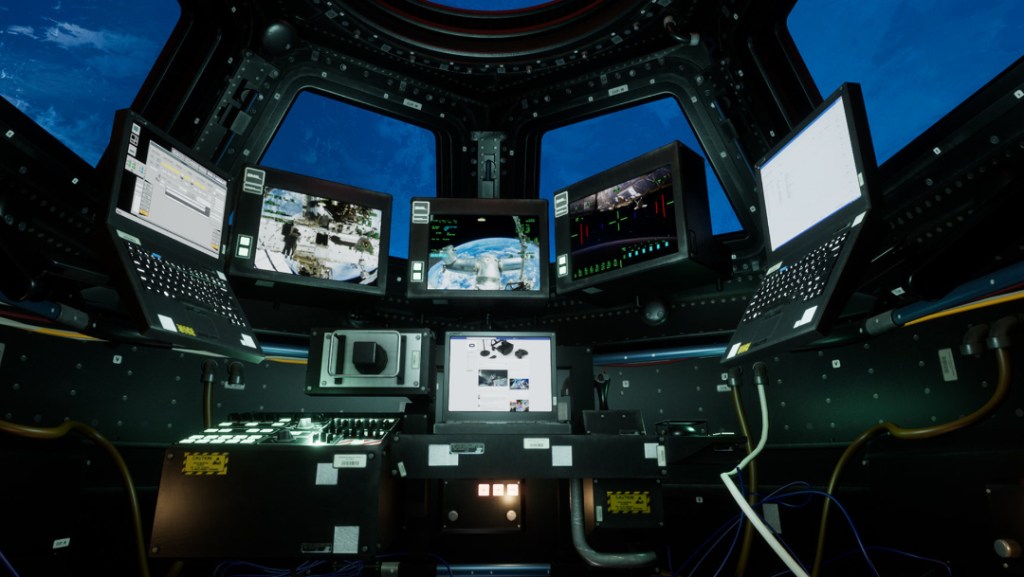
If you’re lucky enough to own an Oculus Quest or Rift, you can find virtual trips to famous destinations all over the world in the Oculus TV App. Take a tour of the Pyramids or Cairo museum , visit the International Space Station, Dive the Great Barrier Reef, and more.
There are thousands of Podcasts from experts and Ivy league colleges that cover every subject under the sun. Some are broadcasts of actual classes. Others are discussions between multiple experts in any given field. Just browse the Educational section of your favorite Podcast app. Don’t forget, both Spotify and iTunes have Podcast support built-in.
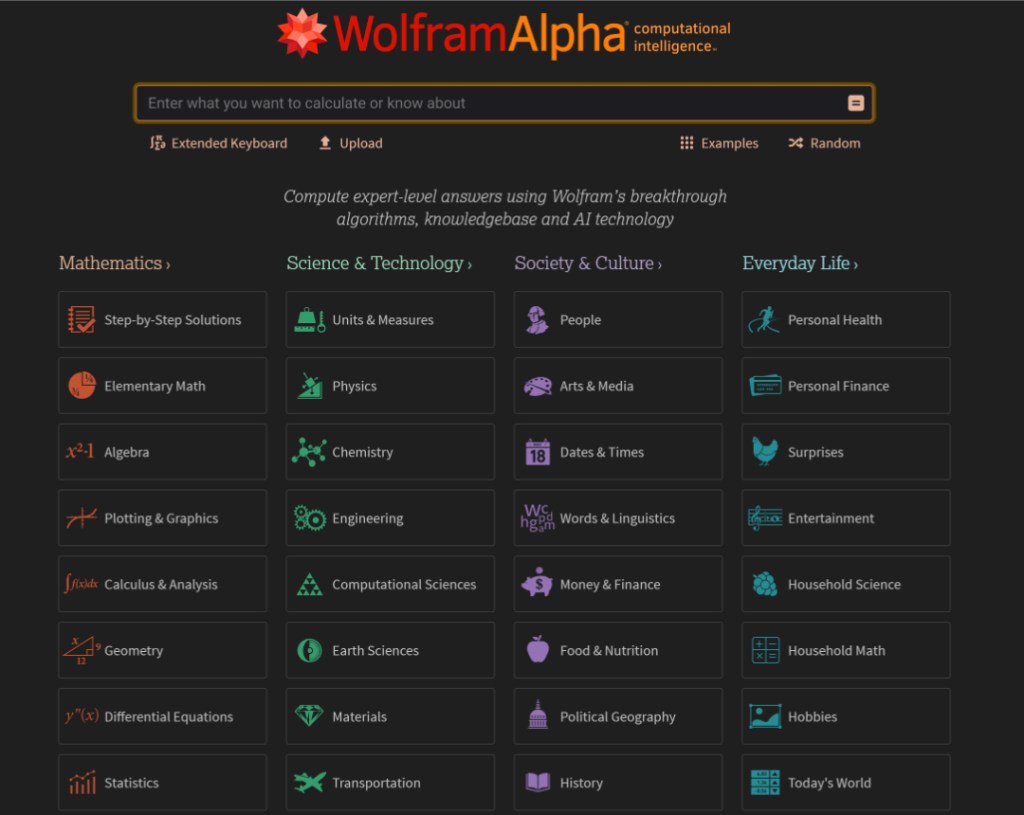
Maybe you don’t need to take over teaching entirely? Lots of teachers are assigning plenty of homework for the duration of the crisis. What happens when your child needs help factoring polynomial prime numbers? Do you even remember what a prime number is? Lucky for you, you don’t need to there are plenty of homework helpers on-line these days. WolframAlpha, Microsoft Math Solver, and Virtual Nerd are just some of of the fantastic resources available.
People make the mistake of thinking that children (and adults) are happiest when they are free to do nothing. For most of us, that just isn’t the case, we lack the self-motivation to use our time creatively and end up spending all of it consuming other people’s work. Binge watching Netflix, YouTube, TV, pointlessly scrolling Facebook, Instagram, or TikTok are acts of consumption. If we don’t balance consumption with productivity we end up, well, unbalanced. Keep your children’s minds engaged by actively learning and producing, they’ll be much happier for it.
Are you stuck at home with no work, no classes, and no basketball, fretting about the end of the world? The best medicine is to distract yourself. Video Games are my go to escape, below you’ll find some great titles to get lost in.
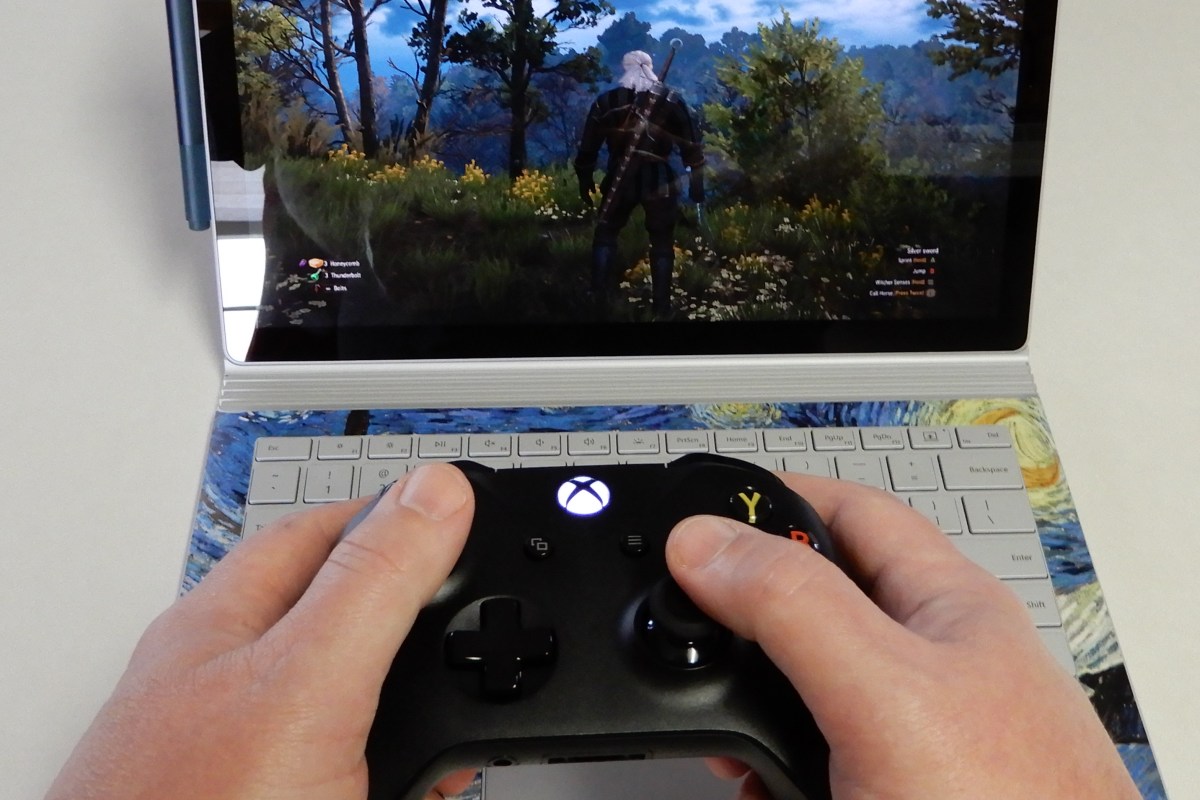
Call of Duty Warzone is the franchise’s latest attempt at a battle royal style shooter. It launched a few days ago on Xbox, PlayStation, and PC for free. When you get taken out, you are placed into a one-on-one battle, the winner is returned to the main fight. With one-hundred and fifty cross-platform players in a match, the action is intense. The shooting is classic COD Modern Warfare, whether you play with a keyboard and mouse, or a controller, the action is satisfyingly precise.
If you have a Nintendo Switch, Link’s Awakening is a fantastic remake of a classic adventure. Remade in a unique 3D top-down graphical style, the whimsical world, bright cheery colors, and cute characters will make you smile. Puzzles and enemies are challenging at times and will force you to focus. You’ll soon forget all about how much toilet paper is left in your cupboard.
Destiny 2 is available on the Xbox and PlayStation, but it really shines on the PC. The graphics are stunning and the game world is expansive. The free to play edition will keep you busy annihilating various alien races while you zoom around the solar system with your buddies. The game has the perfect mix of player versus player and player versus environment activities. Tweak your character to get the right look and balance your powers, go on epic adventures to find the perfect weapons, then dominate your peers in the crucible. Season 10 has just begun, so there are plenty of people playing to keep you from feeling socially isolated.
Are you missing sports? FIFA, NBA2K, Madden NFL, NASCAR, and The Show are some of the franchises that may help scratch your itch. They run on almost every platform and many include “Watch” modes that let you pick the teams and the stadium and then let the games unfold their own. I once visited a bar where the patrons where watching a soccer game that turned out to be FIFA. Based on the cheering, I’m not sure that everybody in the place realized they were watching a computer game. That’s how far the sports genre has come in the last couple of years.
If playing isn’t your thing watch the action instead. Mixer, Twitch, Steam, Xbox, and PlayStation streaming services are packed with people playing and talking about almost every game you’ve every heard of. Don’t sit home eating lonely stew. Get on-line and enjoy the same things you always have in the digital world.
As the Covid-19 pandemic becomes more likely to be an issue in the United States, businesses are beginning to form contingency plans. Group gatherings, travel, and even routine meetings are being postponed. Conferences and conventions are being canceled. Companies are fearful of losing the services of large swaths of their workforce and supply chains.
One strategy is to keep people physically separated as much as possible. Wash hands and disinfect surfaces regularly. If possible, instruct your employees stay home if they feel under the weather. Even if they think it is just allergies or a cold.
The work from home movement has inadvertently prepared many organizations for this event. Many of today’s technology based workers are already able to utilize VPN, Remote Desktop, Cloud Applications, Soft-phones, and the like to do their jobs from almost anywhere. It is important for IT leadership to realize that the virus situation could result in an influx of remote access that will test these platforms.
Perhaps you have Remote Desktop or Citrix severs to support remote workers. Will they be able to handle an increased load? What about your VPN solution? Is it licensed for a small number of travelling users? Now is the time to work with your engineers to scale these platforms up or out. In-path equipment like routers, switches, and firewalls could also be stressed by the extra external pressure, so be sure to include them in your evaluation.
Do you have cloud or hybrid platforms that need to be temporarily buffed? Some vendors are offering free or low cost service upgrades for the duration of the crisis. For example, Cisco is offering to increase your virtual meeting abilities and Microsoft is offering a free six month subscription to a fully functioning Teams solution. Many other service providers have similar offers to help see their customers through the coming crisis.
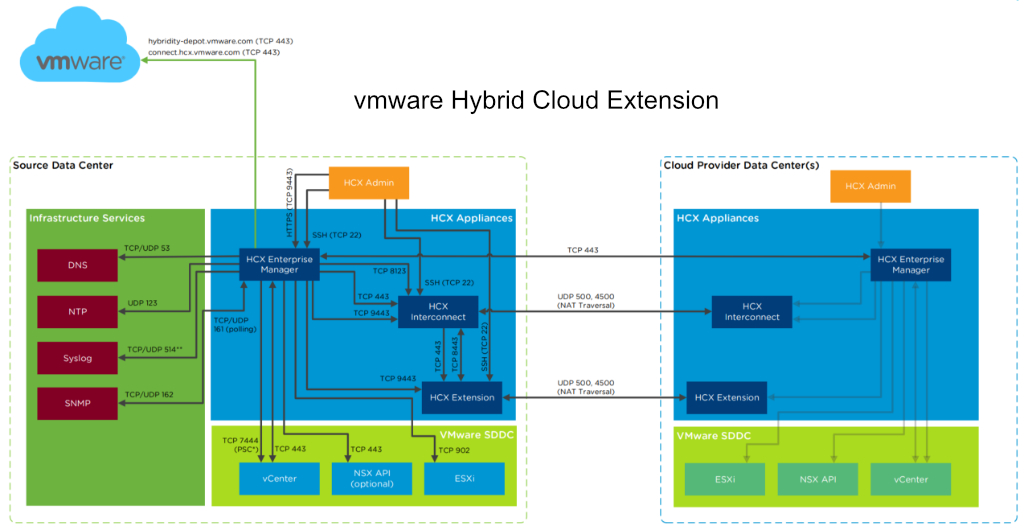
Hybrid platforms can usually be configured to extended into the cloud on-demand. Some on-premises software can be easily made hybrid or migrated to the cloud. Businesses frequently have subscriptions to services like Office 365 or G-Suite that are not being fully utilized. Both include features that support remote work and communications. Now is the time to get them fully spun up.
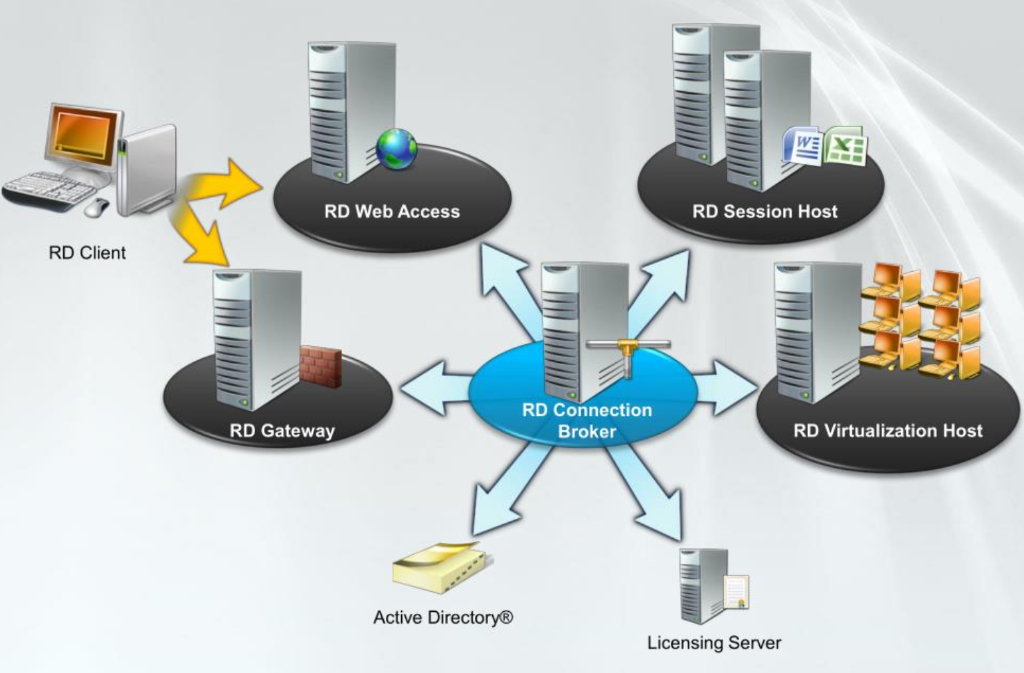
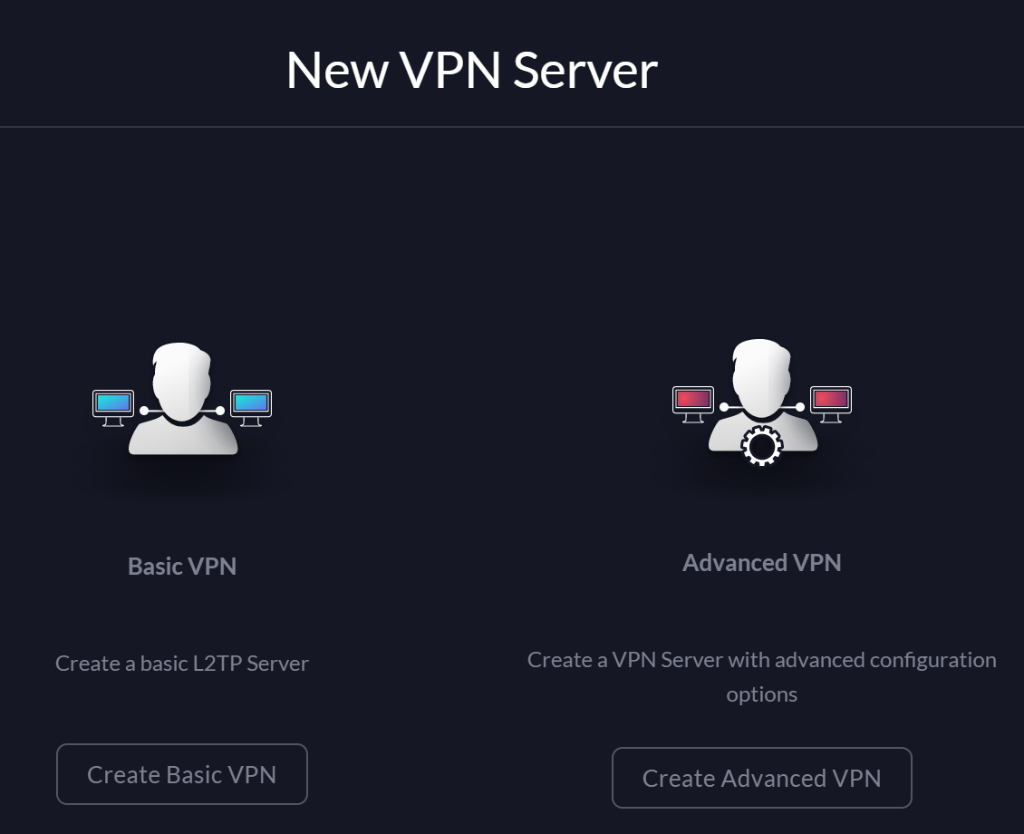
If your organization doesn’t already have remote access solutions in-place, obtaining them is easier and more cost effective than you realize. Almost any Windows or Linux server can be configured to host VPN services, so can many firewalls. A Remote Desktop Gateway will allow your workforce to securely connect from their home/personal end-points to their company owned desktop computers, just like they were sitting at their desk.
If your business doesn’t have an IT staff of its own. I recommend contacting a local service provider. Technology experts can help you understand how to utilize the services you already have, or what solutions you should add to your technology portfolio to support a larger remote workforce.
This winter, it was time to help my son find a new laptop. He needed a well balanced system that could do most everything well. He’s a student with a focus on technology, he writes code, edits graphics, produces video and music, and spends a lot of time on-line. He’s also an avid gamer that likes to stream on Twitch.
His system would need a screen on the larger side to accommodate multiple windows, but it still needed to be portable for school. The keyboard needed a true number pad for coding, crisp clicks and a back-light for gaming were also a must. He also needed a lot of connectivity options for robots, musical devices, microphones, headsets, cameras, and the other equipment his endeavors required.
Whatever system we chose would also need an exceptional GPU. With a budget of eight-hundred dollars, I knew we would have to make concessions somewhere. Often, when shopping for laptops that include a powerful GPU, the other components are also top of the line, weather you need them to be or not. I was hoping to trade CPU and RAM for video performance to stay in budget, but wasn’t having much luck at first. If a system had an Nvidia Ti GPU it also had an I-7 CPU and 16 gigs of RAM we didn’t need. Due to this, most of the laptops that had the features we were after came in closer to the fifteen-hundred dollar price point.
I knew that Alienware was Dell’s gaming line and had looked at several of their systems. I did not know at the time, that Dell also marketed another line of gaming systems known as the G series. I ran across them in a Best Buy and was intrigued. They were less expensive than the Alienware models but still included some of the features we were looking for. I also appreciated that they looked like a normal laptop rather than something that fell off a stealth bomber. After some research, we ended up with a Dell G3 15.6″ system.
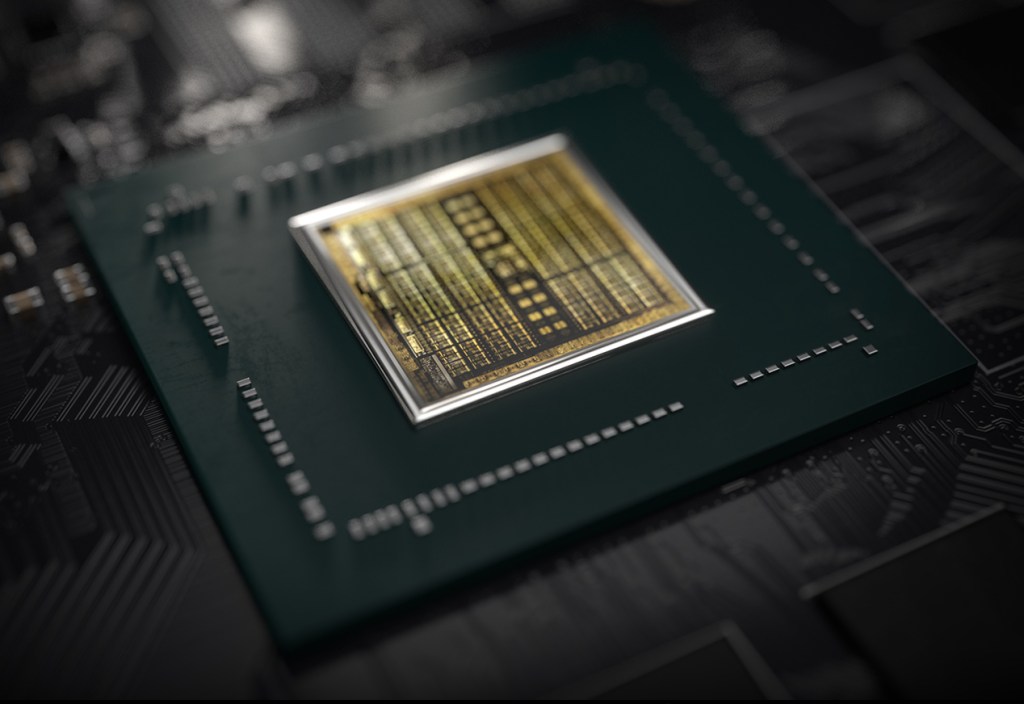
I was able to find the unit on-sale for less than our budget. It has an Nvidia 1660 Ti with 6GB of video RAM. The card can run Destiny 2 at 1440P 60FPS on high, or at 120 FPS + at 1080P. It easily handles AutoCAD, Photoshop, and Illustrator duties as well. The laptop has USB-C with direct GPU (Displayport 1.4) pass-though and an integrated HDMI port. The heat pipe based, dual fan cooling system is able to keep up even when pushing VR games on an Oculus. In short, this is an unbelievable card to find in a “budget” gaming system. It easily out-preforms the Nvida 1050 in my Surface Book 2.
The 9th Gen Intel 9300H I-5 CPU keeps up with everything my son asks the system to do. At first I was concerned that the eight gigabytes of DDR-2666 RAM might not be enough for all the multi-tasking requirements my kid has, but I needn’t have worried. Windows 10’s superb memory management combined with the page/swap file being located on a high-speed SSD means he can open as many apps as he likes without noticeable degradation.
With 2 USB 2.0, 1 USB SS 3.0, 1 USB-C, a 3.5 mm headphone/mic jack, an RJ-45 network port, HDMI Out, A/C Wi-Fi, and Bluetooth all included, there are plenty of connection options for all of his extra equipment. He frequently has his Yeti mic, an external camera, and his drawing monitor all connected and still has ports left over.
He’s had the system for a little over two months now and has really put it through its paces. I’ve been impressed with the results. Especially when you consider the price. Dell has the laptop for around $1200.00 right now, but it you shop around it can be found for much less. Pay attention to the specs, there is an older generation of the G3 system that has a much weaker GPU and slower processor that is still being sold on-line.















 techbloggingfool.com