When you install anti-virus software on Windows 10 it registers itself with the Security Center and automatically turns off Windows Defender. This happens because Microsoft knows that running two AV packages at the same time causes problems like poor performance, application crashes, and even system failures.
Until recently, I assumed that installing anti-virus on Windows Servers worked the same way. The other day while investigating an application that was performing poorly I noticed events from Windows Defender scans. The sever in question was running Trend’s Worry Free Business suite.
It turns out that the server versions of the Windows operating systems do not have the Security Center feature. There’s no method for third-party security software to disable Windows Defender. Furthermore, it is enabled by default in all Windows Server 2016 and newer editions.
Microsoft’s documentation that explains Windows Defender compatibility in located here. The matrix at the bottom of the page shows how Defender is configured in each version. Microsoft and the vendors I checked with suggest running a single solution. Here are the official posts for Symantec and Trend.
Leaving Defender running on one or two physical machines is probably not the end of the world, but virtualized environments are another story. In high-density virtualized datacenters, the wasted resources could really add up, even if running both scanners isn’t causing more visible issues.
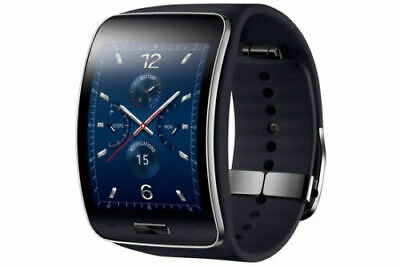
I’ve had a cellular capable smartwatch since the Samsung Gear S was released way back in 2014. I’ve grown to take the technology for granted. Recently, many of my family members acquired LTE capable smartwatches and listening to their comments and seeing how the devices have altered their routines inspired me to write about the experiences.
The Galaxy Gear S was one of the first LTE smartwatches
As technology has progressed smart watches have become far more powerful. Modern models sport multi-core 64 bit processors, LTE cellular radios, Wi-Fi, Bluetooth, NFC, GPS, Heart Rate sensors, Electro-cardiogram sensors, some can also take your blood-pressure and check your blood oxygen level. All of this along with a touch screen, and battery that can run for more than 24 hours are packed into a water-tight case the size of a traditional wristwatch. They are truly marvels of our age.
In my line of work, I need to be available to my employer 24/7/365. Companies depend on their technology. The people that make that technology work are expected to monitor for, and respond to, issues regardless of where they are, or what they are doing. For me and countless people like me, smart watches offer a sense of freedom that is palpable.
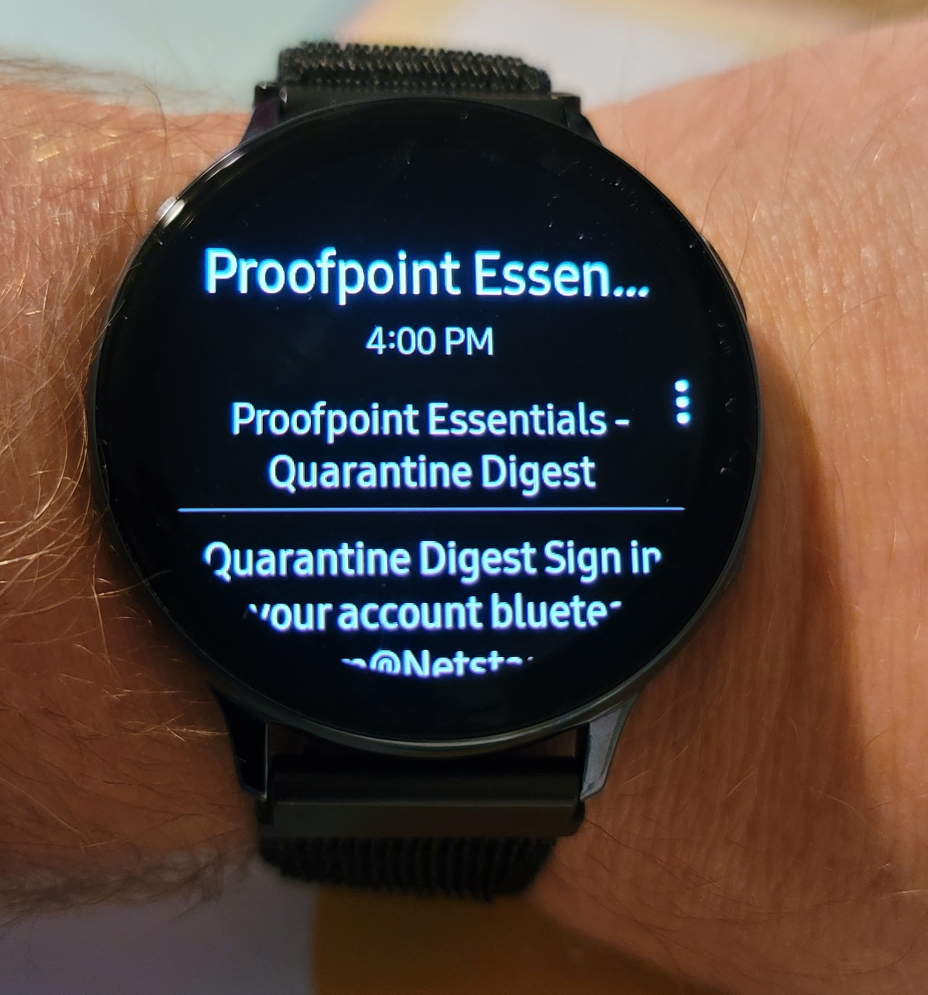
Read and reply to email, text, and more even without your phone
Before they existed, I wouldn’t be able to go for a walk or a hike without my phone. If I left the house and realized I had forgotten my phone, I would have to go back and get it no matter how far I had traveled before I discovered it missing. Now, I frequently leave the house without my mobile in my pocket. I can still get email, text messages, phone calls, review system alerts, and even check various monitoring tools (a stretch on the small screen, but I have done it).
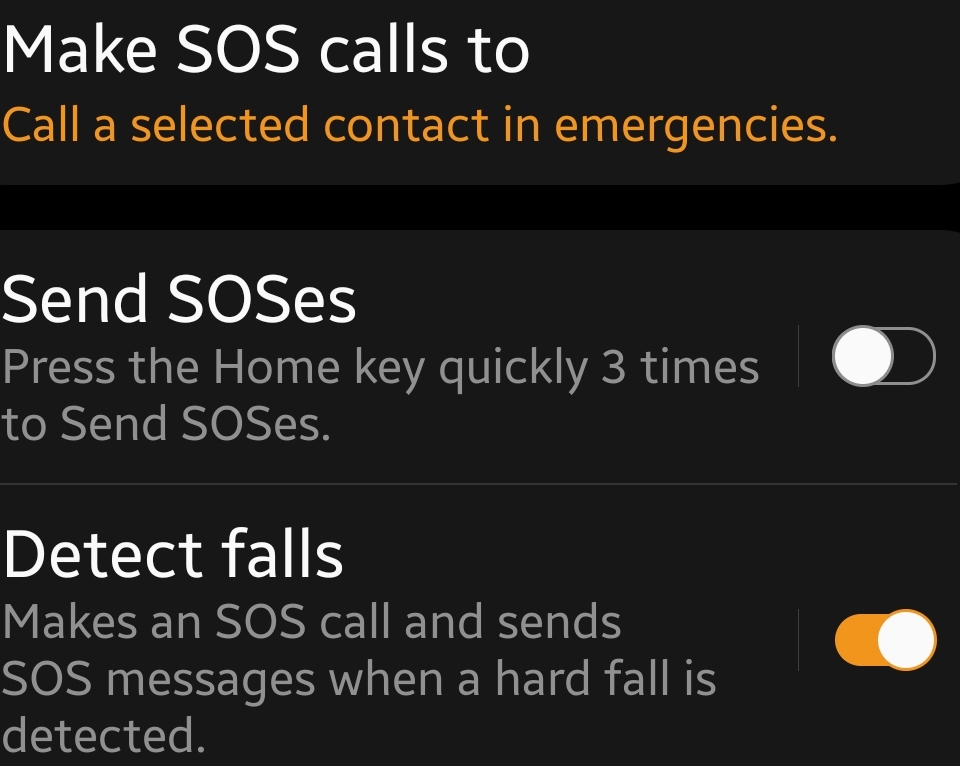
As a young person, I used to make fun of the, “Help! I’ve fallen and I can’t get up!” commercial. Now I’m wiser, having a communication system attached to your person is a powerful safety tool. The Samsung and Apple devices are capable of detecting hard falls and notifying loved ones if you are rendered unresponsive. There’s an enormous peace of mind that comes from knowing that any of my family members can reach out and get help even if they can’t get to their phones.
SOS and Fall detection
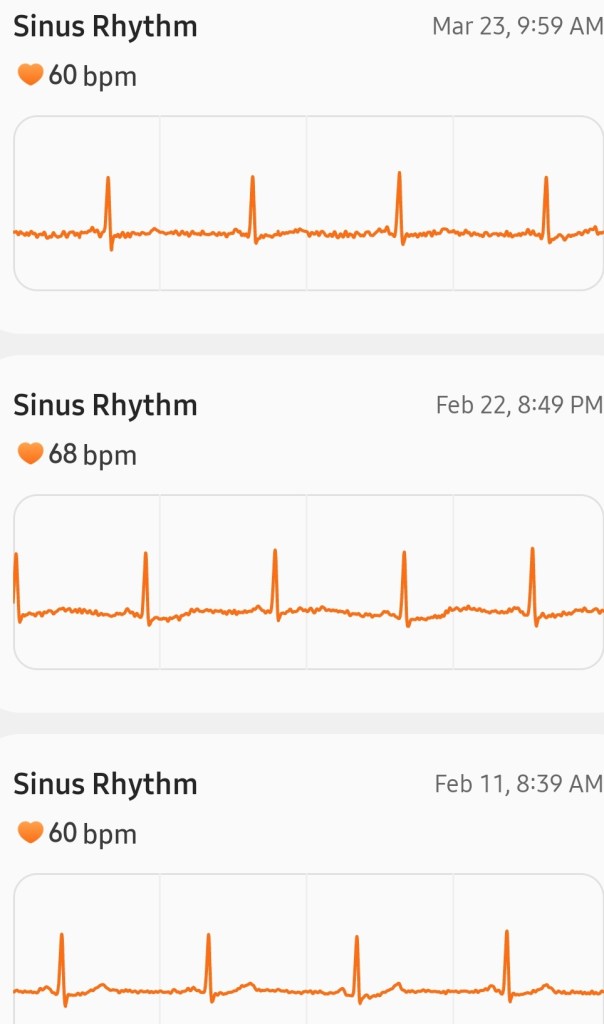
Search the web and you can find countless examples of people reporting that their ECG enabled smartwatch saved their lives. When a person reports an issue to their medical professional that could be heart related, they are often asked to wear a heart monitor for number of days. The doctor is hoping to capture data about the problem the next time it occurs. When your watch contains similar sensors and your phone records its monitoring events for months or years at time, the data has probably already been captured. This can lead to a faster diagnosis or at least better targeting of further diagnostics.
Share your ECG history with your doctor in a report
The devices are the best exercise tool since the stationary bike. Over the years, developers have found ever more creative ways to use a smartwatches abilities to assist their user’s in reaching their health goals. Going for a walk or run while recording distance, pace, and cardio performance used to be something you could only do on a high-end treadmill while wearing a chest strap and face mask. Now if I sit too long, or haven’t reached my move goal, my wrist buzzes with a suggestion. When I head out, I can easily keep streaming my podcast, tunes, or even my YouTube video.
It has been fun to witness the evolution of the smartwatch from a nerd gizmo to a mainstream accessory. If you have had the standard Wi-Fi model for a while and are considering upgrading to an LTE option, I can say that I don’t personally know anyone that has regretted the decision.
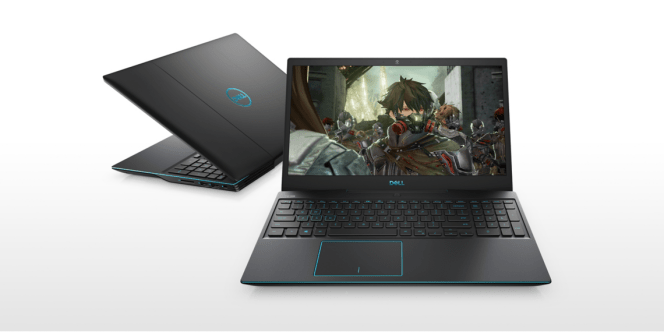
The Dell G3 laptop that I bought my son for Christmas last year has been a good choice. It runs all of his games, graphics editing, and CAD software with ease. A few months ago we doubled the RAM to 32GB and added another 1TB SSD so that he can run VMs for his development machines and even host some Minecraft servers for his buddies. All in all it has proven to be a great system except for one thing.
About a year and a half after we purchased it, the laptop’s lid stopped closing properly. When you shut the lid it made a cracking sound and shifted to the left on its way down. Clearly there was something wrong with the hinge. I hopped on the web and found a page in Dell’s forums where numerous people were complaining about this particular laptop having a design flaw in its hinge system. Inspiron G3 15 3590, hinge broken – Dell Community
Like us, many of these people are upset. It seems the hinge usually fails just outside of the system’s warranty. At least one person was able to get Dell to repair it anyway. According to the post if the system is part of a certain batch they are acknowledging that it is a manufacturing flaw. My kid’s laptop was one that they will repair, but the parts are on backorder with no estimate of an arrival time. I decided to fix it myself.
Dell G3 3950
This repair is difficult. If you are not experienced working on laptops, tablets, or phones I caution you against attempting the procedure yourself. There are numerous ways you could damage the screen, motherboard, and other components while working on a laptop’s internal components. If you choose to proceed you are doing so at your own risk.
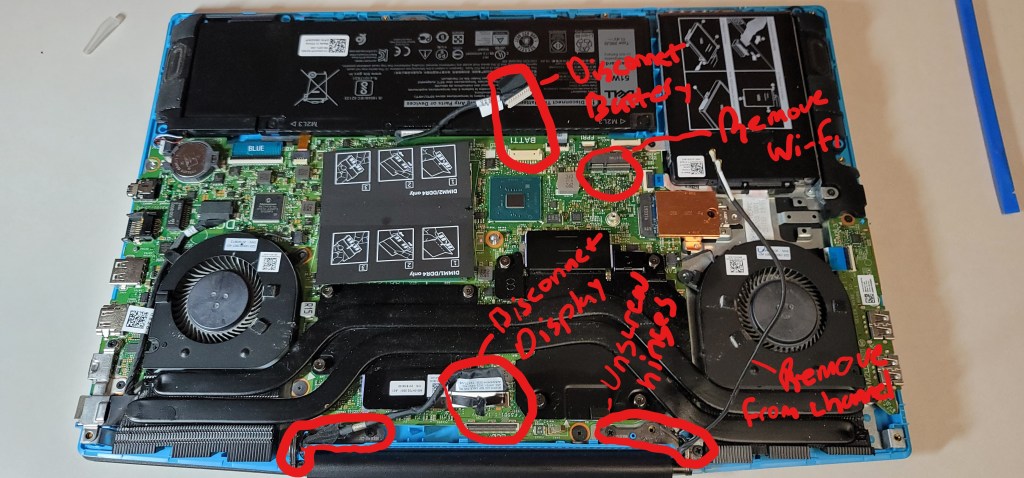
You will be removing the case, disconnecting the battery, removing the Wi-Fi adapter, disconnecting the display, and removing the display’s case. I was able to find a video (not English) that shows the process step by step. I suggest that you watch it both before you decide to proceed and while doing it. How to fix laptop Hinges Dell G3 15 3590-Easy Tutorial – YouTube
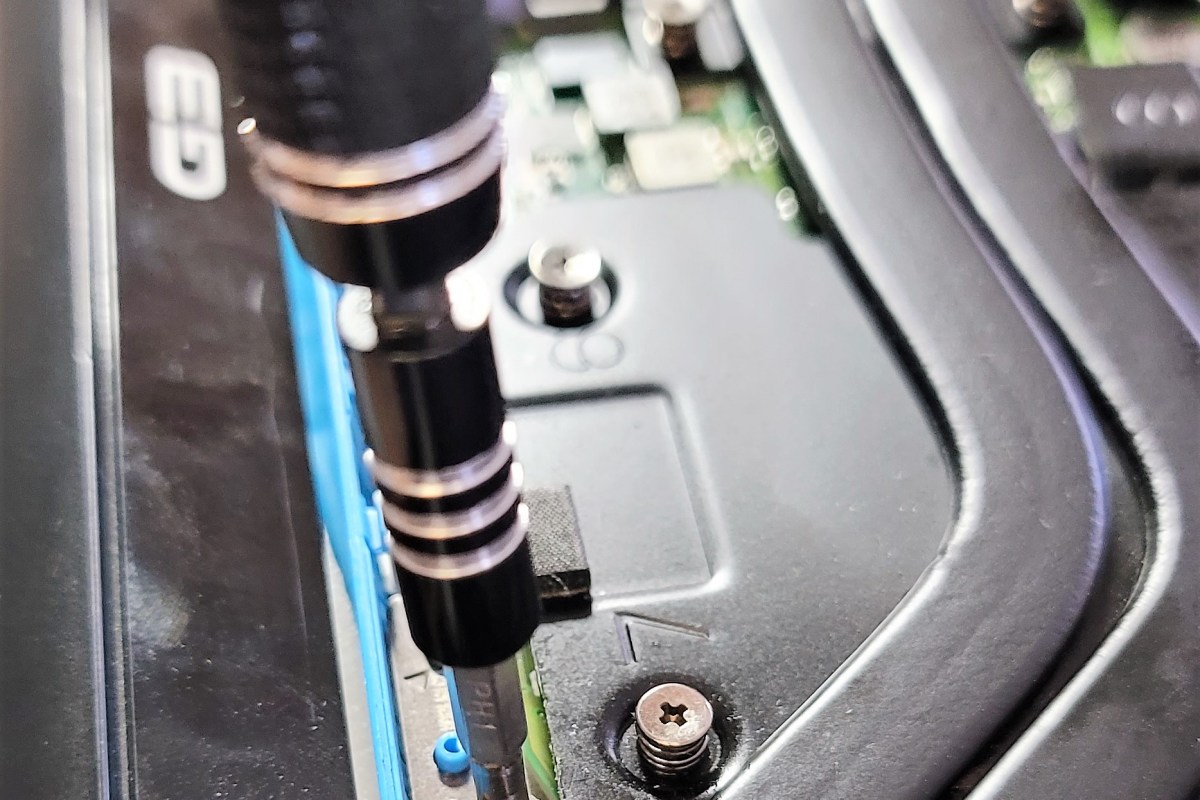
You’ll need a clean dry work surface with good lighting. Remove any drinks or other containers of liquid from the area. It is best if you have an anti-static mat to work on. If you don’t, avoid standing on carpet and ground yourself before touching anything inside the case. You will need a number 1 Philips head screw driver, tweezers, plastic pry tools, plastic pics and something to put the screws and parts you remove on to keep them organized. If you don’t have these types of tools you can find kits that have them on-line and in many stores.
Follow along with the video. First remove the back of the laptop by taking out the screws. Then disconnect the battery by pulling its connector out. The antenna is a wire that is looped around the outside of the display, it needs to be disconnected before the display can be removed. Unscrew the wi-fi adapter’s antenna guard and remove it. Disconnect the antenna leads and remove the wi-fi adapter, slide the antenna cable out of it’s channel.
Now disconnect the display’s lead from the mother board by pulling straight up on it. Carefully open the display so that the hinges are extended and remove their screws. The display should come off of the laptop now. Set the laptop’s bottom cover and motherboard assemble to the side.
Now that you have the display separated from the lower half of the laptop we need to remove the top cover from the screen so that we can access the hinge assembly. In the video the man uses a sharp piece of plastic to slip down between the bottom of the cover and the screen. He actually cuts part of the display cable’s outer sheath doing this. I used the plastic picks (guitar picks) from my tool kit to remove the lower portion of the cover with no damage. Slide the pics in to open up some space and use your fingers to unsnap the clips one at a time. Go slowly. Be careful not to dislodge the camera or wi-fi antenna wires.
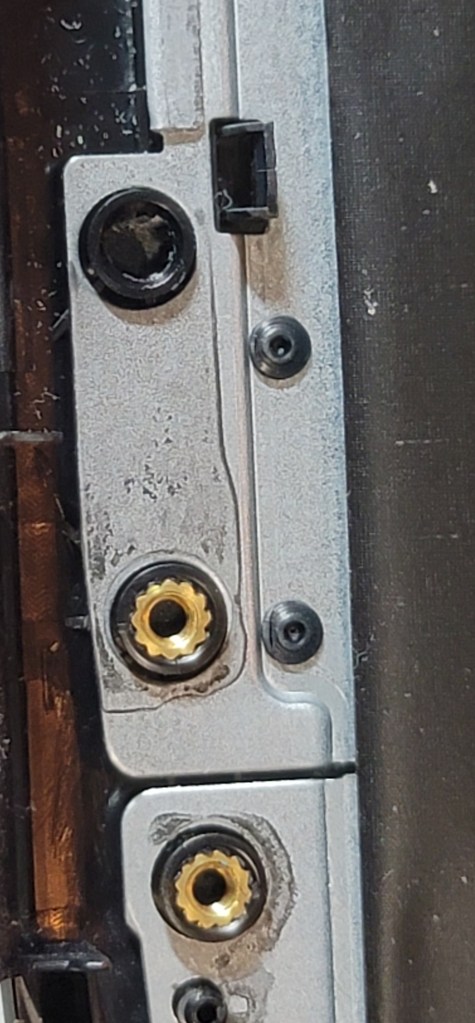
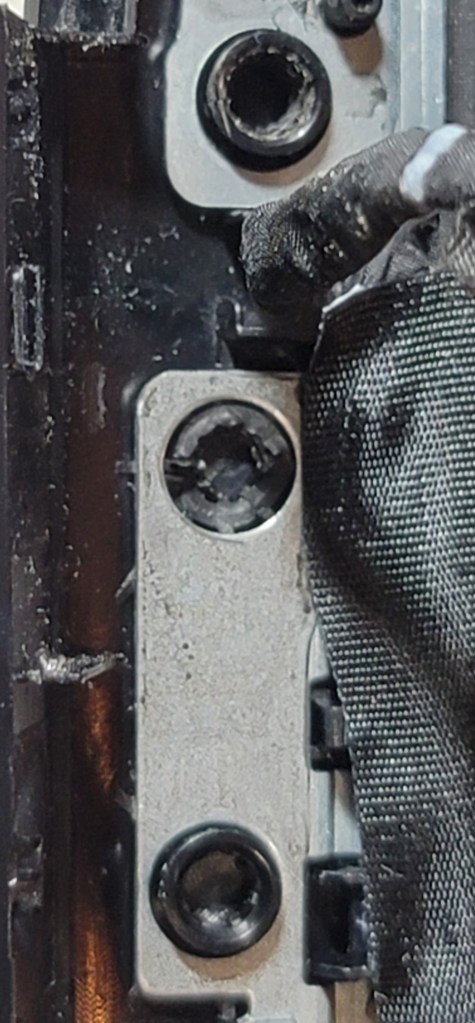
Once you get the display shell off the cause of the problem will be apparent. The failure occurs because the brass thread inserts twist in the plastic as the lid is opened and closed. Eventually they break the plastic entirely. They will fall out when you remove the case covering the hinge.
In the video the gentleman winds the screws in cotton and covers that with a layer of super-glue to enlarge them and fill the void that is left in the hinge mounts when the brass threads come out. Our laptop was more damaged than that. When the brass inserts failed they broke the plastic badly.
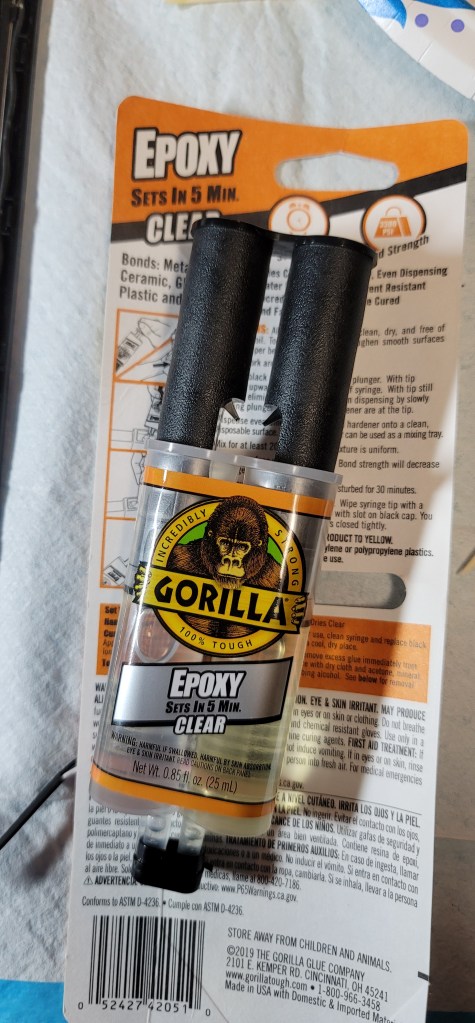
I used two-part epoxy to repair the hinge mounts. Working on one hinge at a time, dip a paper towel in rubbing alcohol and clean the hinge as well as the surface it mounts to. Mix the epoxy according to the directions and spread a thin layer on the mounting surface and in the screw holes. Put the hinge back in place and use your screw driver to hold it down firmly for a minute or two. Insert the screws back in their holes holding each one in place for ten seconds or so.
Epoxy forms a bond that is stronger than the case itself and is easy to work with in its liquid state.
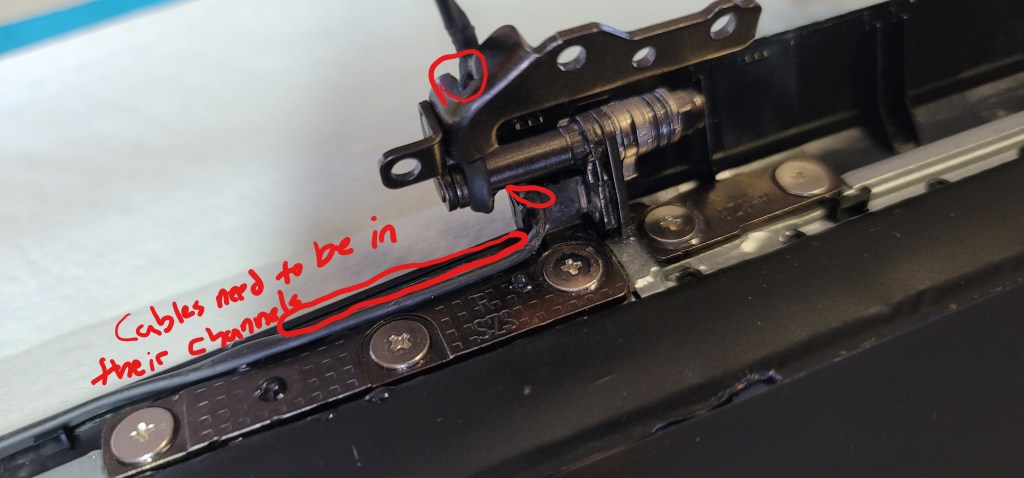
I let the hinges dry overnight before reassembling the case. The epoxy I used says that it sets in 5 minutes but the fine print adds that it takes 24 hours to fully cure. When you put the cover back on the display be sure the antenna and display cables are back into their channels before you try to snap the cover back down. I used a few pieces of double sided tape to help secure the bottom of the cover.
Reassemble the laptop, be sure to run the antenna cable back through its channel before you screw the display on to the lower chassis. I found the Wi-FI adapter antenna leads quite difficult to reattach. They are very small, a magnifying glass came in handy to see them. Use your fingers to squeeze them back into place, tools might break the fragile card. Don’t forget to hook up the battery and display cable too.
You can use Outlook 2007 and newer to merge PST files. This process is useful if you have acquired somebody else’s mailbox export, or have numerous archive files that are difficult to deal with. You can not select a source PST that is in use by Outlook so you must close it first. If you are consolidating into a single new PST file, create it before you continue with the steps below. The target PST file needs to be mounted in the Outlook profile or it will not show up as an option in the import dialog.
Open Outlook, right click on the Source PST file and close it
Click File -> Open / Export
Click Import / Export
Click Import from another program or file -> Next
Click Outlook Data File (.pst) -> Next
Browse to and select the source PST file (the one you are moving data from)
Make sure the “Do not import duplicates” option is selected.
Click Next
Be sure the “Include subfolders” check box is selected.
Select the radio button labeled “Import items into the same folder in:”
Choose the Target Outlook Data File from the drop down menu.



 techbloggingfool.com