I have a high-end Dell XPS laptop that I love. Recently, I ran into an issue where the Intel Killer Performance Suite would no longer update. The Killer Performance Suite is a package of advanced network control software and drivers. It’s frequently used in gaming and high-performance computers to boost network speed and reliability.
The failing update wasn’t worth a lot of time or energy. I’m not using this system for anything that requires extraordinary network performance. So, I did what any computer savvy person would and uninstalled the app. Problem solved.
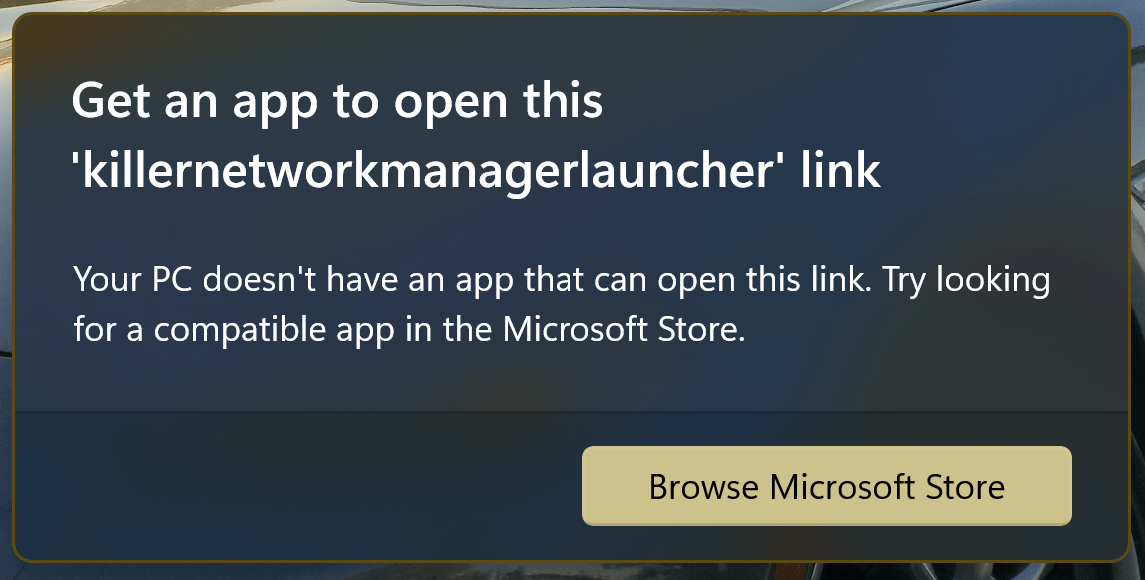
Or so I thought. Uninstalling the software caused a really annoying error to start popping up. Every so often my system would popup an error dialog saying that that it couldn’t find the “killernetworkmanagerlauncher link”. It wasn’t the worst thing in the world, but after a while it got on my nerves.
I installed and removed the software again. I searched through the startup apps and start folder in Windows for any references to the Killer software. I even searched for and deleted quite a few registry keys left over by the program. None of it helped. I found a knowledge base article on Intel’s site, there were no solutions mentioned on it at the time either.
Tonight, I booted up my laptop and got the prompt again. That was it, I was going to fix it or re-install Windows. I stopped looking for answers and decided to solve it myself. I thought about it the problem rationally. Start-up items launch from just a handful of places. The registry, start-up folder, via a service, and the task scheduler are about it. Guess which one I didn’t check?
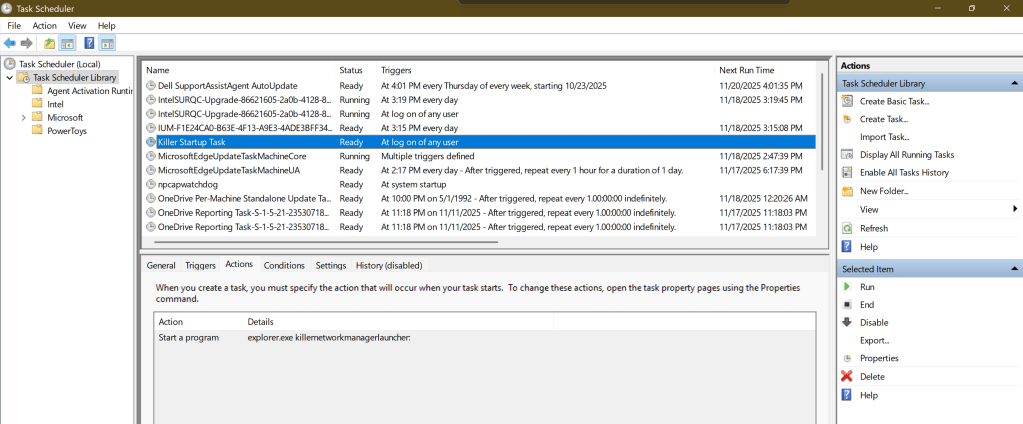
If you are also suffering from this repeated nag, delete the “Killer Start Up” task. Open the Windows Task Scheduler application, find the task below right click on it and delete it. Then reboot.
 techbloggingfool.com
Fantastic! Worked on my XPS 17. Thanks for sharing.
LikeLike
Thanks !! Very useful !
LikeLike
Thank you , it worked great !
LikeLike
I find myself today with the same problem.
Surprised, I asked myself how this program got installed, because I didn’t install anything.
So for safety, I immediately uninstalled it and ended up with the problem you mentioned.
Congratulations on your research and sharing, because I would never have thought to take a look there.
A big thank you for the time you spent finding a solution and especially for sharing it. Best regards
LikeLike
You are a hero, thank you!
LikeLike
Super, thanks a lot. I completly got rid of this bloatware, finally. And I used the opportunity to diable all the OneDrive related autostarts.
LikeLike
That worked on my machine, I went and stuck it into an Intune detection and remediation script after going down the route of “oooh what other useless scheduled tasks can we get rid off at the same time” and then “ooooooh, maybe i can get the script to look up a list of tasks and remove all of them”
LikeLike
Thanks a lot for this, sir! I myself installed, uninstalled, disabled the related services, checked the installed apps, defautl apps, began looking in event viewer… thank you again! Next this annoying popup shows for other apps on my computer or on my colleagues, I will go to the scheduled tasks. Cheers!
LikeLike
Thank you! This fixed my problem as well!
LikeLike
THANK YOU SO GODDAMN MUCH! I was about to throw my laptop at the wall and/or possibly reinstall Windows if I calmed down. You just saved me six hours of ridiculously unnecessary work this morning.
LikeLike