Do On-Line IMEI Carrier Unlock Services Work? I Tried One to Find Out.

New jobs are full of discovery and new situations. I usually enjoy the acclimation process. However, there is one thing that often proves to be a challenge for me. Somehow, my mobile service provider never works in my new employer’s building.

This should be an easy problem to solve in the modern world. My Samsung Galaxy S24 Ultra is multiple SIM capable. Meaning it can use signals from two different carriers. Great I thought. I’ll just get an eSIM from the carrier that has a signal at work. Problem solved! Of course, there’s a catch. To use another carrier’s SIM, your phone has to be paid off and unlocked.

There’s even a catch to paying the phone off and having it unlocked. The discount I got from my carrier’s trade-in program is paid out as a credit every month. If I pay the phone off early, I lose those two years’ worth of credits, almost $600.00.

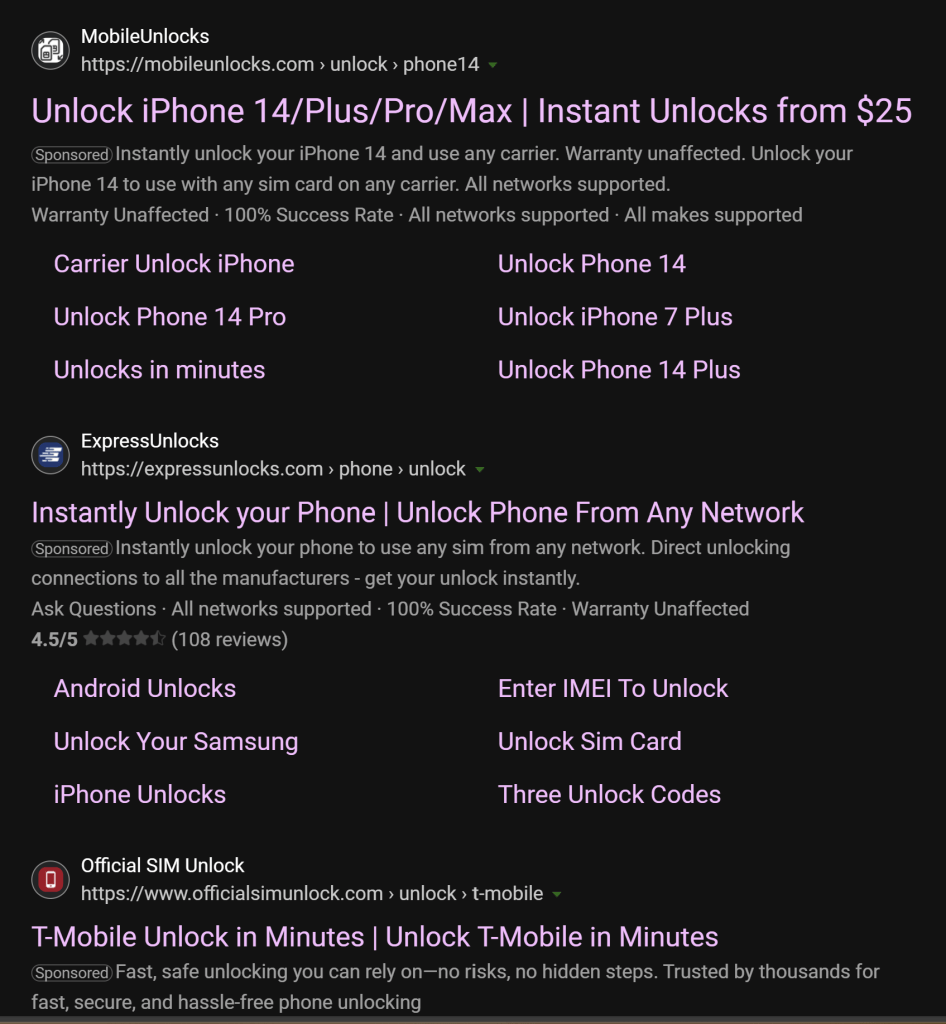
I did some research to see if there are workarounds and it turns out there are. There are services that advertise on-line that they can unlock a phone even if it is still under contract. According to the documentation on their sites, the process is legal, quick, and painless. Reviews on independent sites are hard to come by.

There are dozens of sites offering unlock services.

Here’s how my IMEI unlock experience went. I gave one of these services my IMEI number and a twenty-five-dollar fee to get started. The fee is for the company to investigate the chances of their ability to unlock my phone. This fee is not the cost of actually unlocking the device. The first round “Investigation fee” is $25 – $45 depending on the phone and the service provider.

There is a second payment required before your phone is unlocked. The unlock fee is $100 to $150 depending on the device and carrier. You’re only offered this second round if their investigation’s results are positive. I used a one-time payment method and continued with the second round after they approved me.

I submitted the IMEI of my Galaxy S24-U on their site. If you are reading this post because you are interested in using a similar service, be warned. Some IT security professionals consider giving your IMEI number to anyone a risk. Please research the consequences of sharing an IMEI before proceeding.

Next, they wanted me to confirm my identity. This step was not mentioned on any of their documentation and made me very uncomfortable. I had to provide them with a bank statement showing the card charges from their company. If I couldn’t do that, they would accept a picture of me holding my driver’s license. As if? I gave them something that convinced them to move forward.

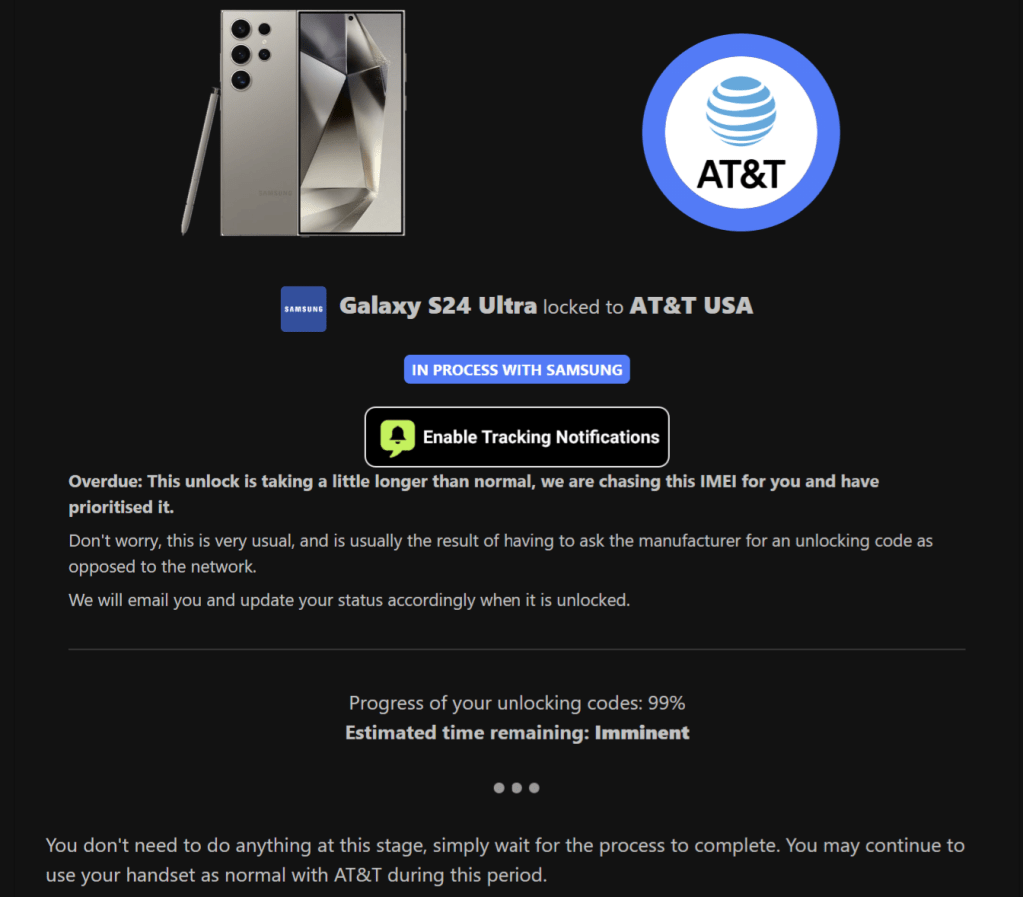
After I finished jumping through their hoops, they agreed to unlock my phone. They sent me an email with a link to my personal unlock tracking page. It showed which stage the unlock process was in along with the percentage of completion.

The dashboard also provided a support chat window. The tracking page listed an estimated completion time based on the investigation results. They thought it would take three days to unlock my phone.

The progress percentage is misleading.

At first the service seemed to be working. Except for the identity verification step, I was comfortable with the transactions. The emails they sent were professional looking and informative. The tracking dashboard was convenient. Everything was great except for one thing.

It didn’t work. They’ve been stringing me along for more than two months now. My status page showed 99% on the second day. On the fifth day I contacted them via the support chat. They let me know it was taking a little longer than usual but to just be patient. They were certain my phone would be unlocked in the next couple of days.

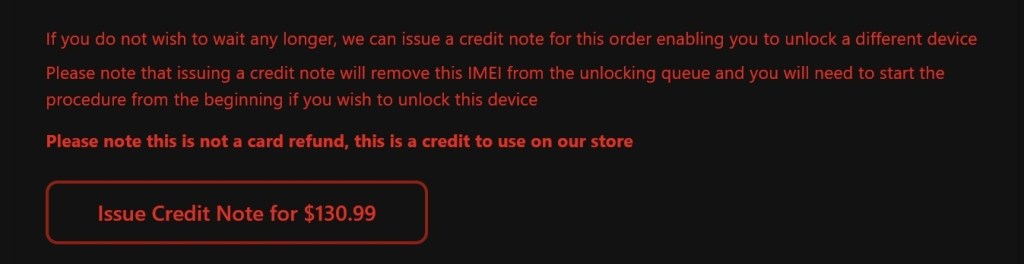
In fact, that is all they ever say. A variation of, “We understand you’re not happy. Just wait a little longer.” At the one-month mark, I asked for a refund. Their reply stated that the unlock process was at 99%. It had not encountered any errors, so I couldn’t be issued a refund.

Today, exactly two months has passed since I decided to burn $130 on the altar of finding out. The company eventually offered to try and unlock another device. I didn’t have one, but I don’t think I would try even if I did.

To this day they swear that my unlock code is just moments away. There have been no errors and the process is still running so they can’t provide a refund. It anything ever changes, I’ll update this post. I’m not holding my breath.

Optimizing Email Branding with BIMI

Have you ever noticed that some of the people and companies that email you have different icons? Somehow rather than initials, they are represented by a custom avatar in your message list. Usually, it is their corporate logo.

BIMI which is an acronym for Brand Indicators for Message Identification is the protocol being used to achieve the effect. In a nutshell, the protocol requires that you make your email environment fully DMARC compliant. Once you’ve implemented SPF, DKIM, and DMARC you can setup BIMI by following the instructions on the group’s website https://bimigroup.org.

The BIMI group’s implementation guide will walk you through creating the appropriately sized logo image. That image has to be hosted on a publicly available website accessible via an HTTPS URL. You will eventually create a special DNS record that points to the image’s URL. It is this record that the email client applications use to download and display the custom sender icon.

Indeed, is using BIMI and their logo appears in my message list as a result.

Chances are that you have researched the topic and are already aware of this basic information. You’ve also probably discovered that Microsoft does not support BIMI at this time. It turns out there are a couple of workarounds Microsoft customers can use to send BIMI messages. They’re not free, or easy. However, if you really need the branding before MS fully supports BIMI there aren’t any other options.

Microsoft’s Dynamics 365 does support BIMI messages in certain situations. Dynamics 365 is the only way to send BIMI enabled email messages from a Microsoft environment right now. More information about the process is available @ https://learn.microsoft.com/en-us/dynamics365/customer-insights/journeys/bimi-support. Dynamics 365 is a subscription-based solution. There are demo licenses available, work with your CSP or VAR to obtain one.

Here’s the rub. Even if you send Dynamics 365 journey messages with a BIMI logo to Outlook users, the icons won’t be displayed. Outlook itself only supports sender images from Exchange/Outlook contacts at the moment. That leaves us with creating contacts that include the images we want to display for our Outlook users.

It is possible to use a combination of MS Graph and PowerShell to create 365 contacts. There are several scripts already out there that would serve as baseline code. Unfortunately, none of the ones I’ve examined include a procedure to manipulate the contact photos. Displaying branded logos in Outlook is a big undertaking. The effect would only work on Outlook accounts in your organization. So, consider the outcome beforehand.

According to Microsoft Learn, contact’s photos are a code accessible attribute. See this link for more information: https://learn.microsoft.com/en-us/graph/api/resources/profilephoto?view=graph-rest-1.0. We would need to bulk import or create Exchange Online contacts. The method is described (with examples) on Microsoft’s site see: https://learn.microsoft.com/en-us/purview/bulk-import-external-contacts. An import script would need to include a line to download and apply the photo using the “Update profilePhoto” method. I haven’t personally undertaken this task, but I’m confident that it should work. If you’ve already banged out a working solution, feel free to post a link in the comments. If I create a working script in the future, I’ll update this post.

Win Christmas Breakfast with Our Favorite French Toast Recipe

French Toast’s delicate mix of mild flavors makes it extremely sensitive to changes in texture. Some recipes I have tried over the years sacrifice the almost fried egg exterior and nearly bread pudding interior in an attempt to boost the flavor, but I’m not a fan of those.

The trick for nailing the batter is the ratio of eggs to milk. It has to be perfect. My partner and I landed on the recipe below as our favorite. We found it on page 754 of our first cookbook, “How to Cook Everything” by Mark Bittman.

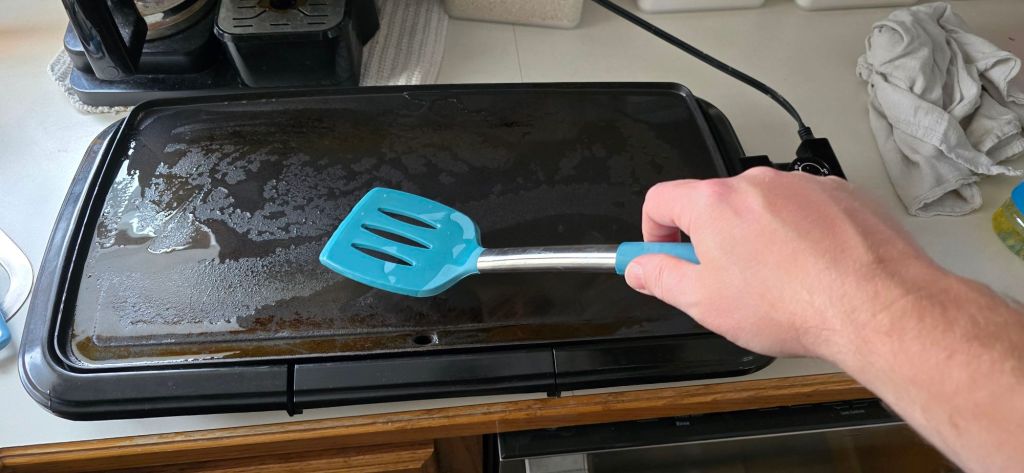
Besides the batter, the temp of the gridle has to be spot on. Three hundred and ten degrees is the sweet spot for my cheap plug-in countertop model.

  • Griddle or some other large flat cooking surface
  • Spatula or other utensil suitable for flipping and manipulating bread on chosen cooktop
  • Whisk (fork will work in a pinch)
  • Measuring Cups
  • Measuring Spoons
  • 2 Whole Eggs
  • 1 Cup of Milk
  • 1 Pinch of Salt (1/8 tsp)
  • 1 Tablespoon of Sugar (heaping if you have a sweet tooth)
  • 1 Teaspoon of Ground Cinnamon (heaping if you are a cinnamon sugar fan)
  • 1 Teaspoon of Vanilla Extract (don’t waste real vanilla, it doesn’t make a difference here)
  • 8-12 slices of most any bread
    • bread type and dipping preferences affect the number of pieces drastically
    • Dry stale bread actually works best
  • Butter, Powdered Sugar, and Maple syrup or other toppings to taste.

Preheat your griddle to 300 – 320 and lubricate it with your favorite cooking fat (butter, oil, cooking spray, or etc.) Crack the eggs into a medium sized mixing bowl, poor in the milk, add all the other measured ingredients (-not the bread or toppings lol). Whisk the ingredients vigorously.

Seriously, put some effort into the whisking. Stop when the mixture looks like pale, frothy, thick, chocolate milk, and any evidence of un-mixed egg yolk is gone. The cinnamon takes a while to blend in, but it will eventually stop clumping up and disappear.

Now, dip each slice of bread into the batter. Coat both sides. I recommend being quick to prevent over saturating the dough. If you get the bread too wet, it will tear. Place each piece on the griddle after coating the second side. Be careful to avoid splashing the hot oil.

Cook until golden brown, which usually takes a few minutes. Then flip and cook the other side. Serve while hot. You can keep leftover slices in the fridge and warm them up in the toaster to prevent them from getting soggy in the microwave.

Glenwood Springs Colorado in a Miata. A Great Vacation for Driving Enthusiasts

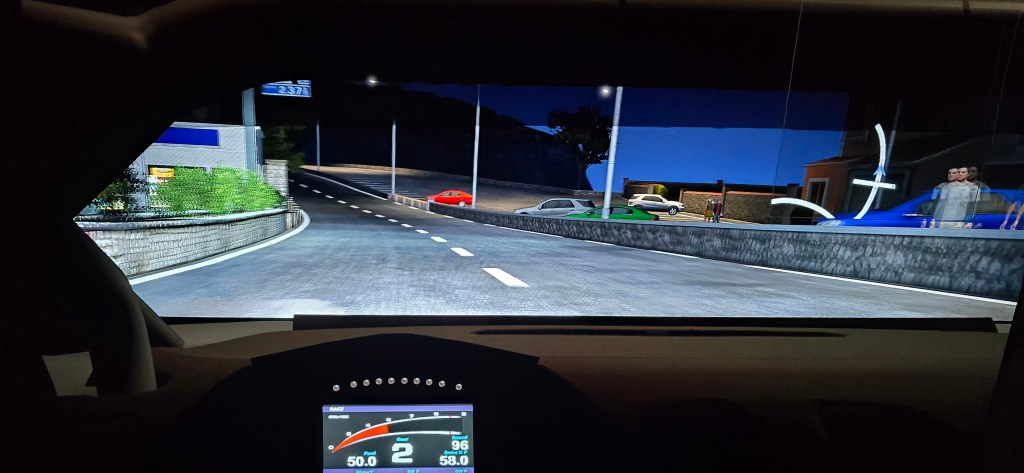
For me, no matter how good a simulator is, the real thing is always better. Graphics in current games do not quite meet the threshold of “realistic”. They’ve come a long way. However, many compromises are still required to keep the frame rate in an acceptable range.

In addition to lackluster visuals, simulations of the real world lack real risk. There are no real consequences for making mistakes and crashing your virtual car. So, like a lot of sim-driving enthusiasts, I have a real sports car too. A 2021 Mazda Miata MX-5, soft top, Grand Touring to be exact.

The car is epic for those of you wondering what the little roadsters are like. If you get the chance to drive one of the 4th generation cars, I recommend taking it. I’m on track to put twenty-thousand miles on mine this year even though its ostensibly not my daily driver.

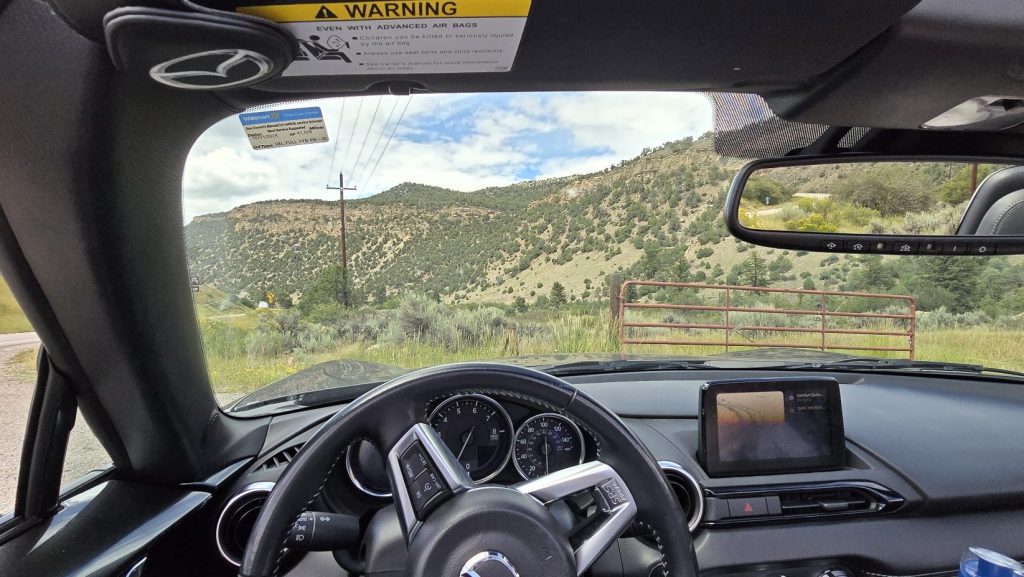
There’s no storage space. Other than that, the interior features attractive black leather. It also has large circular metal trimmed gauges and dials. The steering wheel feels fantastic with its buffed leather covering.

I’ve owned muscle cars like Mustangs, Chargers, and Camaros. I’ve had smaller performance cars before to. I once owned a Fiat X19 targa top that I loved. My brother had a Conquest TSI that I enjoyed borrowing once in a while. I’ve also driven several other performance vehicles over the years. The MX-5 offers a better overall driving experience than any of them in my opinion.
Its not just me, the Miata scores high in driver satisfaction for many enthusiasts. You can use all of its potential all the time. When you drive seven hundred horsepower hellcats on public roads, you can’t push them to their performance edge. Well, I guess you can, but eventually you’ll have to pay society back for putting citizens at risk like that.

By comparison, you can launch the MX-5 into a corner at max G, tires barely holding the curve. It will be wrapped out in second gear. You’ll feel like you are about to hit warp speed and slide off the road. If you look down to the speedo, you will see that you are still under the speed limit.

At around twenty-four hundred pounds, it is one of the lightest cars on the road. The weight is distributed fifty-fifty front-to-back. The mid-front engine rear-wheel drive configuration is a classic driver’s setup. Mine is a six-speed manual. Both the clutch and shifting are superb.

There are plenty of safety and creature comfort features in the Grand Touring package. Heated leather seats, heated auto darkening mirrors, headlights that follow the steering and automatically control their brightness are a few. There are also automatic windshield wipers, lane departure detection and warning, and air bags everywhere. The car even holds itself in place while you work the controls to launch on steep hills. No clutch slipping needed.

The light car is super easy to maneuver in almost any situation. There’s load of grip and an active anti-body roll that keeps everything in shape during high mass maneuvers. The traction control algorithm is helpful in tricky situations. Both can be turned off by pressing a button to get a “rawer” driving feel.

The stock suspension is meant for a balance between comfortable road tripping and enthusiastic public road driving. Once you master the vehicle, you will be able to bottom it out on a track. Especially when braking hard into tilted corners. However, the car was designed to be easily modified for track use. Just a few suspension stiffing parts and some safety components are all that is required.

Cruising down I-70 in an MX-5 through Glenwood canyon in Colorado. Filmed on an S24 Ultra by the passenger.

The two-liter inline four-cylinder SkyActiv motor wraps out at 7200 RPM and produces one-hundred-eighty-one horsepower. It isn’t a fast car, but neither is it slow. Zero to sixty takes five point seven seconds, and the top speed is around one-forty. The car feels stable all the way to up to about one twenty. It can start to feel loose after that on some roads with the stock suspension.

Not long after acquiring the Miata, my spouse and I were itching to take it on a road trip. We looked at a lot of places that are known to be excellent driving adventures. Places like “The Tail of the Dragon” in Arkansas, or “The Talimena Scenic Drive” in Oklahoma were on the list. I’m sure we will do both at some point. Neither seemed like a great option during the worst of the mid-west summer heat.

We decided that the mountains would probably offer a reprieve from the consecutive one hundred degree days at home. We thought the cooler mountain climate would boost our enjoyment of the trip. After some research and debate we settled on Glenwood Springs, Colorado as our destination.

We had been there once on a family vacation years ago. I had vowed then to return to the magnificent mountain roads in something other than a minivan. I had the perfect car for it, this was my chance. Let’s go!

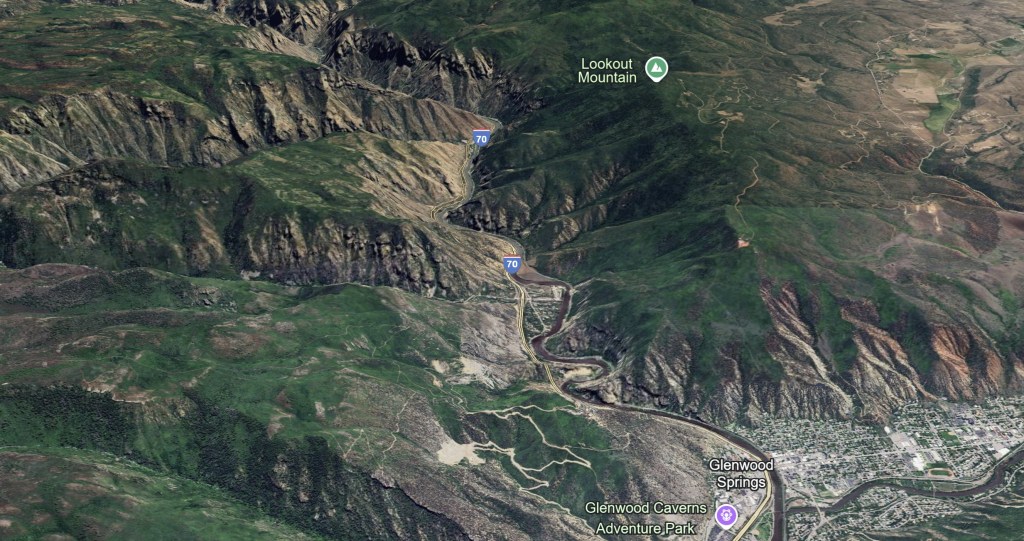
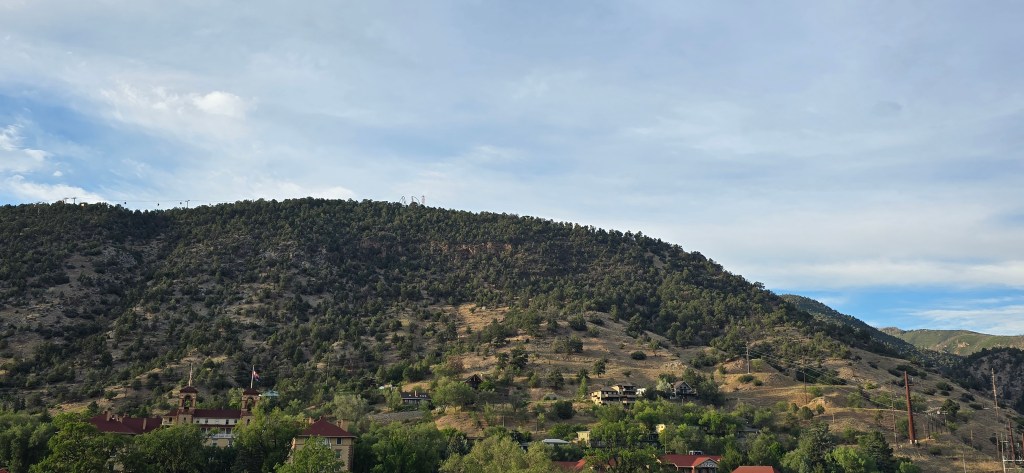
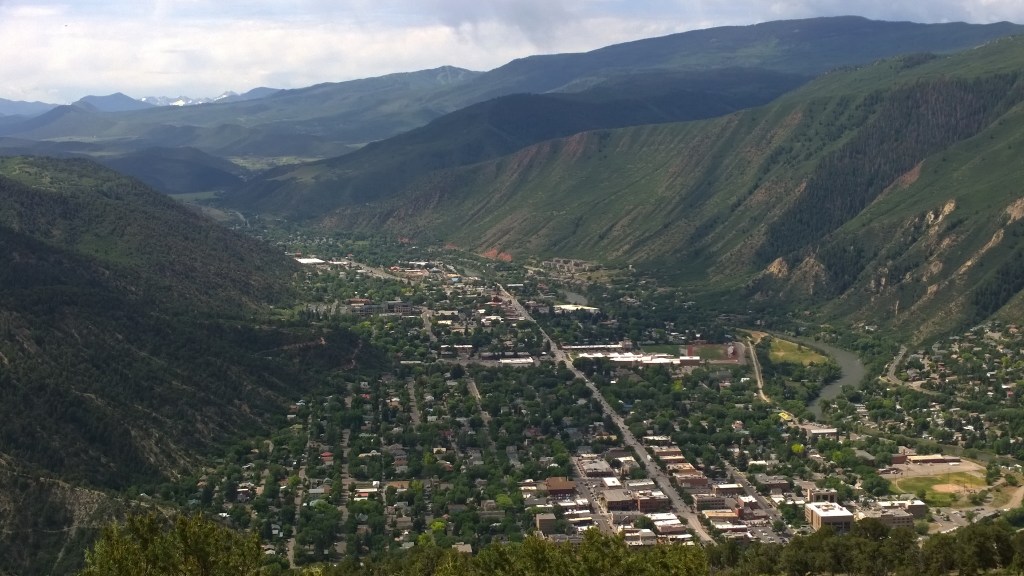
Google Earth provides a bird’s eye view of the freeway’s path through the canyon.

Finished in 1992, the twelve and a half mile stretch of mountain tarmac winds through the majestic river-cut Glenwood canyon. At sixty-one million dollars per mile, it is the most expensive section of the United States’ Interstate Highway System (IHS).

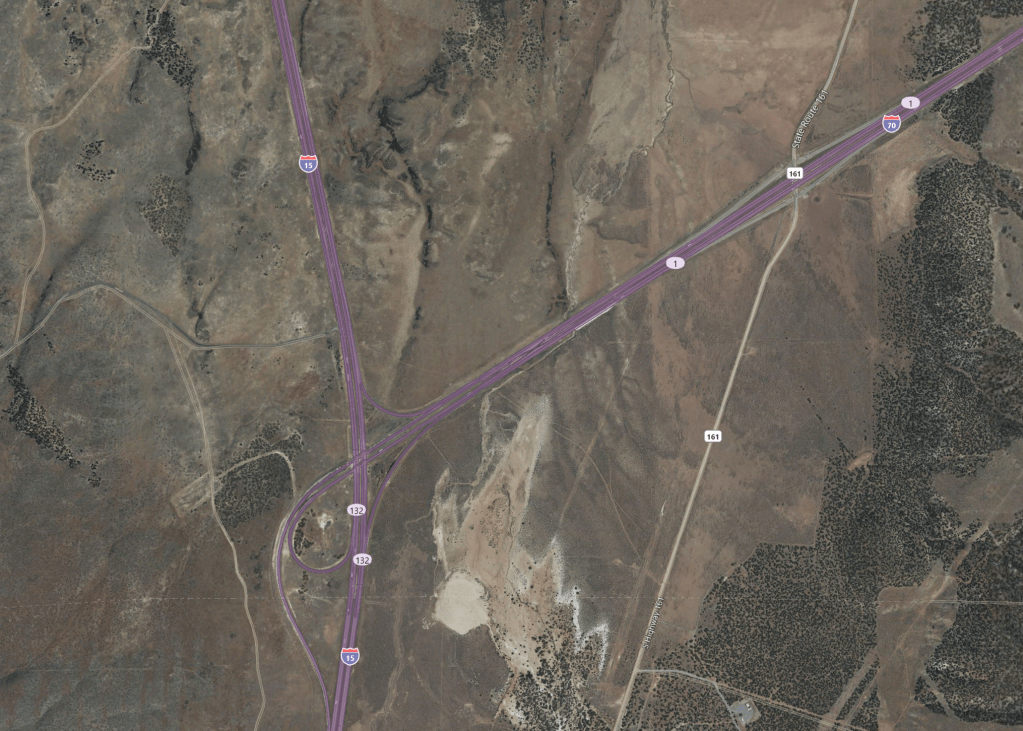
The I-70 corridor runs east and west across most of the middle of the continental United States. I say most because it was never completely finished. Not long after completing the Glenwood canyon stretch, they called it quits. So, I-70 ends in the middle of nowhere Utah instead of at the ocean somewhere in California.

I-70 just kind of just ends in the middle of nowhere. It’s not near any major cities the road dumps on to I-15 and that’s it.

I, for one, am grateful the crews finished the canyon stretch. It offers one of the best public-road driving experiences I’ve ever had. The canyon itself features walls almost one thousand feet high in sections. It also includes sweeping views of mountain vistas. Not to mention beautiful mountain towns, lakes, rivers, waterfalls, hot springs, and tunnels. All of which are features of this marvelous stretch of four lane, split highway.

I-70 Glenwood Canyon tunnel with nobody else in it. The view at the end is amazing. Filmed on an i-Phone 13 Pro Max by the passenger.

The road surface is well kept. Still, it is a challenging drive with numerous hazards that can catch you off guard. During the rainy and snow melt seasons, some of the bigger curves will feature waterfalls. They form where the tarmac hugs up against the sides of the mountains, and rock ledges create overhangs. The runoff streams that flow across the lanes are not only wet, but they can also be incredibly slippery. Algae and moss grow on them in the shady spots. Follow the locals and avoid the dark patches.

Some of the sweeping mountain curves are elevated and thus contain bridge joints. These joints are made of metal that can also cause sudden traction loss. At speed, some of the connection bumps are large. They can cause a light car like mine to bounce off the road’s surface. Speaking of sweeping, some curves tighten as they wrap around mountains. This tightening puts the apex in unexpected places.

Elevated I-70 follows the river’s path through the canyon.

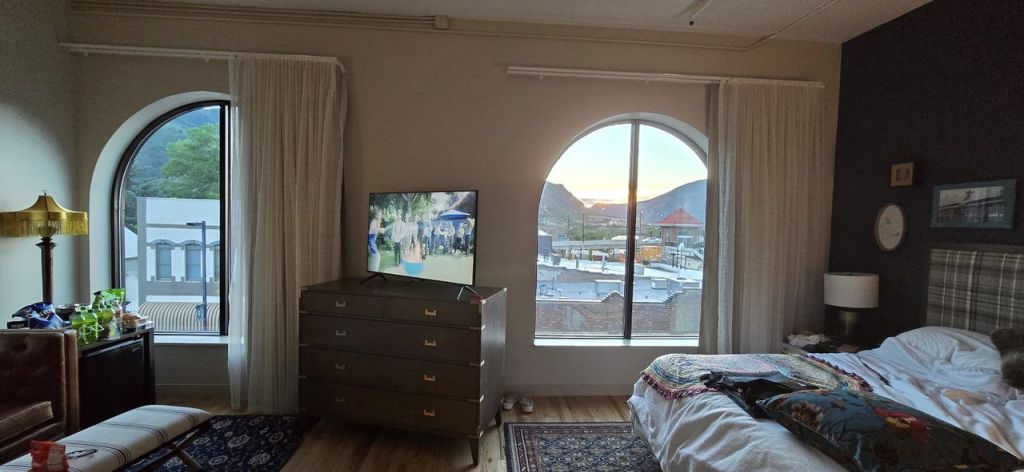
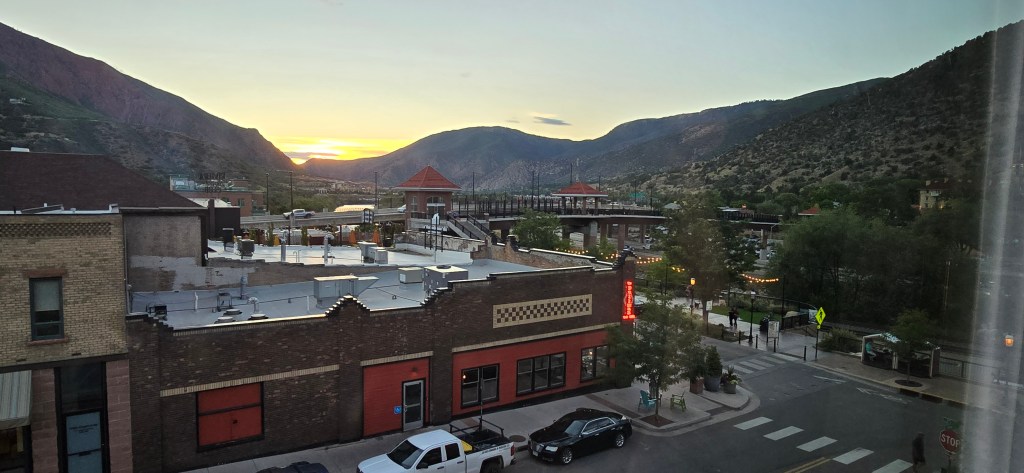
In addition to the driving experience, the city of Glenwood Springs offers a lot of entertainment options. We stayed at the Maxwell Anderson Hotel. The room featured twelve-foot-tall ceilings and arched windows along one wall. They had the most spectacular mountain views. We spent a fair amount of time just hanging out in the room watching the views. The hotel’s restaurant offered great food. It also features a brewery that made some tasty beer. I had one every day after we had finished driving up and down the canyon roads.

Some of the Maxwell Anderson’s rooms feature spectacular mountain views.

The city is famous for large naturally warm hot springs pools. There are three different commercial enterprises that cater to three different hot springs experiences. One is a water park with a hot, lazy river, slides, and giant heated pool. Another is a series of gravel bottomed hot tubs along the side of the river with bars sprinkled throughout. The third is underground, literally in a cave.

There’s an adventure park on top of the mountain that has roller coasters and thrill rides galore. Riding the gondola to get up to the theme park is a ride all on its own. Restaurants and bars of every kind line the streets in the tourist sections of town. There is plenty to do and see while taking a break from driving. My spouse and I really enjoyed walking around the area. The ice cream and candy shop was a frequent destination of our evening strolls.

Famous Colorado mountain towns like Aspen, Vale, and Steamboat Springs are just a couple of hours driving away. We had a great time on this trip. If you are lucky enough to have a sports car. I highly recommend considering the Glenwood canyon area as something to do with it. I also suggest making a least one round trip through it at night.

Intel i-9 CPU Issues: From Failures to Fixes

Where to start this months long saga? Initially, my i-9 and MSI MAG z790 Tomahawk WiFi motherboard seemed to be a big upgrade. Unfortunately, it wasn’t long until some games and apps would completely crash my system to a powered off state. There was a fairly low occurrence rate when the issue started, but it happened more over time.

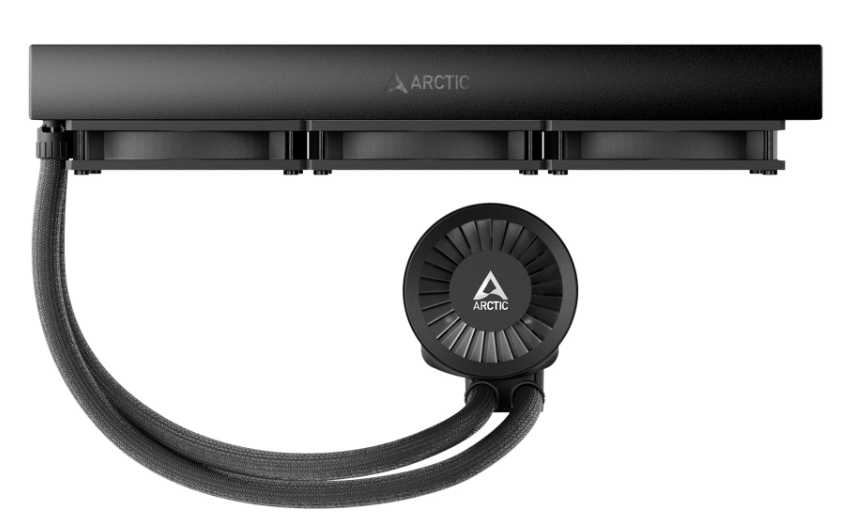
I checked everything multiple times. I disassembled and rebuilt my entire PC and completely reinstalled everything. I reset and updated my motherboard’s firmware. Nothing helped. The games still crashed. I decided that my AIO cooler’s internals must have failed. I replaced it with an Arctic Liquid Freezer III. Sadly, the crashes continued, and they were getting worse by the day.

Rumors started in the MSI forums. They said that the 13th and 14th Gen i-7 and i-9 CPUs were susceptible to flaws in their original microcode. Microcode is logic software that directs traffic inside the processor. The flaw caused the processor to draw too much power during heavy loads. That overdraw causes the shutdown.

It took Intel a long time to publicly acknowledged the flaw. They also said that the situation could permanently damage the chips. By the time they had made the announcement, my system wouldn’t even boot anymore. It just flashed the CPU error light after powering up. I worked with Intel Tech support. They determined that my Raptor Lake i-9 was damaged. It needed to be replaced. So, I RMA’d it (Return to Manufacturing) for a refund.

I chose the refund option because Intel was already out of stock on replacement CPUs. The process of getting the RMA was time consuming. I had to provide a full tech support ticket on their site at: https://supporttickets.intel.com/ then I worked with the assigned tech to troubleshoot. We finished the diagnostics. I removed the CPU from my system. I then boxed it up and sent it to Intel.

I submitted my warranty request to Intel on 8/17/2024 and shipped the CPU to them via UPS the next morning. I received my refund via Western Union on 10/8/2024. They are extremely backlogged to say the least. Intel needs to examine each CPU. To issue a refund, they must find it faulty due to the microcode problem, not some other issue. That is where the time went, waiting for a diagnostics technician to examine the chip. Intel support was extremely professional and kept me updated with regular emails.

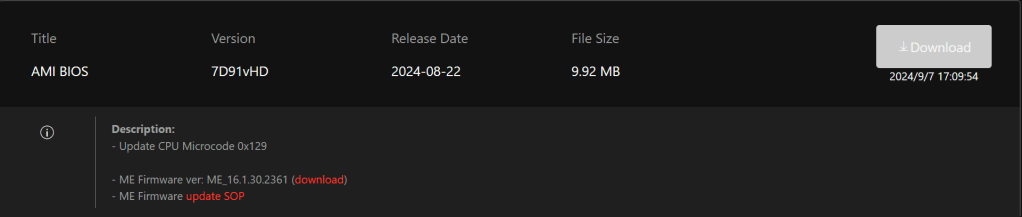
I used the refund to purchase another i-9 from Microcenter.com after Intel thought they had fixed the issue with a microcode update. I downloaded the 0x129 microcode update on my laptop. I also downloaded the newest firmware for my motherboard from MSI’s site. Then, I transferred them to a thumb drive. I used the thumb drive to flash the motherboard and install the new microcode, again.

By this time, I have lost count of how many times I’ve performed a firmware flash on my system. It has to be more than ten. The 0x129 update corrected the issue in some games but not in others. The games that most reliably caused me a crash were Battlefield 2042, Doom Eternal, and Starfield. The system also suffered frame drops and fuzz outs in Halo, CoD MWIII, and Assetto Corsa. These issues seemed to also be caused by the P-cores thermally throttling themselves.

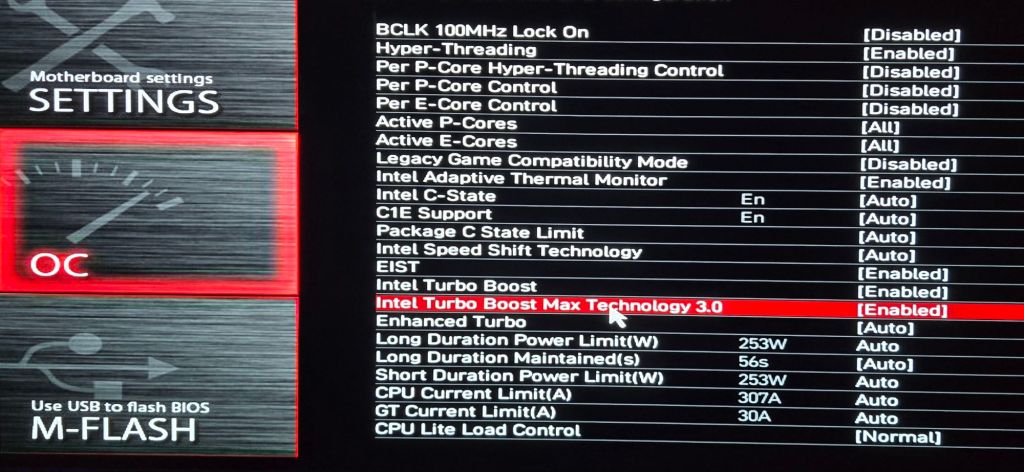
I wanted to continue playing the games that were triggering the shutdown. To protect the system from damage, I detuned the CPU via the motherboard’s overclocking options. My goal was to keep the power draw as low as possible and still maintain decent performance.

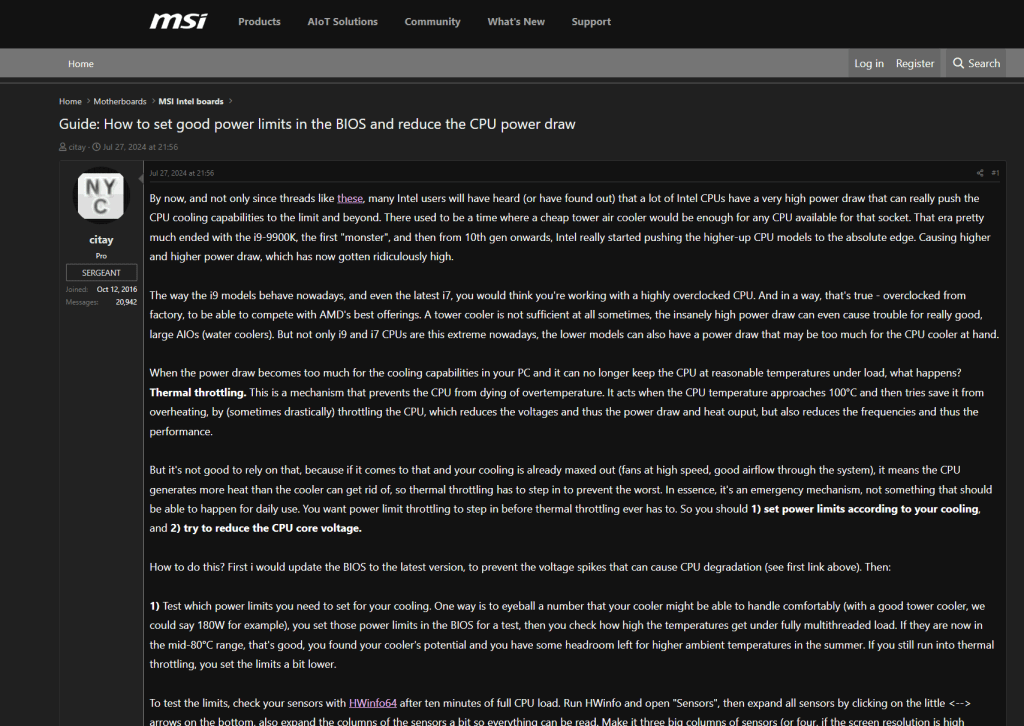
Many of the options in UEFI for an Intel processor make only a slight difference in actual game performance. The trick is knowing which ones to adjust and which to leave alone. Refer to your motherboard manufacturer’s documentation for information on the settings.

I ran an analysis with the classic tuner’s app HwInfo. I deduced that CPU temps were still spiking past the threshold in certain games. This was initiating the Emergency Shutdown function. This was a disappointing discovery, to say the least. At least the shutdown was kicking in right at 100c (Intel’s suggested limits) so it shouldn’t be damaging.

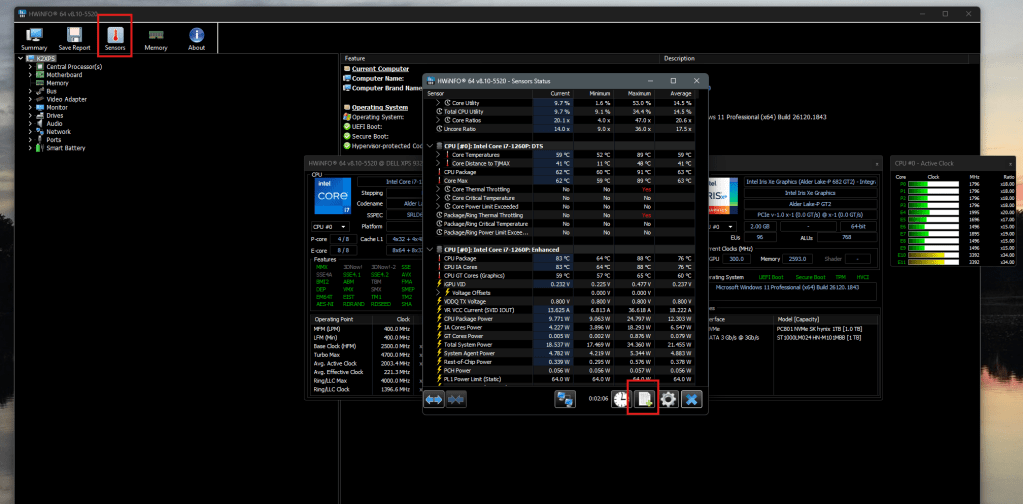
To get this type of information in HwInfo, you need to open sensor mode and start logging. When your system crashes, open the file it was writing. You will be able to see the status of all your components at the time of the shutdown.

To Start an HwInfo log file, click the Sensors button and then click the Start Logging button in the Sensors window.
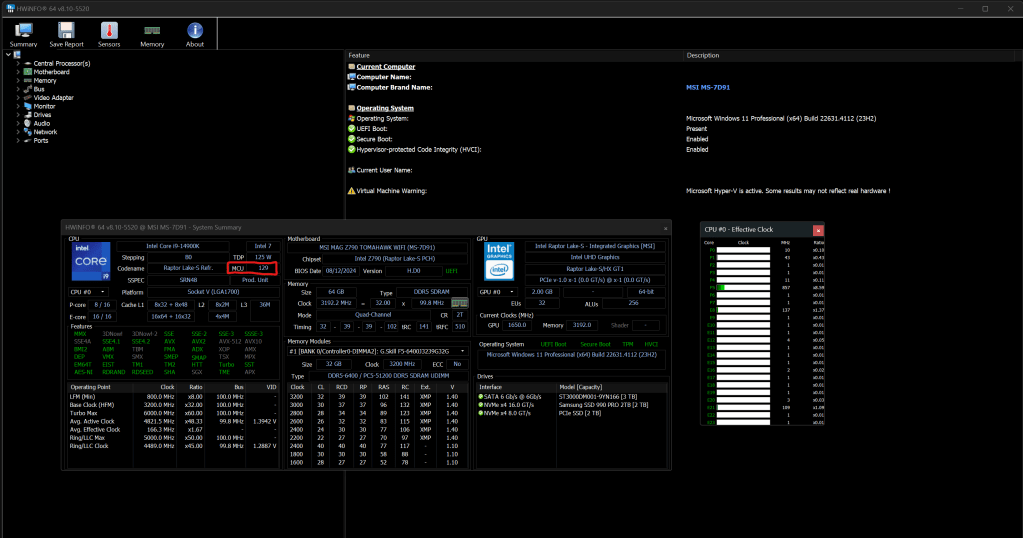
The red box highlights the microcode version of the CPU. 12B is the newest update available at the time of this writing.

After reading various posts in the MSI and Intel forums, I decided to turn off the “Intel® Turbo Boost Max Technology 3.0” function. I also manually set my P-Core ratios to 56 to slow the physical cores down to 5.6 gigahertz. These two changed fixed the remaining problems, but I wasn’t getting the performance I had paid for this running way. I tested each game for about an hour while running full monitoring, which itself causes a CPU load. The cores stayed well under the 100c threshold.

Two weeks later, Intel announced another microcode issue in the Raptor Lake processor. This new issue was causing a Vmin Shift Instability in certain situations. Later that same day, Intel and MSI released microcode update 0x12B. Which was supposed to be the final fix.

Once again, I ran through the flash process. I noticed that the Motherboard’s UEFI BIOS now prompts me with options on its boot screen. I can choose either Intel Defaults, MSI Safe, or MSI Performance profiles. I chose Intel defaults and verified that it undid the P-core and Turbo customizations that I had made earlier.

Thankfully 0x12B seems to have done the trick. I’m able to run my system at its maximum performance for up to two hours. I’m sure it can go indefinitely; the temperatures never get much above 85c now. I don’t’ really notice any performance degradation in the games I play after the update. The system performs better than it did while it was detuned, that’s for sure. It’s been quite the PC gamer adventure dealing with this mess. I’m glad it worked out in the end.

How I Diagnosed and Fixed a Lian-Li L-Connect 3 Fan Speed and RGB Control Failure After Updates

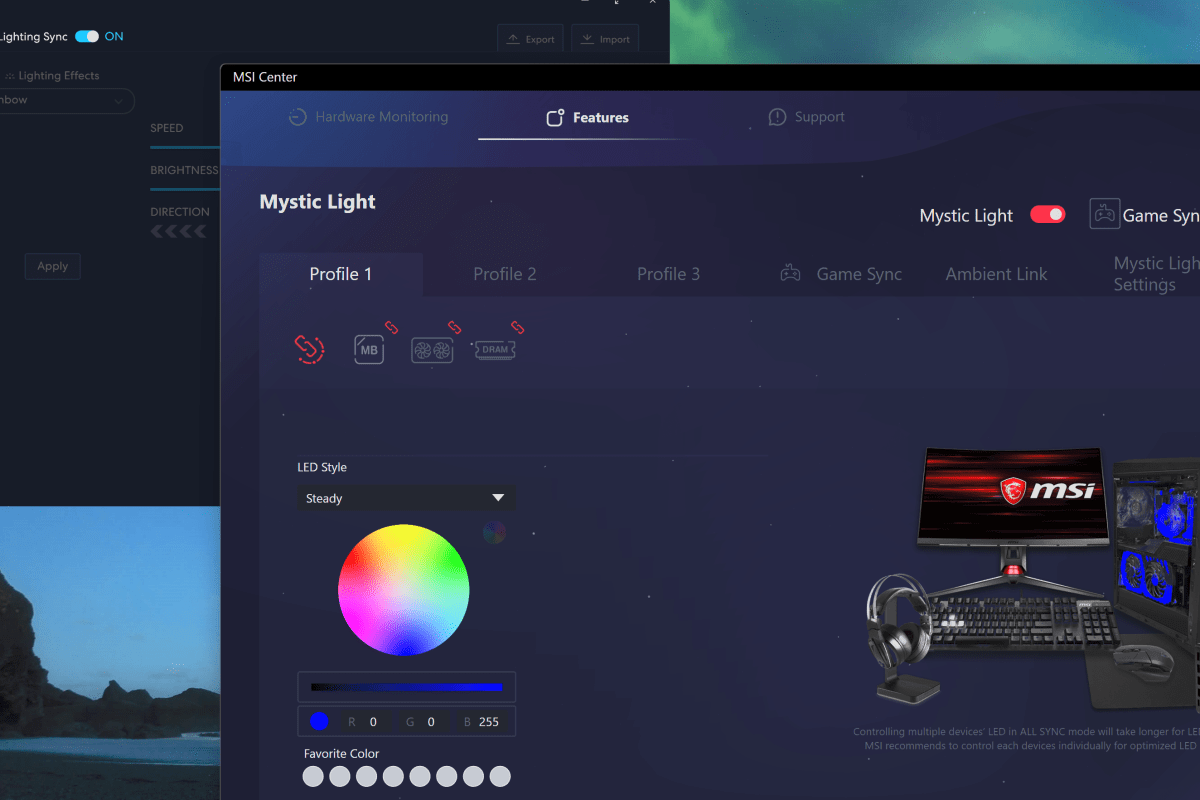
Many motherboard manufacturers are including RGB controllers on their wares now. MSI’s version is called Mystic Light, the control software runs as an add-on to the Motherboard’s MSI Center console. There are numerous PC hardware manufacturers. Custom PC builders frequently use components from each. For example, my motherboard is from MSI, but my power supply is made by Corsair.

The market situation and custom build scenes have led to a series of API’s being included in the various manufacturer’s software so that control bridges could be established. On my system, this allows MSI Center and it’s Mystic Light add-on to control the lighting connected directly to the motherboard along with my Lian-Li Galahad 360, and SL fans which are connected to a Lian-Li control box.

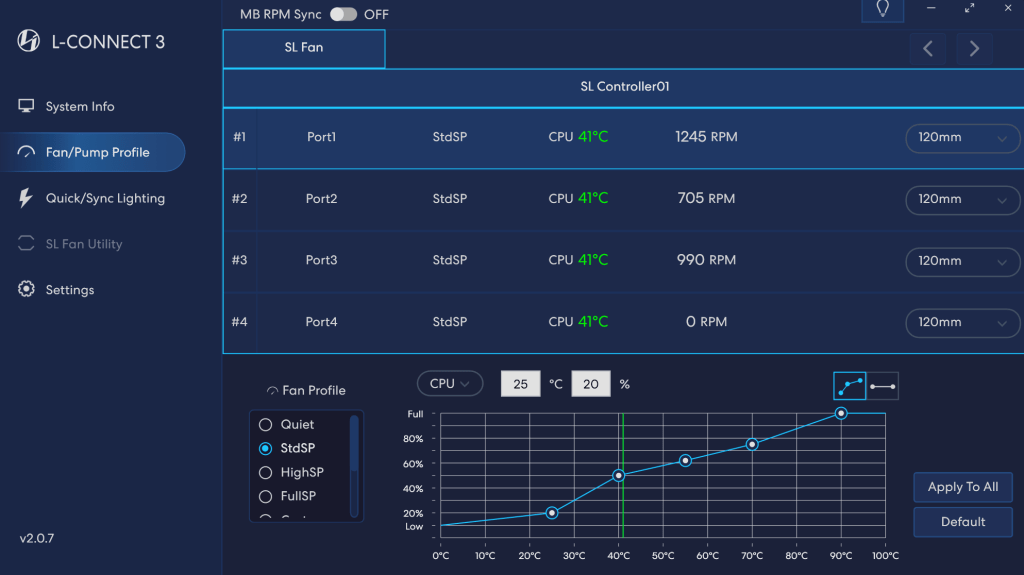
In my setup, I use Mystic Light to control all the RGB, but control the fans via L-Connect. The Lian Li software’s cooling options and programable curves are much more precise than those offered by MSI Center.

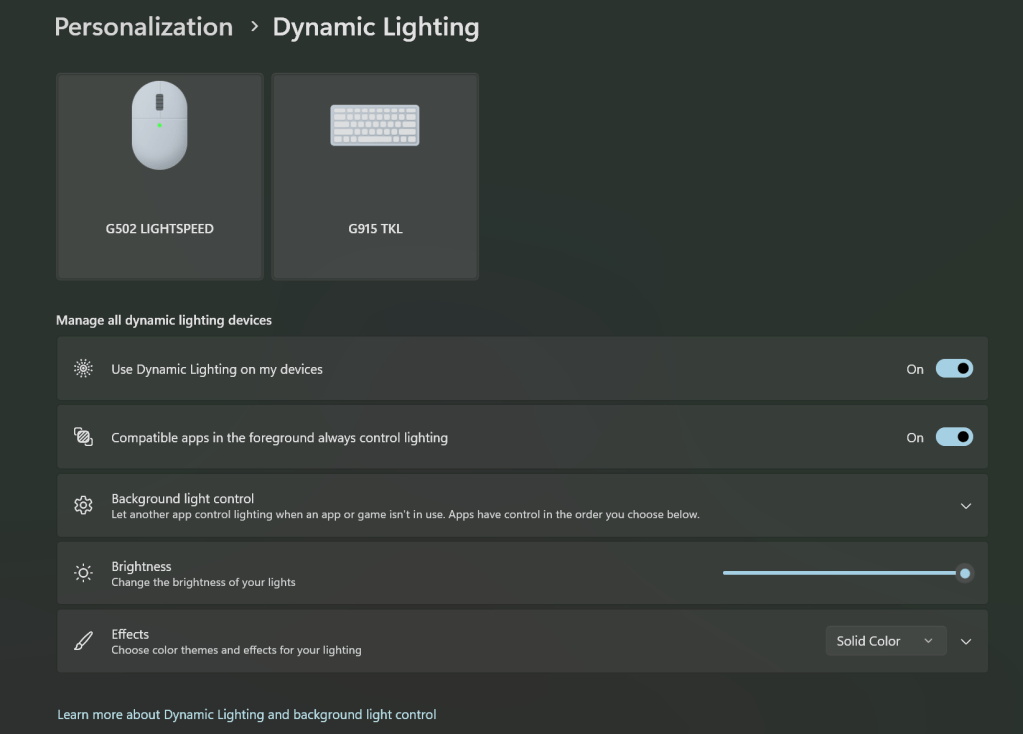
In a recent Windows update, Microsoft has also added its own take on a universal light controller protocol and software package they’re calling Dynamic Lighting. The option can be found under Settings and then under Personalization. Microsoft’s entry into the space seems to have spurred manufactures to update their software and firmware to either gain or block compatibility depending on their particular market strategy.

These are the default Microsoft Dynamic Lighting settings on my systems. In this configuration, MSI Center and L-Connect remain in control.

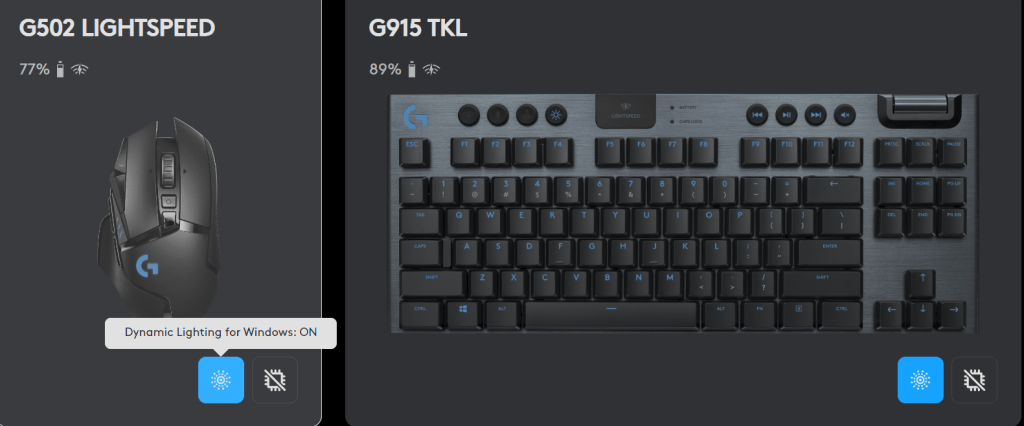
I use Logitech accessories. Their controller software, G-Hub, updated and added Dynamic Lighting compatibility. MSI Center’s Mystic Light add-on updated but does not seem to have gained any options in the Dynamic Lighting control screen. One of the three updates broke the Lian Li L-Connect software on my system. I am unable to tell which one for sure because they all applied around the same time. Read on to see how I found and fixed the issue.

You can turn Windows Dynamic Lighting on/off for individual G-Hub devices.

Three Hundred Blog Posts

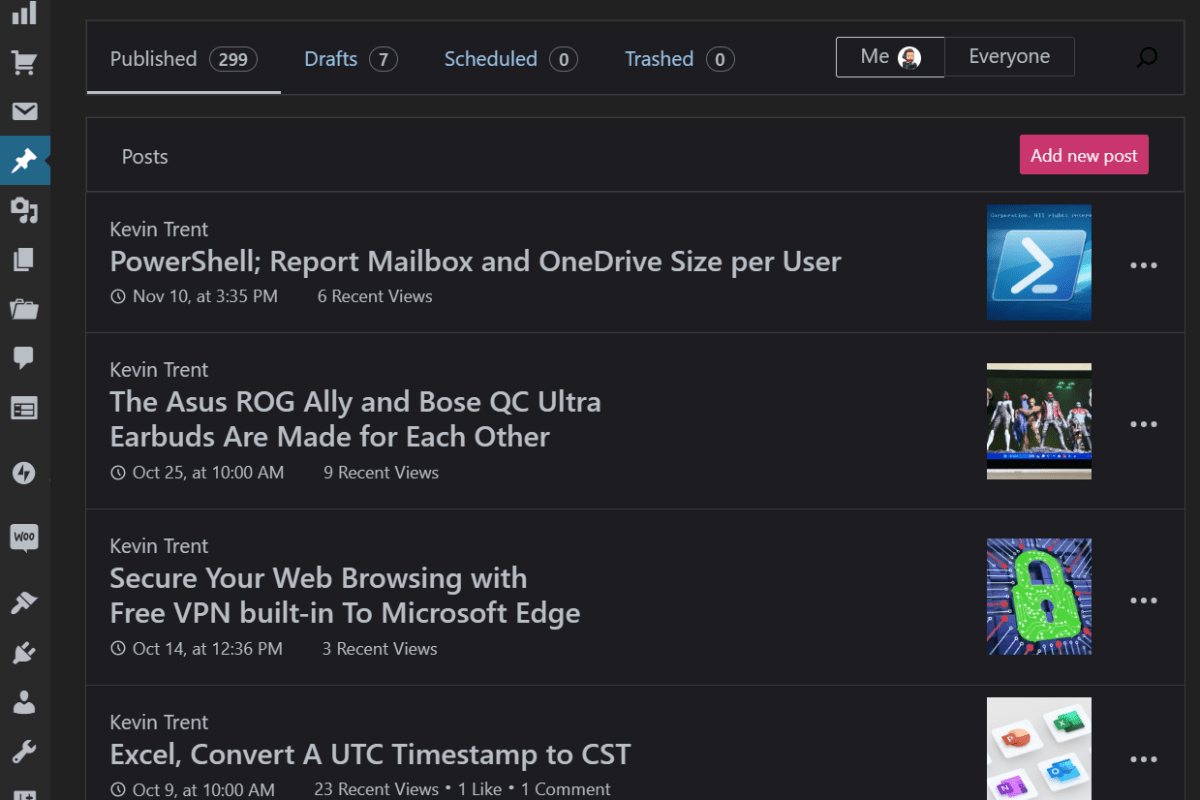
I picked up my Surface Go and opened WordPress while I thought about what to work on next. I flipped through the app’s menu options until I landed on statistics. That is when I noticed the total number of posts on Techbloggingfool was sitting at 299.  Wow, had I really written that much?

I started this blog out of curiosity more than anything else. I remember wanting to learn more about how public websites worked. I thought about how much I have learned from other people’s technical writings. I wanted to continue the tradition and add what I have learned to the mix. Thus, Techbloggingfool.com was born.

I had expected to write a handful of posts and to spend enough time with WordPress to figure it out. I thought if I made it a year, I would be doing pretty well. I figured if a hundred people visited, it would be enough to claim success. That would be enough to learn how web analytics worked.

Six years later, I’ve got more than 350,000 views from a quarter of a million people. According to IP GEO location, someone from every country on Earth has visited the site. While those stats aren’t even a tiny blip compared to most tech blogs, it is far more attention than I had ever intended to attract.

Now that I find myself writing the ubiquitous “How I got this far” post.  it’s surprisingly difficult to define why I keep writing well after my original goals were accomplished.  I occasionally refer to some of my own articles from time to time, almost like a notebook of sorts. I also point at the blog during job interviews as proof that I can deliver on the promise of “good documentation.” I don’t think either of those are the real motivation though.

I have to say that my favorite effect from writing the blog happens when I find out that I helped someone.  Getting feedback that my instructions or the way I set something up helped a reader accomplish their goals is just one of the best feelings.

All tech is a complicated web of simple ideas layered on and linked to each other. Figuring out how the stack works can be difficult for all of us sometimes. I know how relieved I feel when I find the post or video that helps me move forward. It is fantastic to know I have helped others get that relief, too.

If you are considering starting your own blog, the best advice I can give is to stop thinking and start writing.  Using a host like WordPress, Square Space, or GoDaddy is a real labor-saver. They take care of the servers, software, IP and DNS info, certificates, patching, backups, and everything else that goes into hosting public websites.  They also give you the framework and tools that make creating your blog as easy as writing a Word document.

There are lots of resources for aspiring bloggers online. The KnowledgeBase section of your hosting provider’s site is a good place to start. I know that WordPress runs a blog about blogging, check it out https://wordpress.com/create-blog/. For the most part, though, I winged it.  It shows, especially in my early posts.

I have always tried to post a minimum of one article per week. I don’t worry about original topics like some pros advise. You can find dozens of articles that explain almost any technical subject. The originality in my writings comes from my experiences, personality, prose, and my take on the subject at hand.  Often, I write about solutions that I came up with when searching the Internet didn’t provide a satisfactory answer.

The most difficult part of blogging for me is the media creation. Text only blogs do exist, but they aren’t very engaging in my opinion.  Making pictures and videos to help visualize complicated instructions is time consuming no matter what software you use. I enjoy flexing my creative muscle but there are six posts in my queue behind this one that are finished except for the visuals.

As I sit here and finish the three hundredth post, I’ve thought of an idea of what to write about next. Who knows how long I’ll keep it going for? Thanks for reading. Subscribe in the WordPress App to get notified about new articles. Leave a comment or a like if something I wrote helped you out.


Secure Your Web Browsing with Free VPN built-in To Microsoft Edge

A VPN or virtual private network is a tunneled session established between your computer (or local network) and a remote server, or entire remote network. The tunnel travels through the inter-connected web of networks we call the Internet. A VPN tunnel on-line is to the Internet as a physical tunnel blasted through rock is to a mountain highway. They both provide secure transportation to the other side.

When your car passes into and through the mountain highway tunnel, it becomes hidden from any observer that is not in the tunnel with you. The same goes for the information exchanged between your computer and the remote systems it communicates with over a VPN. Data in the tunnel is hidden from other nodes on the Internet by the encryption algorithm (math scramble) that established it.

Microsoft offers a free VPN connection to their platform from their Edge web browser. This essentially means that only you, Microsoft, and the web farm you are using will be able to see what you are doing. The catch is that the system is only free for 5 GB of information per month.

To be limited, free, and still try to be useful, there are several compromises Microsoft has made. The Edge VPN offering is constrained to just browser traffic. A traditional VPN service would cover all data types. Not all browser traffic is sent through the tunnel either. This protects only certain sites and excludes things like video streams in the browser.

Access these choices in the Edge Browser’s Settings Menu, under the sub-menu Privacy, Search, and Services.

To enable this feature first update Edge to the newest version. Then click the Browser Essentials button in the tool bar. It is the heart shaped icon. Scroll down to the VPN section and click the toggle.

Possible Historic Test Flight of Earth’s Most Powerful Rocket Live Early Monday Morning (4-18-23)

If things go according to plan, SpaceX will launch “Starship” on its first test flight. SpaceX is planning on going for it around 9 a.m., but the schedule is “dynamic and likely to change”. If it does go off, you can stream it live on multiple YouTube space related channels. The official one is @: https://youtu.be/L5QXreqOrTA . The Rocket is being built to send people back to the moon and eventually on to Mars.

3CX VoIP Software Compromised in Supply Chain Attack

Security firms Crowdstrike, Sophos, and SentinelOne have warned that a digitally signed version of the soft phone has been turned into a trojan. The compromised software has been installed on both Windows and Mac based computers.

So far the most common symptoms are beaconing (reaching out) to the perpetrator’s infrastructure and spawning live command shells. The attack is on-going and state level involvement is suspected. In some cases hands on keyboard remote activity has apparently been observed.

There is no published fix or advice from 3CX that we could locate. At this time, uninstalling the software and scanning with security packages appears to be the best defensive move. You can read SentienlOne’s analysis of the campaign here: https://www.sentinelone.com/blog/smoothoperator-ongoing-campaign-trojanizes-3cx-software-in-software-supply-chain-attack/

PC Desks for Small Spaces

I have a gaming laptop, but when playing at home I hook it up to a full-size monitor, keyboard, and mouse. By the time you include the power supplies, speakers, and cables, I end up needing a desk for it.

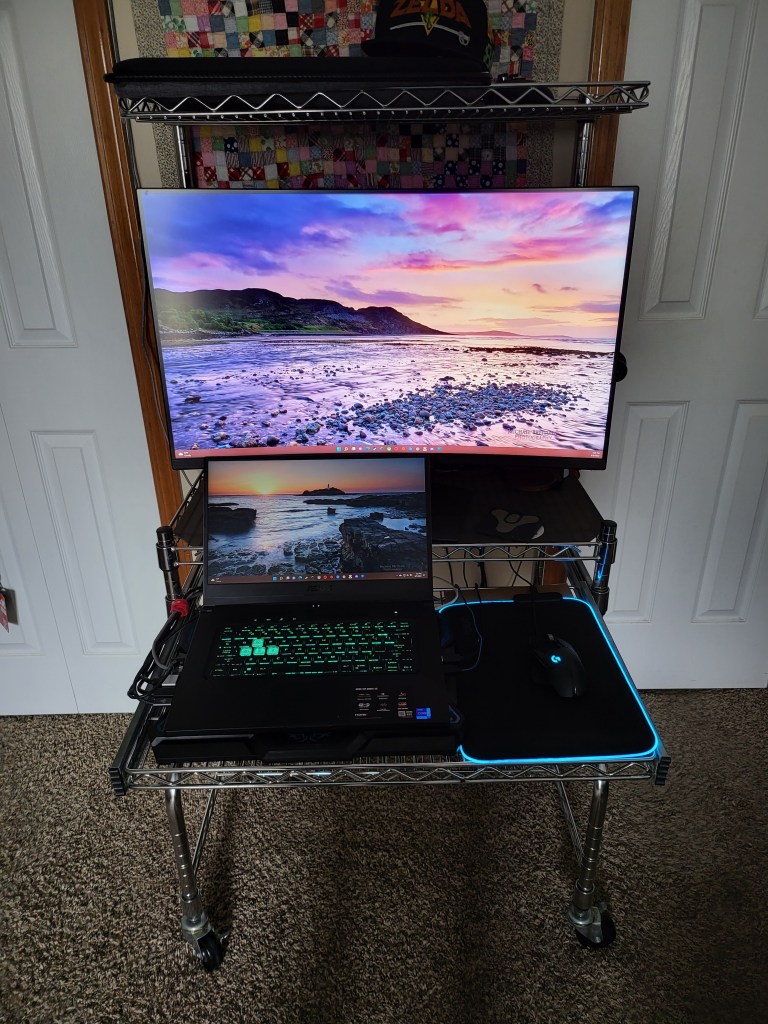
Floor space is a valuable commodity everywhere. You can squeeze a top-tier PC experience into a small space. Going vertical is the key. This wire-rack option is barley wider than the monitor. The upper shelf is great storage space that is large enough for a desktop PC. My laptop fits on the keyboard tray. This layout allows for a two-screen setup in a very narrow space.

Velco straps make a great cable management option on wire shelves.

If you prefer something that looks like more traditional furniture, the desk in a cabinet design is also an efficient use of space. Again, the keyboard tray will hold my laptop while a 32″ monitor fits in the top.

The cabinet units feature doors that close to hide everything. If you have a similar setup, be careful not to cause an overheating situation. I cut some holes in the cardboard backing and installed some cheap USB powered fans to exhaust the heat.

There are countless options besides these two. I’ve used small tables, and carts. I’ve hidden computers in the living room entertainment center and the kitchen island. Just remember to allow for plenty of air flow. Your cabinet cooling solution should move as much air as the computer system exhausts under heavy load. Without adequate airflow you lose some FPS and could possibly cause physical damage to your computer.


Ghost Hunting at the Oddfellows Home

All of us are seated at large, round, wooden tables. The themed hotel conference room is framed by dark heavy beams and wooden floors that are so dark they seem to be burnt black. A paranormal pro paces the room, gives us advice, and a safety talk. He’s wearing jackboots, a military style coat, and a hardhat. I suddenly feel under dressed in my street shoes and leather jacket. We drove almost an hour to get to the Belvoir Winery and Inn and booked the tickets for our Ghost tour months in advance. There was no turning back.

The grounds are vast. Prepare to meet your weekly step goal in a single night.

The creepy old limestone and brick buildings we are visiting were originally constructed by the Oddfellows. A mysterious fraternity with an origin story that stretches back to the Roman Empire. Much like the well-known Masons, the group is recognized for their grand lodges, elaborate ceremonies, and odd reputation. Seemingly to prove the point, one of their member’s skeletal remains lies entumed in a glass coffin on the grounds. Be sure to pay your respects to George should you decide to visit.

The ambiance of the compound lent itself to the event quite nicely.

We hit the spooky night jackpot. A full moon hangs in a slightly hazy sky. The compound is far enough from town for it to be truly dark. The trees are missing most of their leaves. Oh, and just to bump the spooky up a notch it’s also that special see your breath cold outside.

What a night for ghost bunting.

The Winery has been visited by more than one paranormal investigation television show. It is also featured on podcasts, blogs, and several social media feeds. People that believe come to see proof. People that are skeptical come to debunk the very notion. I am here for date night. There are people from all walks of life at the event. From overhearing the conversation my wife is having with our table mates, it seems that some people make a full-time hobby out of ghost hunting. Apparently, there are several serious cash prizes for finding proof of the afterlife.

We were told that only a select few are ever invited to explore the cemetary.

The group that runs this event hosts at least one session per month and has the operation down pat. Each table of guests is escorted to one of the five haunted buildings by a professional paranormal investigator. They handout ghost hunting gear of various types along the way. EMF detectors, rim-pods, twist-lock flashlights, motion detectors, and curious little boxes they call K2s.

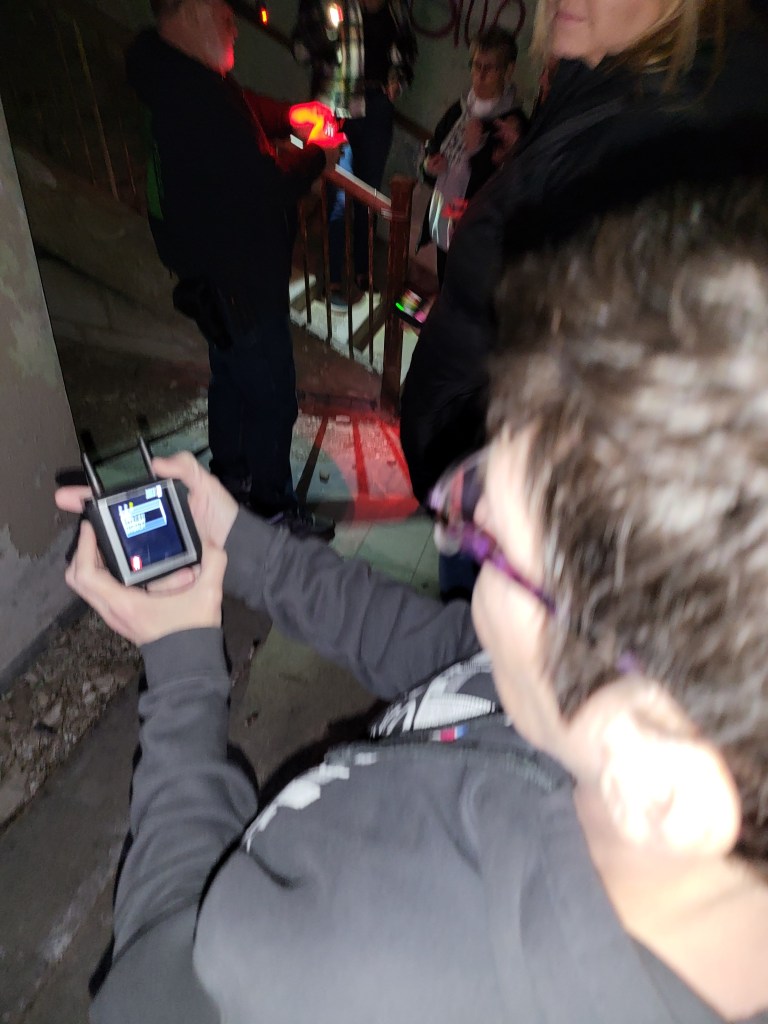
The K2 devices caught my tech guy attention as soon as I saw one. They’re about the size of a Rasbery Pie with two short antennae on the top and a small LCD touchscreen on the front. I immediately gave my wife the “get one of those” look. Once I got my hands on it, I set to work accessing it’s control menus.

Ghost hunting gear has gone hi-tech.

The little box had several spooky features. It ran a random word generator. According to the paranormal investigator, ghosts could use their “energy” to alter the word pattern into coherent speech. We were encouraged to shout questions to elicit a response. Ours said some really odd stuff throughout the evening, but it never made sense to me. There was also a ping-sweep function that looked like a small radar screen. Things that reflected its electro-magnetic signals were indicated as blips. A motion detector was also available.

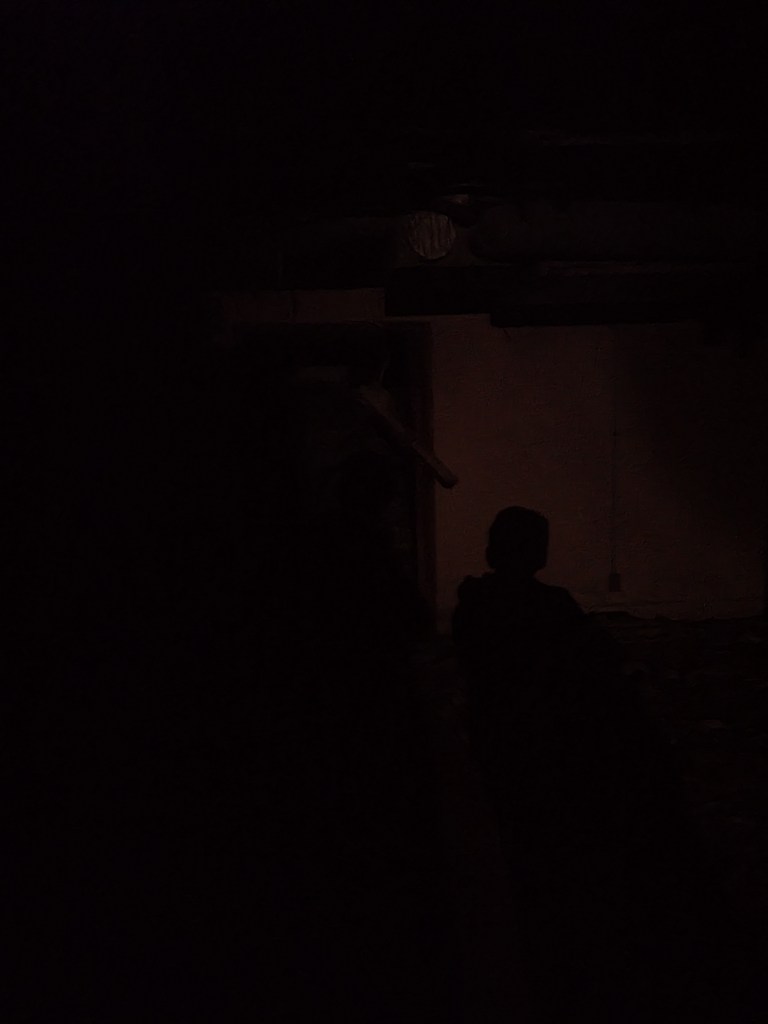
As we entered each building, the guide deployed the gadgets while they told us about the history of the space. The grounds had served as a hospital, an asylum, and a shelter for the downtrodden souls of society. According to the paranormal guide, people that lived challenging lives are more likely to haunt a place after their passing. In some cases, we were told about named entities that were known to harass staff members and guests alike. During one of these stories, standing in what had served as the hospital’s morgue, the lights were turned out to enhance a seance. The various detection gear was triggered in the center of our circle. I used my phone to snap pictures of the dark spaces around us and one of them shows what looks like a person’s shadow. The thing is all members of our group where visible in the circle and I couldn’t see any light source powerful enough to cast a shadow near any of them.

The light and “shadow” were not visible to the naked eye.

The buildings were all crumbling, dark, cold, smelly, graffitti covered shells. Some of them seemed to be held up by nothing more than spite. If you’re reading this ahead of your own outing, I highly recommend wearing tough boots and a heavy outer jacket. There were nails, broken pieces of glass, sharp concrete edges, and all kinds of building rubble to negotiate in the dark. In certain places on the upper floors I could feel the structure giving way to my weight.

Some of the graffiti was eye catching to say the least.

We met some great people. The Oddfellows home was clearly a beautiful place in its day. Time has not been kind to it, but the new owners are renovating. The winery and inn frequently host weddings and serve as photography backdrops. We had a great time, check it out if you’re looking for something a little different to do in the KC area.

The Inn is fully renovated.

Master All Streaming Services with a Single App on All Screens

We all knew that à la carte streaming was going to end up as a hot mess. After Disney proved people would pay another fee for specific content, it was game-on for everyone. Cord-cutters would need multiple subscriptions to watch their favorite shows.

I searched online for a universal streaming guide and discovered a new service called Justwatch.  Justwatch is a free service / app if you don’t mind banner ads. It is $2.49 per month for the “Pro” version without them.

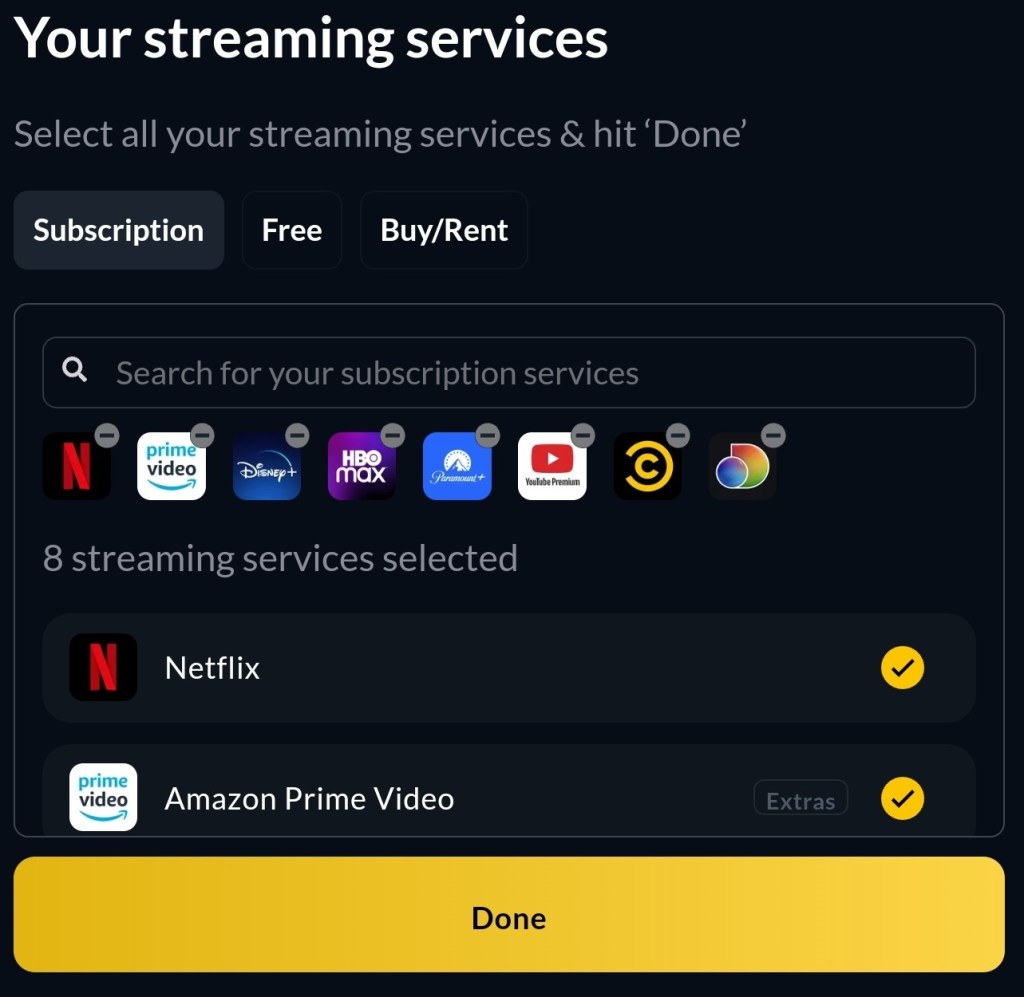
You install their app on all of your screens. Samsung, Apple, Android, Google, LG, Amazon/FireTV, Windows, they all have it in their app store. Sign in with your Justwatch account and add the streaming services you subscribe to, by picking them from the list.

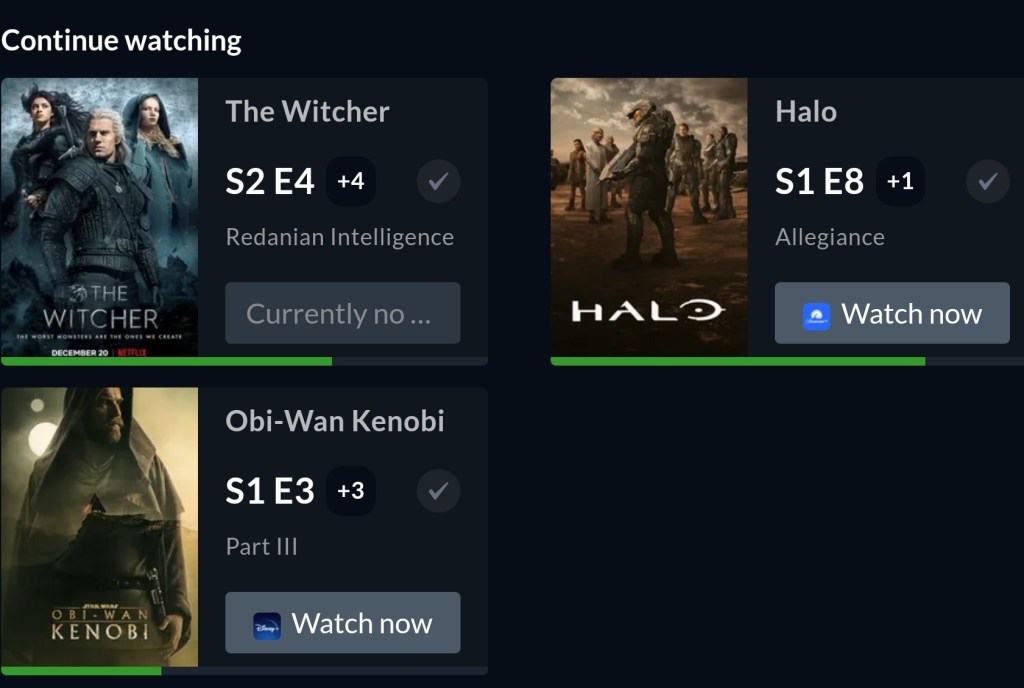
Search for the shows you watch and add them to your watchlist. Tell the app which episode you are on. That’s it. Open the app on whatever device and go to your Watchlist, click the show you feel like watching and Justwatch will magic it open in the correct streaming app. 

The Watchlist tracks and opens all of your content across your subscriptions

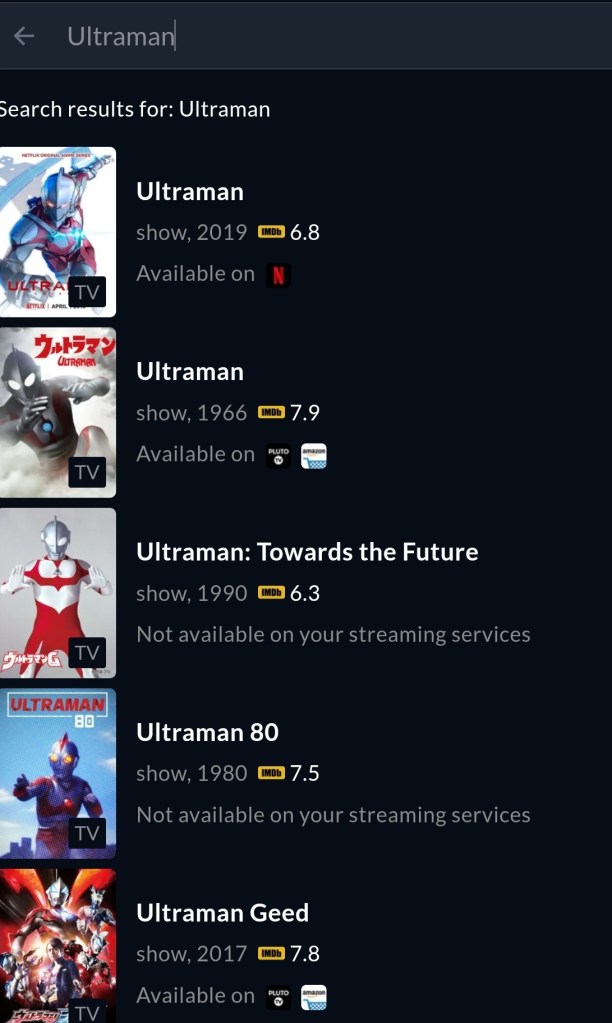
Search for any show or movie and see which of your services it is available on, or see the best price to get access. The software also makes reccomendactions, shows new and popular content, and includes ratings info.

Finding specific content is a simple search

We’ve been using Justwatch for about a week. So far, it has been very useful. The interface is simple. Linking up all your TVs, Tablets, PCs, Phones, and Consoles to use the same content guide is a cord-cutting game changer.


Field Trip: The KC Rock and Gem Show

The family and I were feeling a little stir crazy, so we hopped on social media to see if there was anything interesting to do this weekend. The cold weather and snow meant indoors would be preferable. We ran across an ad for the Kansas City Rock and Gem show. None of us had ever been to something like that so, we’re off to see the wizard.

I really had no idea what to expect. The FB post said the show was sponsored by several area clubs. It was in a building up by our airport. For the non-KC readers, our airport is an hour away from everywhere. It’s almost always the first thing any visiting celebrity mentions in their opening dialogue. “Holy cow, you need a flight to get to town from the airport”, is a pretty common theme.

I wasn’t expecting the crowds. The place was packed. There was a one-hundred-person long line stretching out the front door of the KCI Expo Center building. More importantly there were exactly zero available parking spaces, like anywhere.

Here in KC, we all drive 4X4s for just this type of thing. There was already a field lot forming across the street. Last night’s snow was melting. The tires of the trucks and SUVs that hopped the curb had already made mud soup of the entire area. I figured the Pathfinder was up for it, jumped the curb and found a spot in the middle. I warned the fam to watch their steps and made a mental note to take the wife’s car through the wash on the way home.

Inside were rows and rows of picnic tables, covered in every kind of rock and semi-precious stone I’ve ever heard of. And people, an ocean of people were making their way up and down the rows in neat orderly lines. Heads bent over the tables, faces twisted in observation and inspection.

Tables and more tables

Raw ore, raw hunks of metal like copper and silver, geodes, turquoise Native-American jewelry, green malachite, countless minerals of all colors, were all displayed on open eight-foot table tops that stretched as far as the eye could see. All of the colors, shapes, and sizes made it difficult to know where to look first as you approached each display. Luckily, each was tended by a friendly vendor, or club member that was more than happy to answer questions, point out interesting facts, and generally help you understand what you were holding as they encouraged you to pick up everything.

The semi-precious stones were also offered in almost every 3-D shape that comes to mind. Cubes, cylinders, pyramids, obelisks, and globes occupied a significant percentage of the table’s sufaces. I was shocked at some of the prices. I picked up what I though was probably a fifty-dollar, baseball sized blue sphere, that turned out to be six hundred. Others were less than I expected. A wide price range was represented, from a single dollar to thousands.

The vendors weren’t fond of photographs inside the show’s space, hence this post’s lack of them. Some of the minerals are light sensitive, some are rare and valuable. We saw gold in various forms. You could purchase Iridium, gallium, even small coins made from pressed depleted uranium, but people made faces when you pointed a camera at their stuff.

Out of all the fantastic items we saw, my absolute favorites were the fossils. There were some small four-legged impressions too, just no T-Rex. Unless you count the foam puppet a gentleman was entertaining the younger crowd members with.

Mr. Bones is fun for the kids

Unexpected Results Installing Anti-Virus Software on Windows Servers

When you install anti-virus software on Windows 10 it registers itself with the Security Center and automatically turns off Windows Defender. This happens because Microsoft knows that running two AV packages at the same time causes problems like poor performance, application crashes, and even system failures.

Until recently, I assumed that installing anti-virus on Windows Servers worked the same way. The other day while investigating an application that was performing poorly I noticed events from Windows Defender scans. The sever in question was running Trend’s Worry Free Business suite.

It turns out that the server versions of the Windows operating systems do not have the Security Center feature. There’s no method for third-party security software to disable Windows Defender. Furthermore, it is enabled by default in all Windows Server 2016 and newer editions.

Microsoft’s documentation that explains Windows Defender compatibility in located here. The matrix at the bottom of the page shows how Defender is configured in each version. Microsoft and the vendors I checked with suggest running a single solution. Here are the official posts for Symantec and Trend.

Leaving Defender running on one or two physical machines is probably not the end of the world, but virtualized environments are another story. In high-density virtualized datacenters, the wasted resources could really add up, even if running both scanners isn’t causing more visible issues.

Night Eye – Dark Mode for Most Browsers on All Sites

I spend all day everyday and way too many nights looking at screens. For some cosmically ironic reason my eyes are very light sensitive. Nothing gives me a headache faster than bright white light. Over the years I’ve tried everything to reduce the strain on my peepers. I crank the brightness down as low as possible. I’ve tried every type of sunglasses, computer glasses, and monitor shade on the market. I turn off the overheads and have blackout curtains in my home office.

Dark mode has been a Godsend for people in my situation. The only problem with it is that it isn’t being deployed fast enough. All modern browsers can support dark mode (a dark background with light text), but for the effect to work the site has to be coded in a certain way. You can imagine how anxious web developers are to re-write millions upon millions of sites, pages, and tools.

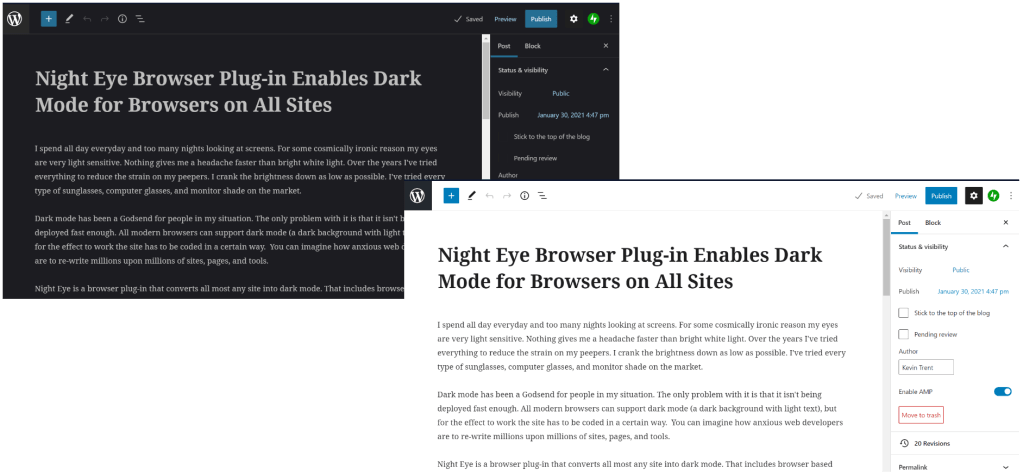
Editing this page in dark mode versus normal.

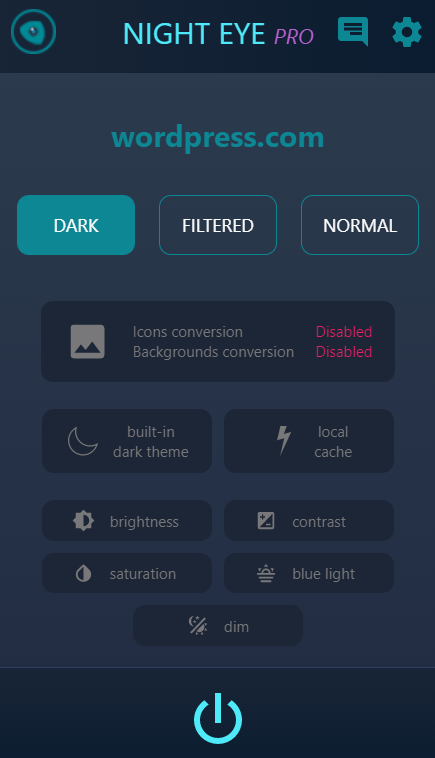
Night Eye is a browser plug-in that converts almost any site into dark mode. That includes browser based applications like the WordPress editor I am using right now. There are several other dark mode browser extensions available and I tried several of them before I settled on Night Eye. One of them really slowed my browser down and another was sending way too much data to an IP in China. Here’s a friendly tech tip, always run a network sniffer after you install an extension!

Night Eye is a paid application, which I actually prefer. The last thing I need in my browser is more tracking and adds. You can choose between several yearly subscription options, or the Pro license. Run the demo of Pro mode for ninety days after which it will drop into free forever mode that will continue working on any five sites you choose. I started out with the $9.99 subscription and upgraded to the pro license after a couple of years. I’ve emailed their support a few times and they’ve always solved my problem.

It couldn’t be any easier to use. Open the extension store in whatever browser and search for Night Eye. Install it and turn it on by clicking its icon in your browser’s toolbar. That’s it. If you don’t know how to get into your browser’s extension store just head over to their site and click the matching icon on their homepage. They will send you to the right spot. There are a handful of settings you can adjust to your preferences, but you probably don’t need to. There’s also a whitelist (no pun intended) for anything you don’t want converted.
Night Eye is the Frank’s Red Hot of browser extensions, “I put that sh*t on every thing”. When I have to work on someone else’s system and open their web browser, the experience is jarring. Now if we can just convince building managers that we don’t need double forty inch tube lights in every square foot of every office drop-ceiling on Earth, I might finally be able to stop wearing sunglasses indoors. Thanks Night Eye!

Mimecast Email Security Firm Compromised

Mimecast, a popular Email Security and Archival platform, posted on its blog Tuesday that a certificate it uses to encrypt traffic between itself and Microsoft was hijacked. Details are sketchy at this point, but the company is estimating approximately ten percent of its more than 36,000 customers use the corrupted connection.

The suggested action is to delete the connection that uses the corrupted certificate if it is present in your organization. According to their post, they have already contacted those customers who are at risk. You can read the full post on the Mimecast site at Important Update from Mimecast | Mimecast Blog.

Of course speculation is running wild with this sophisticated attack coming on the heels of the SolarWinds debacle. Rumors are already suggesting this event was perpetuated by the same group of Russian hackers that infiltrated the monitoring company’s customer base. Techbloggingfool.com could find no substantial evidence or official channel to back this hypotheses at this time.

Adobe will Actively Block Flash Content from Running Beginning January 12th of 2021

It has been widely publicized that the death of Flash was coming in December of 2020, the major browsers are removing support for it. While working on a Flash related issue I ran across Adobe’s EOL page that suggests a more extreme measure than I had assumed. The Flash Player itself has a timebomb in it that will prevent it from working after 1/12/2020. The news caught me and several of my fellow engineers off guard.

The official Adobe EOL page is at Adobe Flash Player End of Life and clearly says; “To help secure users’ systems, Adobe will block Flash content from running in Flash Player beginning January 12, 2021.” My first instinct was to turn off Flash updates, but according to an article published by ZDNET Adobe anticipated attempts to avoid the software’s demise. The kill switch was written into the Flash player code base long ago, updates are only modifying the warning message.

Microsoft will also be releasing an update to remove all traces of Flash from Windows systems. The update will be optional at first, then upgraded to recommended at some unknown date. The update will be permanent and can not be undone. For more details see their post on the subject at Update on Adobe Flash Player End of Support – Microsoft Edge Blog (windows.com).

Both Adobe and Microsoft will be removing download links (many are already gone) for the older versions of Flash player software from their sites. All of the major browsers and even many of the secondary options have removed, or are removing support for Flash. This effort to end a piece of software’s use is the most aggressive that I can personally recall.

What can do if your organization still uses an app that requires Flash? Adobe has left one option available, Enterprise Enablement as outlined on page 28 (PDF page 33) of the Adobe Flash Player Administration Guide allows for the use of custom mms.cfg files to allow certain sites to still run Flash content. VMware’s document on the subject outlines how to use the files to allow its Flash based management console to continue working. Given that browsers and operating systems are also removing support, it is unclear how long a workaround of this nature will continue to function.

The bottom line is that Flash is being killed off completely. Much in the same manner as SHA1 certificates, it isn’t being left up to individual choice. The tech companies Adobe, Apple, Microsoft, Google, and others have banded together on this and we need to plan for the full demise of Flash Player.

Edit Code on Your Android Device

Every once in a while I find myself needing to review or edit code on my mobile. It never fails, I’ll be out with my family and the solution to some problem I have been struggling with will pop into my head seemingly from nowhere. The other common scenario I experience is somebody emailing me a script to review, or fix when I’m not near a computer.

I’ve tried various solutions over the years. Until recently my go to option was to RDP into my desktop and launch Visual Studio. VS more or less works fine via RDP, but even the screen on my Galaxy Note feels too small to be fully effective. I have to zoom in and out on sections of code constantly and the syntax can be hard to follow.
I set out to find a code editor that would run on Android. If you’re considering the same there are a few things you should know. Android editors are not full integrated development environments, they lack a console for testing and debugging code. They also lack compiling facilities. They are editors in the strictest sense. There are a few apps in the Google Play store that claim to have a console and or compiling, but the ones I tried could only “debug” or “compile” HTML.

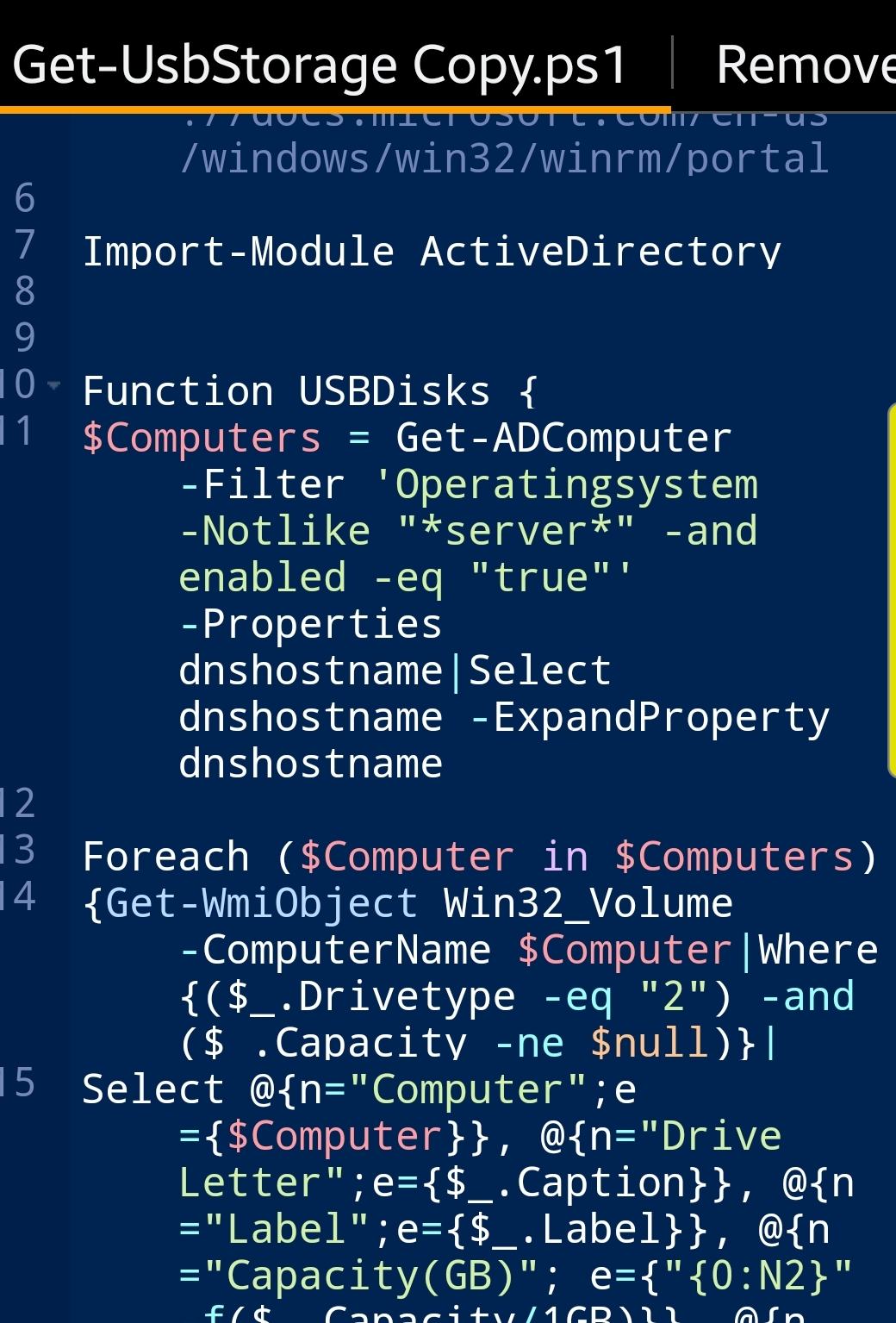
Mobile code editors do have a couple of major advantages over straight up text editors. The most important one is syntax support. The feature allows you to select your language and then the app will monitor for the correct use and highlight mistakes. File association and Search/Replace are also very handy.

File association makes opening your scripts and apps simple.

I tested several of the code editing apps in the Play store and only really liked one of them. Rhythm Software’s Code Editor is ad supported (free), but a $2.99 in-app-purchase removes them. It supports more than a hundred languages including PowerShell. I assumed that the auto-complete would be fairly limited, but it is very useful.

The auto-complete library is immense.

Code Editor has built-in support for cloud services like OneDrive, Dropbox, and GitHub. Sign in with your credentials and the service will appear in the open and save dialogs. It will also be added as a shortcut in the main menu.

Flexible storage support is nice.

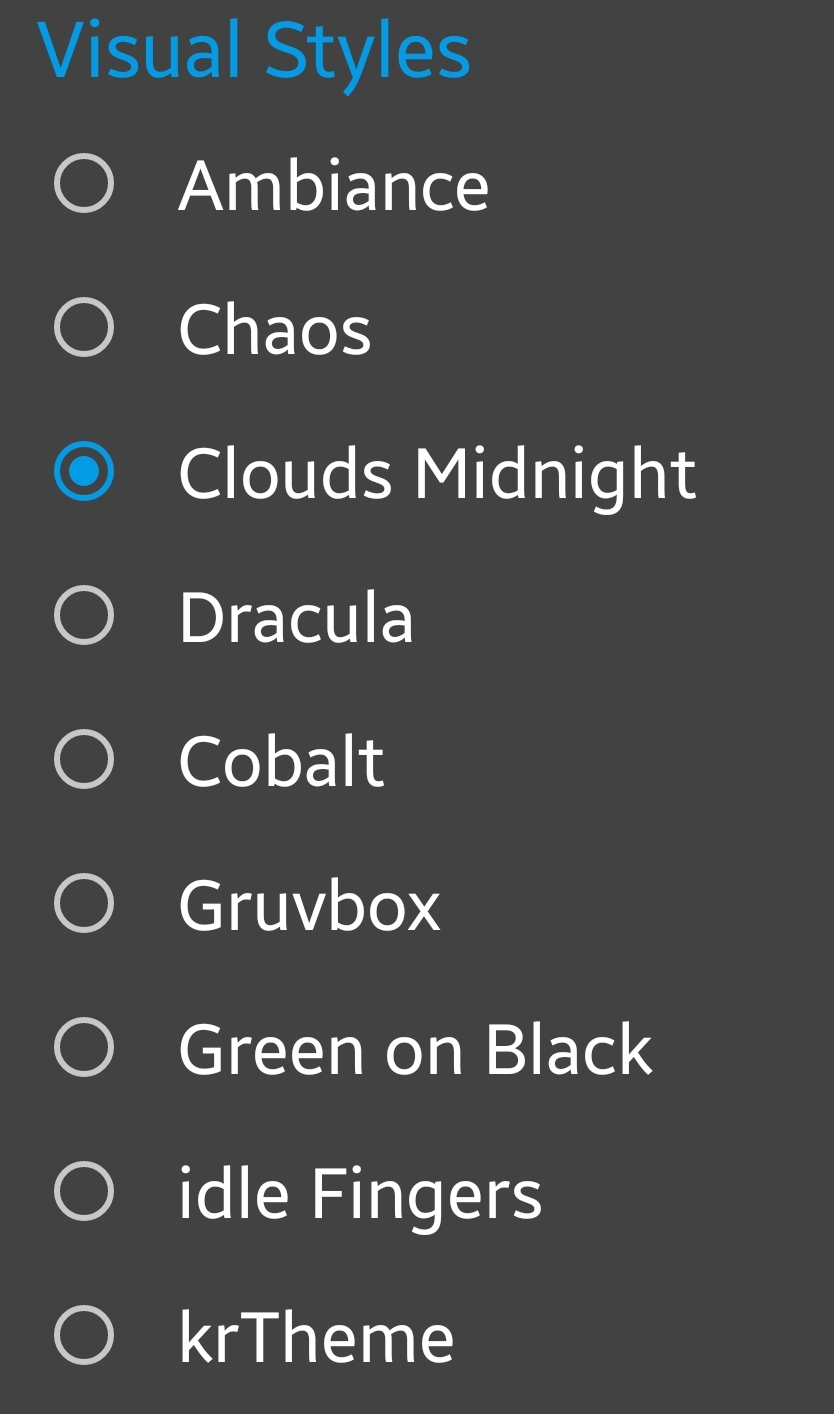
Tab support let’s you easily work on multiple files. The highlighting and theme options let you customize your experience to the Nth degree.

For my needs the app is just about perfect. It isn’t going to be replacing Visual Studio, but when I have needed to edit a few lines while on the move it has been a lifesaver.

SolarWinds Orion Monitoring Tool Has Been Compromised

SolarWinds is an Austin Texas based company that makes a lot of tools used by IT departments the world over. Their all-in-one monitoring suite known as Orion has been the victim of a supply chain attack. In what experts are calling a Nation State funded hack, updates to the software over the last several months were spiked with malicious code.

If your organization is running an infected edition, external entities may be able to gain full administrative access to your systems remotely. As with any event of this type, certain environmental conditions must be true for the access to be allowed. SolarWinds is recommending an immediate upgrade to the newest version and are aiming to release an additional hotfix on Tuesday December 15th. Review the SolarWinds page on the subject for new announcements, updates, and instructions. Security Advisory | SolarWinds.

Check your versions and spread the word. SolarWinds reportedly has as many as 300,000 Orion customers. FireEye, the security firm that discovered the hack, as a well as SolarWinds themselves, and several government agencies are attempting to notify as many as possible.