All of our portable devices: laptops, phones, tablets, and game systems are subjected to the bumps and bangs of life when we take them on the go. It’s not the violent drops to the sidewalk that end up defiling my gear. I’m careful and rarely drop equipment.
My stuff always ends up scuffed and scratched from riding around in my laptop bag or being tossed in my desk drawer. For a lot of people the solution is to put their gizmo in a case. I can’t stand cases. Why would I pay a small fortune to get the slimmest, lightweight, super styled gadget and then turn around and stick it in a giant plastic box?
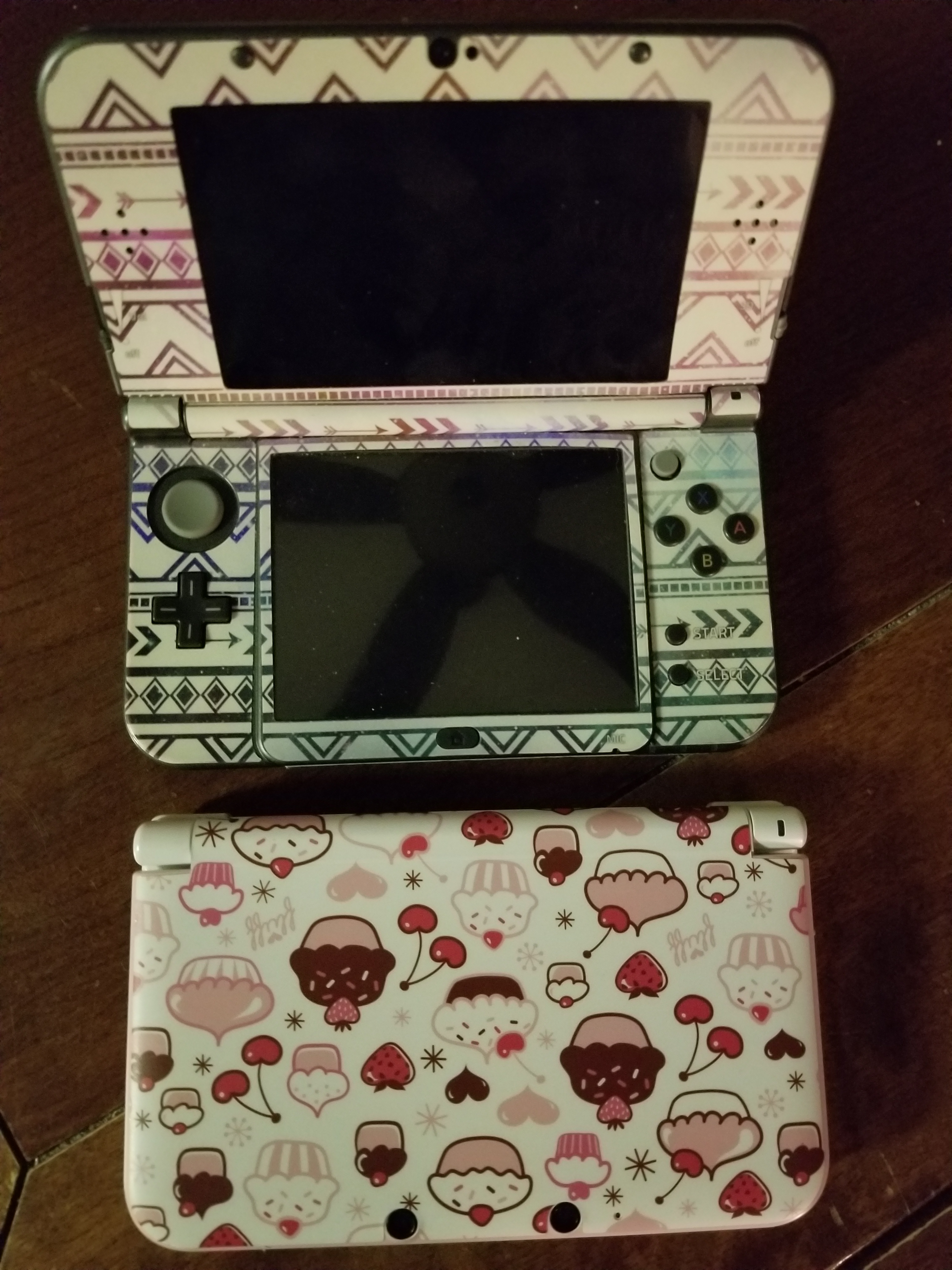
Luckily for people like me there’s a happy medium. Skins are vinyl decals that are cut to perfectly fit your device. They don’t alter the shape or weight but are sturdy enough to ward off most minor dings and scratches.
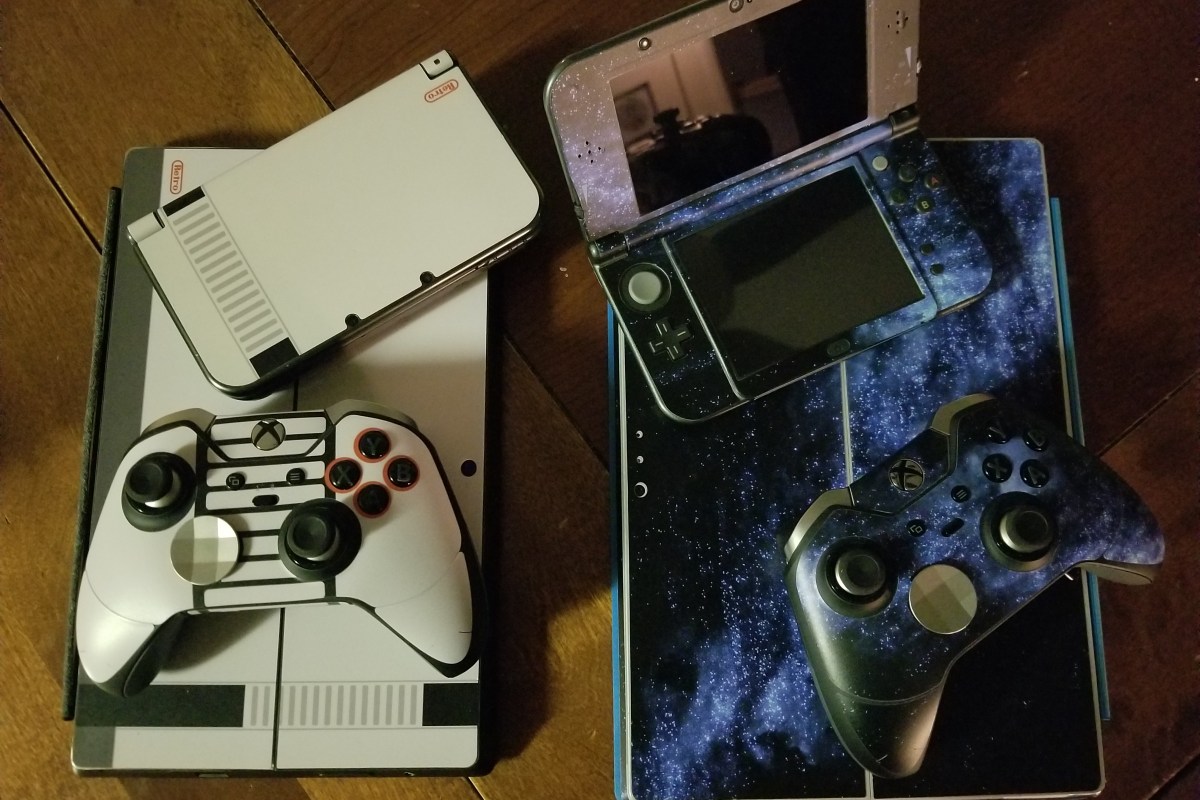
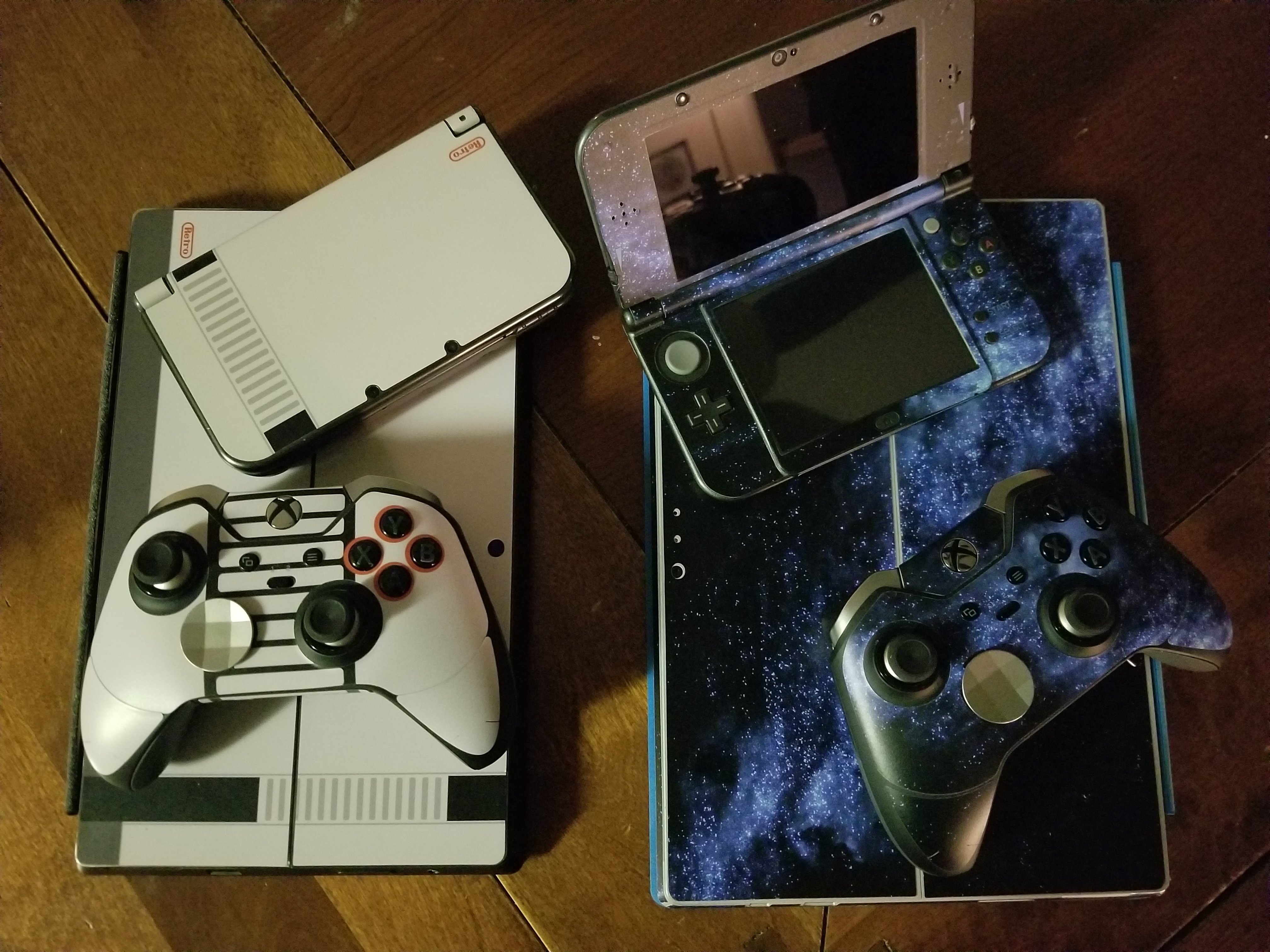
The sky is the limit when it comes to style. You can get clear skins or have then made out of your own photos. There are countless designs and several quality manufacturers. I like Decalgirl.com the site is easy to use and the skins are high quality. They have designs for almost every type of gadget. As you can see in the pic below, I’m partial to the blue galaxy design. My son prefers the retro NES look.
In today’s data centric world, everybody wants to know what you’re doing on-line. The free Wi-Fi at fast food restaurants and hotels allows them to mine your data usage habits for marketing purposes. The “Guest” Wi-Fi at your place of business can also be monitored. What’s a private person supposed to do? There are lots of articles on the Internet regarding VPN services but few of them are free and all result in the purveyor of the service being privy to all your data habits.
One solution is to route all your mobile traffic, personal device at work, phone/tablet connected to public Wi-Fi, etc. through your home network over a VPN. There are several services on my home network that I’d like to access from anywhere; Remote Desktop to my family’s computers, in-home Wi-Fi console, my router / firewall dashboard, and my email server just to name a few. I prefer to not punch that many holes through my firewall. A personal VPN solves these challenges.
In today’s post I’ll walk you through setting up OpenVPN on Pfsense. OpenVPN is a popular open source VPN solution that is included on some firewalls and runs on most distributions of Linux. If your device includes it as an option the principal steps in this guide will apply but the screens and locations will vary.
Instructions
I will be posting a full setup guide for Pfsense at some point in the near future. If you’re not familiar with the software, it is a commercial class firewall and router package that you run on a PC. You can get a lot of information about it from their excellent website.
Create User Account(s)
You will need a user account to logon to your new VPN with. The software supports certificate based authentication. However, self-signed certificates (issued ourself vs. purchased) are difficult to work with on modern operating systems. For the purposes of this guide we’ll stick with a basic username and password.
Open the web configuration
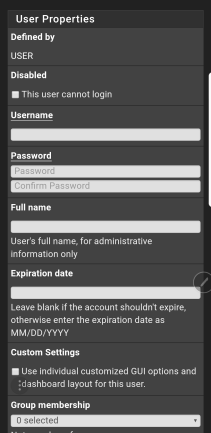
Click System -> User Manager -> Add
Complete the form
Do not check the box to create a user certificate
Click Save
You may be tempted to make a single account for everyone to share. However, I recommend creating a separate account for each person that may use the service. This makes troubleshooting easier and advances your security stance.
Install VPN Client Exporter Package
Once OpenVPN is up and running you’ll need to install and configure the client software on your mobile, laptop, etc. The easiest way to accomplish this is by sending yourself (email, Dropbox, etc.) a pre-packaged configuration file. To export the configuration file we’ll need to add some software to Pfsence.
Open the web configurator
System -> Package Manager -> Available Packages
Search for openvpn-client-export
Click the Install button
Create an Internal CA
OpenVPN’s private connections are built using TLS encryption; it’s not important that you understand the details but we need to set up Pfsence as a certificate authority so that it can issue the encryption certificates required to make this work.
Depending on how you installed Pfsence, you may find there is already a CA present in which case you can skip this section.
Open the web configurator
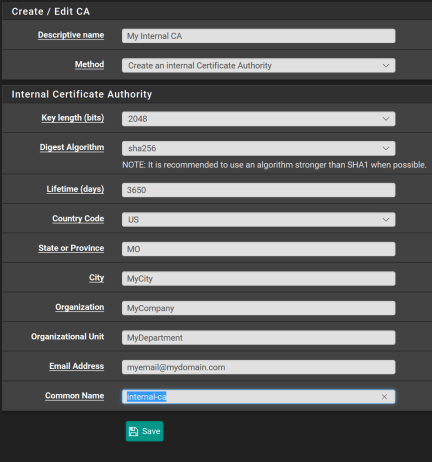
System -> Cert Manager -> CA -> ADD
Complete the form and click Save
Issue Certificate
Now that we have a Certificate authority, we’ll need to issue the TLS server certificate the encrypts our data as it travels over the VPN.
Open the web configurator
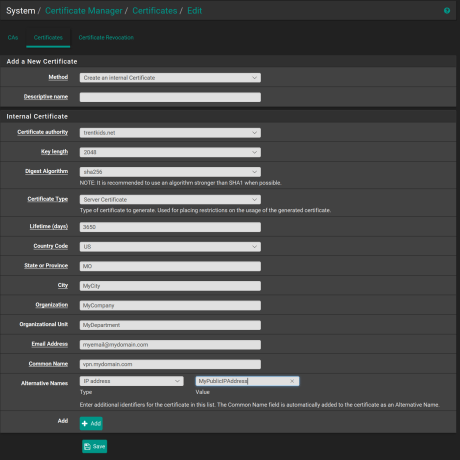
System -> Cert Manager -> Certificates -> ADD
Complete the form and click Save
Be sure that you set the Certificate type to Server Certificate
Add your public IP address as an alternative name
Click Save
OpenVPN Wizard (Setup the service)
Open the web configurator
Click VPN
Select OpenVPN
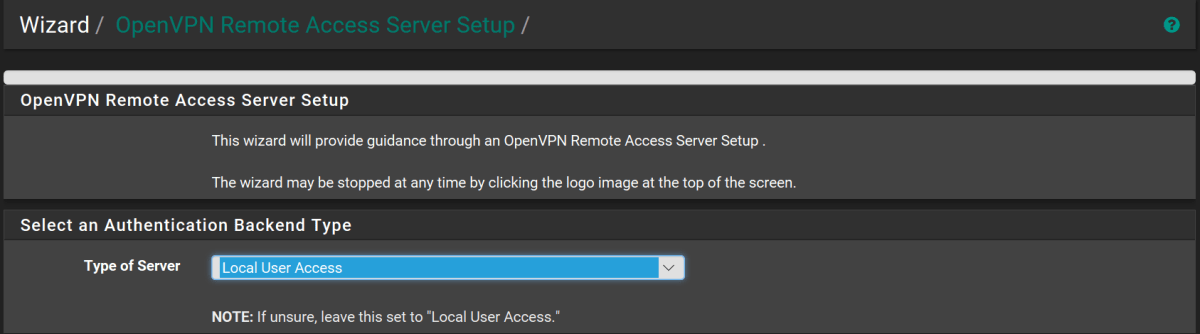
Click the Wizards Tab
Leave type of server as Local User Access
Next
Certificate Authority, select the CA you created
Click Next
In the certificate drop down, select the server certificate we issued from our CA
Click Next
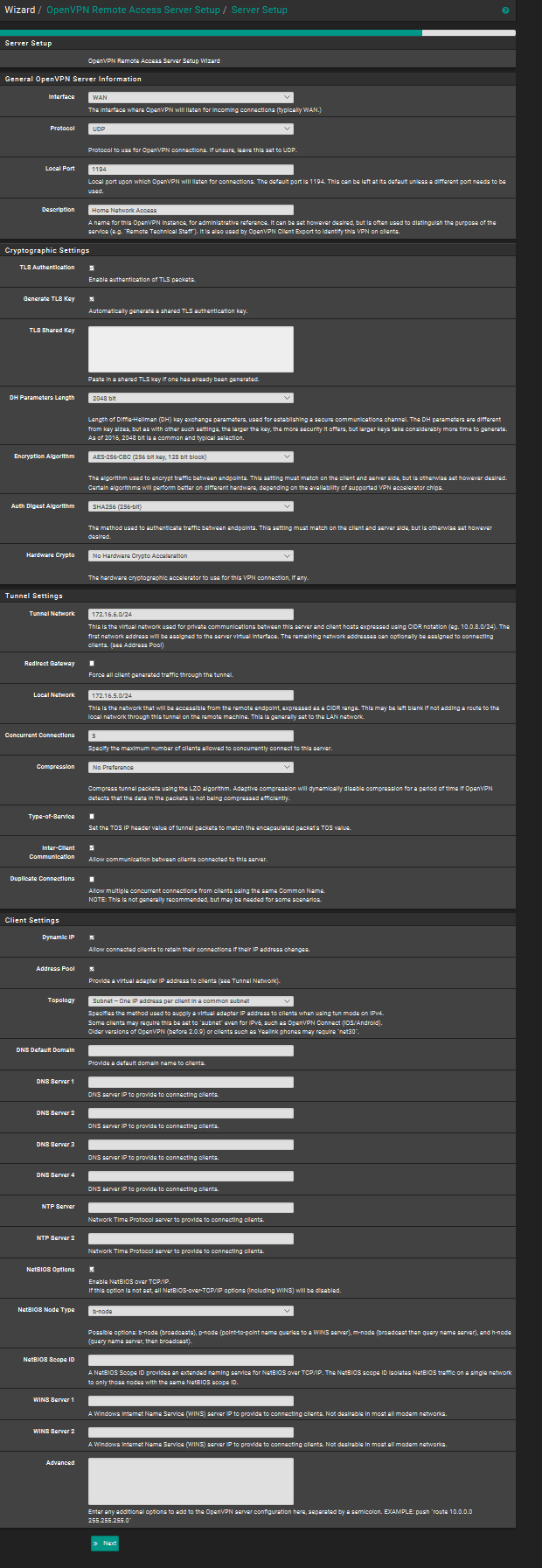
The next form has a lot of options on it. Change the following:
Description, name your connection
Tunnel Network = CIDR network separate from your primary LAN subnet. For example; if your current primary network is 172.16.5.0/24 then you would want to put 172.16.6.0/24 here. Incoming VPN clients will receive addresses in this range.
Local Network = your primary LAN range. In the example, 172.16.5.0/24
Redirect Gateway = Select this option, it is the magic sauce that prevents the networks you connect to from snooping on your usage habits by sending all your network traffic through your home router instead of theirs.
Concurrent Connections = How many devices will you allow at once.
Select allow Inter-Client Communications
DNS Server 1 = IP address of your Pfsence firewall
Enable NetBIOS options
NetBIOS Node Type = b-node
Next
The wizard will automatically add the required firewall rules and routes for us. However, it defaults to certificate based authentication and we want to change that (see create accounts).
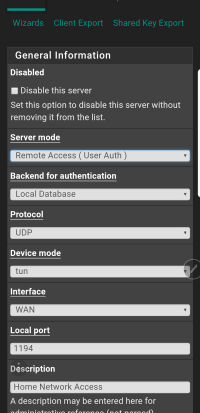
Click System-> VPN -> OpenVPN
Select the pencil icon to edit the settings
In the drop-down for server mode, choose Remote Access ( User Auth)
At this point our VPN server configuration should be complete. To use it we will need to install and setup the client software on our mobile device. There are a lot of client applications that support OpenVPN my personal favorite is OpenVPN CONNNECT. It is available on both the iOS Itunes App Store and Google Play for Android. The software works the same way on both mobile operating systems.
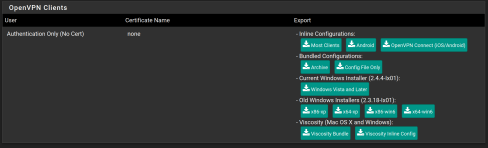
Scroll down to the OpenVPN Clients section and click the button labeled OpenVPN Connect (iOS/Android)
Save the file to your disk
Send the file to an email address that you can access from your mobile or place it in your cloud storage. (You could also connect your device and side load it)
Configure the client application
For Apple devices,
Open the configuration file from your device
Select OpenVPN CONNECT as the application to open the file with
Choose YES to import the profile
For Android devices,
Save the file to your device from your email or cloud app
Launch the OpenVPN CONNECT application
Tap the three dots button in the upper right
Tap Import
Tap Import Profile from SD Card
Browse to the Downloads folder (default save location) on either your internal storage or SD card
Tap the file you saved
Tap the Select button
Enter the correct username and password (choosing save is optional)
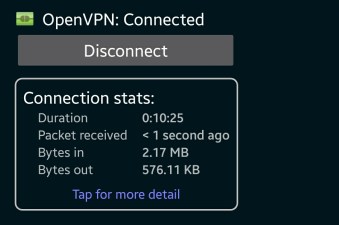
Click the Connect button.
Validate your setup
Obtain your mobile public IP address by opening your device’s browser and going to http://www.ipchicken.com (not connected to VPN). Then connect to your VPN and open the page again. Your IP when connected to the VPN should be the same as a computer on your home network. If it is, everything is working. If not, try looking in the OpenVPN connect client logs and in the logs of Pfsense for clues.
My wife and I were trying to figure out something cool to do for a family trip. We’d already done Yellowstone, the mountains, the ocean, Disney, you know all the great American family trips…… We were looking for something more personal to us. I mentioned that I had always wanted to go to a game expo like E3 but that you had to be a professional to attend. She asked a question I had just never thought of, “Are there any Expos open to the public, around?”; “Well Duuuuuuh, of course there are. PAX has been around for quite a while, attracts attention from big vendors, has all the “gamer culture”, I felt like I should have thought of this a long time ago.
Google enlightens me to the fact that PAX has expanded since the last time I looked into it. Now they have a venue in Texas when it is freezing here and nice and toasty warm there. I have always wanted to take my wife to San Antonio anyway. Just like that our family’s next trip was chosen. I left the details to whatdouknow’s highly trusted logistics engineer (aka my wife).
One of the many San Antonio River-Walk Bridges.
We wanted a hotel next to the action but it had to be quiet, too. My wife searches and comes up with a few candidates. We settle on the Spring Hill Suites in San Antonio. It’s walking distance from the Arena but not directly on the River Walk. It has a heated pool, free Wi-Fi, free breakfast, and the reviews look decent.
Here’s a travel trip from somebody who’s always on a budget and has years of practice. Find your hotel room on one of the big advertised sites like Trivago, Travelocity, or Expedia because they make it easy to search lots of hotels and rooms very quickly. Before you book the room; see if the hotel you like has their own on-line presence. More often than not, the hotel’s site will be less expensive than the search conglomerate’s.
We book our room and talk about transportation on the ground. We decide that our plans don’t require renting a car, our hotel is walking distance from the convention and the River Walk. We’re going to try Uber as a family for the first time. Great, the trip is all planned now we just need to wait until time to go.
The San Antonio Zoo is very nice
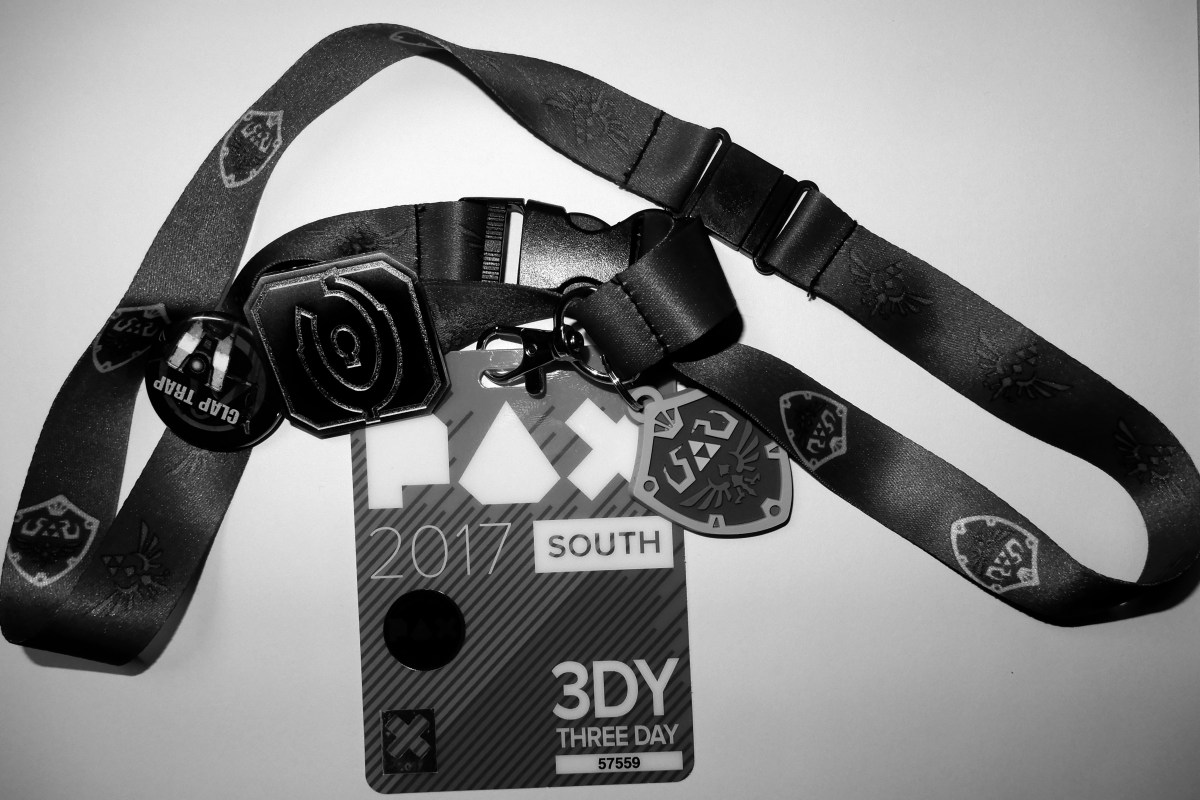
PAX South is always in January and held in San Antonio Texas. Winter rolled around and it was finally time to head to the airport. We landed after an uneventful flight and my wife launched the Uber app. She told the app we needed a car big enough for 4 and their luggage. This is our fist time using Uber, ever. We hang around in the loading slash smoking zone waiting for our car and trying to dodge the clouds of stink for twenty minutes when a Toyota Prius rolls up. Hmmm, not what I imaged when we requested seating for 4 and luggage but we all eventually squeeze in. It’s a good thing these people are my family, LOL
Everyone was impressed when we got to the hotel. It was possible to see the convention center from it. The building looked nice and well maintained. The pool was great, it was out on a back-deck next to the sidewalk so you could people watch while you swam. The small bar / kitchen served breakfast, beer and wine, and had a simple room service menu at night. There’s was a small convenience store and the usual vending machines. The rooms were comfortable and the TV had plenty of HDMI hookups for all our gear. All the room’s in this hotel are divided by a half-wall and the restroom into two separate spaces. If you ever make the trip I highly recommend the Hotel. It’s about a 5 block walk to the convention center and 4 blocks to the River-Walk. If you want closer to the action, the River-Walk Marriott is connected to the venue.
We got up the next morning, had breakfast in the hotel lobby (which was excellent) and then headed to the convention center. The sidewalks were a stream of people marching to PAX. Once we passed through security we were directed to the mother of all lines. Someone had brought inflatable dice and we played the largest game of “Keep It Up” I’ve ever seen.
They opened the doors and the crowd streamed in. The main expo floor is huge, you literally cannot see from one side or end to the other. It is packed with booths from every type of video, electronic, board, and tabletop game you’ve ever played. There are retail booths, demo booths, the Nintendo Switch is playable (it hadn’t been released yet). In a word it is Rad!
There’s so much to see and do here; concerts, shows, meet and greets with gaming celebrities and YouTube stars. There are several gaming libraries where you can play every game on every console ever made. A sea of late-model gaming rigs awaits hundreds of simeltaneous players for numerous tournaments. There’s a console tournament section. Open games that you can just step up and play and this is all just in the main hall.
The convention center has an enormous number of side rooms, each of which has something different going on. One is stuffed full of musical instruments, electric guitars, and drums waiting for anybody that would like to come play. In a lower level common area there’s a bean bag oasis were people crash and play Mario Kart 7 in open games on their 3DS consoles. I won’t spoil it all, part of the fun is discovering everything yourself.
I didn’t expect the sheer amount of competition. There were professional tournaments with thousands of dollars and big name sponsors and there were friendly tournaments that anybody could play in.
Overwatch Pro Finals
Me in a CODBH3 showdown
Not only is PAX fun; the city of San Antonio is too. We have walked all over this burg. Our smart watches tell us we’re clocking an average of 13 miles per day. The River-Walk is lined with places to eat, the Alamo, bars, and an upscale mall. The city has a magnificent Zoo that is an Uber or Lyft away.
Famous fast food
River-Walk Yardhouse
Take the water taxi
Nice places to rest
The Zoo is great
My kids count this as their favorite vacation to date. Considering some of the places we’ve been, that is saying something. If you’re looking for something to do and your family likes games, PAX is worth your attention. We had a blast and I’m sure we’ll go back sometime. Tickets are on sale for PAX South 2018 now http://south.paxsite.com/, they sell out every year.






 techbloggingfool.com