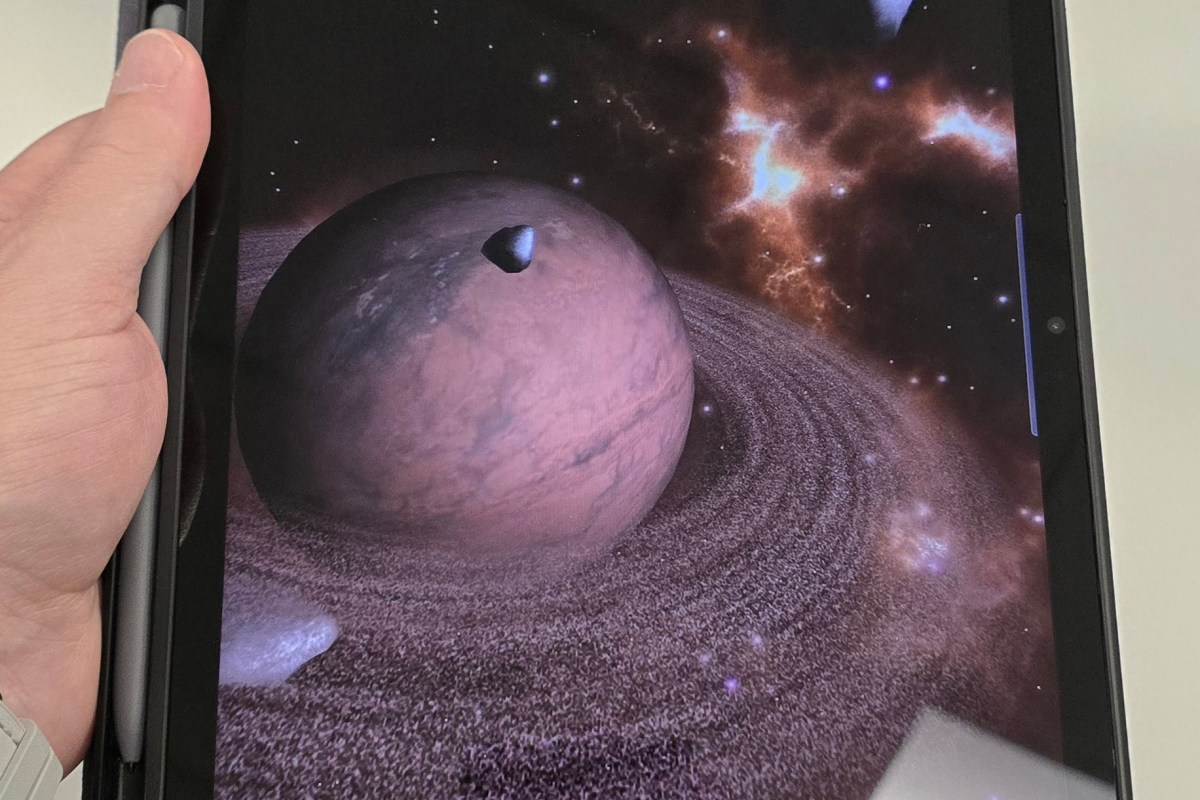
An Owner’s Review of the Samsung S9FE

I’ve had my eye on a new tablet for quite a while. I’ve been using my wife’s old 5th generation iPad mini and a Surface Go 2, but both of those devices are getting a little old, and their batteries are shot. So, when I learned that Best Buy was having tablet sale to compete with Prime Day, I headed over to see what they had.

I didn’t want to spend more than five hundred dollars, needed something that worked with a stylus, and it had to have at least a ten inch screen. These parameters still left a lot of choices on the table. The options were further narrowed by my work. The device would need to support multiple profiles so I could use it in the office and at home while keeping the data and apps for each separate. This last requirement effectively removed all of the iPads from consideration.
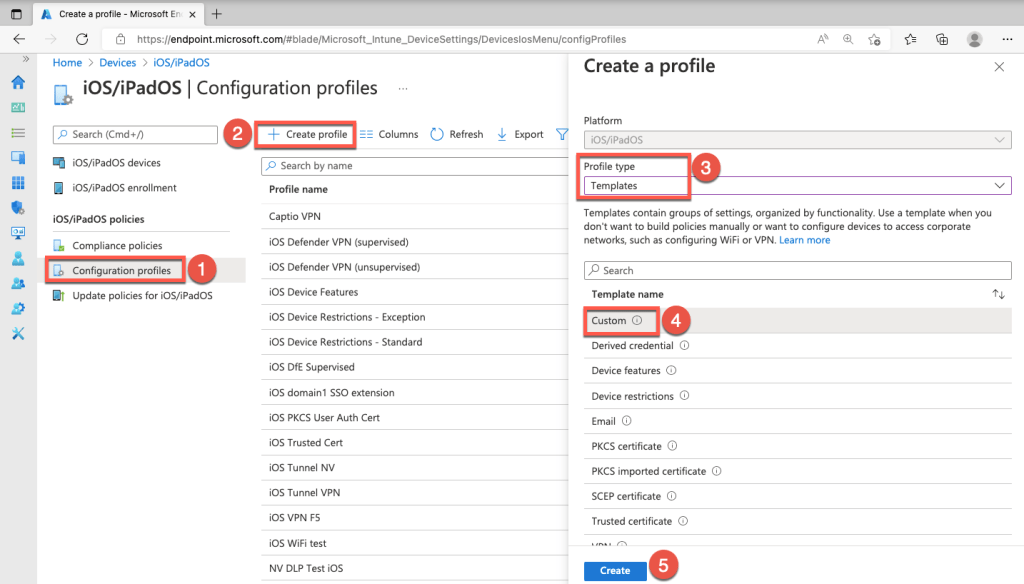
Microsoft Intune is a common MDM solution.

For those who aren’t aware, businesses tend to use what is commonly known as mobile device management software. MDM apps monitor and control your tablets and phones if you use them to get access to your employer’s network services. These MDM apps make you agree to give your IT team full control over your gear, and that can be a recipe for disaster. Samsung and some other Android devices sandbox your work and private data and apps. It means you don’t need to carry two separate sets of mobiles.

I have a lot of Samsung branded equipment in my home. I was always likely to end up with a tablet made by them because SmartThings means it would seamlessly work with everything else. Even my appliances can talk to a Samsung tablet to tell me when the laundry is done or that I left my refrigerator door open. I seriously considered models made by LG that had similar specs, met my requirements, and had the same price point. In the end, the ecosystem’s pull won out.
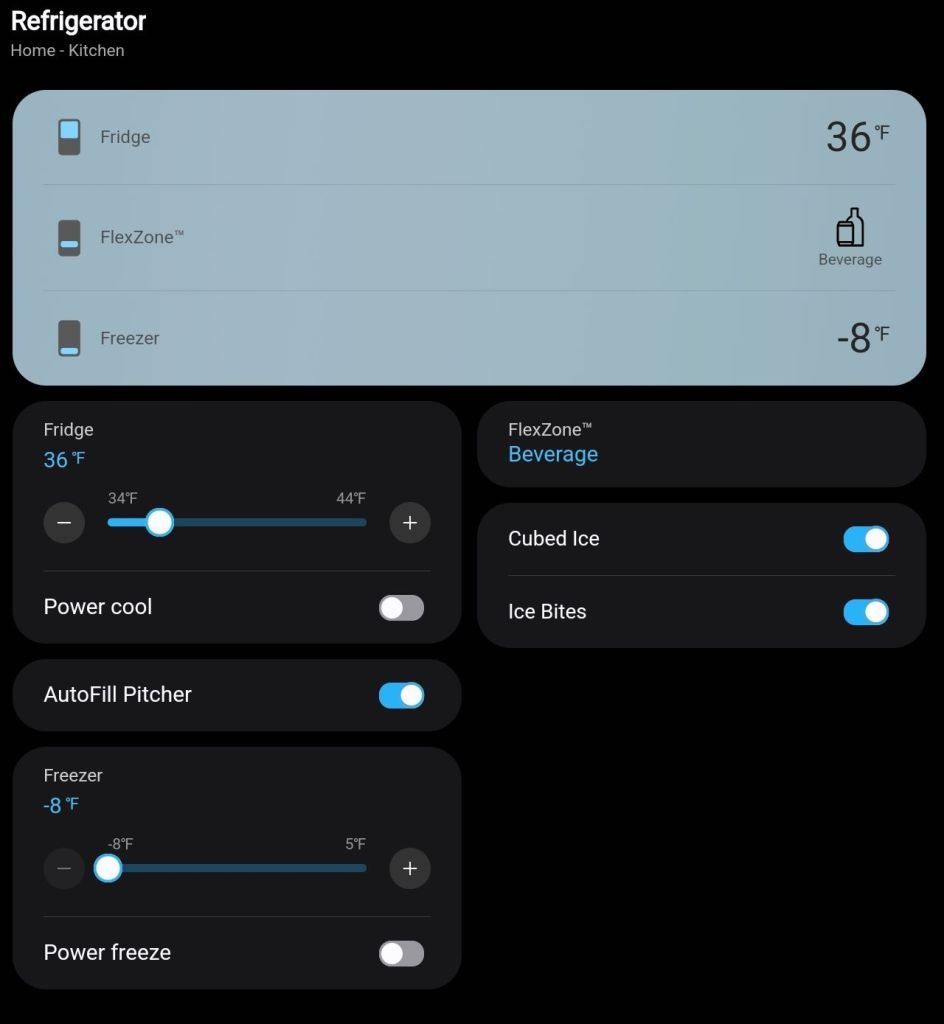
Samsung’s SmartThings is embedded in almost everything they make.

The S9FE model is a member of Samsung’s flagship S9 series of tablets. It has a little less RAM, slightly slower processor, and a little less capable screen than a full–power S9 Tab Ultra. However, it still out performs the last gen S8 Tab. The S9FE was just shy of half the cost of a full S9 unit with about 75% of the power and features. Samsung’s FE (Fan Edition) versions of devices usually come out about halfway through the generation’s lifespan. They fill the sweet spot of new and powerful, but not the most expensive. They often have some confusing options. This year, the FE comes with either six or eight gigabytes of ram for some reason. If you are considering this tablet for yourself, look for one with eight.

I’ve had the S9FE for several months now. It’s been fantastic. I tend to use my tablet in place of a laptop. Writing blog posts, email, surfing socials, editing media, note-taking, Teams and Zoom meetings, and remoting into the servers that I support are all things I prefer to be on a tablet for. Laptops are still too heavy and too hot to be comfortable on your lap for long. Phone screens are too small for complicated or extended tasks. That’s where tablets live in my world. The in-between.
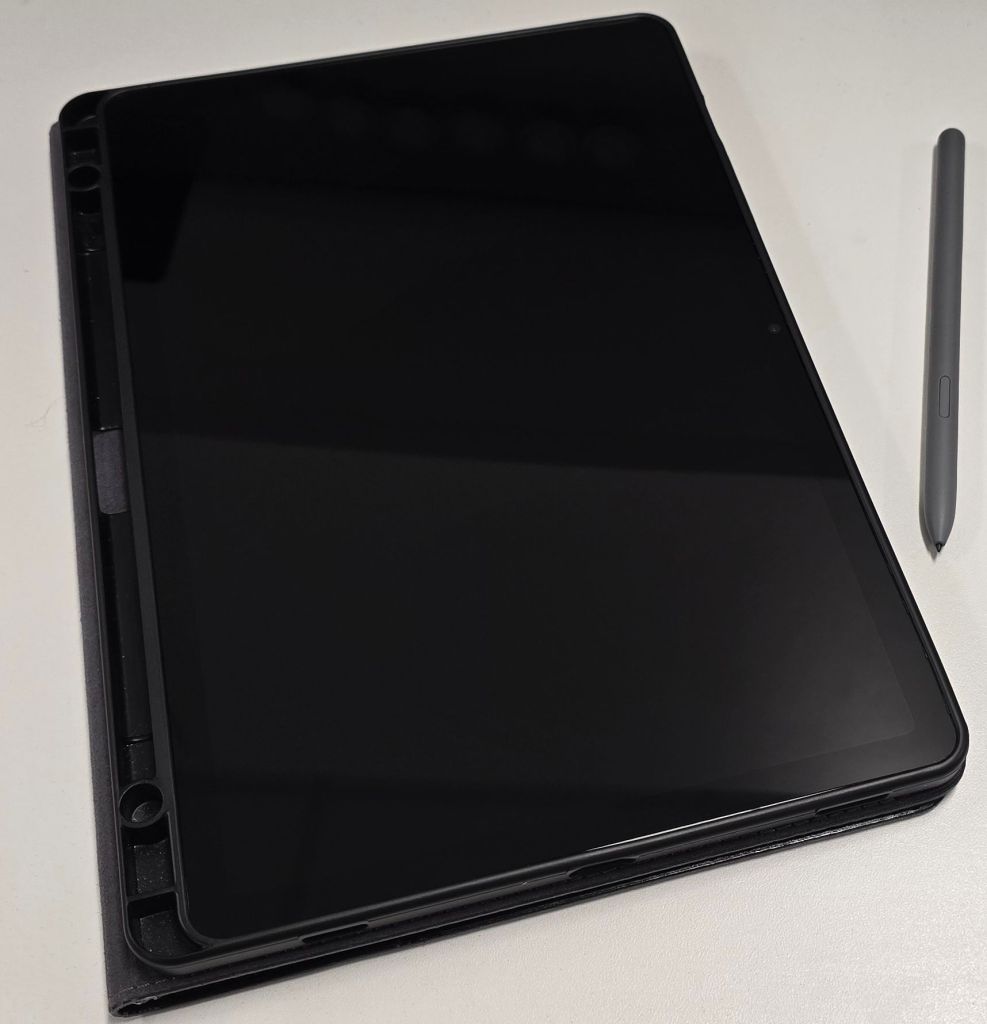
The tablet version of the S-Pen is larger than the phone’s and made of a soft plastic that is more comfortable to hold.

The tablet version of the S-Pen is one of the best screenwriting utensils available. The cameras work great for meetings and quick snaps or posts. The speakers and screen are epic. While on vacation, a hotel we stayed at had a horrible TV. I just put my tablet on the dresser, and we watched Netflix. I was shocked that the volume was easily loud enough to fill the room.

An often underutilized feature is front and center on the Samsung tablets from this generation. Dex mode can be enabled from the quick menu right on the tablet’s screen. Every app launches in its own customizable window. Dex move offers one of the best multi-tasking tablet experiences out there.
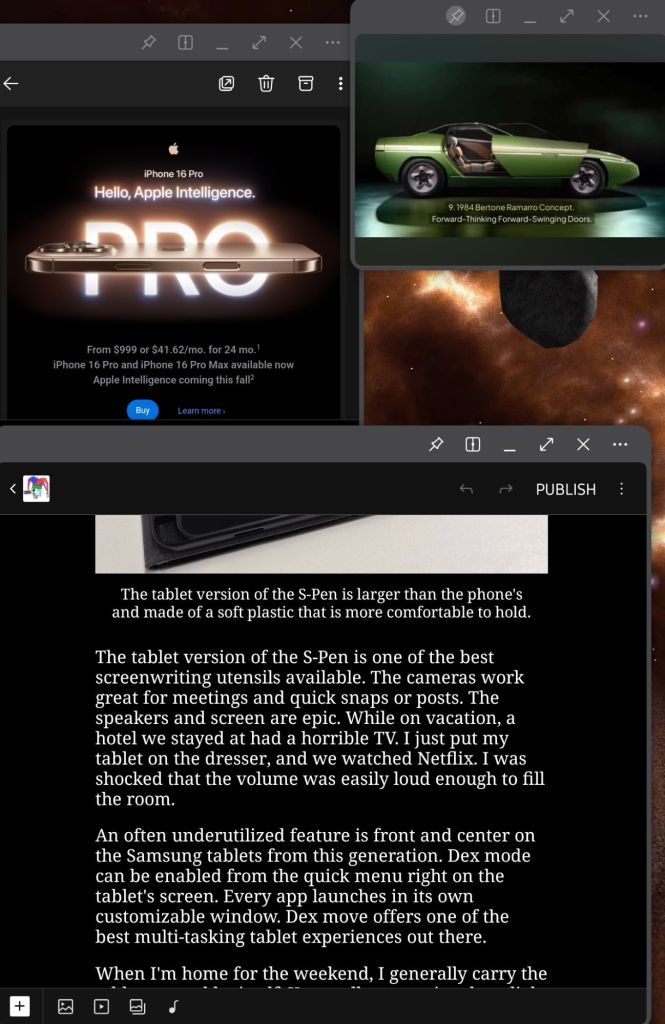
Dex Mode runs apps in windows that can be tiled, stacked, pinned, and made transparent. Samsung tablets rival a laptop’s productivity because of it.

When I’m home for the weekend, I generally carry the tablet around by itself. I appreciate how light it is when it’s naked and it is tough enough to survive the house. I’ve dropped it on the carpet without damaging it. The screen has just enough of a bezel to hang onto while you browse or write. Samsung offers a fill replacement warranty for a reasonable cost, so I’m not too nervous about it.

During the week, when I’m dragging it back and forth to work, I put the S9FE in a case. I get the tablet in and out of my bag, toss it on my desk, and use it as a TV at the office. I found a leather folio case that doubles as a stand. Check it out here: Nanruil Samsung S9FE Leather Case.

Usually, I try to point out the negative attributes of the hardware that I write reviews of, but in this case, there just aren’t any. Sure, there are always future state wishes like lighter, faster, and cheaper. You can also argue the intracasies of operating systems  and overlays until the end of time. However, when compared to its contemporaries, the S9FE is exactly what it should be. A light, fast, capable system with a battery that lasts all day that I didn’t have to max out my card to buy.
Thoughts on the Galaxy S24 Ultra, Some Tips, and My Favorite Case.

I traded in my Galaxy Fold 3 for the S24 Ultra five months ago. I did it for the cameras and I’m still happy with my decision. They’re fantastic. The whole phone is.

None of the pictures in this article are using filters or editing. The camera was in my hand and on full auto mode.

The cameras take stunning photos. There’s nothing to nitpick. If you become adept at using Samsung’s camera applications and understand some photography basics about framing and lighting, the results are masterful.

Notice how clear the reflection in the side mirror is.

Photogs love to dig into the metrics and compare numbers. I’m more into the astatic value of the pictures than I am the camera’s technical performance. To my eye, Samsung is the best for this generation of mobiles. The images are crisp, focus is fast, and auto mode is ready for those fleeting moments no matter the situation. Samsung has been perfecting mobile photography for decades and their experience shows in the results.

Like a lot of people, I’ve completely transitioned to taking all pictures on my phone. One trick I’ve learned is to set up the voice trigger. No matter how careful you are, moving your hand to tap the screen can mess up your shots. Even the most careful tap can cause the lenses to jitter.

Use the gear icon in the camera app to access settings. Show palm is an interesting option but it doesn’t work as well as Voice commands.

There’s a lot to like besides the camera system. The battery and power management algorithms are equally impressive.  I’ve been able to limit charging to eighty percent of the battery’s available capacity and still make it through an average office worker’s day. Limiting lithium batteries from reaching their full charge capacity increases their useful lifespan.

Try adaptive if you can’t live on eighty percent.

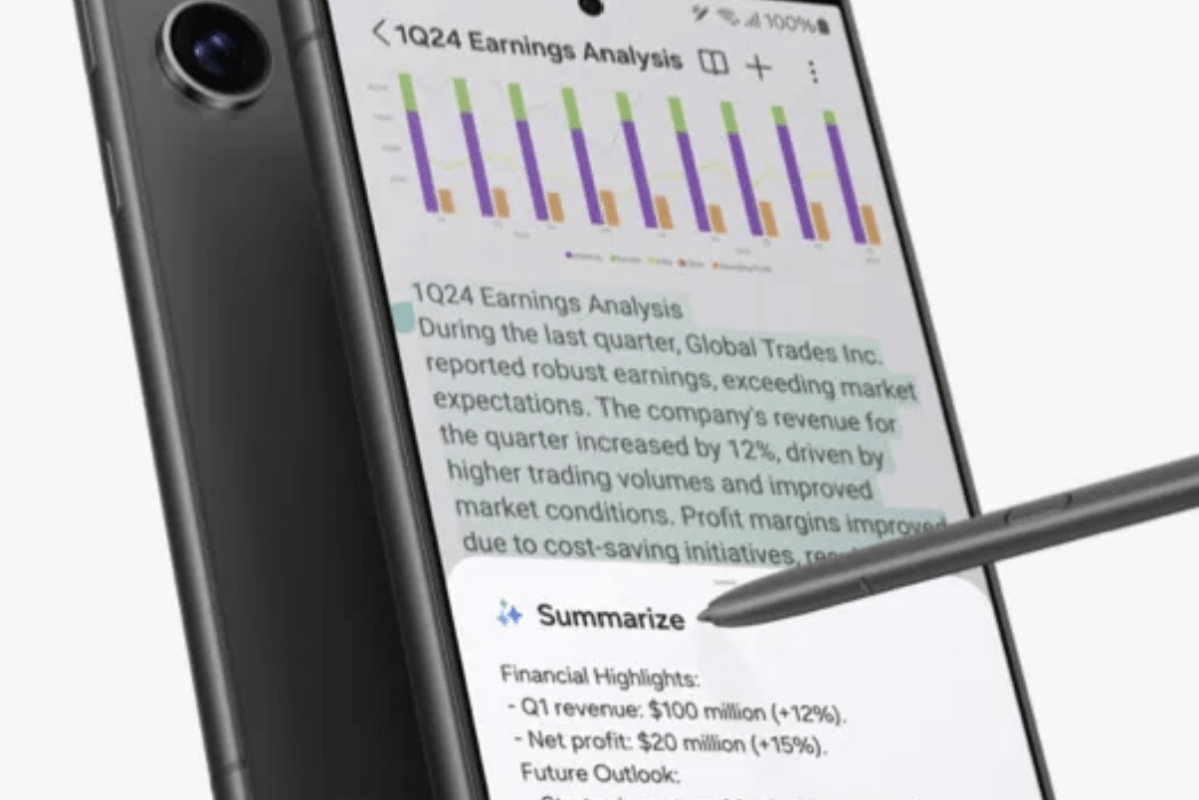
Samsung’s stylus is still great. I’ve written, sketched, and scribbled pages and pages with mine already. Including this entire article. Coming from the Fold 3, I had forgotten how convenient pop out pens and the ability to write on the powered off screen truly are.

One review that I had read before purchasing the S24U said the speakers were of poor quality and down firing only. I’m not sure that person actually had access to the phone when they reviewed it. It gets ridiculously loud and sounds great in my opinion. It has both top and bottom speakers.

Dolby Atmos, a custom EQ, and adaptive sound let you tune your audio experience to fit your ears.

The Snapdragon 8 Gen 3 processor is blazing! In fact, the phone can get physically hot if you push it hard. Mine hasn’t overheated, but it would be uncomfortable to hold sometimes if not for my case. The performance is worth a few scorched fingertips if you ask me.

Speaking of performance, this thing is a gaming phenomenon. AAA titles like Call of Duty Mobile and Grid feel like the full console versions. Some mobile games support ray tracing and super smooth 120 FPS, and the S24U is all about it. Game Pass Ultimate streaming works well.

Don’t forget to use the built-in gaming options to tune your experience. 

Business apps like OneNote, Outlook, and Excel are quicker to get into than they are on my high-performance laptop. There’s plenty of RAM for browser tabs and multiple background apps. I find that I rarely need to take my laptop to meetings with me. I’m just as productive from the Ultra at notes, plans, sketches, and even light presentations.

I ended up with a case that I found on Amazon. It has a built-in camera cover that slides open and shut. It also features a wallet that easily holds my ID, bank card, and some cash. The back of the wallet makes a perfect stand for watching streams and playing games with a controller.

The side-effect of this style of case (wallet on back) is that it doesn’t work with wireless charging. It does however work fine with Tap to Pay, and it fits in my car’s phone holder.

The TONGATE case is available in multiple colors and costs $25.99 on Amazon.

Life with the Samsung Bespoke French Door Smart Refrigerator

The ice maker in our old fridge died again a few weeks ago. I’ve already replaced the unit two times along with all the water lines and filters. I’ve had a professional plumbing outfit look at everything, but they couldn’t seem to find the cause of the ice-maker failures. Filling ice trays from the kitchen faucet works, but it gets old in a hurry. It was time to bite the bullet and get a new fridge.

With that thought in mind, my wife and I visited the local Best-Buy, Lowe’s, and Home-Depot stores to compare prices, features, looks, and useability. We also checked on-line via Amazon, Walmart, and Nebraska Furniture Mart and a few others. It didn’t take long for us to narrow down our preferences given our budget.

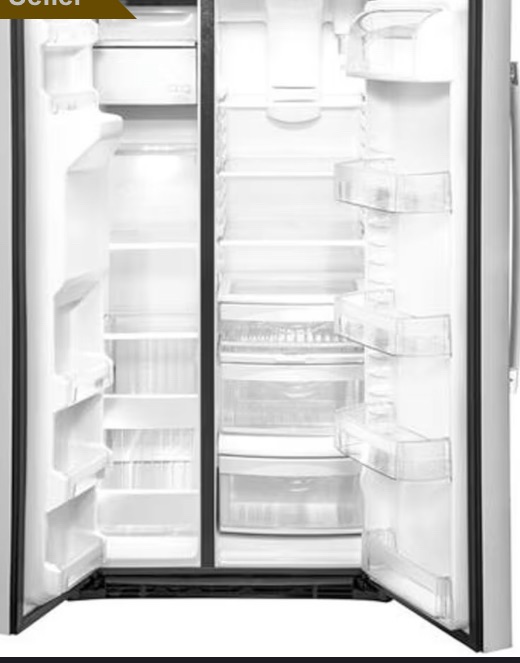
Side by side models are still popular. –

Side-by-side setups didn’t seem as user friendly as having the freezer on the bottom in a pull-out drawer did to us. We also wanted glass shelving instead of wire. We didn’t care for those with built-in displays. We already have enough screens in our kitchen.

We reasoned that the smart displays would become outdated before the analog components of the refrigerator do. The manufacturer will almost certainly stop supporting the Android OS version that runs the smart screens at some point, they all eventually do. If you leave the device connected to your internet access after OS upgrade and patching period(s), it will likely become a network security risk.

Some models we looked at had quick access doors embedded in the main door that seemed likely to cut down on power use if you kept frequently used items there. We also liked those that had water pitchers that automatically refilled in addition to a traditional water tap. Gourmet ice of various types seemed to be a common premium function, we preferred those with two separate ice makers that each made a different style and/or size.

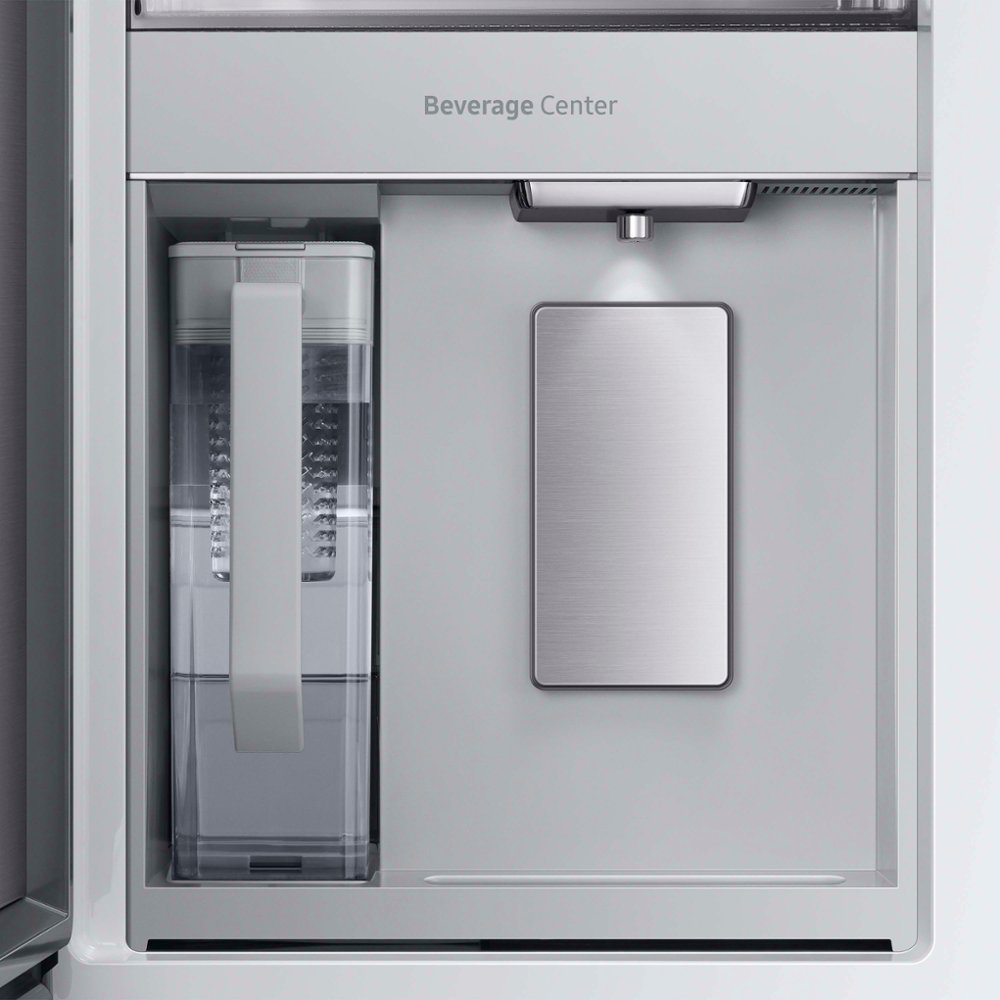
The pitcher refills when you put it back in place. The water is filtered and refrigerated. There’s an included attachment for cold-brewing tea in it. It’s a huge hit and used all the time in our house.

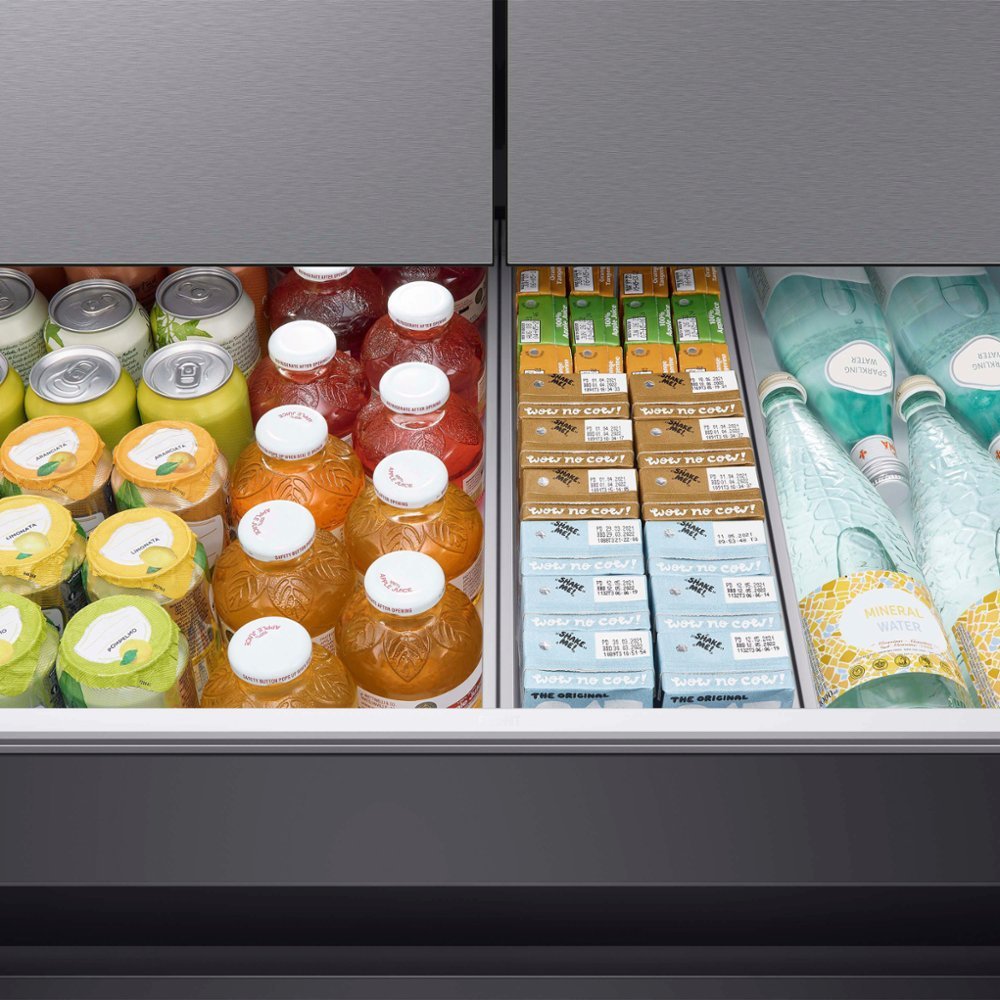
Several manufacturers include a small multi-function drawer between the refrigerator and the and freezer. On LG and Samsung units with the extra drawer, you can choose to have it function as freezer or, a refrigerator. They were the perfect size to store drinks, quick foods, and stuff for events. After getting ours home we found that the drawer also makes a great place for staging the ingredients for your next meal in.

Our preferences for the refrigerator on-top, freezer on bottom, multi-function drawer, separate ice makers, and water pitcher features narrowed our choice to just two models. In the end we went with the Samsung because its extra drawer was deeper than an LG model with very similar features at a very similar price.

The Samsung drawer would be able to hold US soda-pop and beer cans upright. The LG didn’t look quite deep enough for that. I never confirmed that the LG couldn’t, I just eyeballed it at the store. If you have the LG with a drawer and know it holds upright cans, please feel free to say so in the comments. We also appreciated that the Samsung model we decided on had user replaceable panels that completely change the appliance’s look.

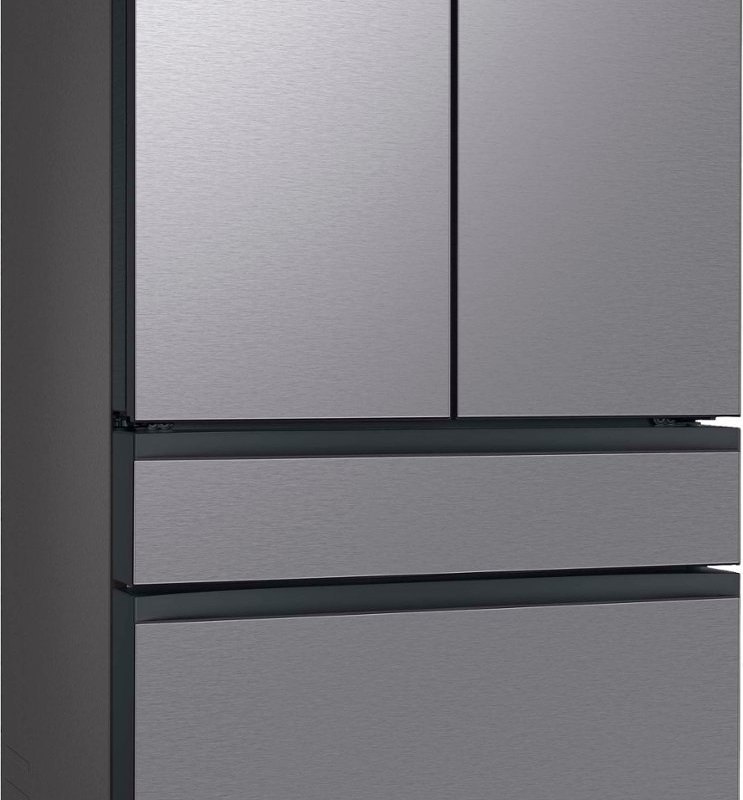
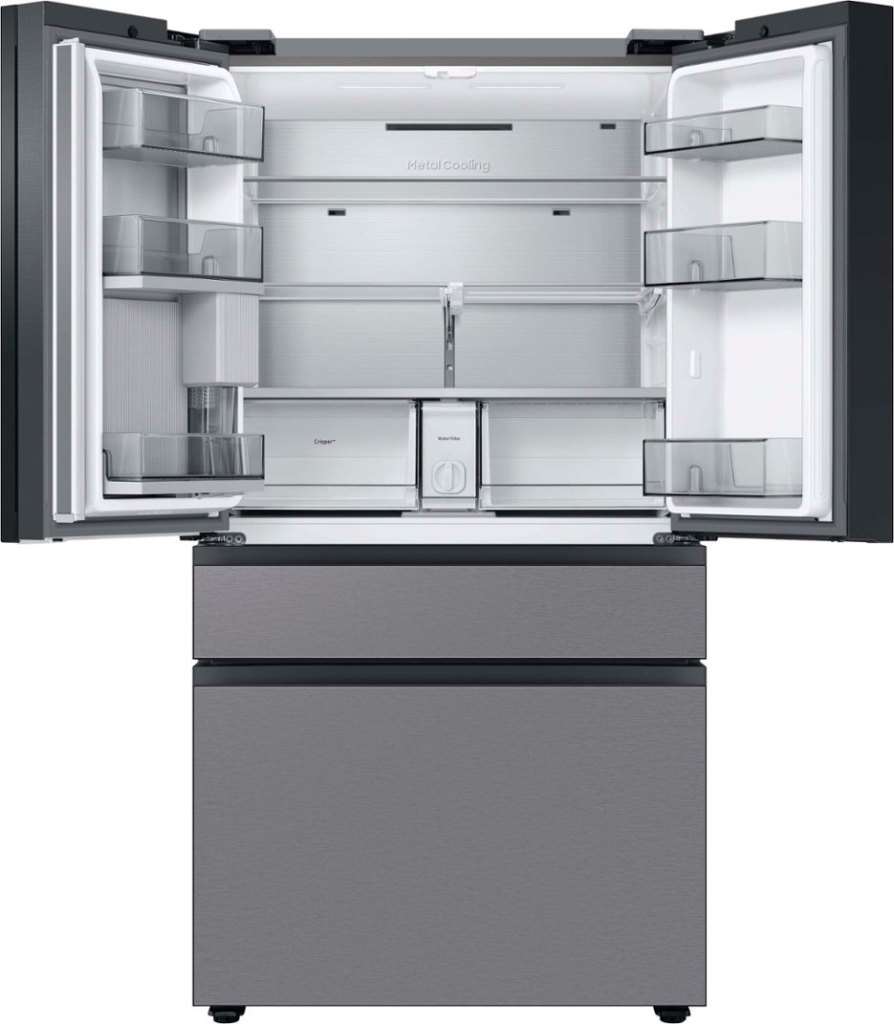
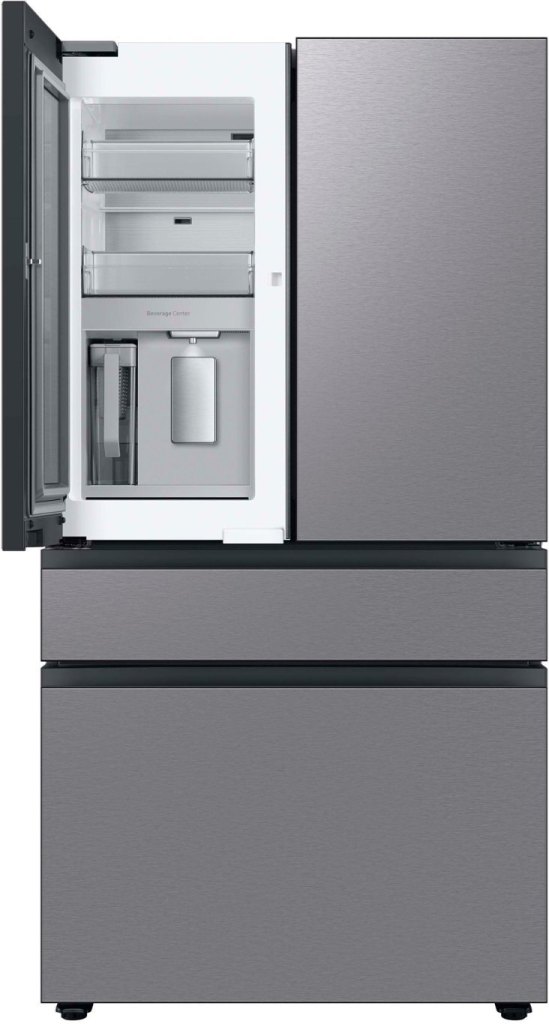
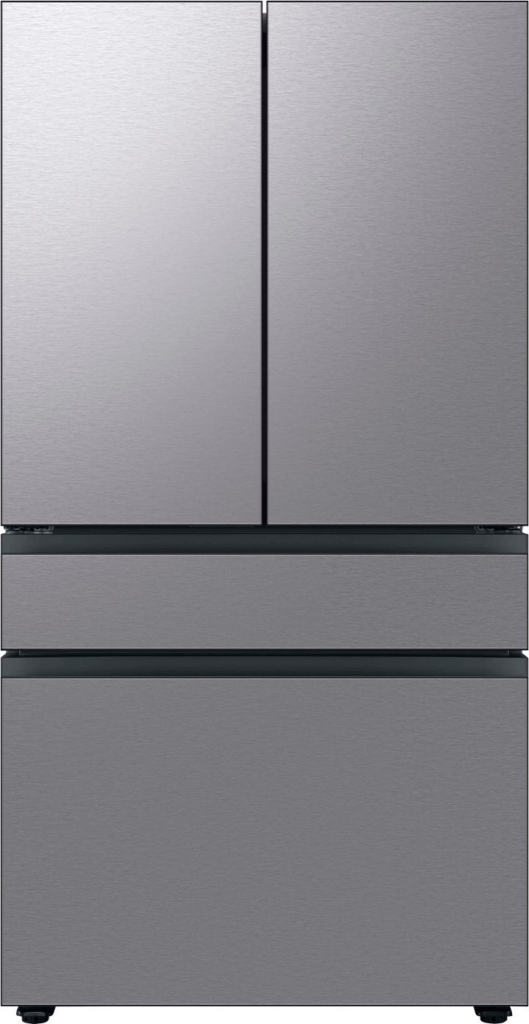
The model we ended up bringing home is a named the Samsung Bespoke 29cu. ft. 4-Door French Door Smart Refrigerator (model#: RF29BB8600QLAA). It has upper French doors that open into the fridge, a hidden pass-through door, an automatic filtered water pitcher, a filtered water tap, a freezer/fridge drawer, two icemakers, user changeable front panels, and it connects to wi-fi.

It’s this last feature, connecting to wi-fi, that I thought was going to be a useless gimmick. It turns out that I was wrong. My living-room TV is made by Samsung. Both it and the fridge are on the same network, and both are connected to the SmartThings app on my phone. This lets the fridge pop up a message on the television and my phone if someone leaves a door or the drawer open. It has already saved my bacon, literally.

We’ve had the new appliance for several months now and I still firmly believe we made the right choice for our home and lifestyle. With no handles on the front, the fridge looks modern, sleek, and clean. It is super easy to wipe down with a rag anytime it gets smudged.

It has numerous modern features that are all upgrades from the previous ten-year-old unit. The upper fridge space is much easier to keep organized and clean than our side-by-side was. Loading groceries is easier on my back now that the coke goes in a waist height drawer.

The stainless-steel panels we opted for are a little more fragile than I would like. They seem to dent and scratch very easily. Nothing too major has happened to ours yet, but we’re considering ordering the glass replacements at some point down the road.

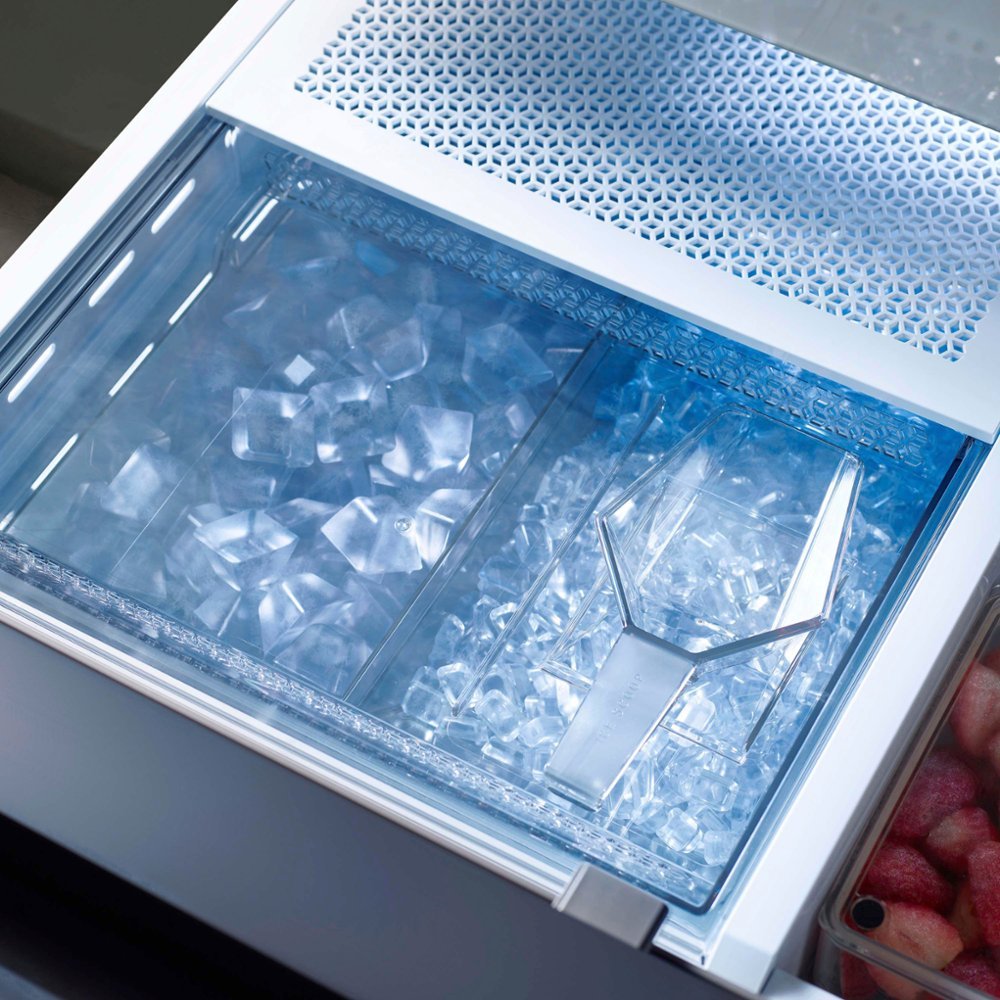
The ice is fantastic. Each maker is mounted under the drawer, but above the freezer. There’s a catch bin that is divided in two with one side below each maker when the drawer is shut. The entire ice bin is covered by a sliding plastic lid. There is no built-in ice crusher. It does come with an ice scoop that fits in a slot on the lid.

The left ice maker produces regular size “traditional” ice cubes, similar to those from most plastic ice trays and older built-in freezer units. The right maker produces smaller ice nuggets. They are not as small as Sonic, or McDonald’s ice, about half the of the left’s size. Using my area’s local water (known to be hard) passing through the fridge’s double filtration system, the ice is pretty clear and super hard. The production rate of both sides easily keeps up with the four of us even in a mid-western summer heat wave.

It turns out that scooping ice out of a drawer is quite a bit quicker and much quieter than filling a vessel from an auger mechanism in the front door was. The tradeoff is that having ice in the drawer is more physically demanding than pushing your glass against a lever and waiting. The process of bending, opening the drawer, sliding open the ice bin’s lid, scooping, closing the ice bin’s lid, putting the scoop back, and closing the freezer-drawer has not been a problem for those in my household.

In my opinion, when viewed in terms of quality-of-life upgrades that you can afford to splurge on, the drawer is worth the three-hundred-dollars extra that units with the feature cost. It isn’t completely necessary for a refrigerator to do its job, but we sure use ours a lot.

The Flex Drawer is a great option if you can afford a unit that has the three-hundred-dollar feature.

We set ours to “fridge-mode” and load it with pop-cans, lunch meats, stuff we’re preparing to grill, cheeses, and other frequently used items like lettuce and sliced vegetables or fruits. It slides open and closed quickly, quietly, and easily. The pull grasp is at “waist-height” for average standing adults. We’ve never flipped it to the colder “freezer” temperatures, other than to test it once, but we like having the flexibility to do so if needed.

The pass-through door and the small shelves behind it are great to store things like ketchup, mustard, mayo, sauces, etc., but they are too small for larger items like milk containers. All three of the doors are opened by pulling on hand-sized recesses which are located in the top and bottom edges. The two drawers have recesses in their top edges to pull open from as well.

One shelf on the right-hand side of the main refrigerator collapses. This makes it perfect for taller items like two-liter bottles and one-gallon jugs to sit on the bottom shelf. This low profile makes it much easier to find what you’re looking for when you open either one, or both of the main doors. We’ve never extended ours other than to test it once, but we like having the flexibility to do so if needed.

We ended up purchasing ours at the local Best Buy store because it was the best price for the model we wanted at the time. At the time of this writing, they still have the best price I could find for model number RF29BB8600QLAA at this link. The new design and technology upgrades are great. The price is high, considering that my old one cost less than $1000.00.