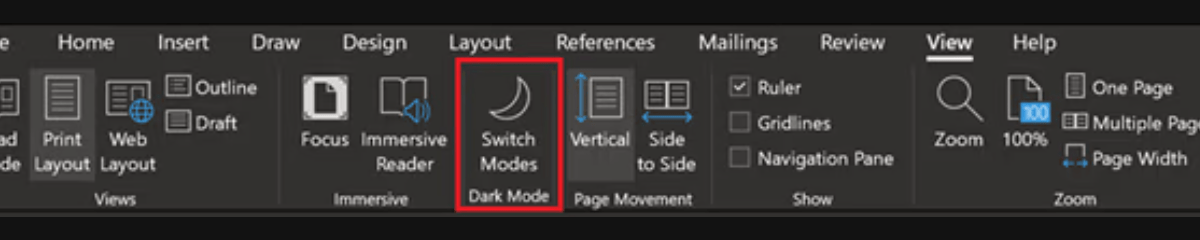
I was experiencing a minor annoyance between Microsoft Word on my PCs and mobile devices in some files. Dark mode was reversed on Word mobile. Switching to light mode on a tablet displayed the file as white text on a black background. Because of this, I had to flip back to dark mode on my desktop or have my giant monitor fry my retinas.
I’ve been using Word more frequently as of late, which motivated me to fix it. I decided to see if I could find a pattern or some scenario that caused the problem. First, I started opening lots of files from OneDrive and from backup. I discovered that dark and light modes functioned normally if the file hadn’t been used cross platform.
I kept at it and eventually stumbled onto the cause. The page color was set to black in my default desktop template. I presume this was something I did and then forgot about. Talk about set it and forget it. If you have weird formatting repeatedly happening to your documents, take a look at the normal.dotm template. It controls Word’s default document settings like fonts, colors, margins, and the like.
It’s a good idea to make a backup copy of the file before trying to change anything. Open Explorer and copy the normal.dotm file in the folder @ C:\Users\user name\AppData\Roaming\Microsoft\Templates to another directory. Then follow the steps below to open and edit the template.
- Open Word.
- On the File tab, click Open.
- Go to C:\Users\user name\AppData\Roaming\Microsoft\Templates.
- Open the Normal template (Normal.dotm).
- Make the changes that you want to the fonts, margins, spacing, and other settings as you would in any other Word file. Remember any changes will be applied to all future documents.
- When you have finished, click the File tab, and then click Save.
Besides potentially solving document format issues, the normal.dotm file can be used to fully customize Word. It’s also relatively easy to push those customizations to computers in an organization. Common deployment methods include GPOs and scripts.
 techbloggingfool.com