Life with the Galaxy Note 8;  3 months in and going strong. 

I have been a “Gadget Guy” my entire life. Growing up, my favorite stores were The Sharper Image and CompUSA! As soon as I got my paycheck from whatever part-time job I had,  it would inevitably end up in their registers. I can’t say that much has changed, the days of dropping my whole paycheck on some gizmo are gone but I still manage to stimulate the economy. 

Lots of people seem to choose a type or brand of device and then stick with that choice. I’m not one of them, I like Windows, MACs, Linux, and Chromebooks equally. I enjoy switching between Androids, iPhones, and even Blackberry. I think my openess to all technology allows me to give my readers a more balanced opinion of all this stuff. Keep this in mind when reading the following paragraphs.

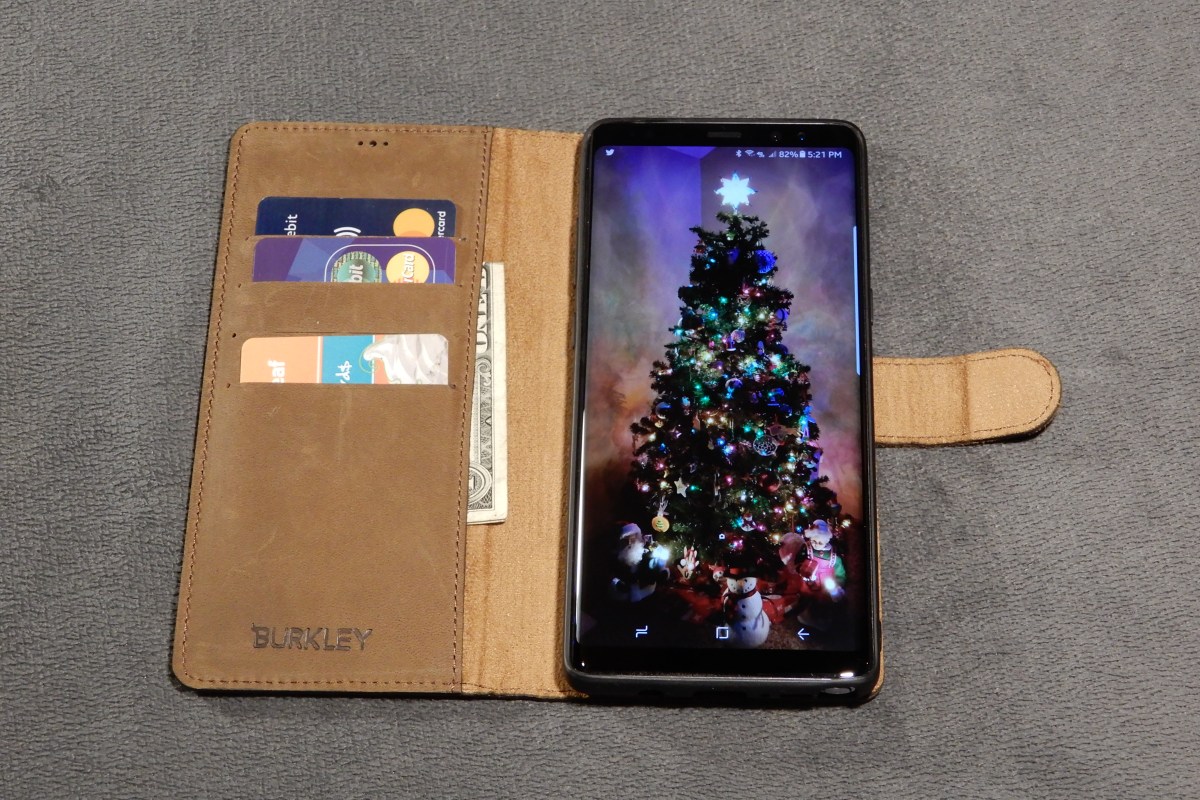
The Note 8 is the best overall piece of tech gear that I have owned period. In a word it is amazing. The engineers that created it deserve nobel prizes. The S-Pen pushes this devices productivity out of the competition’s reach. I am sitting on my couch chatting with my wife, my dog is napping on my lap and I am writing this article. I also just emailed my boss, ordered my son’s Christmas present and did the little doodle below. 

Some where in there I also wished an important person happy birthday on their FB timeline in a pretty unique way. It only took a few seconds to make and post this GIF.

The phone would be fantastic without the pen. It is fast, intuitive, and just the right size. I’ve had mine since launch day and the more I use it, the more infatuated I become. It’s not just the big stuff like the screen and the fast CPU . The little things are impressive too; when using handwriting mode it plays the sound of a pencil dragging across paper. The flashlight mode has adjustable brightness levels. It automatically cleans up old temp files and warns you when an app is draining your battery. 

I’ve been succesful in replacing my laptop with it for on-call type work. I just installed Microsoft Office, Juice for SSH and Telnet, Microsoft’s RDP app, Skype for Business, Web Ex, and Anyconnect. Wallah, no more lugging around a backpack to run errands or go out on the weekends. I just need my phone and RSA token. Last night I fixed an email problem in Hyderabad, India while I was waiting for a diner table at the local steakhouse with my family. The freedom it affords me is easily worth the price. 

I’ll be ordering the Dex dock for my phone soon. This piece of kit turns the Note into a desktop replacement. In the near future it will support full blown Linux while running in the dock. Full Linux on the Note 8 demo video. Watch for my review of this feature soon. 

I normally get bored with new tech gear and am ready for the next thing in less than a month. I can honestly say that isn’t the case with the Note 8. I look forward to having this in my pocket for a long time. 

Razer Kraken USB vs. Razer Kraken 7.1 v2 Gaming Headsets

Over the years I have owned and used almost every type of headset out there. I started with the basic 3.5mm jack in sets that came with the Walkman. Then, when the original Xbox came out I got my first wireless set. I’ve had Bose, Apple, Samsung, Turtle Beach, Lenovo, Sony, Corsair, and everything in between since.

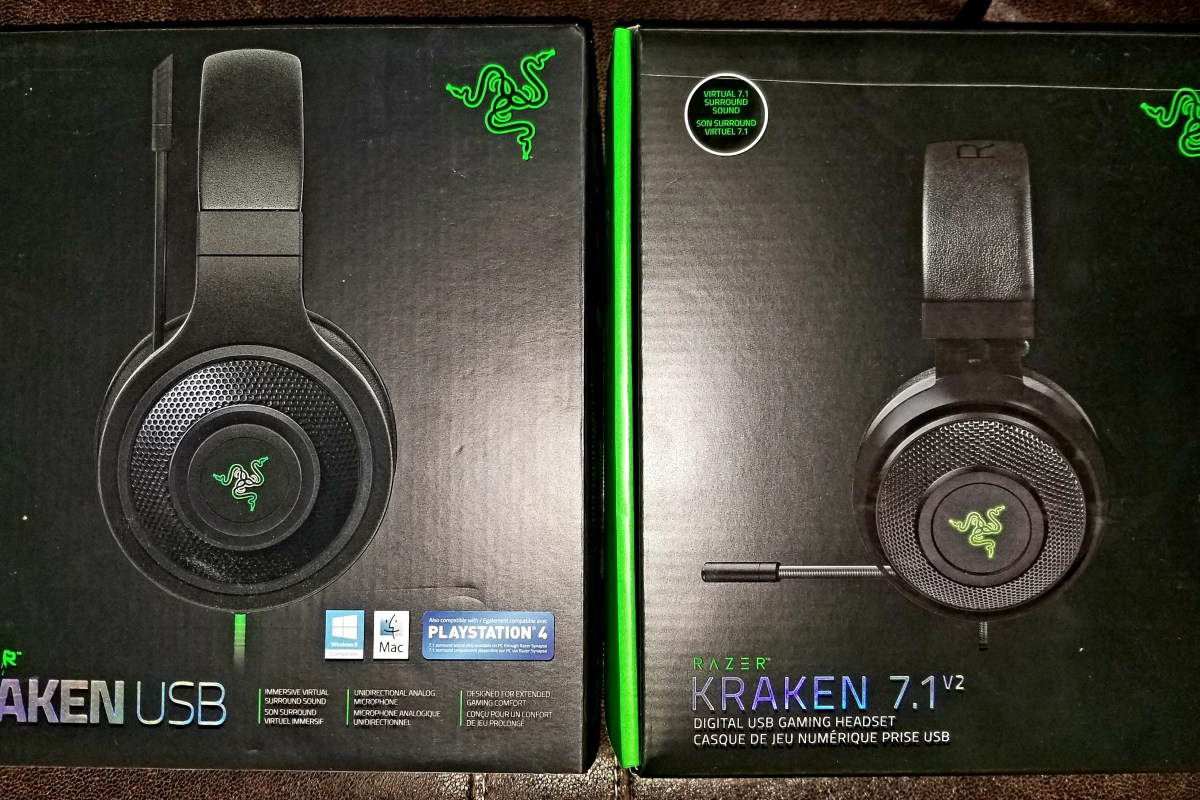
Recently I bought my son the Razer USB headset for $60.00 at Best Buy. We picked them because they had 7.1 surround sound, worked with both the PC and PS4, and felt pretty comfortable at the store. For the price they seemed like the best bang for my buck. 40mm drivers, a boom mike, and nice ear pads made them an upgrade over the iPhone ear buds he had been using with the PS4 and he was just starting to get into PC gaming so being able to plug into both devices was a nice feature.

20171110_221850.jpg
Razer Kraken USB

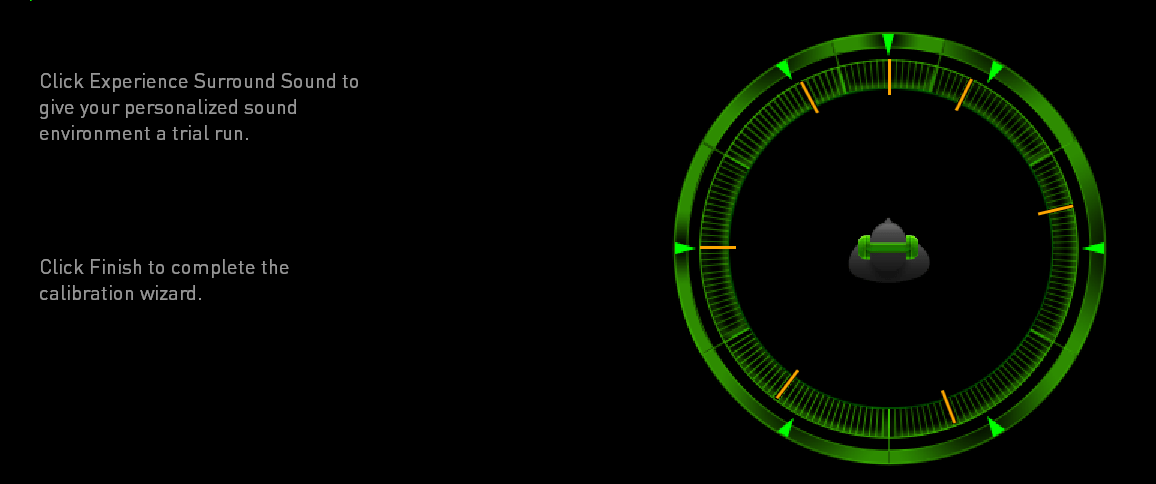
We got them home, downloaded the newest Razer Synapse software (required for the surround sound to work) and went through the simple setup process. I appreciate the way the software allows you to adjust the angle of each directional sound. It allows for some incredibly accurate sound only shots in games like TitanFall and Overwatch. Nothing lets you dodge Diva’s rocket attack like hearing where its coming from.

KrakenSurround The EQ lets you tune the sound of your game until it’s just right and you can easily create profiles (saved settings) for each game that you play. I have one for games and another for music.
The only negative thing we experienced was something my son noticed. There is a slight feedback tone when there’s no audio signal being played. It’s a common issue with USB headsets and is more related to the PC’s internal cable shielding than the headset itself, but it is annoying when you’re in between games or songs.

I liked the Krakens so much that I decided it was time for me to replace my trusty Turtle Beach XP400s. The Turtle Beach cans were just fine but I have so much wireless equipment in my house that they were occasionally dropping out from interference and I’ve worn them so much the ear pads were getting threadbare. I opted for the Kraken 7.1 v2 model, at $90.00 (on sale) they were a little more expensive but have some nice upgraded features for the extra thirty bucks.

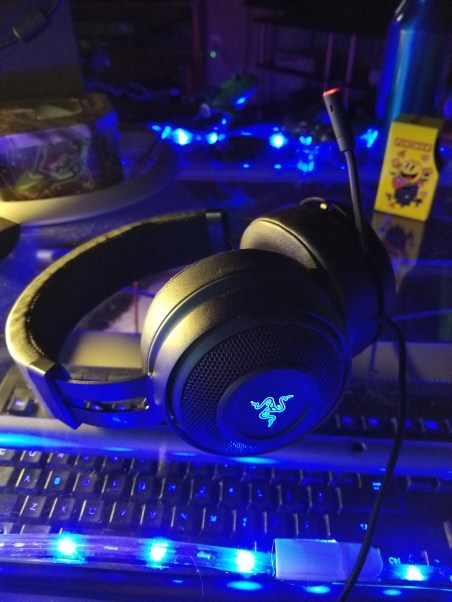
20171110_220335.jpg
Razer Kraken 7.1 v2

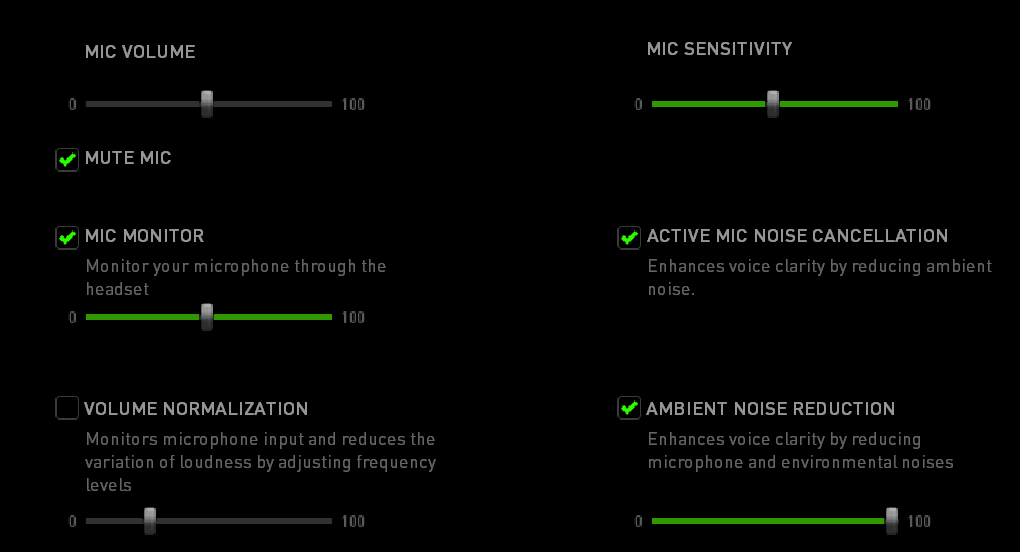
The 7.1 v2 Krakens have 50 mm drivers, the base will shake your skull. Seriously, I have to turn it down on games because the explosions can hurt at high volume. The mic retracts all the way into the headset when you’re not using it and has a mute button embedded in it. When you mute the mic the tip glows red. The have the same surround sound features as the Kraken USB but add active noise cancelling for both ambient noise and your voice in the game. Most importantly they add mic monitoring; the ability to hear yourself in the headset when you talk. My wife thinks this is the most important feature in all headsets because it keeps me from talking quite so loud.

KrakenMic

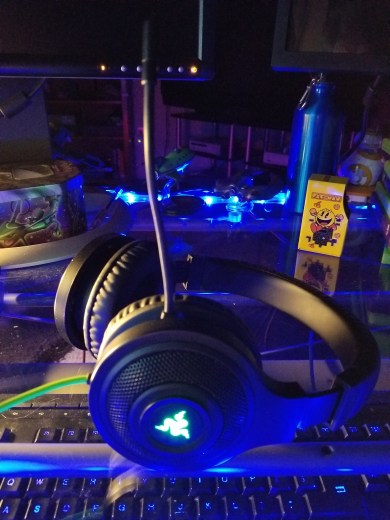
The 7.1 set is also Chroma enabled which lets me match the color to my PC and other accessories. For me this is feature is important; my whole PC case, motherboard, keyboard, mouse and even my desk are all RGB LED and the ability to have my headset match the color of my mood is nice. The headband is wider, the ear pads are thicker, and they’re overall more comfortable.

The Kraken USB set sounds great, they are some of the best sounding headphones I’ve used, but the 7.1 edition takes the cake. They are flat-out the best sounding earphones I’ve owned so far. I think they sound better than my Bose Soundlink set that I use at work. The base is thumping, the highs are clear, and they filter out any feedback. You’ll be happy with whichever pair fits your budget but if you can afford them opt for the 7.1 v2, the extra $30 ($40 when they’re not on sale) is well worth it. No matter which set or brand of USB headset you buy, always check the manufactures site to see if there is related software. You don’t get the full set of features without it.

Life with the Nintendo Switch. 7 months and counting

I’ve had the Gameboy (all of them), 3DS (both), GameGear, the PSP (both), and the Vita (both). I used mobile games to quit smoking. Instead of taking a smoke break, I’d go for a walk and play a game for 10 minutes. Instead of smoking after a meal, I took Mario or Sonic out of my pocket and played until the urge passed. It worked, gave my hands something to do and my anxiety somewhere to go.  For better or worse, I traded a smoking addiction for a mobile gaming habit. Almost any day on my lunch break you can still find me in the break room playing a game. One could say mobile gaming is important to me.

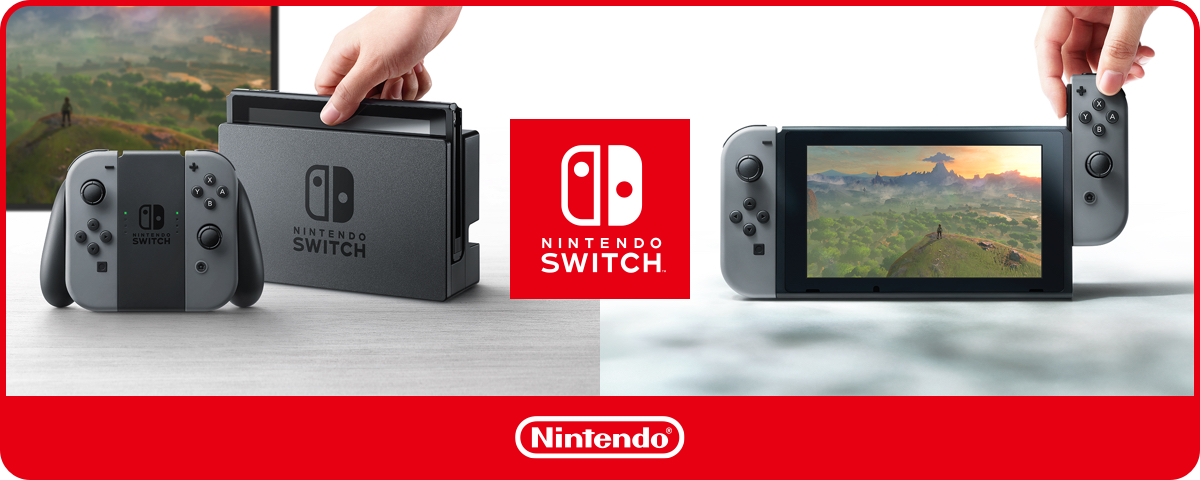
My family and I got the chance to see the Nintendo Switch at Pax South before it launched. I could already tell it was going to be a hit. A full power console that could go with you was something I’d been dreaming of since I was a kid. So had everyone else apparently, the line for the demo was 3-4 hours. Nintendo’s claim looked legit, so we pre-ordered one.

Amazon dropped off our new console March 3rd and we immediately set it up and my wife started playing Breath of the Wild. We were stunned, the game looked gorgeous and played perfectly while the switch was in the dock.  Now for the moment of truth. I pulled it out of the dock, slipped the joycons into their channels and handed it back to her. The game didn’t glitch a single bit, it just kept playing as if nothing had happened.  The holy grail of gaming had been delivered. Who would have thought Nintendo, the “games don’t need power” people would beat the likes of Sony to the punch?

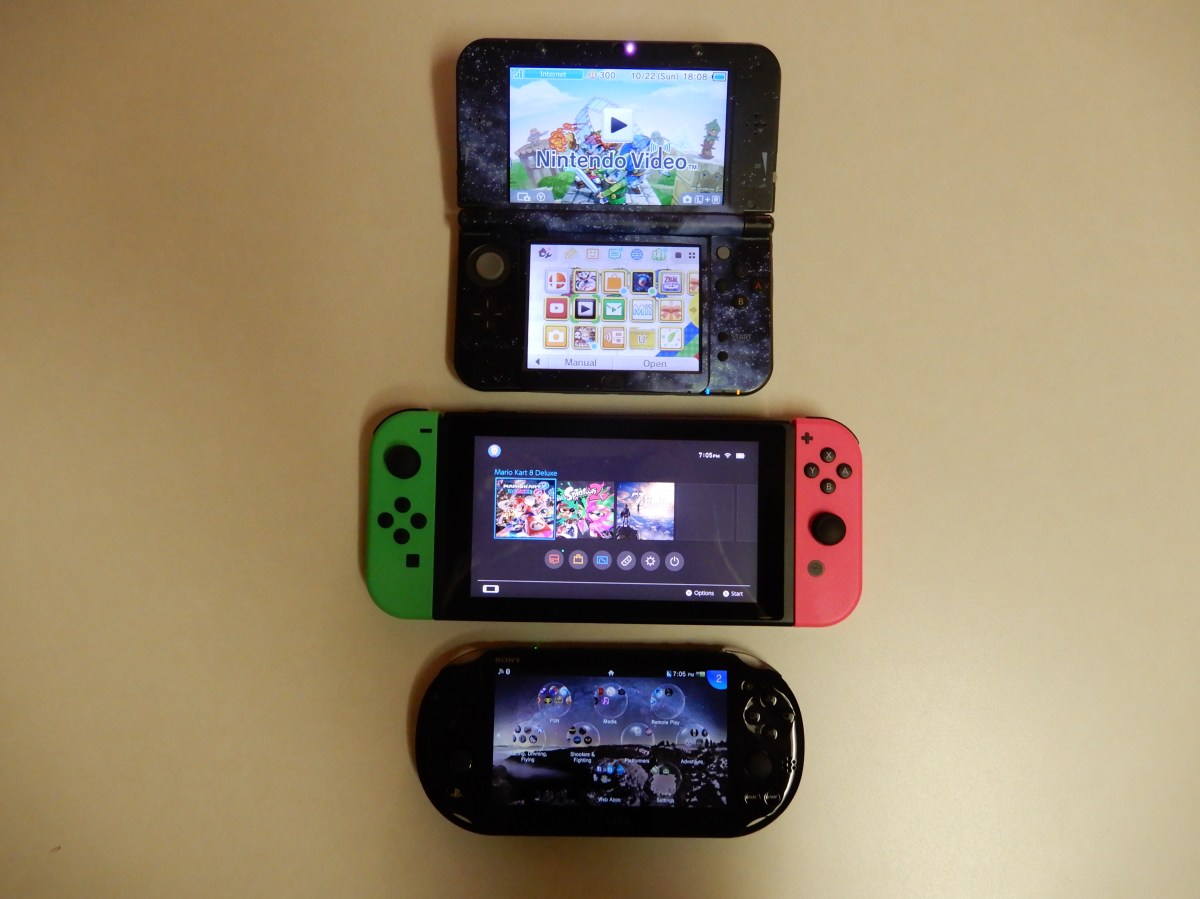
Don’t get me wrong, the Vita and 3DS are great portable systems and there are several games I will be playing on them in the future. I still haven’t played Majora’s Mask and I want to complete all the tracks on Wipeout but as for a comparison between the portable systems, the clear winner is the Switch. I can only play on the smaller portables for about 45 minutes to an hour before my hands cramp and my eyes burn. The controls and screens are just too small. The Switch hits the sweet spot for me. I’ve played several multi-hour sessions on it with no adverse effects. The device is still small enough to fit in my jacket pocket if I detach the joycons (a simple process).

PortableSystems
Comparison of the 3DS XL, Switch Splatoon Edition, and the Vita Slim

The newest update for the Switch system adds some much-needed features. The most important to me is the ability to transfer save games to external storage. Nothing is more frustrating to a gamer than loosing a save game they’ve spent 50+ hours on. It also adds a 30-second screen clip recording (it always had screenshots) and the ablity to save those to a card as well.

Anytime a new system launches there’s always the question of developer support. Who will make games for it and how many? It’s a deciding factor in a system’s success. One of the major downfalls for the Wii U was a very limited catalog of 3rd party games. The switch has been popular enough to get attention from the likes of Bethesda who will be releasing Skyrim and Doom on the device by the end of the year. Several other big name studios have also pledged support, Sony and EA have both released games and there’s a rumor that even Microsoft might port some titles to it. The Shop app was pretty barren on day one but now there are a decent number of titles available. Rocket League and Skyrim are the two my family are most looking forward to.

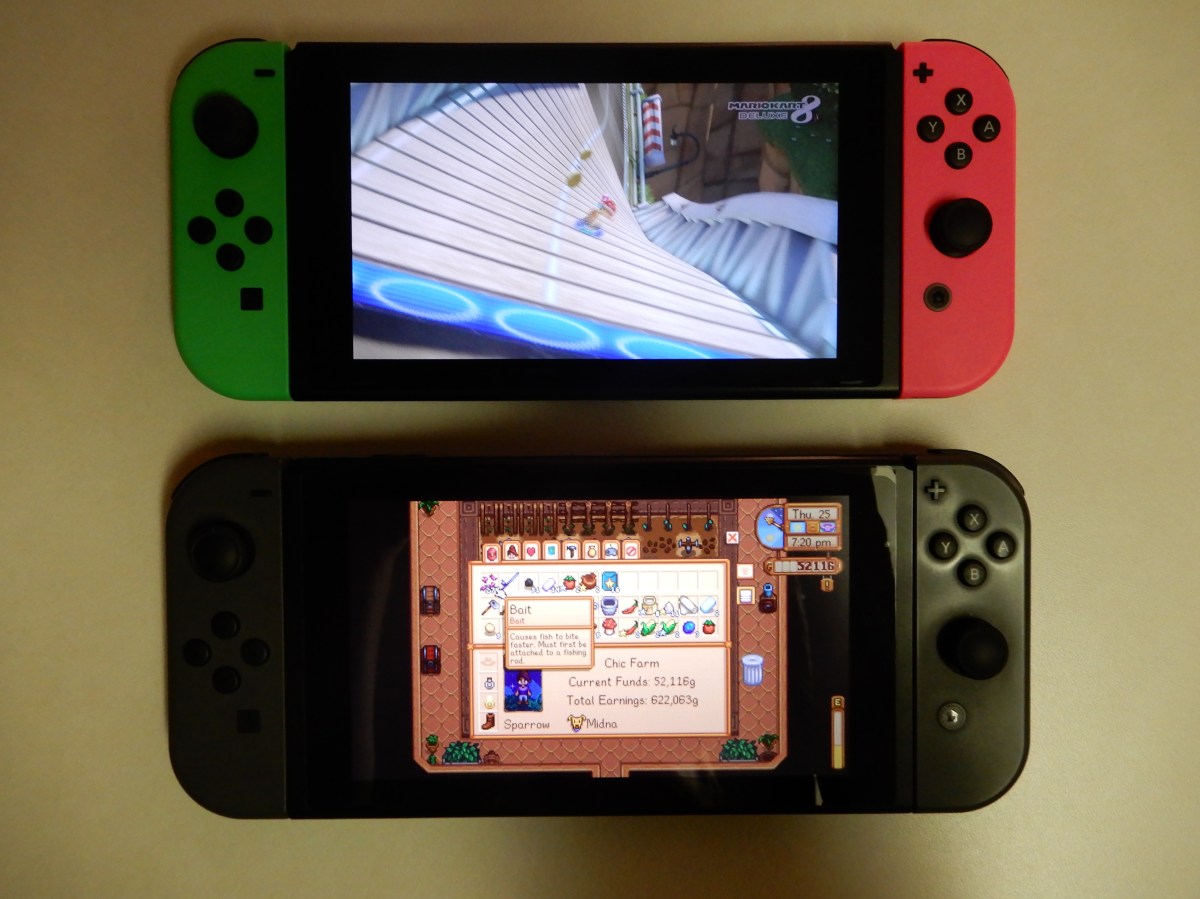
Speaking of family, my kids and wife hogged the Switch so much that I decided to plunk down the cash to get one of my very own. I opted for the Splatoon 2 Edition with its neon pink and green controllers. It isn’t out of the ordinary for my tribe to have more than one of a console. To a lot of people this will sound ridiculous but it’s how my family spends time together. We don’t go to professional sports games and don’t have motorcycles or jet skis, gaming is our hobby.

Switches
The Splatoon Edition Switch vs. the Standard Edition

My wife and I just had an excellent date night and when we got home we busted out the Switches and fired up Splatoon 2. We had a blast playing together. She’s a better player at this particular game than I am but we frequently came in the top two spots on the winning team. If you’ve never played, Splatoon is a unique game. It’s a shooter that doesn’t require spectacular reflexes and precision aiming. Anyone can play it and feel successful. You play as a Squid that shoots ink from various weapons to cover as much of the world’s surface as possible in your color. It’s one of the best times a couple can have together; take my word for it. The game has the right balance of putting your loved one on a team with you and then putting them on the opposition team, just to keep it interesting.

Lots of people complain about the battery life, but lets face it, battery technology is what it is. If they put a much larger battery in the system it would be too big and heavy. With the plethora of charging options in the world it really isn’t a big deal. I haven’t killed it yet and I play more than your average kid. I always have a portable external battery on me. What tech geek doesn’t? I get around 2.5 hours of Mario Kart or Splatoon 2 before the battery needs a recharge.

If your gaming hobby isn’t allowed to consume all of your fun budget and you need to pick just one console to purchase. I’d say get the Switch and this is advise from a person that owns and plays every console and portable since the Atari 2600. You really can’t beat it. I imagine it will go on to be one of the best-selling systems of all time.


Galaxy Note 8 Tips and Tricks; Air Command Shortcuts

Samsung’s Galaxy Note 8 is the most productive portable device I’ve ever used right out of the box, but you haven’t seen anything until you spend some time customising it. 

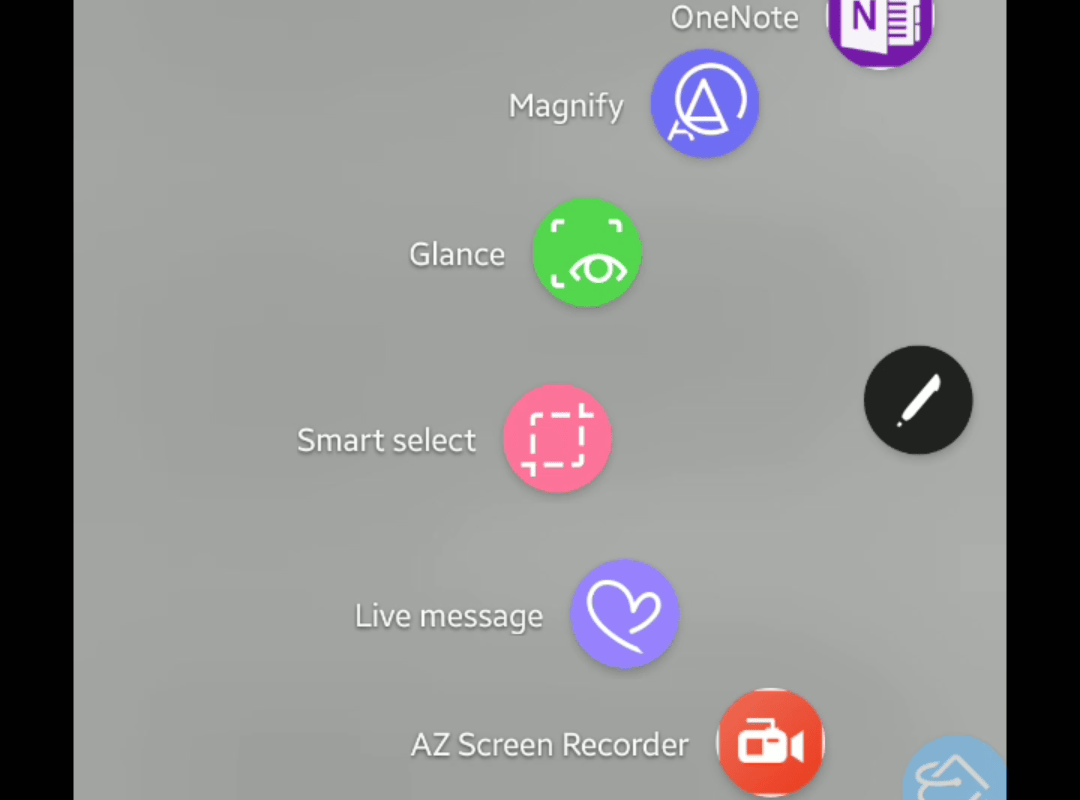
Samsung gets a lot of grief for pre-installing their software on all of the phones they make, but I find several of the apps very useful. One example; Air Command, is a mini launcher that activates when you remove the S-Pen from it’s slot.

By default when you tap its icon with the stylus you’re presented with a wheel of pen related applications. S-note, Smart select, and several others are pre-populated. What you may not realize is that the list can be customised to display shortcuts to any 10 apps you like. I use Onenote instead of S-note so I swapped the icons in the launcher. The short clip below will show you how.

Samsung’s Galaxy Note 8; Best screen writing ever? 

Full disclosure, I am now and always have been a pen computing fan. Who remembers Graffiti on Palm Pilots and the first Windows XP tablet edition PCs? From the Apple Newton to the first Pocket PC, I’ve owned them all. Something about writing with a stylus connects to my brain in a way that keyboards cannot duplicate. 

I freely admit keyboarding is faster and more accurate. I also agree that learning to use a stylus can be more than a little frustrating. Samsung’s pen experience is on a level by itself. I am writing this article with it in the superb WordPress mobile app. I may never type again. 

Traditionally one of the highest hurdles for stylus input methods to jump has been a lack of friction between the instrument and the glass screen. Samsung has chosen to trade the tips of the S-pen with softer, replacable rubberized nibs. This improvement along with the Note’s vast compute resources have created an experience that rivals paper. I took an online typing test using the S-Pen and was able to hit 26 words per minute which is much faster than my thumbs at 19 wpm. Writing was more accurate as well. 

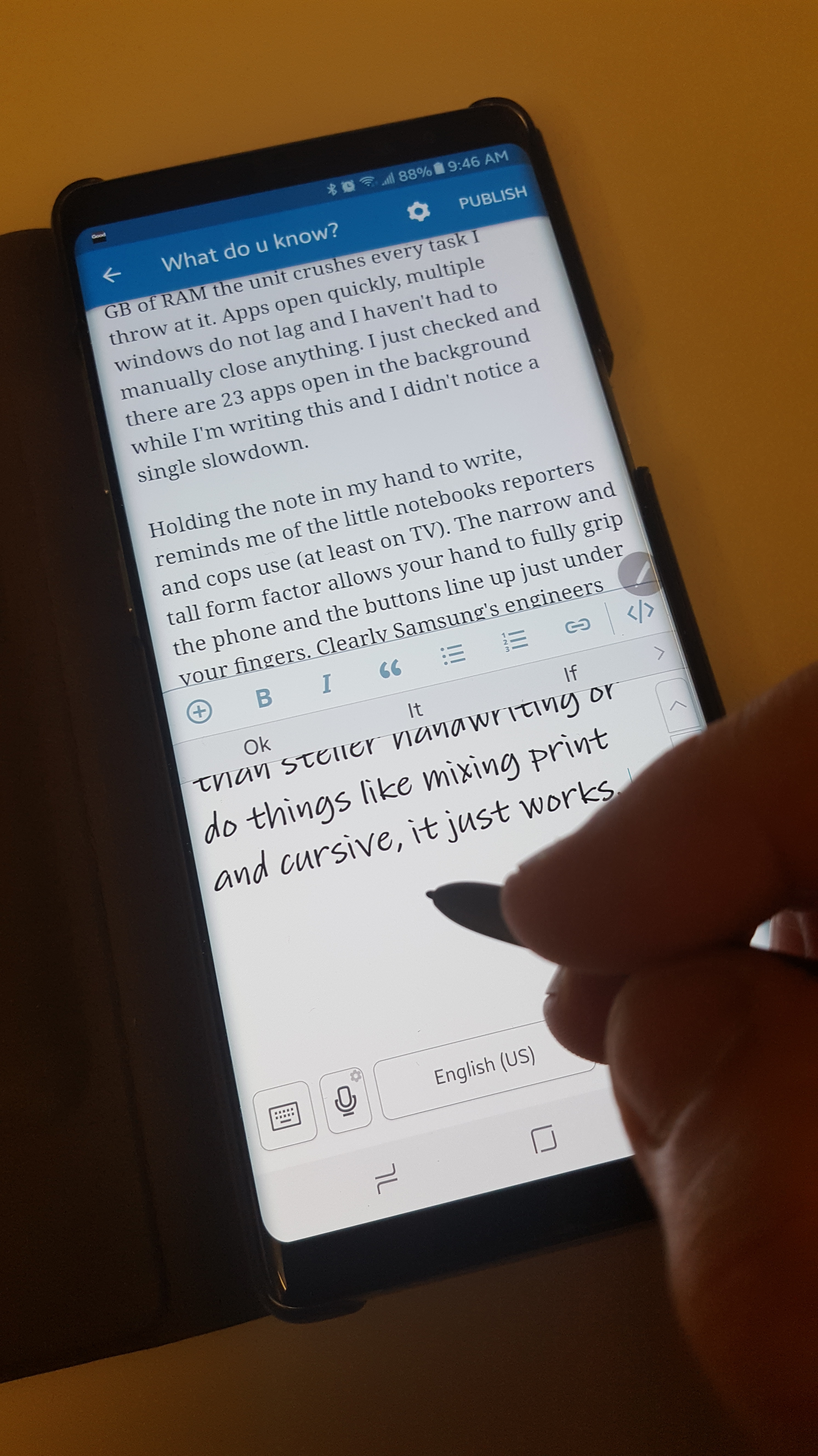
Speaking of compute resources, this thing is smokin’ fast! With it’s 8 core 64 bit CPU and 6 GB of RAM the unit crushes every task I throw at it. Apps open quickly, multiple windows do not lag and I haven’t had to manually close anything. I just checked and there are 23 apps open in the background while I’m writing this and I didn’t notice a single slowdown. 

Holding the note in my hand to write, reminds me of the little notebooks reporters and cops use (on TV). The narrow and tall form factor allows your hand to fully grip the phone and the buttons line up just under your fingers. Clearly Samsung’s engineers gave some serious thought to the balance and shapes. 

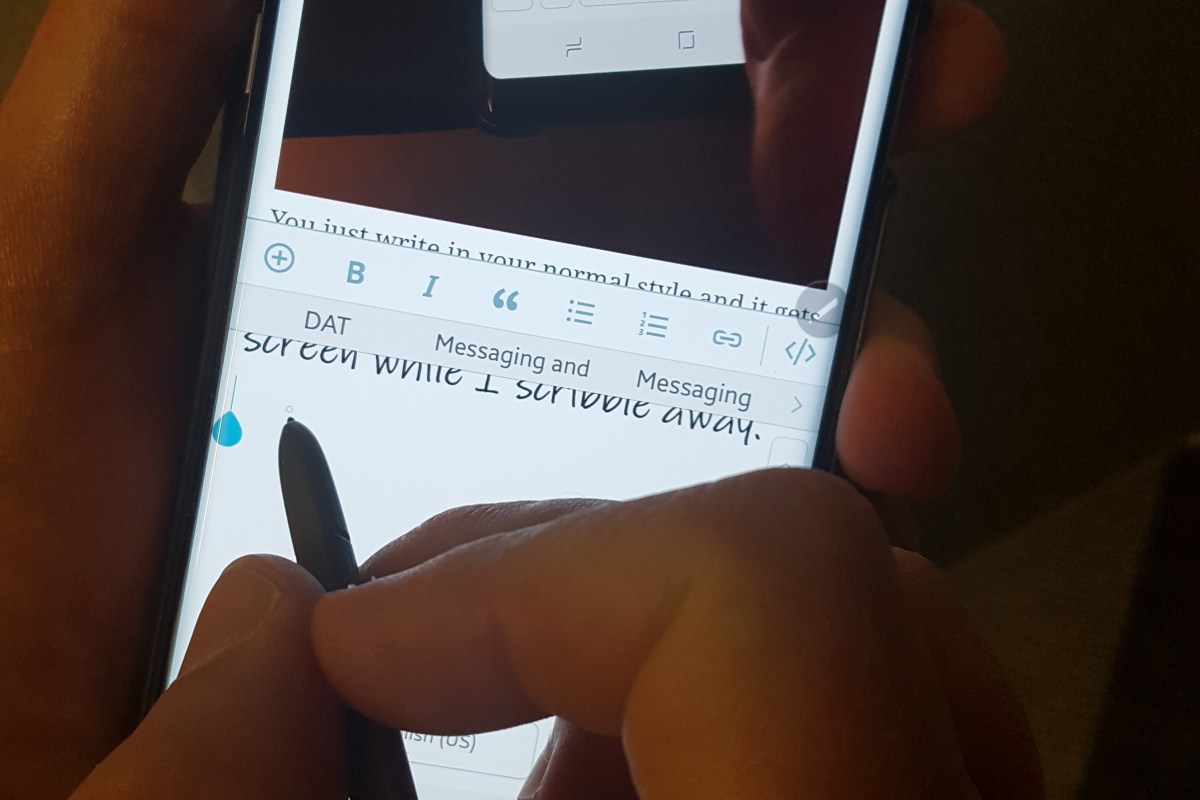
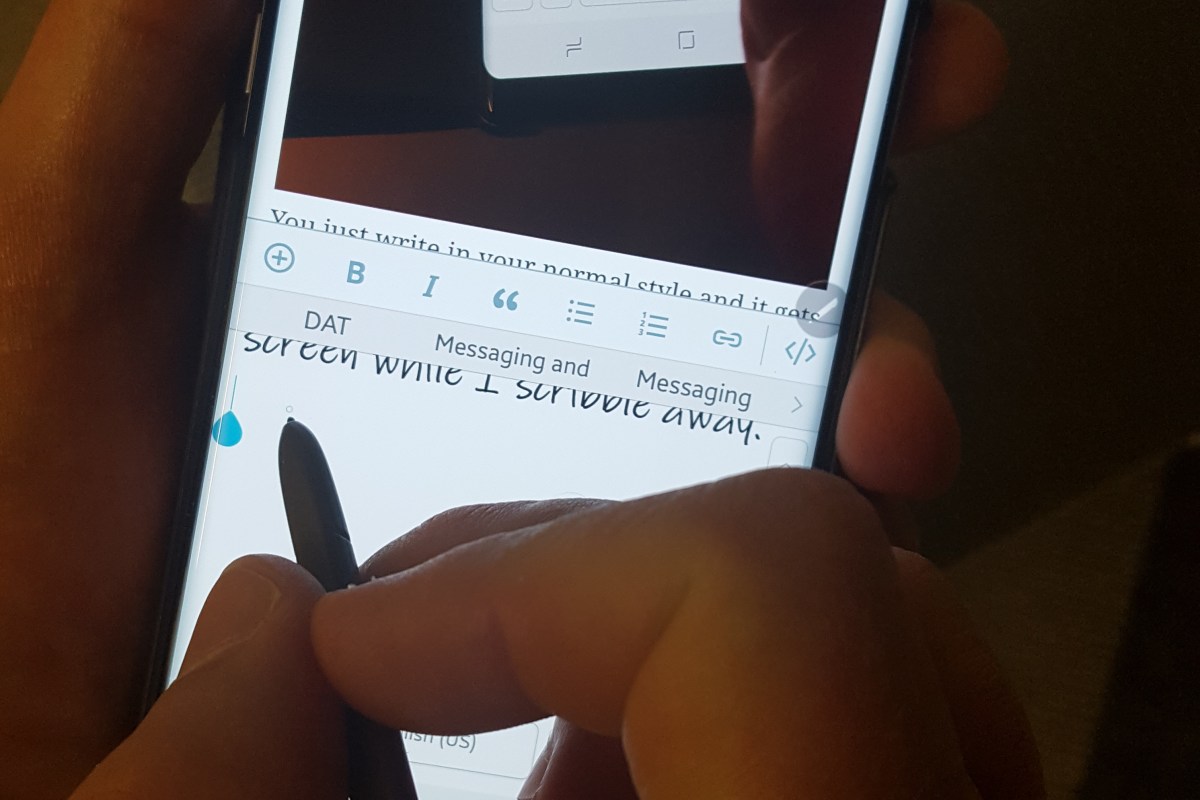
The handwriting interface on the device has also been improved. Gone are the rigid input boxes and specific character strokes most people associate with writing on a computer. The keyboard section of the screen is an empty page with a few simple controls. 

You just write in your normal style and it gets turned into typed text. Even if you have less than steller handwriting or do things like mixing print and cursive, it just works. I’ve switched over to my other hand and it still recognizes the words. Above all, the Note 8 totally ignores my hand resting on the screen while I scribble away. 

In my opinion, Samsung’s Galaxy Note 8 is the best on-screen writing experience you can get right now. Even over full tablets like the Surface Pro (which I also have), the limiting factor for them being the ackward size and weight. 

Maybe now that I’ve published a glowing review, Samsung will tell me how to disable the infamous Bixby Button.  

Gaming Keyboards: Razer vs. Redragon, its closer than it should be.

My Son and I are both PC gamers . Almost any night after our chores are done you can find us racing, shooting, flying, or exploring in some on-line world or another. When you spend that kind of time on a keyboard, your equipment choice matters. I type all day in my day job, my side job, and my hobby. I’ve racked up some serious keyboard XP.

I was willing to spend up to $200.00 for a great keyboard. That’s a lot of my total fun money budget so it has to be awesome to be worth the capital. The problem is, my kid needs a new board too. I need two new gaming boards for $200.00. I want real mechanical keys, multi-color backlights, comfort, and proven performance. For both. I need to feel a keyboard not just look at. I have done my homework; my short list:

  • Corsair’s K series
  • Razer’s Blackwidow
  • Logitech’s G series

So we hop in the car and head off to the local tech stores. I lured my teenage, been a gamer his whole life, son to go on the trip with me because his expertise on the subject surpasses my own.

I am standing in the keyboard isle running my fingers over the keys of a Logitech when my son tells me I need to ” try this one, Dad!”.  It looks menacing and aggressive sitting on the shelf. An expansive hunk of black. I’m in love as soon as I push down the first key. I heard my son mumble something about “Green Switches” and was instantly looking for this thing’s price tag.  Razer BlackWidow Chroma V.2, $179.99!!!  Ouch, almost my entire budget; there’s no way I’m getting two of them.

Unfortunately for my son, I am already planning my excuses for getting this awesome piece of tech and stiffing him until next time. Just as I am about to let fly with my pathetic reasoning for selfishness. My angelic son pipes up saying that I am “such a good dad “, I deserve to have the keyboard and he will be happy to wait. A quick price check from my mobile shows I can get it a few bucks cheaper on-line but this store does price matching and that means I can “HAVE IT NOW!” I can deal with the inner guilt later. I make my purchase and we head home.

While I am clearing out the old gear to make room for the new hotness my son mentions there’s another keyboard he’s been scoping out that we might still be able to swing. “You found a mechanical gaming keyboard for $30.00 ?”, I’m mentally picturing a POS. He spins his screen around and shows me an Amazon page listing Red Dragon keyboards. They look great. He proceeds to tell me that he researched this brand after hearing how good they are supposed be on Youtube.  Their Amazon reviews are very positive and I can get both of the keyboards I wanted; I order the RGB Kumara.

Now that we know why I have two mechanical gaming keyboards, we can get on with the reviews and comparison.

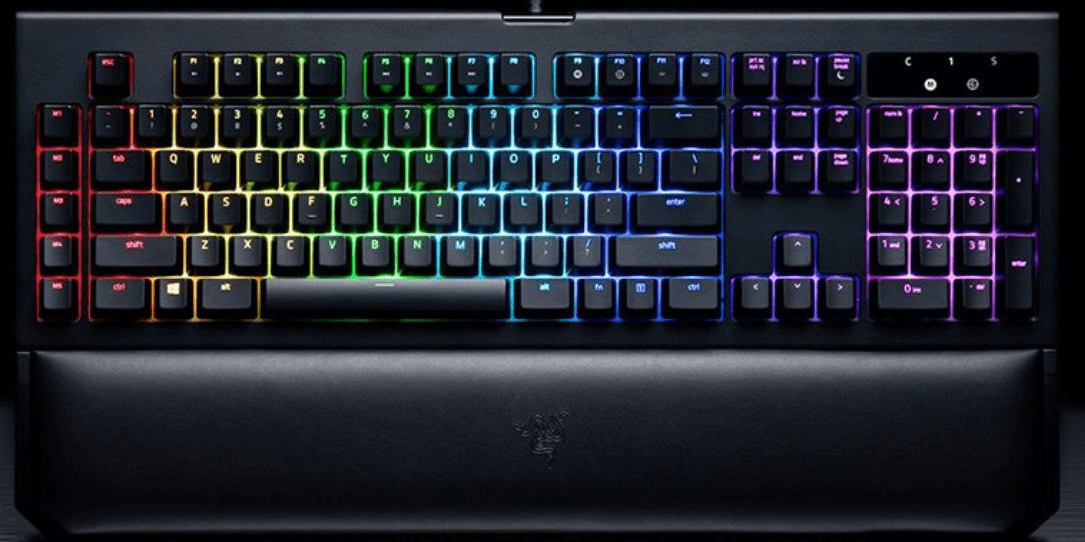
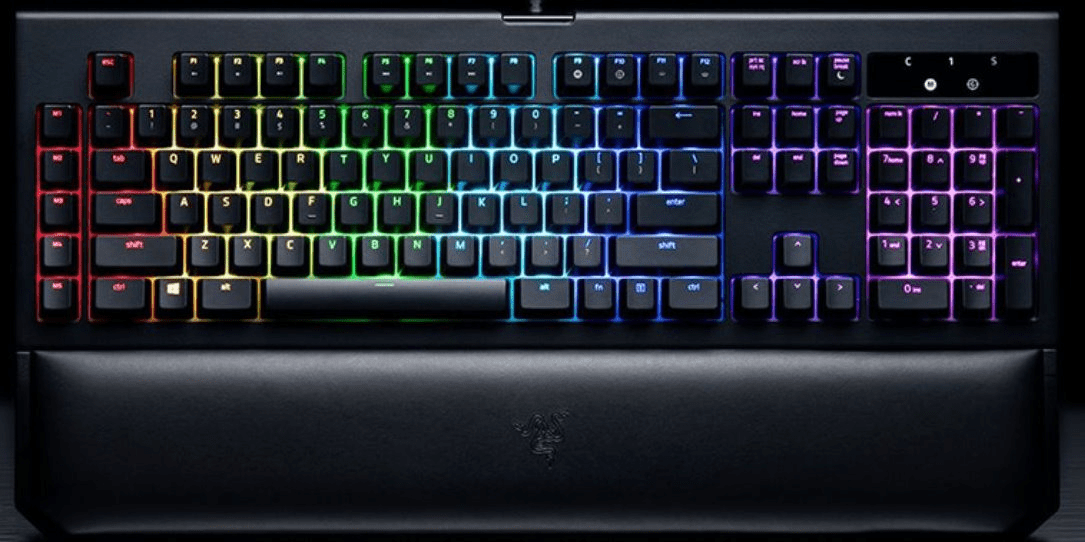
Razer BlackWidow Chroma V.2

razeraromuv2

For me, what matters most are the feelings of each key click and a layout that fits my hands. You would be hard pressed if forced to argue there’s a better key click out there than Razer’s Green Switches. The precision of the key travel, punctuated by a perfectly satisfying click is extremely gratifying.  The keys are spaced perfectly and the slightly indented caps conform to my finger tips like they were custom fit. They fit so well I became suscpitious that people with large hands might experience issues. I had my 6’4″ buddy try them out. He thought the fit was great too.

We’ve all seen backlit keyboards by now. Even multi-color RGB units are common place in any store that caters to the gamer crowd. Razer is taking lighting to the next level. Their Chroma system treats each of the keys as a pixel in active graphic displays that are impressive in a dark room. Furthermore the keyboard can become an output accessory in several games. While playing Overwatch my keys will match my character’s color scheme and my ability keys will highlight when they can be fire in the game.

Watch whatdouknow’s game editor put the BWCv2 through its paces in the short video clip below.

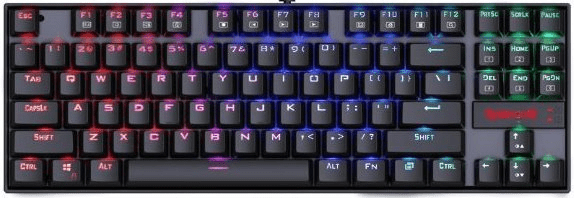
Redragon K552-RGB KUMARA RGB

RDKvnwaRGB

Redragon (no, I didn’t spell it wrong) claims their switches are just like Green Switches and you know what? I have to give it to them. They have a great mechanical feel, good sound, and look good too. The keyboard is stout, it feels well made. Overall I’m impressed; there are plenty of built-in lighting effects, the Winlock function is nice, and it plays well.

Is is as good as the Razer? In a word, No. The Razer feels just a little better, its clicks are more confidence endusing, the application and integration with games are superb and its fit and finish is a step above the competition.

Watch our gameing editior take the Redragon through its paces.

The Redragon is no slouch; if I were on a tighter budget or just played causually I would get it in a heartbeat and be very happy with it. Razer just edges them out in the end but like the title of the article says “Its closer than it should be”.

Nikon A900 Point and Shoot Camera Review

The family camera is always an important purchase. To me, no gadget is more important than the one that augments my memory of time spent with loved ones. For a lot of us the most critical piece of our smartphone is the camera. For this reason, a perusal of iPhone and Android reviews will tell you more about the camera than any other component.

I’m by no means a photography expert but I’ve been taking pictures as a hobby since I was child. Smartphone cameras have changed the way we document life; they’re always with us, easy to use, and do a decent job of capturing moments on the fly. That said, I think we’ve all been disappointed by their limitations at one point or another. I’m curious to hear how many of you use only a smartphone for photography and video (sound off in the comments). I know it’s a pretty popular option these days; I just can’t seem to do it. I even bought the Nokia 1080 thinking it was the holy grail, it got closer than any phone before or since but I still ended up packing a full size unit for vacations and family gatherings.

I’ve owned every conceivable type and brand of camera at one point or another. I hopped  on the digital train at the first stop and haven’t looked back. The Casio QV-10 is still one of my favorite devices of all time. When it came time to upgrade this summer; I had a very specific list of requirements I needed my future device to meet.

  1. Portability – Full body DSLR’s are truly amazing pieces of equipment but taking one on a hike up the side of a mountain can be a chore to say the least. Even toting one around Disney for a day is too much.
  2. Zoom – Not getting a shot because the subject is too far away just plain sucks.
  3. Quick First Shot – Not getting a picture because your camera is still booting up is frustrating.
  4. View Finder Flexibility – Some of the digital camera’s I’ve owned took great pictures but framing the shots was an exercise in futility.
  5. Budget – I was willing to invest $450.00

With these requirements in mind I started the research. I’ve always been a “do it myself” type of person so rather than heading to one of the many excellent camera blogs, I started on the manufacturer’s sites. With my list in hand, I had found my top 4 contenders in a few hours. If you’re interested in the specification sheets use the links below.

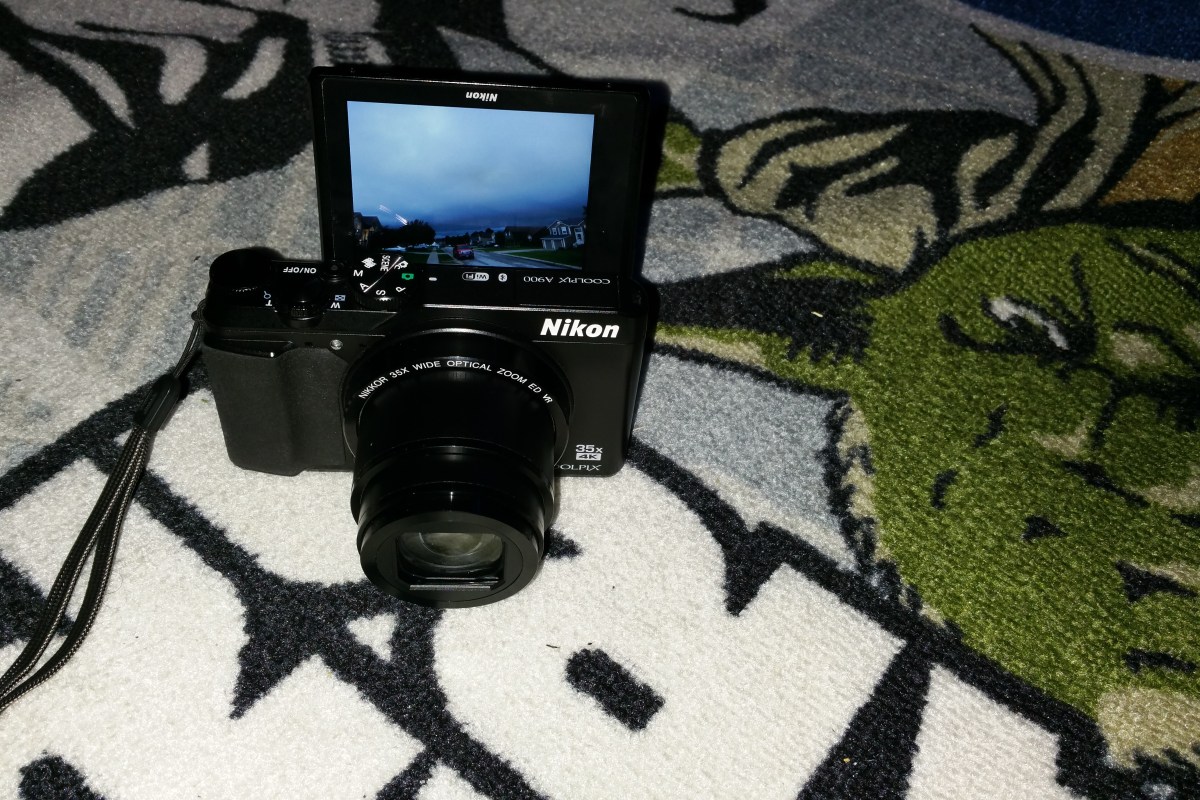
Once I had narrowed down the field; I went to find the cameras at stores. I try not to purchase a device that’s going to be with me long term without getting my hands on it first so I headed to my local electronics stores. I’m glad I made the effort. I decided on the Nikon after seeing the screen. It’s swing out and tilt function lets you get shots the others simply can’t. The screen extends out from the frame 2″ and can be tilted to almost any angle up or down, it can even flip over to “selfie mode”. On paper, the other cameras offered some superior specs such as raw file support and built-in GPS but for me those things are rarely used features.


I’ve owned the camera for just about 6 months. It has been on two family vacations, countless day excursions, and kids events galore. I am pleased with my selection. It is small enough to fit in a jeans or cargo shorts pocket but with a 35X optical zoom and less than 1.5 second boot time (faster than taking a pic with my iPhone 7) you never miss a shot. The 4K video is jaw dropping on my TV but I usually shoot in 1080P to keep from filling up the SD Card. The battery can be charged either by plugging in a USB cable or by removing the battery and putting it in a stand-alone charger (this is a nice feature, I have two batteries for it now).

One of the features I considered to be a gimmick has actually proven to be very useful. That is the ablitliy to connect the camera to your smartphone. It supports NFC so if your phone is new enough, just touching the two devices is enough to pair them. If not; it is fairly simple to download the app and do the normal bluetooth pairing procedure that all BT devices use.

Once you have you camera and phone paired, the software will allow you to download pictures (can be automatic) for easy upload to social media. It sets the clock and can tag pictures with your location. You can even remotely contole the camera which makes getting in shots yourself much easier than setting a timer does. Selecting the remote photography or high resolution download options will cause the camera to connect with your phone over a private WiFi network (nothing to setup). This increases the range to around 300 ft vs. the 30 you get from bluetooth.  I find myself using the app far more than I originally anticipated.


The camera meets my requirements so well that I am hard pressed to come up with someting negative to write about it. Of course there are people who will want more of the options you’d get in a DSLR; manual focus, lens attachments, etc. but in my opinion thats not what this class of camera is used for and that stuff just gets in the way.

In case you’re wondering what that zoom can do, here’s a picture of the moon. Its not cropped and there are no filters or any editing. I was holding the camera in my hand and it was set to auto. For more examples; look at the home page in the Wallpaper Shots feed.

DSCN0627