I spend hours working in Microsoft OneNote everyday. It’s my go to tool for planning, documentation, and notes. I’ve been using it since the beginning and have evangelized its benefits far and wide. If OneNote has a weakness (not saying it does LOL) it probably lies in being too complicated for some jobs.
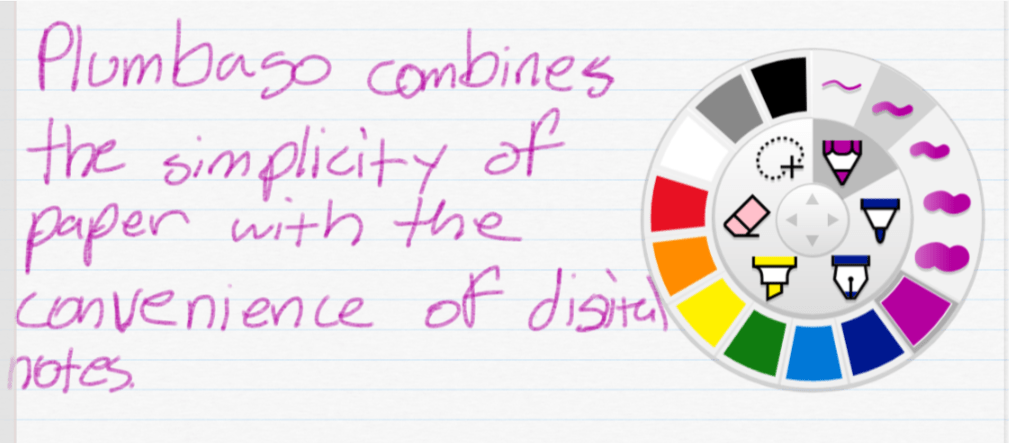
Enter Plumbago, from the Microsoft garage. Rather than act as a full digital note solution, Plumbago aims to replicate the paper notebook experience. Removing many of the complications you find in OneNote or Evernote makes the app much easier to use. There is a very small learning curve. A short video that plays the first time you open the program explains everything that you need to know.
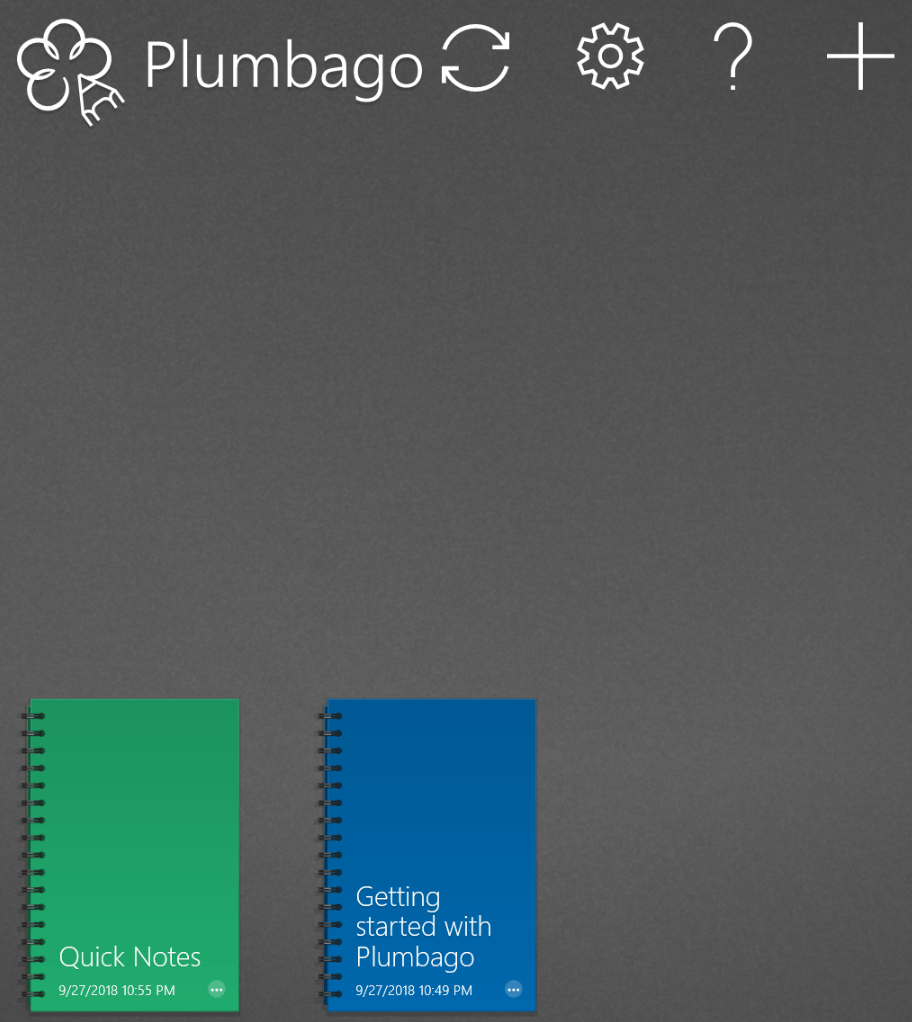
Basically, you create a new notebook for each category of notes or sketches that you need. Each time that you make a notebook you can choose the type of pages that it will contain. Ruled, graphed, music, and more templates are available.
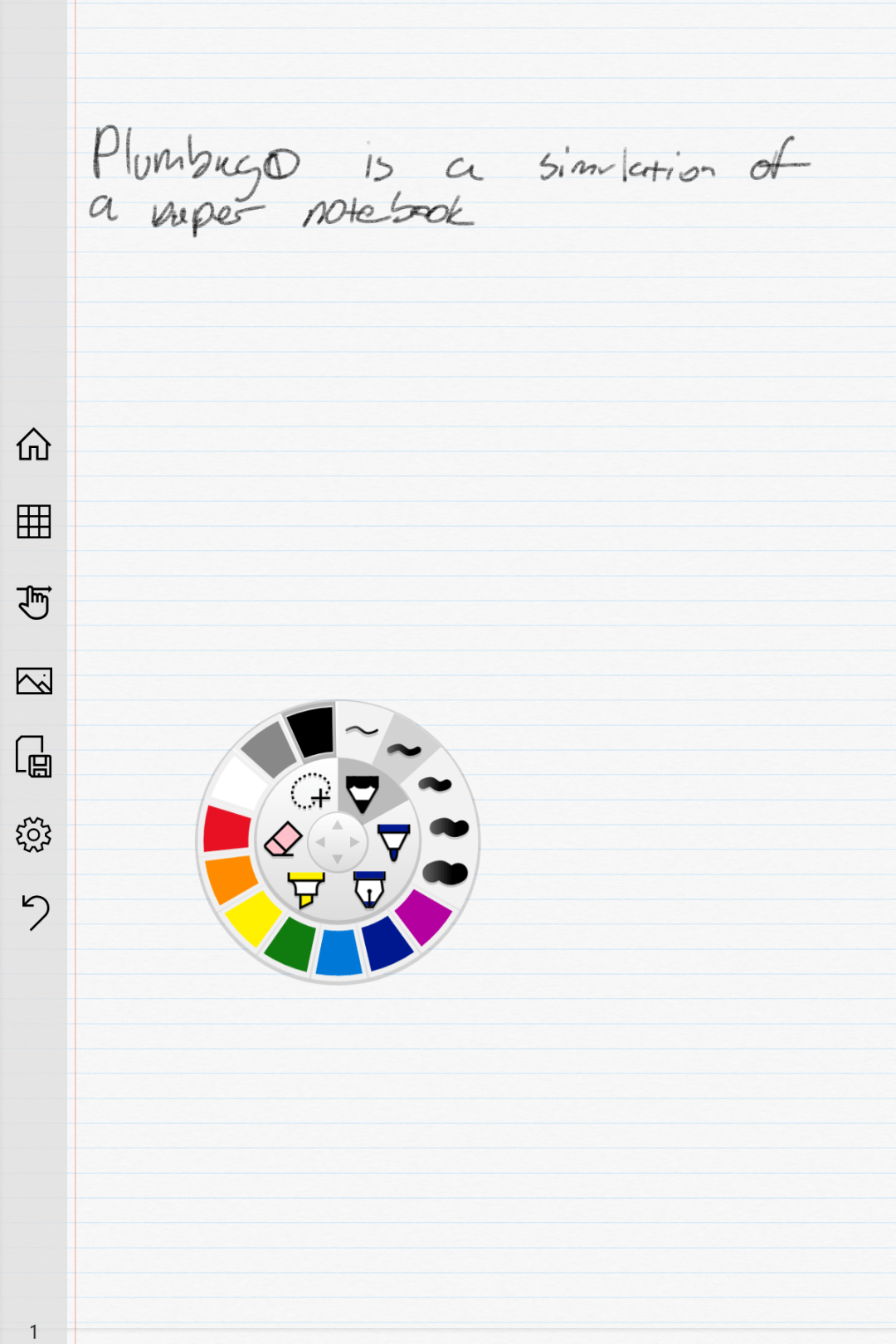
Input options are controlled via a simple wheel selector. Pick your tool, color, and stroke size with a few taps and start drawing or writing. The wheel remembers your previous choice for each tool. The sparse tool bar will let you insert pictures, see all of the pages in your notebook, or switch between draw and navigation modes. You can also export your pages to a PNG or PDF for easy sharing.
That’s all there is to it folks, which is the point of the application Keep it simple. If OneNote or Evernote seem overly complicated for your needs give Plumbago a try.
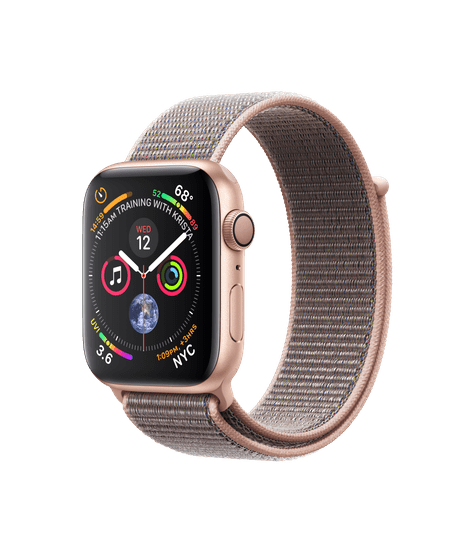
The last time I wrote about smart watches I ended up liking the Samsung Gear 3. I purchased the new Apple watch for my wife and we’ve spent the last few days setting it up and putting it through its paces. Have I changed my mind?
She’s upgrading from a series 0 (original) so the differences are as drastic as they can be. The new watch is 40mm vs. the 38mm of the orignal but you can barely tell they’re not the same size. The corners on the series 4 are rounded off at a shallower angle and this hides the small size difference. Surprisingly, her custom leather watch band from the 38mm fit on the 40mm without any issue.
The biggest improvement is that the screen than has significantly more viewable space. The extra size makes things like text messages and certain views in the calendar much easier to read and the numbers on many of the watch faces easier to make out in a quick glance. You can also add more complications.
The new Apple Watch is noticeably faster and the speed boost is most appreciated when opening complex apps that deal with lots of data like the text messaging app or Apple pay. There’s almost no delay between tapping the icon and the app opening. I imagine in the months to come we’ll see apps that can take advantage of the added processing power.
Apple has added haptic feedback to the crown so that you feel it “click” when it rotates. This is a more important update than you might think. I know it impressed me more than expected. Operating the device is more precise when you have some sense of how far you’ve rotated the knob. It’s like the difference between typing on-screen and on a keyboard.
She got the Cellular version of the watch and something we didn’t expect was how much louder the speaker is. You can easily hear music or calls, in fact my wife had to turn the volume down from its default because it was uncomfortably loud. The microphone pics up your voice from almost anywhere. There’s no need to walk around talking into your wrist a’la Knight Rider.
I expect the EKG feature to be fantastic when it is activated later this year, watch for an article on that (puns are fun). The heart rate sensor is much more accurate than the orignal is. The podcast app is a great addition. The device has finally evolved to something that lets you feel comfortable running to the store or going for a run without your phone. The fall detection and alerting is a great safety feature for people that are home alone.
My only major gripe is that Apple still doesn’t allow 3rd party watch faces. Don’t get me wrong they make some great ones, but for comparison there are some 60,000 available for my Gear 3. Overall, I’m impressed but I won’t be ditching my Samsung for one anytime soon.
So you’re the proud owner of a shiny new Surface Go, now what? Besides checking your email and surfing the web, what else can you do with the little powerhouse? Of course, you can install the ubiquitous PC applications, MS Office, Photoshop, and what have you. This article is more about doing things you may not know about or considered.
Have you ever wished there was a font that matched your handwriting? Mine is atrocious, I’m always surprised that a computer can read it. My spouse’s on the other hand, is quite elegant. If you write nicely like she does, Microsoft has just the app for you. Download the Microsoft Font maker from the Microsoft store and with a few simple steps your handwritings will be digitized and turned into a font that you can use anywhere.
It’s time to unleash your inner artist. The Surface pen is one of the most sophisticated digital marking instruments you can purchase. It works incredibly well on this tablet. I have several digital art systems, but the Surface Go is my current favorite. It’s light weight, responsiveness, and accuracy are ideal for drawing and painting anywhere. There are a plethora of different artistic apps in the store. If you’re just starting out I recommend Sketchbook. It’s a good balance of power and ease of use.
It seems like every time that I sit down to get my game on, one of my family members wants to watch a movie or something on the home entertainment system. You can use your Surface to play your Steam, Xbox, or Playstation games through their respective streaming services. For Playstation or Xbox games you’ll need to pair a Bluetooth controller. The Xbox app is pre-installed, open it and click the icon on the right hand menu that looks like an Xbox. Follow the prompts to get the service running. If you have a Playstation, download the Remote Play app and follow the on-screen instructions. To stream Steam games from your gaming rig, just install the Steam client app on your Surface and login with the same account. Select a game in your library and pick stream.
Most of the whiteboards in my office are old crusty things with the shadows of meetings past bleeding through. Skip the dying markers and eraser arm, use Microsoft’s Whiteboard app instead. Download it from the store and you’ll be collaborating in no time. Features like ink to shapes and ink to tables, help ensure that your art skills don’t derail your ideas. The “invite people” option works when you’re all in the same room or in different countries.
Hopefully I’ve given you some ideas to think about. The device’s diminutive size and power make it an excellent tool for data consumption and productivity. The Microsoft Store is full of applications that are useful, but don’t forget that if you convert from S mode, all windows software becomes available.
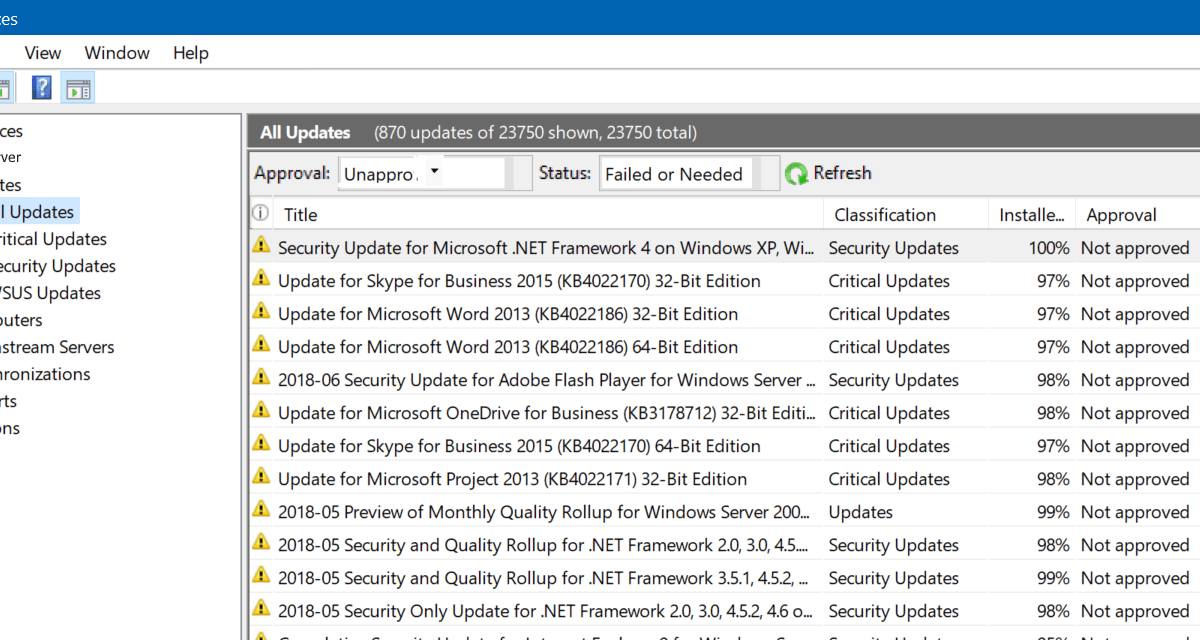
WSUS is usually pretty straight forward. Install the service on a server and configure a GPO to point your server’s and workstation’s Windows Update clients at it. I like to use Server Side targeting and a series of scripts to get the most flexibility from it.
Every once in a while you’ll end up with machines that won’t connect to the WSUS server for various reasons. For the most part the only feedback you receive are some hex error codes. You can look them up on-line but they generally fall into either connectivity or software issues. Rather than spend a lot of time researching each individual code I follow my own troubleshooting steps until I get to the culprit.
Connectivity – Many of the problems I have run into were caused by the client and sever losing contact with each other.
Try to telnet from your client machine to your server’s ip address on port 8530 or 8531 if you’re encrypting traffic. If you see a blinking cursor the port is open, a failed to connect message means you should start checking firewalls.
If you don’t have telnet installed, try PowerShell’s Test-connection. Example: Test-NetConnection -Port 8530 -ComputerName WSUSSERVER
If the port is open but the page won’t load, open an admin console window and run: netsh winhttp reset proxy.
Software – If your client is able to talk to the server then your issue is with the software itself. Fear not, there are still several fixes you can employ.
Check the logs. On the client computer you’ll find the log @ C:\Windows\Windowsupdate.log there’s a bunch of data but use the find function of your app to search for error and failed. You may find the cause of your issue.
Windows update also writes some errors to the Application and System even logs.
If all else fails, start over. Occasionally the client and server disagree about what patches are installed or something has been corrupted. Follow the steps below to completely reset the problem machine.
Open the WSUS console, right click on the computer and delete it.
On the client computer:
Stop the Windows Update Service
Delete the contents of the C:\Windows\SoftwareDistribution folder
Open the registry and remove the contents of the HKLM\SOFTWARE\Policies\Microsoft\Windows\WindowsUpdate key
Open an Administrator CMD or PowerShell prompt and type: gpupdate /force
Start the Windows Update Service
In the Administrator CMD or PowerShell prompt type: wuauclt /detectnow
While wondering around one of our local game stores (Vintage Stock) with my family, I saw a game that hadn’t heard of before. I picked it up to read the summary on the case and was given a vague description of an island rather than an idea of the game play. I pulled out my phone and spent a few minutes researching on-line but didn’t find a lot of information.
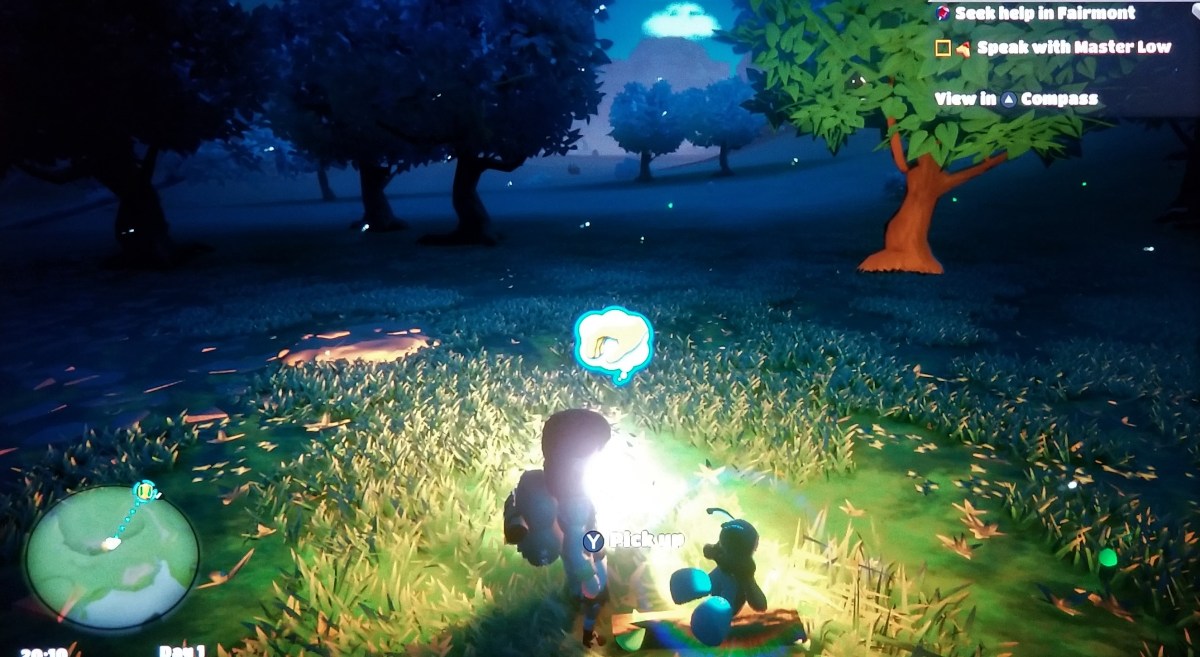
The single review that I did find said the game was a cross between Zelda Breath of the Wild, Animal Crossing, and Harvest moon. So I took a chance that my wife and daughter would enjoy it and picked it up; they both love all three of those games. It turns out that description is accurate but I would add Stardew Valley to the list. The game takes place in on a whimsically cute island that is divided into 8 environments. There are story based missions, farming, collecting, mining, fishing, and crafting but no actual combat. There are people to talk to, a fairy sidekick, animals to herd and more.
The graphics are good, the music and sound effects are great and the controls are well thought out. The game is text-based with voiced emotions like the older Zelda games. To be honest I haven’t even had a chance to play it myself. I’ve been watching my wife play and she won’t share. Needless to say they like it. I might even give it a try and I don’t usually like farming/collecting games.
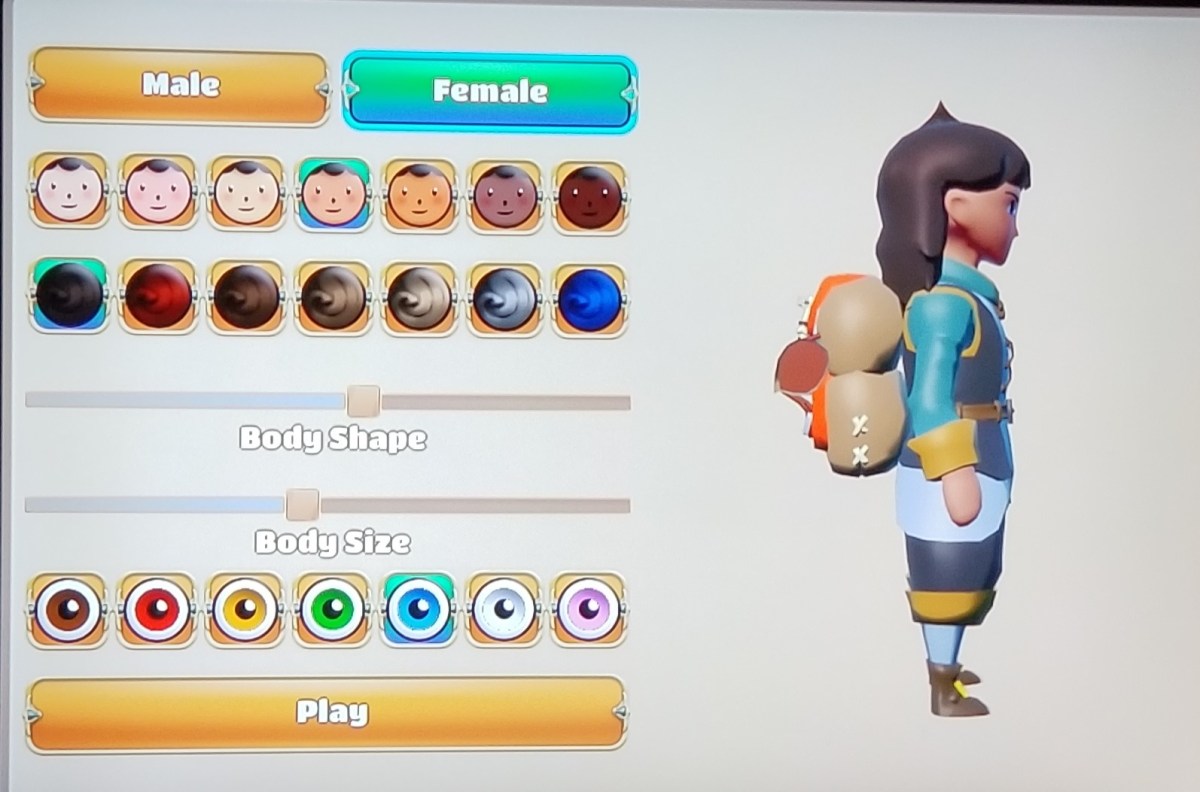
You can fully customise your character at the beginning of the game. As you play you’ll find dye kits, accessories like glasses, and more to enhance your avatar with your own personal flair.
The game also has seasons and a full day/night cycle.
I expect to be seeing this on my TV screen and hearing it comming from various Switches in my househould for months to come. If you like farming and mining, social interactivity, and open adventure but don’t care for combat, this is the game for you. At the time of this writing you could get the game for $39.99 on cartridge or as a $30.00 download from the Nintendo store.
As most of my readers know, I am a fan of tablet computers. Especially those that have a pen input option. I first became interested in them after seeing Bill Gates show off a Windows XP tablet edition device on Good Morning America. I like technology and I also enjoy writing, but some part of my brain does the latter better with a pen or pencil in hand. A system that combined the two was just the thing for me.
I spent countless hours mastering the specialized Graffiti input on my Palm Pilot PDA but it just wasn’t the same as scribbling something on paper. What Mr. Gates demonstrated on that show was true handwriting recognition. I convinced my boss at the time to get me one of the first devices and I haven’t looked back since. I have owned and used nearly every pen enabled computer since then.
This weekend, I picked up the Surface Go. I’m writing this article with it. The last Surface system I bought was one of my favorite computers of all time. Why get a Go if I already own a Pro? In-short, size and weight are a pen writers biggest enemies with this type of tech. Until recently it has been difficult to find devices that are small enough to comfortably hold in a single hand but powerful enough to run real-time handwriting recognition. Most of the tablet devices are large enough to require a table or knee to lean on. The Galaxy Note phones were some of the first devices to allow handheld writing and I still love mine. The Galaxy Book 10.6 was among the first tablets light enough to hold and write but powerful enough to be useful. It’s a great device but the Surface Go has some district advantages that drew me to it.
Foremost in my mind is the integrated kickstand. There’s just nothing else that competes with it, even with HP and Asus trying to copy it. The other manufacturer’s versions don’t stand-up. The Surface Go keyboard has the same fold and attach ability that its big brother does which makes the keyboard more rigid on your lap. It’s one of the few 2-in-1 designs that works well on your lap, on a table, and on the arm of your chair.
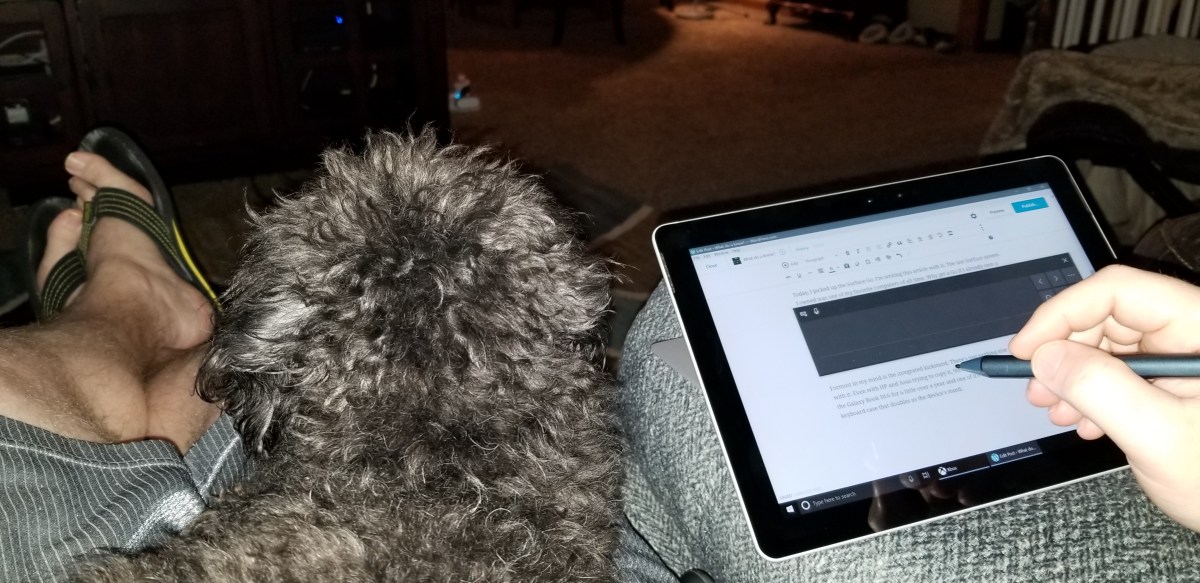
Midna chillin’ on my lap while I write this article.
Next on are the size and weight. The Surface Go weighs 1.15 pounds and feels the same as holding a 9.7″ iPad. It’s light and has a small foot print. The Go is just the right size to slip in your day pack or a purse but still big enough to be worth carrying the extra device. Even as a long time Galaxy Note fan, I find myself tossing this thing in my bag for the extra screen space. It’s comfortable to hold in one hand and write with the other. Every ounce less that a tablet weighs, improves its usability in this regard. The Go is light enough that I find myself reading books on it which is not something I have normally used a tablet for.
Some of the reviews that I had read before purchasing the Go indicated that the processor was weak. I’m not a huge fan of benchmark testing, I find that it is largely irrelevant in the real world. In my very un-scientific testing the Surface Go opens some popular everyday apps like the browser, Facebook, Instagram, and Twitter, a fraction of a second slower than it takes the current iPad to launch the same software. However, Apple has spent considerable time and capital optimizing the iPad for those specific tasks. If we switch our testing to apps like Word, Excel, Onenote, and WordPress, the Surface Go is much faster at launching these programs in some cases several seconds faster. The Surface Go was faster at launching every “Productivity” app that we tested: Sketchbook, Photoshop, Evernote, and Homebudget, all opened faster on it. Full disclosure, my testing method consisted of my wife grabbing her iPad and us launching the same app after a 3-2-1 countdown. In my opinion, this is the only kind of speed test that matters for these types of devices.
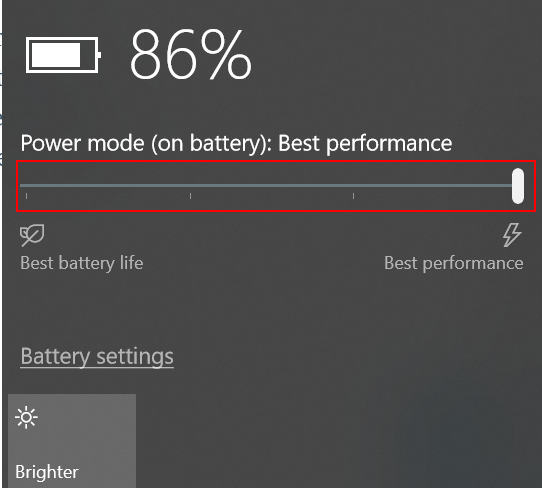
To get the best performance, tell Windows to favor it over battery life by tapping the battery icon.
For me, one of the true tests of a system’s power is to load up a game and see how it plays. The system easily handles “App Store” games like Candy Crush, Modern Combat, and Fruit Ninja so I decided to throw something harder at it. I installed Steam and downloaded Borderlands 2. I let the game auto-dected the resolution and graphics settings (1152 X 854) and was floored by how well it played. It looked good, and was fully playable. I actually enjoyed playing on it and was also able to play Sims 4 (on high at 1080P) along with Stardew Valley. Don’t get me wrong, it’s not a gaming system. It couldn’t play Destiny 2 at all and you won’t be hooking up a VR headset to it, but for a college person or to play on your lunch break at work, it’s surprisingly good.
Microsoft says that the battery can last up to nine hours. I’ve been using it all day for the last three days doing everything from writing and surfing to playing and drawing and I haven’t needed to plug-in except for its nightly charge. I also have the 2018 iPad and the battery life seems comparable in real-world use. I am enabling battery saver mode when reading or doing other low demand tasks.
Overall I’m very happy with this system. It would be nice if it were a little less expensive, but it’s an incredibly good small computer and you’re always going to pay a premium for that. The 128 GB iPad comes in at $429.00 and the 128GB Go is $549.00, for the extra $120 you get a full Windows operating system that can run the full versions of software like Office in a similarly sized package. I’ve already installed Visual Studio, written a PowerShell script, loaded PhotoShop and edited a picture, written countless emails and a few Word documents.
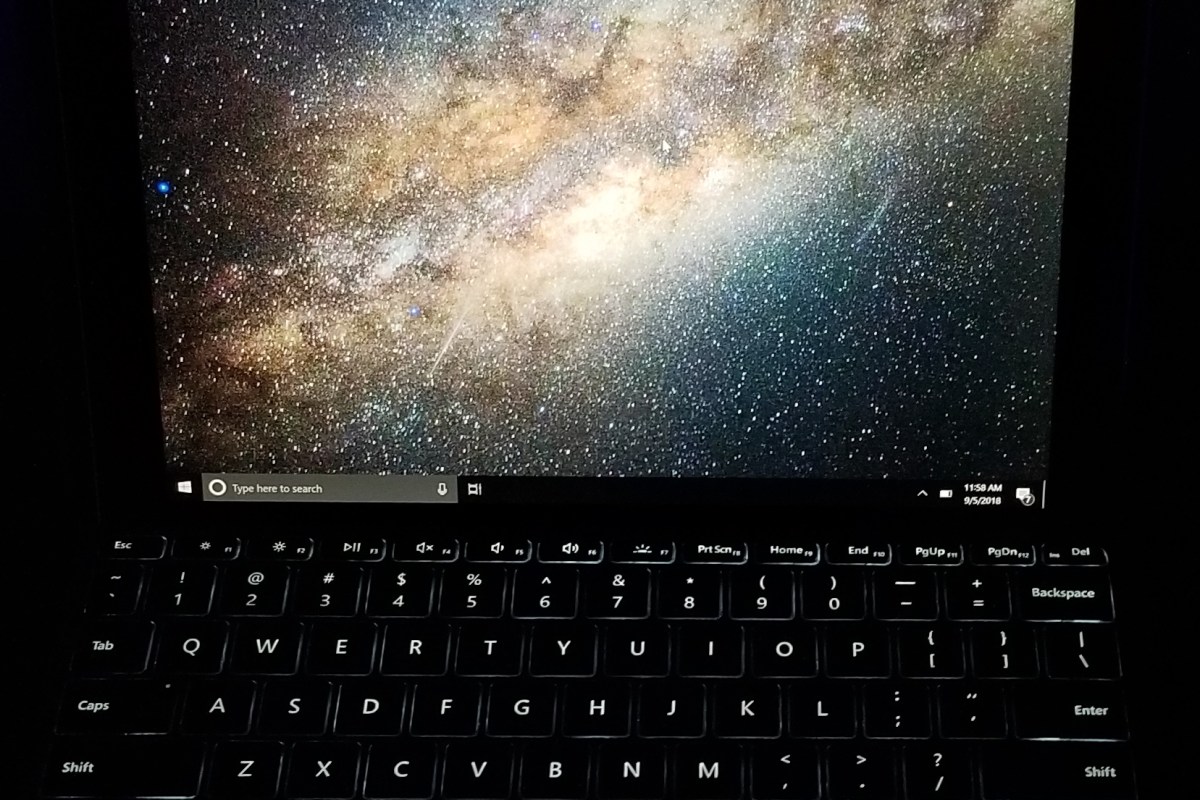
The keyboard is fantastic but I disagree with a lot of the tech blogs that say it is required. If you plan to use this system for “tablet” tasks, it’s on-screen keyboard is leagues above Apple’s. It has multiple sizes and modes that allow it to fit almost any situation. The predictive text is spectacular. If you want to type 100 WPM then you’re going to need a keyboard. If you want to take that keyboard with you, I recommend the one that Microsoft made but you can use any with bluetooth or a USB C adapter. The purpose made keyaboard is nearly perfect as far as small keyboards go. I’ve never used one that was better.
I already owned the new Surface Pen and have written an article about it. It works really well on this tablet. If I had to choose between the keyboard and the Pen I would have picked the Pen! I still think the Norris pencil for the Samsung Galaxy Note is the best stylus I’ve ever used, but this one is a close second and it’s more functional.
I’m very happy with the Surface Go and think that if you mostly use a high-end desktop or big-laptop and need something more portable, this tablet is a great fit. If you’re a college student, home user that doesn’t edit video/play AAA games, or 95% of office workers, you could likley use this as your only computer system with a dock. Microsoft will be releasing a business edition and an LTE equipped version in the near future. I expect this device will be quite popular over its lifetime.




 techbloggingfool.com