Visio too Expensive? Try Grapholite Instead

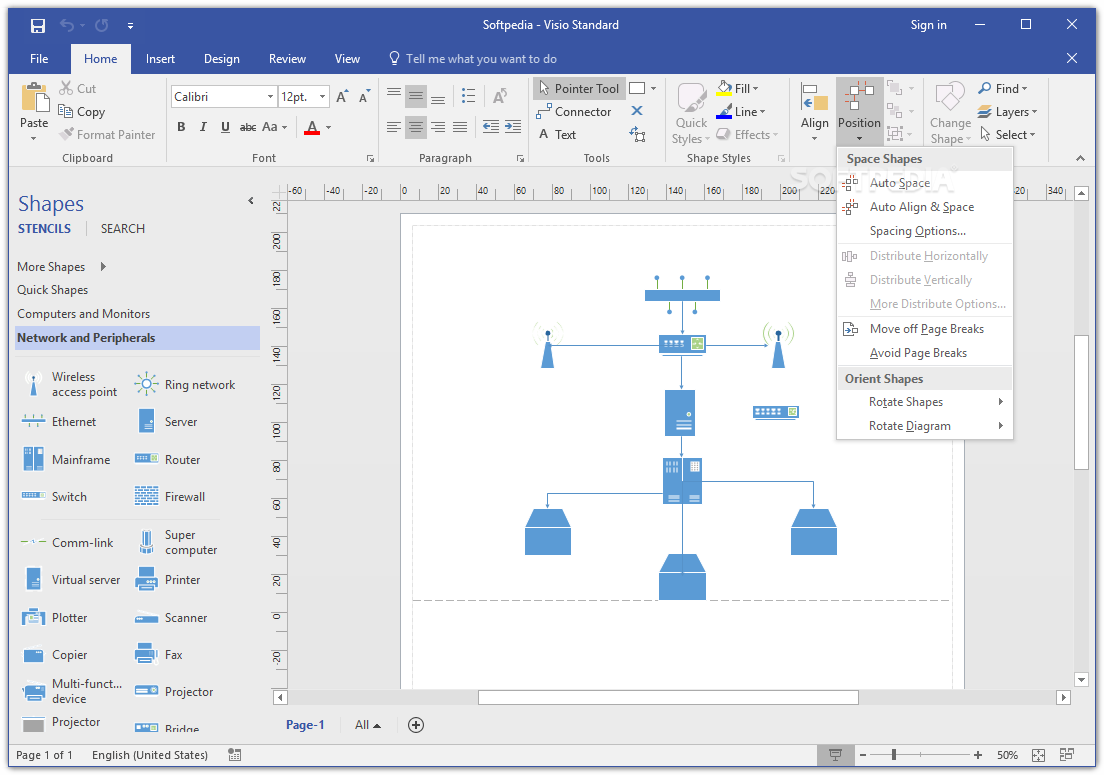
Microsoft’s Visio has been the de facto diagraming application for almost two decades. I’ve used it to draw networks, floor plans, swim lanes, org charts, and countless random things for as long as I can remember. It is a truly great application. In my opinion its only flaw is the price tag.

At two-hundred and fifty dollars for the standard edition and almost six hundred for the professional version, it is just to pricey to justify for anyone that doesn’t need to decigram on a regular basis. Even as an IT professional that uses it frequently, I find the cost prohibitive.

Over the years I have tried numerous alternatives: OpenDraw, Google Drawings, and Dia to name a few. None of them were able to do the job for me. Don’t get me wrong, the applications work, they always missed some feature or function I needed to complete my work.

Earlier this year I purchased a new laptop, I was using it to write some documentation for a job. I needed to add a technical drawing to my document, but I didn’t have Visio on my personal computer. I didn’t want to fork over a few hundred dollars so, I opened the Windows store and found Grapholite.

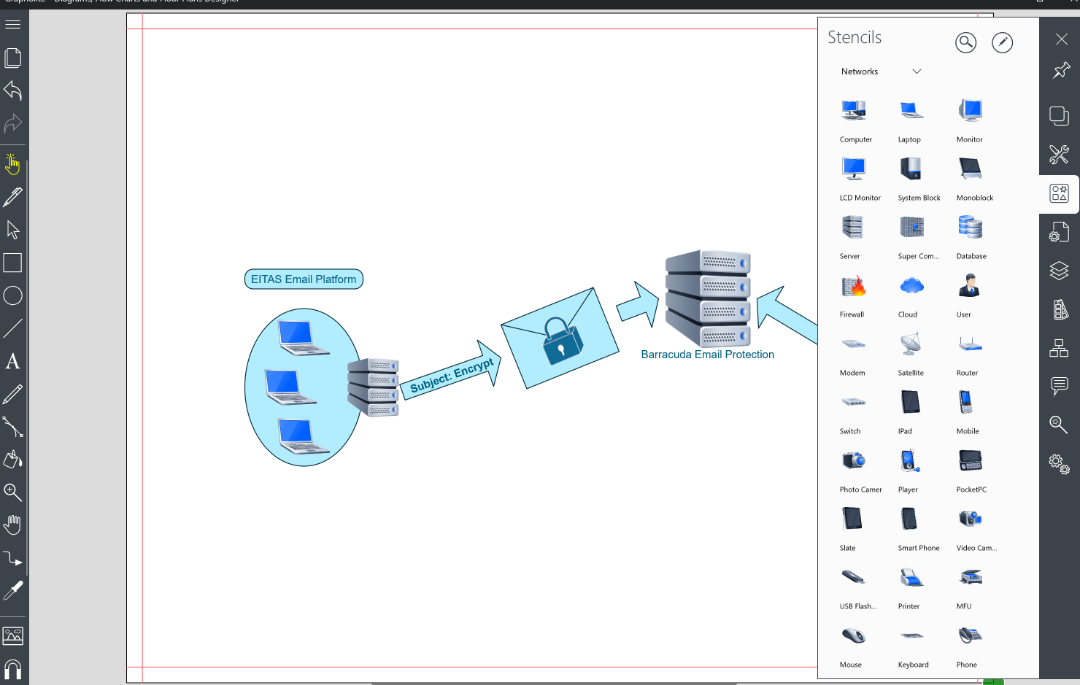
Grapholite is available for Windows, Android, and iOS. I was able to install the software and create the drawing I needed without issue. The software is intuitive and specifically designed for touch screens. All the main features I use in Visio are available in Grapholite. Grouping, layers, auto-connectors, import pictures, a wide array of stencils, themes, and snap grids are all available in easy to use side bars.

To be honest, I didn’t expect the software to work as well as it does. It cost less than $30.00, I was shocked to find myself preferring it over Visio for basic diagraming. It seems like everytime that I use the software I find a new feature. For example; just the other day I learned it could export drawings to a VDX (Visio Drawing File Format).

Don’t get me wrong, there are still things Visio does that Grapholite has no way of accomplishing; dynamic data graphics, auto-discover, and importable stencil packs are all missing. I still haven’t installed Visio on any of my personal systems. I find Grapholite easily does the job. If your diagraming needs don’t involve advance shape data, or complex coding, it will probably do the job for you too.

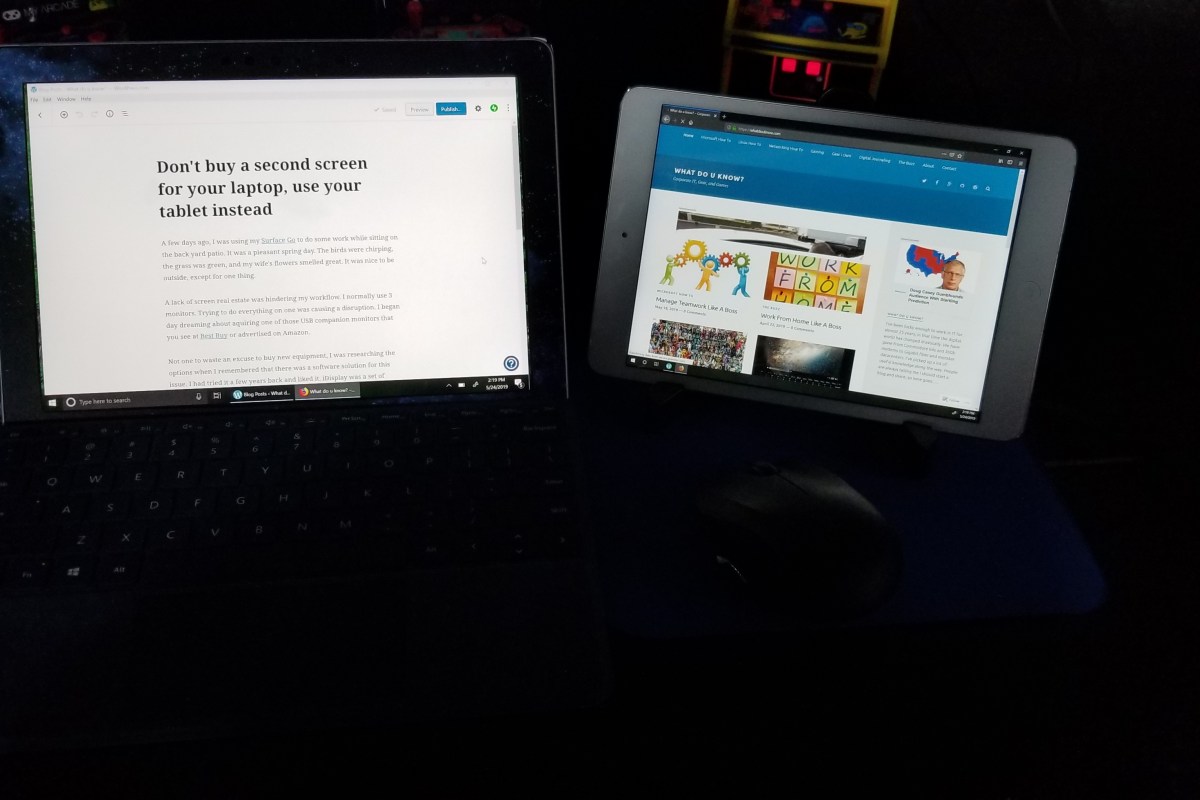
Don’t buy a second screen for your laptop, use your tablet instead

A few days ago, I was using my Surface Go to do some work while sitting on the back yard patio. It was a pleasant spring day. The birds were chirping, the grass was green, and my wife’s flowers smelled great. It was nice to be outside, except for one thing.

A lack of screen real estate was hindering my workflow. I normally use 3 monitors. Trying to do everything on one was causing a disruption. I began day dreaming about acquiring one of those USB companion monitors that you see at Best Buy or advertised on Amazon.

Not one to waste an excuse to buy new equipment, I was researching the options when I remembered that there was a software solution for this issue. I had tried it a few years back and liked it. iDisplay was a set of programs that you installed on your PC and Mobile, to turn the mobile a secondary display. Once I’d moved my digital life over to the Surface, my iPad mini had been collecting dust in my junk drawer. I wondered if the app was still available?

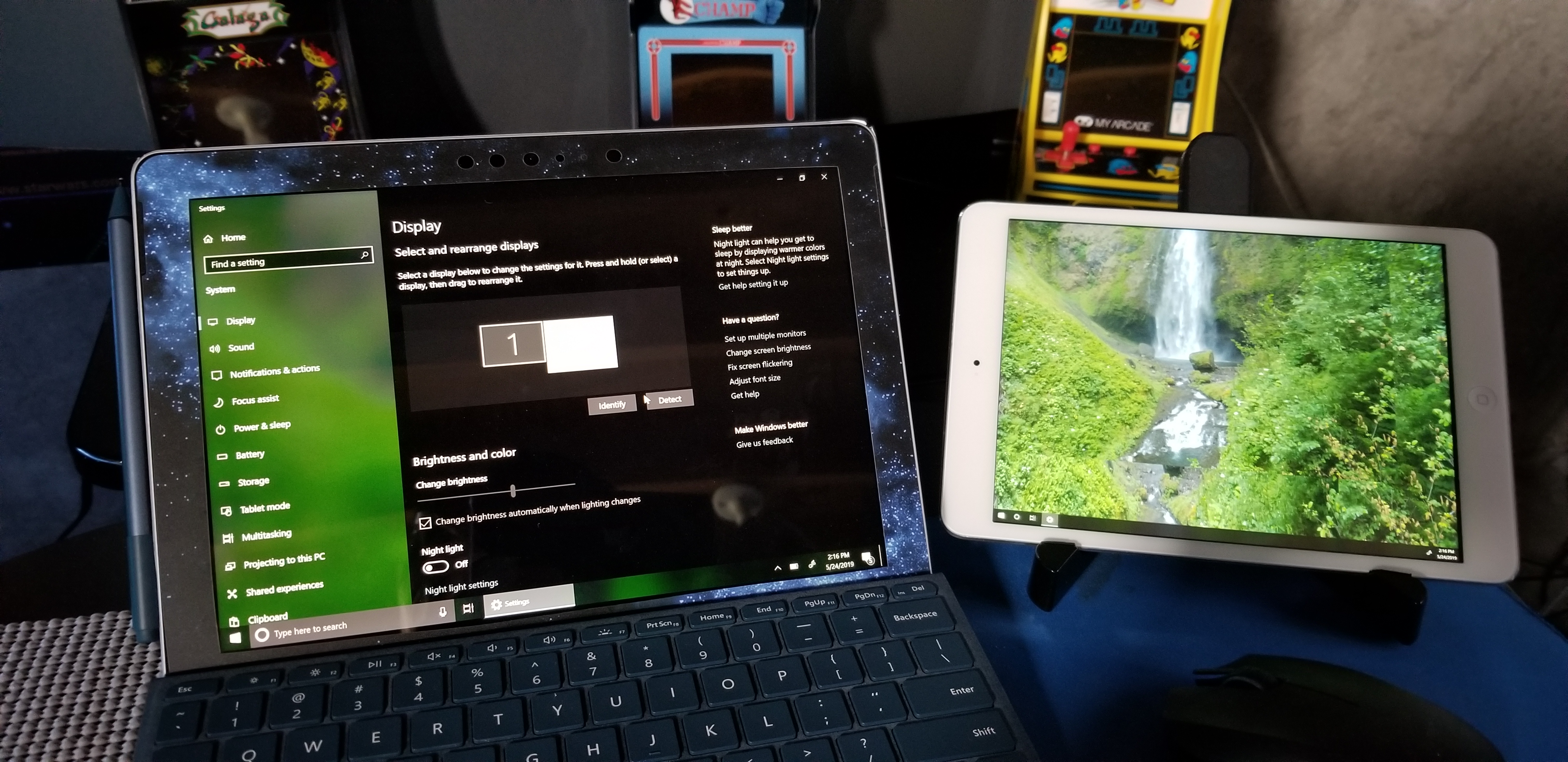
I dug out the iPad, updated it, and checked the app store. Sure enough, iDisplay was in my purchased apps, so I installed it. Then I visited the company’s web site http://www.getidisplay.com/ to get the Windows component. A few minutes later I had my second screen up and running. This solution has a few advantages over standalone USB monitors.

Once connected, the iDisplay operates like any other monitor.
  • The app is less than $20.00, but a new USB monitor is more than $100.
  • The secondary tablet has its own battery and doesn’t draw power from your main system.
  • It is wireless (cabled is an option on some systems).
  • The tablet’s touchscreen functionality still works.

There are of course some drawbacks. When run wirelessly, the frame rate on your companion screen is going to be in the fifteen to twenty frames per second range. This is fine for emails and spreadsheets, but not so great for video. The is also a small bug in the Windows application. Once you’ve connected your iDisplay(s) and then disconnected, you can’t connect again until you restart the program.

While writing this post, I noticed there are quite a few apps in the app store for this purpose. I didn’t investigate any of them since I already owned iDisplay. It fit my requirements but, if you’re new to this concept there may be some benefit in trying the others. I should also mention that iDisplay isn’t only for Apple devices, it works on Android and Windows too. You can also run multiple iDisplays, just install the app on each device.

Work From Home Like A Boss

The Internet has drastically altered the way we live and especially the way we work. A result of the hyper-connected workplace has been the realization that a large percentage of the workforce doesn’t require a specific location to work from anymore. The Work From Home or Work From Anywhere revolution has been a long time coming.

If you’re just starting a job where working from home is an option, read on to learn from my experience. I’ve been working from my home off and on for several years worth of my career, including a three-year stint of being self-employed. It can be a great situation for both the worker and the job provider, but is not without pitfalls.

Right Equipment for the Job

You may be under the impression that working from home means sitting on the couch in your PJs with a laptop. Sure, you can do that for an hour to two. However, most of us quickly learn that sitting on an arm-chair or couch doesn’t provide enough support for an eight-hour shift of digital work. Neck kinks, lower-back aches, shoulder pain, wrist pain, and headaches are common complaints from full-time couch jockeys.

Get yourself a real desk and a real office chair. Don’t skimp, you’re going to be using it all day, everyday. The most important feature of the object that your park your computer on, is the height. An inexpensive, height adjustable, laptop stand can be more effective than an expensive desk that is permanently too short or too tall for your body.
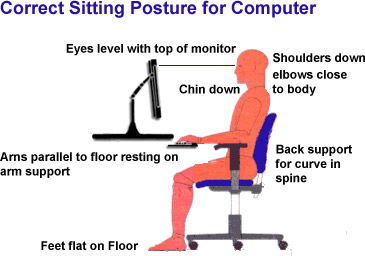
correct-posture-for-sitting-computer

Your shoulders should hang loose and your elbows should not angle up when reaching for your keyboard. In short, you should not be actively engaging muscle to maintain your position. The center of your screen(s) should be just below eye level so that you look slightly down at them. Your chair should be adjustable enough to line up with the desk you’ve chosen.

A keyboard tray goes a long way toward placing the keyboard and mouse at the correct height versus your screens. Placing your keyboard and mouse on the same surface as your laptop or monitor often means the input devices are too high relative to your chair. This causes you to hunch your shoulders and neck which results in fatigue. If your desk or stand doesn’t have one, universal trays that mount to almost anything are easy to find on Amazon.
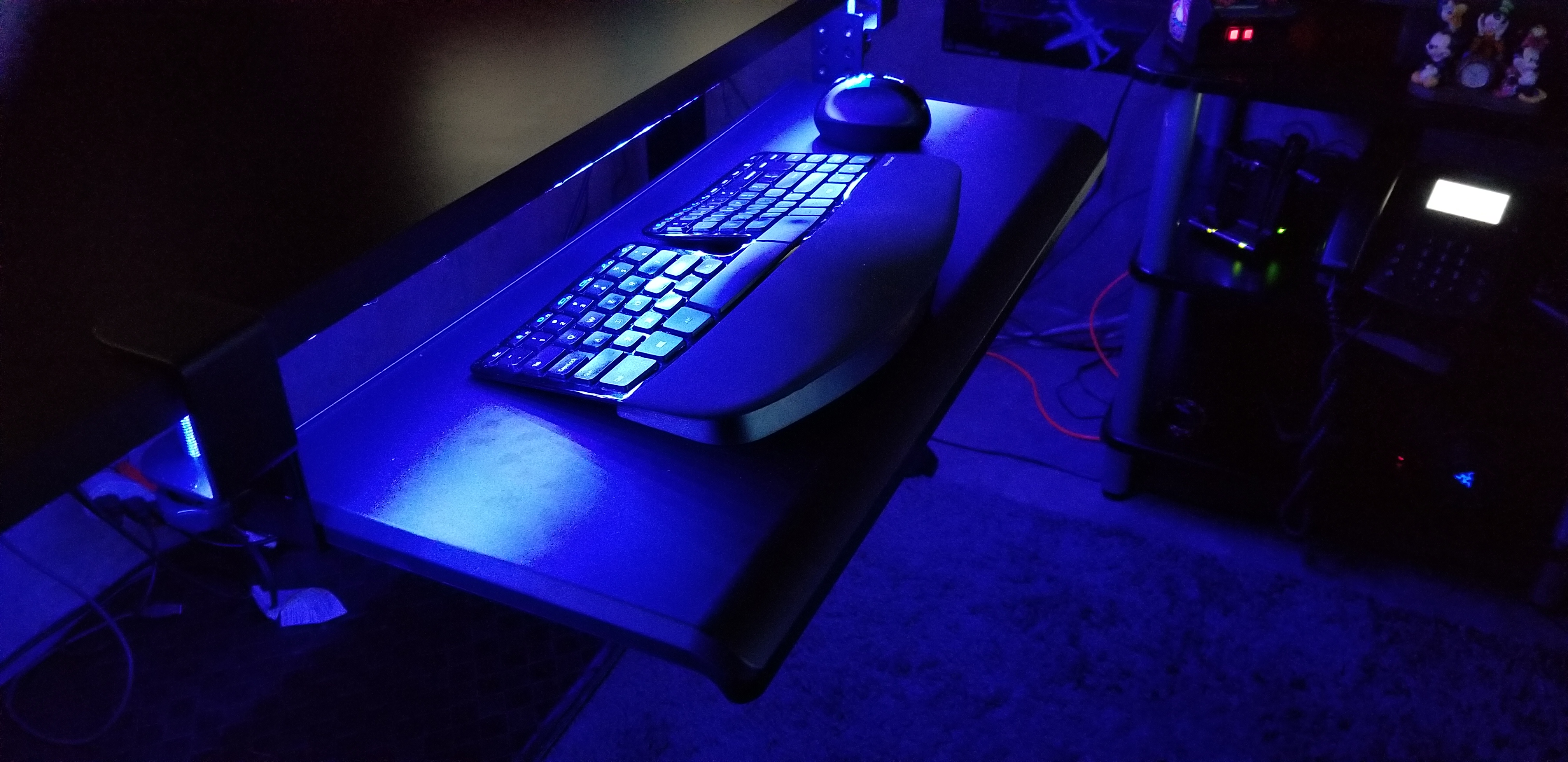
keyboard_tray

Personally, I picked up a standing desk on-sale for less than $250. I also grabbed a tri-monitor mount and keyboard tray from Amazon for $100 and a mesh chair rated for eight hours for another $120. I put them on cheap area rug from Wal-Mart in the corner of my unfinished basement next to the windows and presto, a private office to call my own.
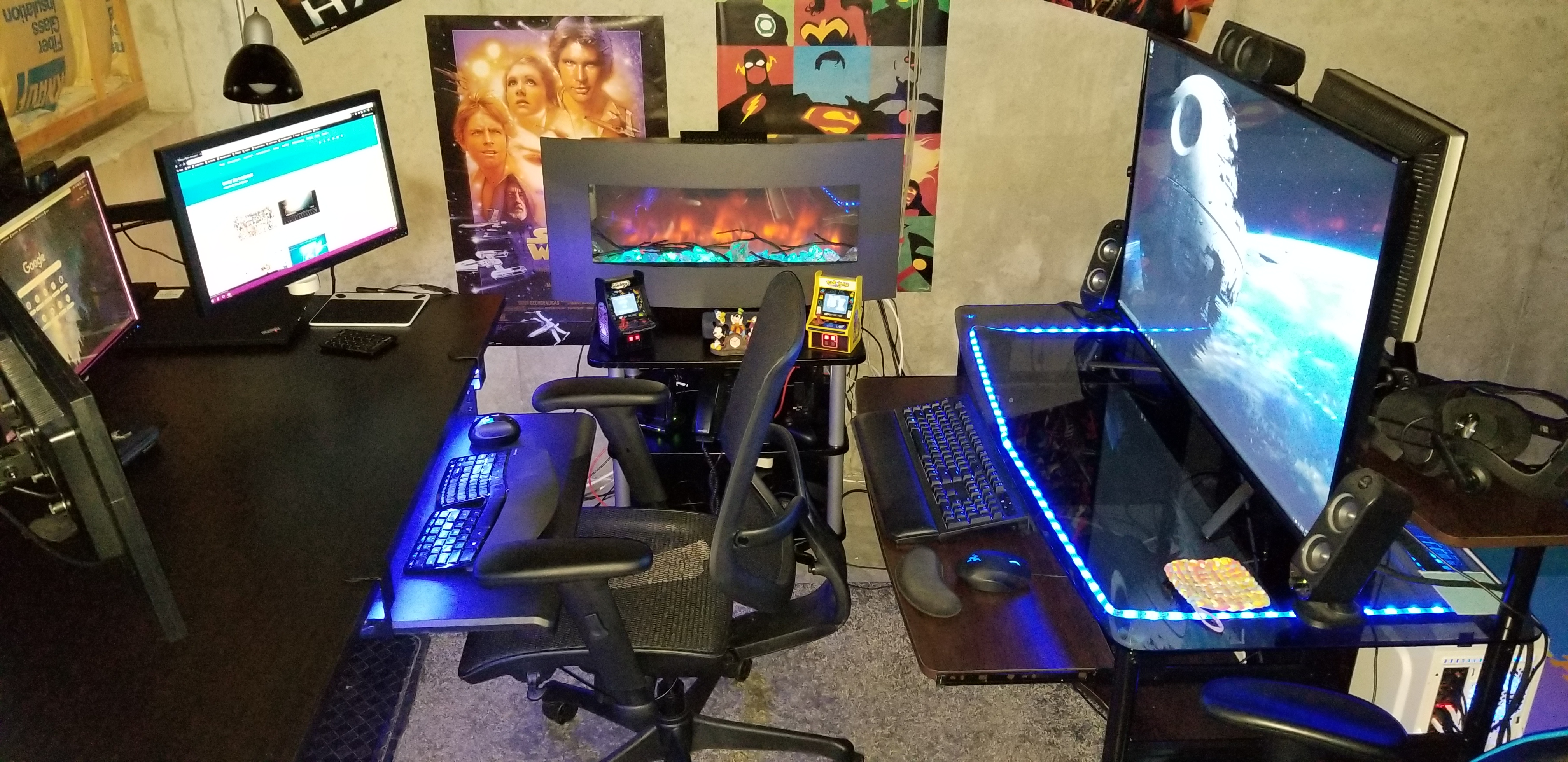
Basement.jpg

Location, Location, Location

Speaking of privacy. How many times have you been on a conference call and heard somebody’s kids or their dog making noise in the background? Did you roll your eyes? So do the rest of us. You don’t want to be that person. Especially now that video conferencing is replacing the audio only variety, you’ll need a private space.

This doesn’t mean you have to dedicate a room to your home office. Although if you can, then by all means do. The rest of us need to find a space that is out of the main traffic areas of our home. Like I said before, mine is in the corner of our basement. I’ve also used the corner of our bedroom, a dining room we never ate in, and a room I built-in the unused portion of a garage.
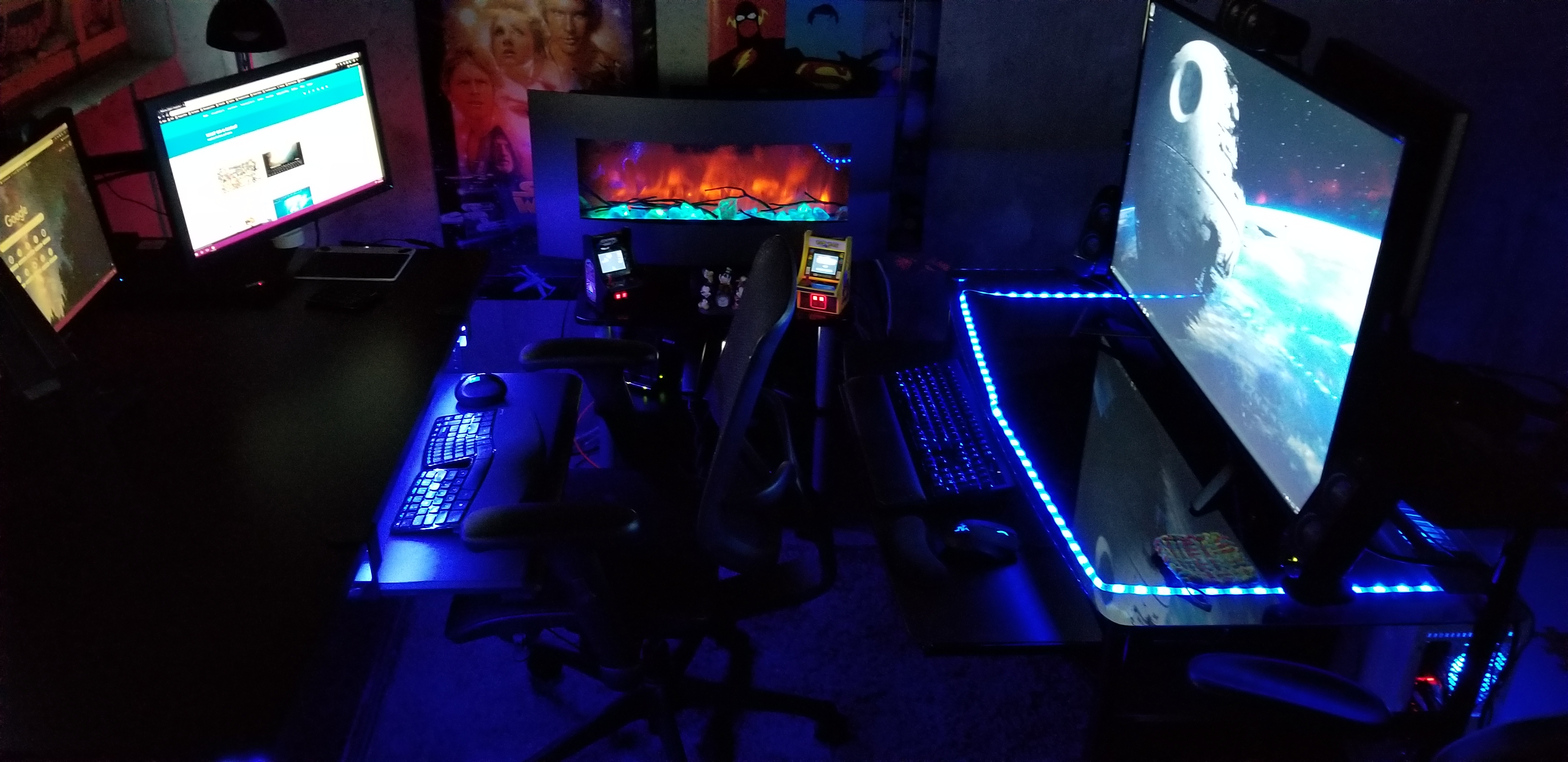
Office1

Natural lighting is a big plus if you have the option. Try to avoid spaces that don’t have decent air flow. Small rooms without good ventilation, like a pantry or walk-in closet, tend to get stuffy and hot when you put a computer in them. A fan and space heater can be excellent accessories for your chosen area.

I suggest that you spend some time personalizing your space. Photos, knickknacks, posters, and the like, go a long way toward making a space comfortable to be in. The concrete walls in my unfinished basement are a depressing grey. I’ve hung gaming and pop-culture posters all over them to add some visual interest.

I’m a lighting geek, all of my lights are RGB, including the electronic fireplace. You can get in-expensive RGB lighting strips from lots of places. Most of them are peel-n-stick, USB powered, and include a remote control. Mine are connected to the RGB controller on my gaming computer’s motherboard. I change their colors to suit my mood. Red is DEFCON 5.
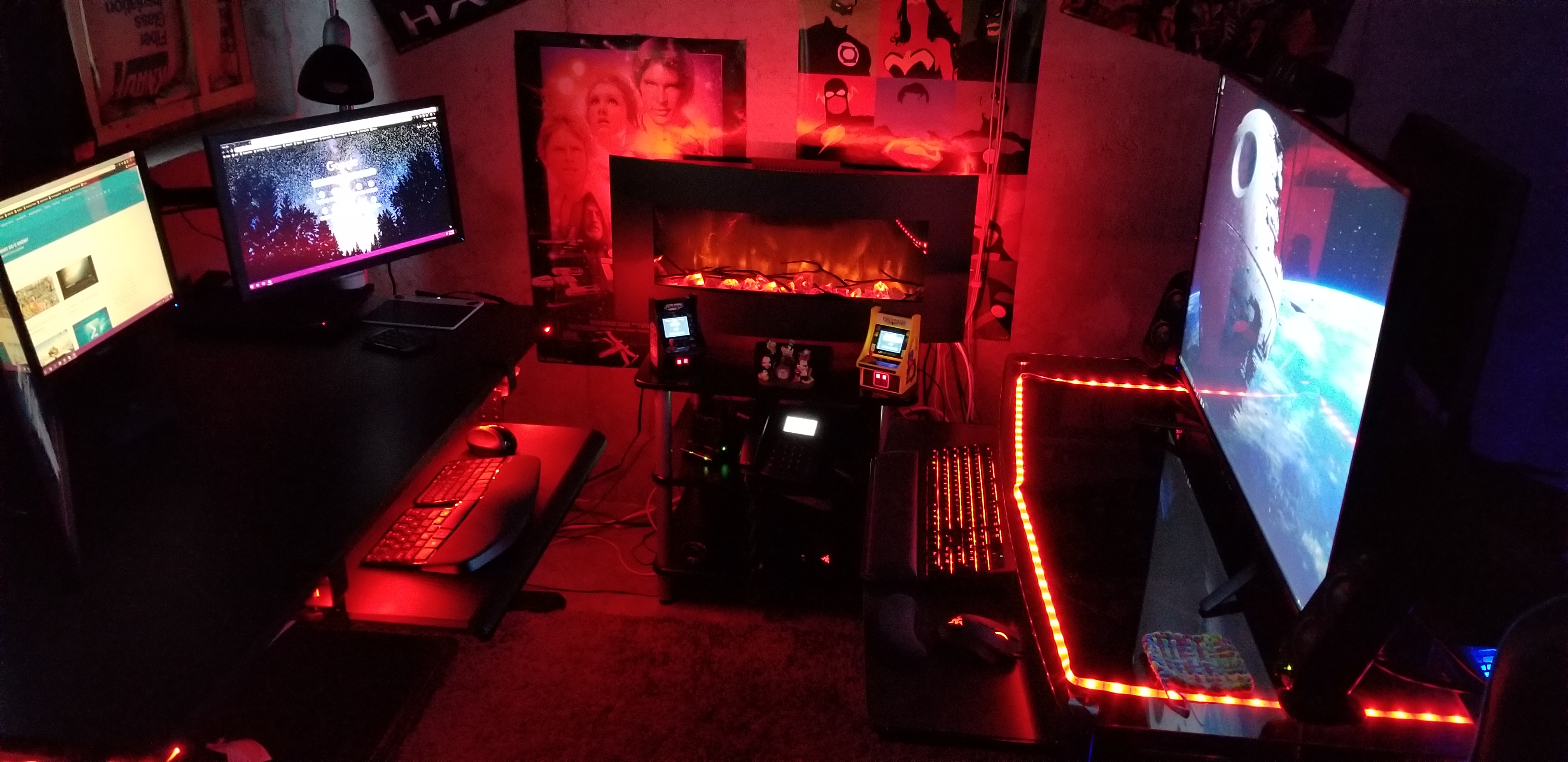
Red Office

Focus and Motivation

Research suggests that standing and moving are important for our well-being. I find that I stand an average of 3 hours per day and move between standing and sitting multiple times. Obviously, a desk system that is easy to raise and lower is needed to facilitate this type of workflow, stay away from the hand-crank models if you can. I also find that padded floor mats are a big plus. For me, the ability to change positions helps me stay focused on the task at hand. When my mind wants to wonder, I change positions for a while.
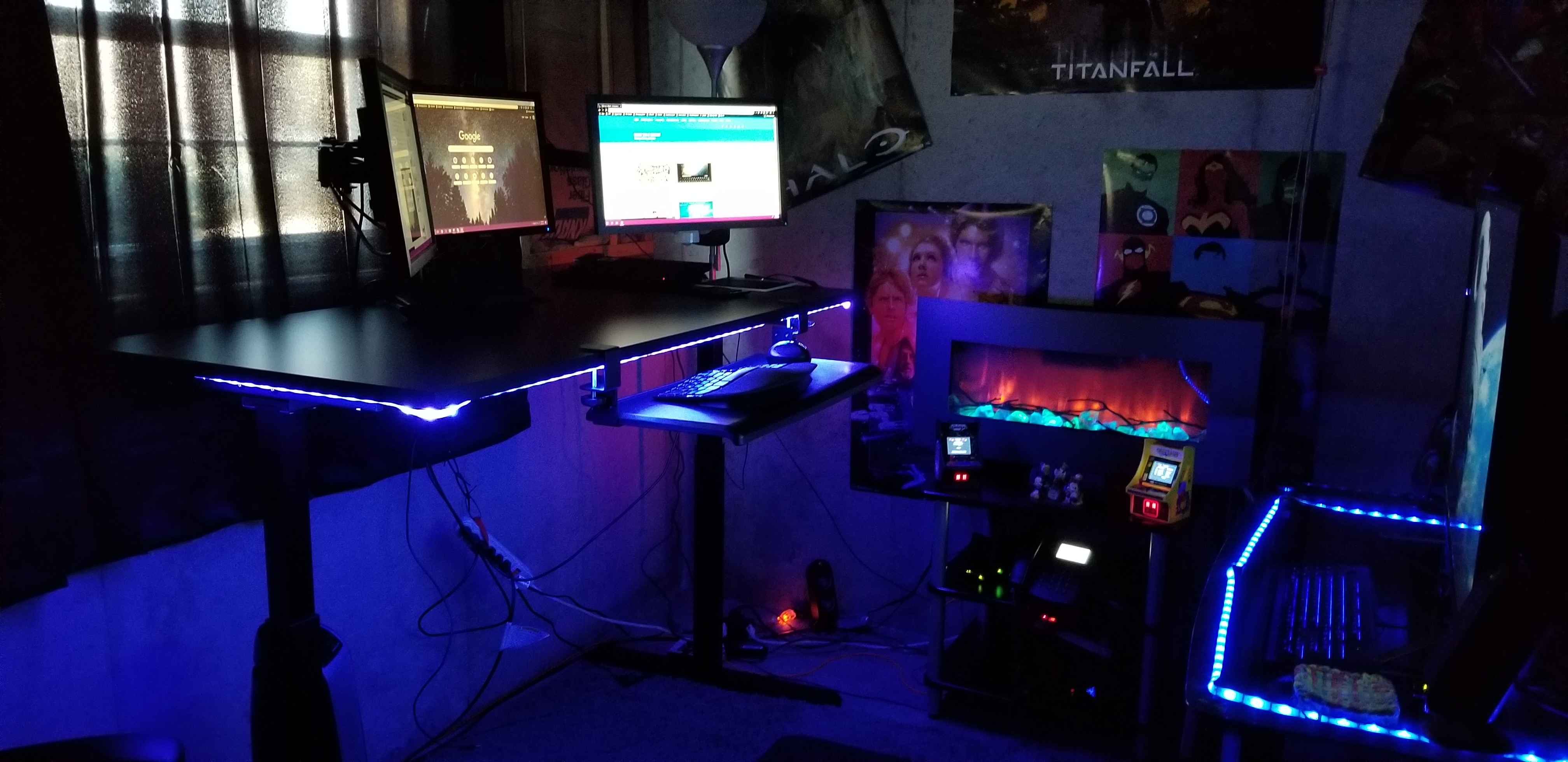
Office2

Silence is golden, except when you’re working on tedious jobs. I really appreciate the ability to concentrate in silence. It’s one of the biggest benefits of working from a home office. No phones ringing, no loud talkers, no drive-bys, and no prairie dogging allow me to achieve laser focus on complex issues. That being said, when working on mundane tasks that take little thought, silence can lead to boredom and a loss of motivation. I play music, podcasts, and listen to various TV shows to keep motivated. Since I’m in my own space, no headphones are required!

Take short breaks. Multiple studies have shown that taking short breaks from work can actually increase your productivity. Contrary to popular belief, staring at it longer will not make the problem go away. Take a walk, shoot some hoops, play a game, the point is to do something else for a few minutes that lets your mind relax. My best creative solutions are always conceived when I am not actively trying to problem solve.

Get up, get dressed, brush your hair and teeth, wash up, and move to your “office” location. Laying around in your PJs or sweatpants tends to induce feelings of laziness. A lackadaisical state of being can get in the way of productivity. Lets face it, your boss can’t see what you are doing, so they are probably going to pay even more attention to how many tasks you complete.

Communication is Key

video-conference-3

One of the draw-backs of not being in a traditional office is that communicating with your co-workers takes more effort. You can’t just lean over the cube wall and ask, “Hey, got a minute?” Asking for help when needed is something everyone will automatically do but that isn’t what makes a good team.

You need to purposefully make time to just talk with your team mates. Your company’s video conferencing solution is the best option. I know, I know, I don’t like the way I look on camera either, neither do many Hollywood stars if that’s any consolation. Fact is, we are hard-wired to see and that includes during interpersonal communications. Facial expressions communicate almost as much as the words being spoken in a given conversation.

Most companies will have multiple methods of video chatting. My current employer has WebEx and Skype for Business, both can do the job. I’ve found that turning on my camera when chatting or instant messaging with others, encourages them to do the same. My boss has scheduled a team meeting every morning for which video is required. Over time it has become second nature for us to enable our cameras pretty much all of the time.

Wrap it up

Working from home is not for everyone. Some people do better with more social interaction and some jobs require that workers be present in the place of business. IT jobs are often well suited for WFH employees due to the systems they work on being remote in the first place, their tasks often requiring a single person to complete, and little requirement for equipment.

With a little know how, the shortcomings of working from home are easy enough to deal with. When it’s done right, productivity is increased and stress can be lowered. I’m comfortable working either way but if given a choice, WFH is always my preference.

Kansas City Comicon 2019 the 20th Anniversary

Being that I’ve never been to a Comicon, I’m not quite sure what to expect as I stand in line with my family on a snowy spring morning. While we’re on the subject of firsts, I’ve also never tried live blogging. Why not kill two birds with one stone?

20190330_123552 (2)
Giant Dragon, check. 

Rather than having an experience and writing about it later, I’m scripting this post in real-time. The Galaxy Note with its S-Pen is the perfect tool for this job. Snapping photos and writing while walking around a crowded convention center is more challenging than I expected. I find myself using my children as meat shields.

This place is busy. I’m told by several of the patrons and vendors that this is the most people they’ve ever seen at the Kansas City event. I’m surprised at the ratio of those in costume to those that aren’t. I’d estimate that at least a third of the crowd is at least partially dressed as some type of character. Oh look, I almost ran into Ron Burgandy.

20190330_122506
People watcher’s paradise.

I’ve only been wondering around for a little over an hour and have literally run into every pop-culture character that I can think of. From Star Wars to Spaceballs and Princess Peach to Overwatch’s Diva, the cosplayers are awesome. The level of detail that some of these costumes exhibit is jaw dropping. I can’t imagine how many hours of labor goes into making them.

There are booths of every type, acres of them. Comics, toys, games, cards, custom art, collectibles, clothes, and more are all available. The glass blower (FireChild) has some great custom pieces and if you’re missing a mini-fig for one of your Lego builds, I’m pretty sure that I just found it.

20190330_135728
Mini-Figs for Miles

There are an impressive number of artists on-hand. Sculpters, drawings, paintings, and photography are every where you look. Both of my kids added custom pieces to their collections.

If you’re a fan of pop-culture in general and looking for something to do in the KC area, I highly recommend the Kansas City Comicon. We’ve had a great time. I’m tired, hungry, and done with crowds, so it is time to head home. My step counter says I did 3.6 miles and my back and knees agree. I’m sure we’ll be back next year, its been a good family outing.


Kennedy Space Center. A Bucket List Trip for Everyone

I’ve been lucky enough to travel all over these United States of America. My parents and grandparents believed that no amount of reading about somewhere or something was the equivalent of seeing it first hand. Like a lot of Americans, once or twice a year we loaded up in the family truckster and headed out to see the sights.

Family-Truckster

We’ve been to all the major attractions: Yellowstone, The Grand Canyon, Washington DC, the Pacific Northwest, the Rocky Mountains, Hawaii, and yes, even the world’s largest ball of twine. I’ve been fortunate to be able to continue the tradition with my children and this year we visited Florida. Ostensibly our trip was to visit Disney World but we had a couple of days with no specific agenda.

DSCN1244

On one of our free days we decided to make the trek from Orlando to the Kennedy Space Center. Everyone felt that getting away from the lines and crowds for a while would be nice. Disney World is great. Space Mountain is still one of my favorite rides of all time and I really enjoyed the Star Wars street show at Hollywood Studios. I’m usually more impressed by nature and human accomplishment than by roller coasters and impossibly high-pitched voices singing a single chorus over and over until it permeates every synapse in your brain and causes your eyelids to twitch. “It’s a small world…….”

DSCN1214.JPG

When you first pull into the Space Center you’ll probably feel as though you’ve taken a wrong turn and ended up at another amusement park. You enter on a gated drive that leads to a never-ending sea of parking lots and then proceed to a box office that Disney itself would be proud of. Once you buy your tickets, you’ll be stopped by the obligatory park photographer for a picture in front of a NASA globe that is the size of a small house. It wouldn’t surprise you to hear screaming people zoom by on a roller coaster. Everywhere else in Florida seems to have one.

However, after you make your way through security and enter the park; it will be immediately obvious that this place is something different. There are full size rockets on display just inside the entrance. Vehicles that have taken humans to space are everywhere. Some are small and others are huge. To someone who doesn’t care much about technology or space travel I imagine they are interpreted as boring metal tubes.

DSCN1129

NASA knows that not everybody is in love with space and part of the reason the center exists is to help convince people that it is a worthwhile endeavor. They borrow from movies, games, and fun parks to gain and keep your interest. Museum displays are often preceded by a technologically enhanced show that explains the importance of the artifacts that you are about to see. They’re very effective. There are simulators, games, movies and gift shops. Of course there are gift shops, I mean how could you go on vacation without them?

DSCN1127

If you find yourself short on time and trying to decide what to see, I have a couple of recommendations. Toward the back of the complex you’ll find a line that leads to a group of busses. Get on one. This tour is one of the best attractions at the Space Center. You’ll be taken on a narrated trip out to NASA’s and SpaceX’s launch facilities. The sites are historically iconic and the trip ends at the Saturn V “Moon Rocket” exhibit. If you doubt that human beings could make a machine powerful enough to reach the moon, go look at this thing in person and see if it doesn’t change your mind. American’s have seen this rocket in countless videos but they don’t prepare you for the scale of this monster. It isn’t a model, or replica this is the real-deal big boy and you can get up close to every square inch of it. The presentation beforehand is an experience all unto itself.

If the Saturn V and lanchpad tour was all the Space Center had to offer it would be well worth your time and the $60.00 adminission price. They aren’t done with you yet though. The Kennedy Space Center is one of the few places in the world where you can see an actual Space Shuttle. The Atlantis is on display in all her glory, scorch marks and all. Seeing the shuttle is proceeded by a presentation that will probably make you shed a tear with pride at the accomplishment of our scientists, country, and humanity in general. I’ve never felt prouder to be an American. Besides the Shuttle itself there are also several other features of this attraction that you won’t want to miss.

The Saturn V and Space Shuttle are the two most complex machines ever built by humans, period. You can see them both in the same place and much more to boot. If you’ve never visited the Kennedy Space Center I highly reccomend you put it on your bucket list.

Invest in the Stock Market with no fees or minimums.

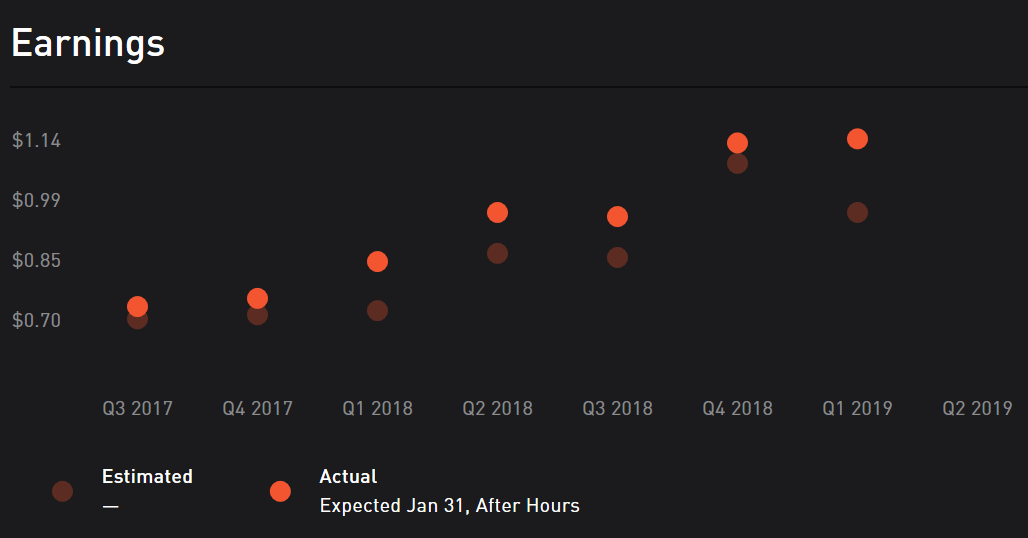
Most of the stocks I have invested in were purchased through my 401K retirement program. These stocks are mananged by a company and my involvement is limited to picking a few options around how agressively I think they should attempt to generate returns for my account. I am by no means a financial expert, I am not being paid to write this article. Following any advice, or using any software mentioned in the post is a choice you are making at your own risk.

401k

A while back I had decided that I wanted to try my hand at the markets. As my readers know, I’m a gamer at heart and what is the stock market if not a giant game? One that risks real capital, but a game none the less.  My knowledge of the markets was pretty limited so I did what I always do, a bunch of research on-line and pestered the people I know for advice. The consensus at the time was that opening an E*TRADE brokerage account was one of the best ways for a novice person to get started trading on their own.

I liked the tools that E*TRADE offered, the app was fairly simple to figure out, and they had some of the lowest fees in the business. Over time I noticed that I mostly bought stocks and then did little with them. I came to the conclusion that I didn’t like the fees I was dinged with every time that I made a transaction. I wanted to learn how the markets worked by experimenting, but those experiments could be costly.

Home_Page

While discussing the situation with a friend, I learned that he had found another option. He told me that the brokerage he used didn’t have transaction fees or account minimums and that he could buy and sell stock for free. If it hadn’t been a person I trusted, I would have suspected that I was being pitched a scam-ball.

Robinhood really does let you trade for free. Mind that you have to purchase the stocks you want to trade.  Except for the first one that is. If you sign up for an account via a referral from an existing customer you’ll get a free stock. It comes in the from of a game and you have a chance out getting a premium share like Apple. If only you knew someone who would send you an invitation…

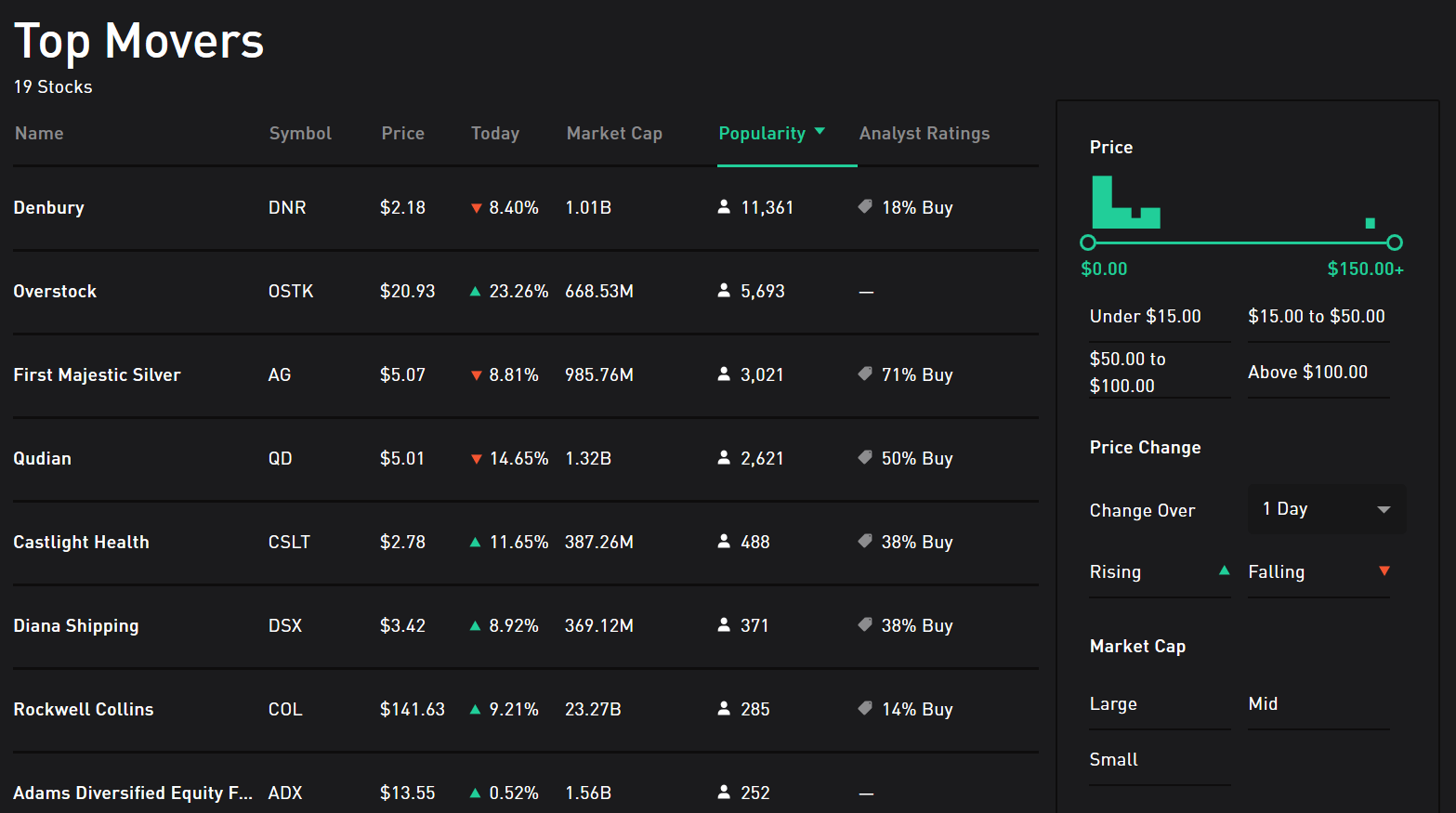
Top_Movers

Setting up an account couldn’t be easier. Download the app from the Play store, App store, or logon to the web-site and click or tap the option to create a new account. If you want to take advantage of the free referral stock, you’ll need to use the link you were sent to start the account. Once you get started you’ll be asked for your financial information: Name, SS#, Phone Number, Address, Employer, Marital Status, etc., you’ll also have to tie the Robinhood account to your bank. After you give them the routing information for your account they will verify it by making  a couple of small deposits. You won’t get your free stock until all of this has been completed.

private-data

While helping a buddy setup his account, he mentioned that he was concerned about Robinhood asking for all of this private information. Buying and selling stocks is a taxable form of income. When you generate a profit or receive dividends, your broker will report it to the IRS so they need the same information your employer does. You link your Robinhood and Bank accounts in order to enable fast financial transactions. If Netflix is low and you want to buy a few shares you wouldn’t want to have to wait for a check to clear before the funds were available in your account. Linking anything to your bank account involves taking some risk but it’s no different from the automatic payments in use by many entities today.

Once your account has been created and your bank account verified (took two hours for me), you’ll be ready to rock and roll. I approach this form of investing in the stock market the same way I do playing a slot machine at my favorite casino. I never invest more than I can afford to lose because loss is inevitable. I never use credit to purchase stocks because paying interest on losses is painful. I also never trade while drinking.

Slots

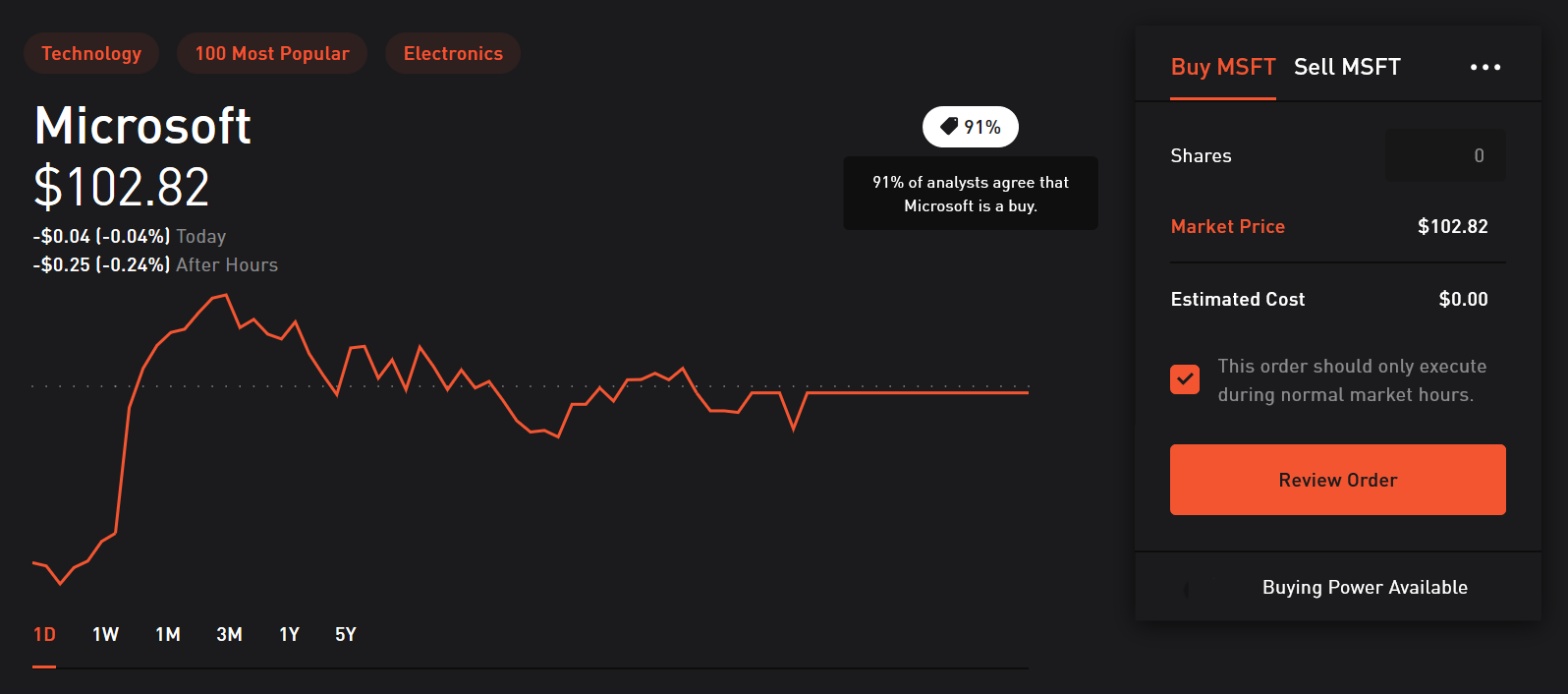
Much like that slot machine, the trick to making money in the markets is knowing when to cash out at move on. To help you make that call, Robinhood provides all kinds of charts, news, analyst’s opinions, and various other tools. Analysis paralysis is a real problem when playing the markets. You can get lost in all the data if you aren’t careful.

Buy_MSFT

I often use the collections tool to find interesting new stocks. This table shows you a category of stocks and basic information about each company. Clicking on any of them drills in to a detailed analysis of that companies’ performance.

Tech_Collection

Most investors suggest that you wait for market prices to fall before you start investing. As luck would have it, that is occuring right now. Getting started is easier than ever, I wish I would have setup a broakerage account years ago. Best of luck if you decide to invest on your own and send any good leads you find my way.

Enterprise IT Monitoring, Alerting, and Dashboarding with Solarwind’s Orion

A while back, I wrote a series of articles on using PowerShell to create a decent monitoring system . It’s nothing fancy, but it gets the job done and costs nothing but time and effort to implement. If your needs continue to grow you’ll be left with two choices: continue to pound out code to expand functionality, or purchase a commercial solution.

Once you’ve reached the time wall and have decided to invest in a commercial monitoring application, the question becomes, which one should you get? In my career as a consultant and IT employee, I’ve setup and worked with countless monitoring solutions, Altiris, Nagios, System Center, BladeLogic, GFI, Spiceworks, Appdynamics, and Cacti just to name a few. One option that never lets me down is Solarwind’s Orion platform.

Solarwinds has been a player in IT for quite some time. Their Network Performance Monitor frequently makes the “best of” lists. I’ve run into their Web Help Desk ticketing and change management application at multiple companies including my current employer. They may be best known in computer worker circles for their free IT tools like Network Device Monitor and Kiwi Syslog Server. Not everyone is aware that they also make a full enterprise monitoring platform.

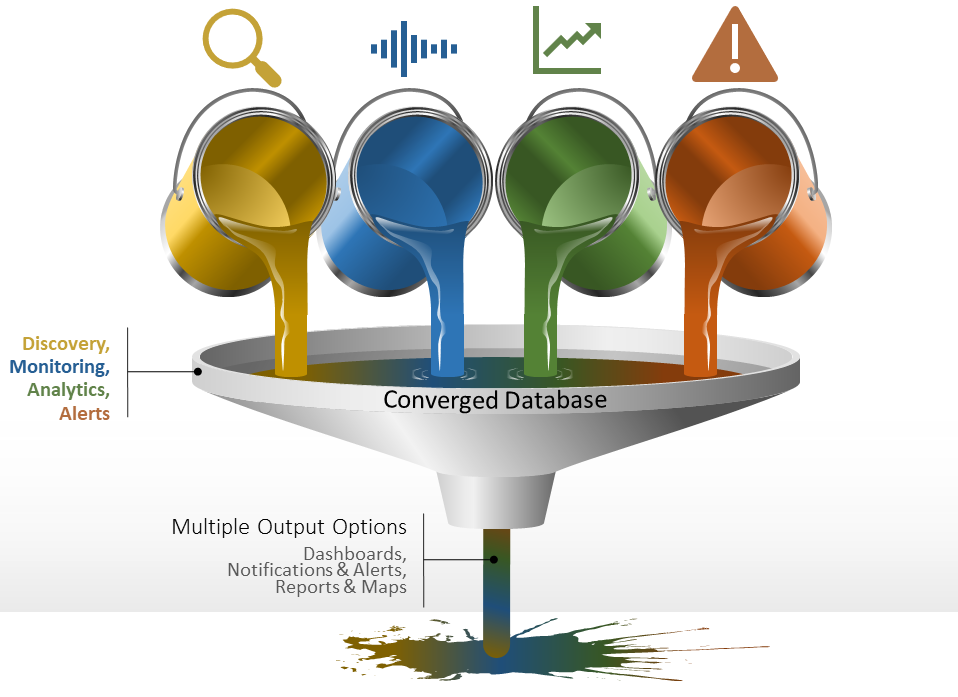
Monitoring Funnel

Orion is a platform in the true sense of the word. Modules that you choose plug in to Orion to add functionality. For example, the Network Performance Monitor collects netflow and SNMP data from your switches and routers and adds that information to your Orion databases. The Server Application Monitor uses SNMP, WMI, or an agent to collect data from almost all operating systems and countless applications. Modules also typically include dashboard widgets, reports, alerts, and other useful items that allow you to better utilize the collected data.

I use NPM and SAM at my current employer everyday to monitor and manage our sprawling network. Network equipment, Windows severs, Linux servers, countless SQL databases, Exchange, AD, and even their AS\400 servers are all covered by the platform. Much like golf, it takes a few hours to get the basics (install / discover) and a lifetime to master. The amount of customization Orion offers can be overwhelming but once you get your feet wet, you can accomplish some truly impressive feats. Watch for more articles on Solarwinds Orion in the near future. We’ll be talking about creating custom dashboards, alerts, reports, and more.

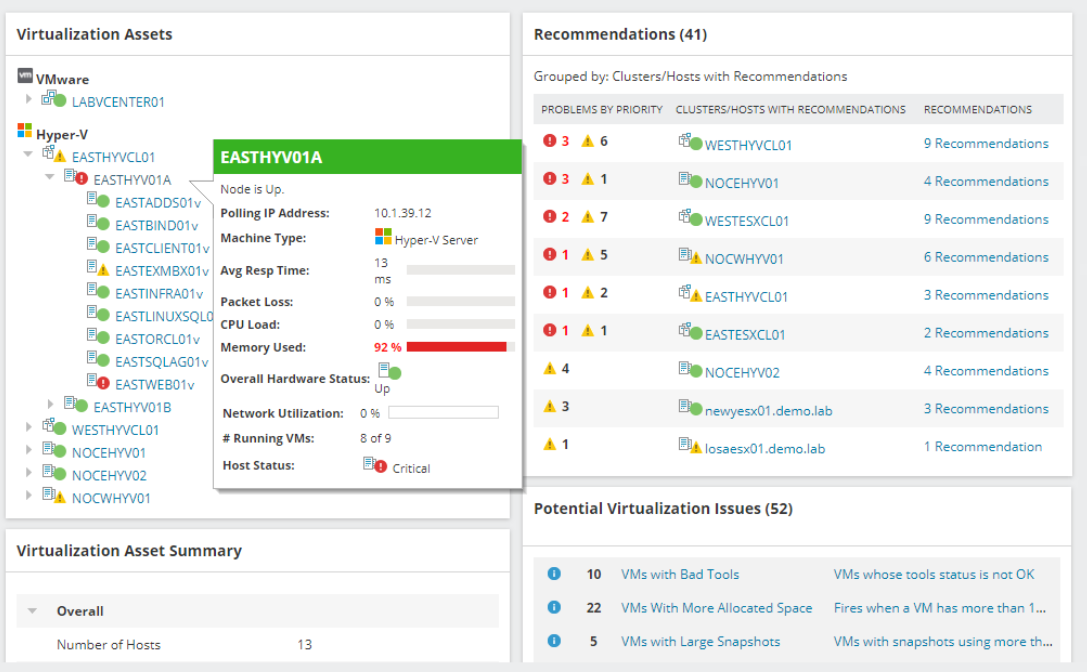
Orion-VMware

Use layers in Autodesk Sketchbook to draw anything on any device for free.

When I was little, my dad would sometimes entertain me by drawing my favorite cartoon characters. He would sketch them on napkins or scraps of paper while we were waiting for a table at a restaurant or sitting through some other equally boring event. I was always amazed that the Fred Flintstone, Mickey Mouse, or Donald Duck that he drew in a few minutes looked exactly like they did on the Saturday morning cartoon shows.

When I tried to draw them, my best efforts looked like stick figures that had suffered horrible head injuries. I was determined, and enjoyed the process, so I stuck with it. Art was always one of my favorite classes in school. Eventually, I had learned enough technique and developed enough motor control that I could draw nearly anything. It literally took years of practice before I could look at an object, or invent one in my head, and reproduce it on paper.

Digital Enterprise Painting
A freehand digital painting for my dad on Father’s day.

I would have given anything to be able to draw without all of the classes and practice. Many of my lessons involved tracing on a light board. It was a great way to learn how to make complex shapes, master scale, and understand the composition of objects or places. If you have a PC, tablet, or phone with a stylus you can use it in the same manner as a lightboard and I’m going to show you how easy it is.

You’re going to need a good drawing app. I like Autodesk’s Sketchbook. It’s free, powerful, and easy to use. It also runs on everything: iPhone, iPad, Mac, Android, and Windows all have a version. Check your device’s app store or the Autodesk web-site. You’ll need to create an Autodesk account after you install the software, but it doesn’t cost anything either.

After you have the app installed on your device, spend a few minutes on Bing or Google’s image search to locate and save a picture of something that you would like to draw. Just right click or tap and hold on the picture you like and choose the option to save a copy. You can also use a picture that you have taken with your camera.

Watch the short video below to see the details, but essentially we are going to create two layers. One to hold the picture we are going to trace and another to draw on. Once we’ve completed the sketch we’ll remove the picture layer and all that will be left is our drawing. Tracing is easy if you reduce the opacity of the picture layer. To save time I only do a quick outline with a single tool and color below. I suggest using multiple brush types and colors to get the best results.

Knock, Knock, Anybody Home?

True story. While my family and I were in the car on our way down to the Branson area we got a notification from our Ring doorbell. When my wife pulled it up, we watched a guy wait until nobody answered and then walk out to his unmarked truck and grab a ladder. He headed up our drive way and around the side of our house past where the camera could see.

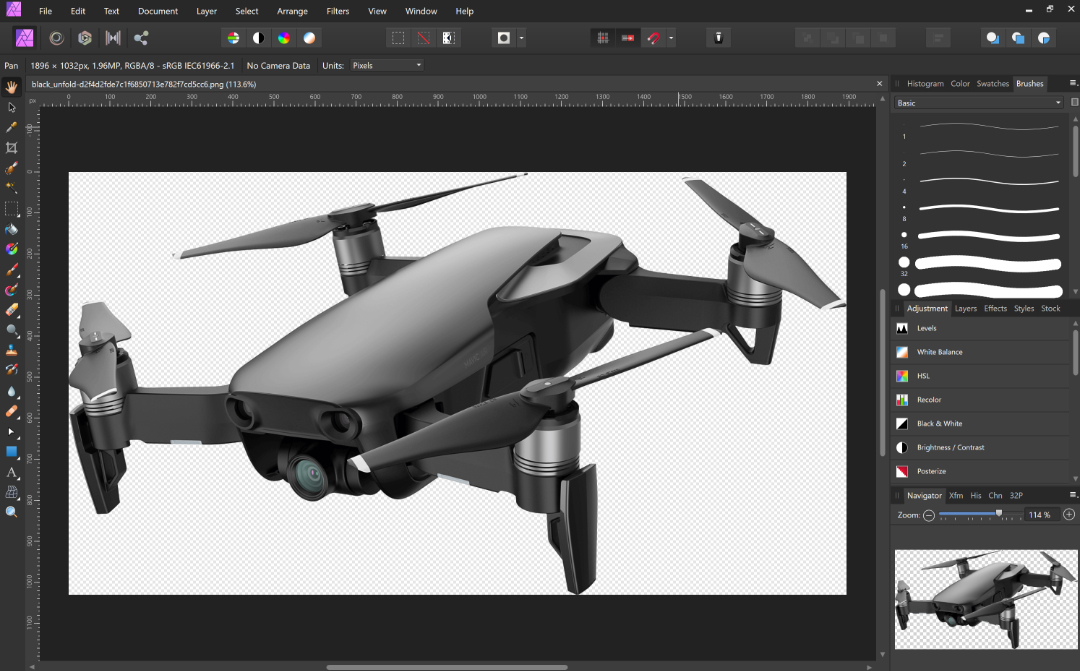
I logged on to our home security bot and piloted it around the interior of our home to be sure nothing was disturbed. The locks and windows were fine and no one had come inside. I parked the drone in the hall where it could see anyone entering from the stairs, back door, or the hall from the bedrooms, and turned on its motion detector with auto-capture and alerts.

The guy was probably just trying to sell a roofing service or something, but what if he hadn’t been? I feel like I would have at least caught him on video and possibly could’ve scared him away by threatening to call the police over the two-way audio on both the Ring and the security drone. Both devices upload to the cloud so even if he had taken them, I would still have had the evidence.
If you’d like to know more about the technology I used to see what was going on at my house when we were out of town, I’ve written about all of this stuff and a lot more in the “Gear I Own” section. https://whatdouknow.com/category/gear-i-own/

Manage personal finances across all of your devices. HomeBudget accounting software.

Who remembers Microsoft Money? It was fantastic software for home accounting. Easy, powerful, and cheap. It worked so well, I know several people who keep a Windows 7 laptop around just to keep running it. Microsoft doesn’t support MS Money anymore but you can still download it for free. A few people have even figured out how to make it run on Windows 10.

One of the reasons Microsoft quit making MS Money was the proliferation of smartphones. People stopped using their computers in favor of phones and tablets. For my family this introduced a problem. My wife uses Apple’s products but I use Android. Actually, I use everything LOL. We both need to track our expenses and bills and we share accounts so separate ledgers didn’t make sense.

There are a few agnostic home accounting apps, many of them are actually websites in disguise. I tried a some of them but decided that my chosen solution would need to work off-line. Neither my spouse or I were keen to share our financial data with a third-party which many of the so-called free solutions require. They promise to protect it and never publish your personal information but so does Facebook. How many times has the old FB been hacked or had a bug that shared your life with the entire Internet? Sometimes free isn’t worth it.

After trying enough demo software that I had to factory reset both of our phones, we picked a winner. Anishu’s Homebudget app runs on Apple (iOS and Mac OS), Android, Kindle, and Windows. It can track your accounts, bills, budget, expenses, and income across all of those devices with ease.

Adding accounts and expenses is easy. All though I do wish they’d add a widget to quickly create an expense. There is a handy feature that allows you to take a photograph of your receipt and this has gotten me out of trouble more than once.

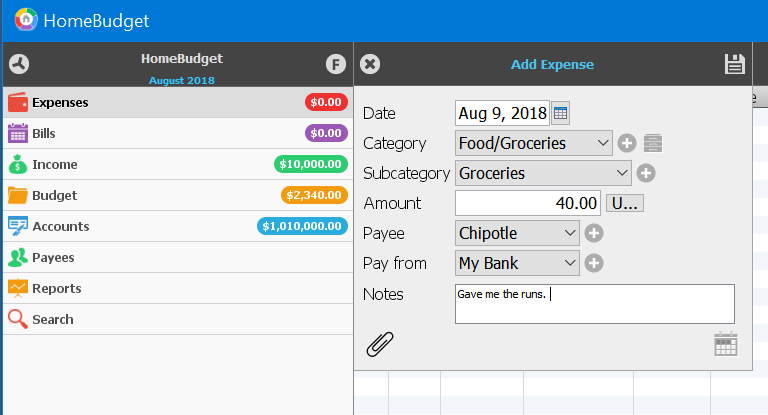
Add Expense
Add Expenses

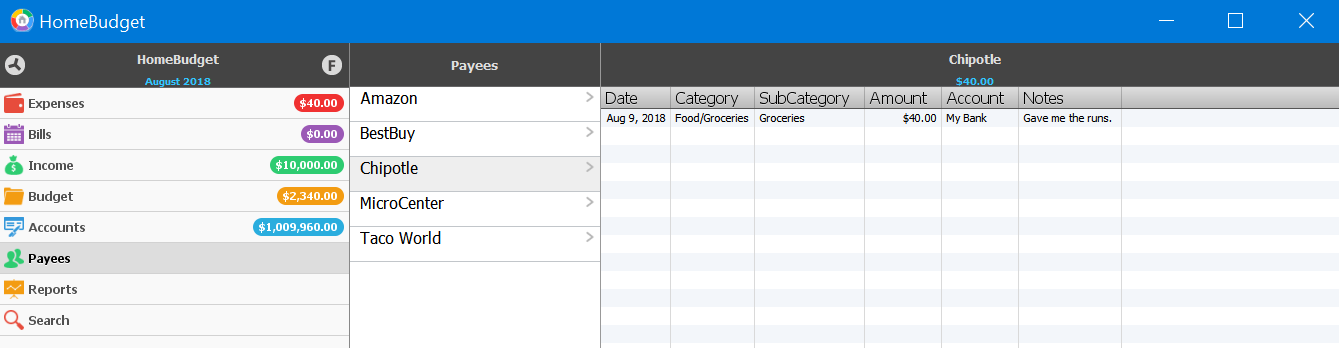
You can run reports that show your financial status over time, or quickly glance at a Payee to see how much you’ve spent with that vendor.

Payees
See where the money goes

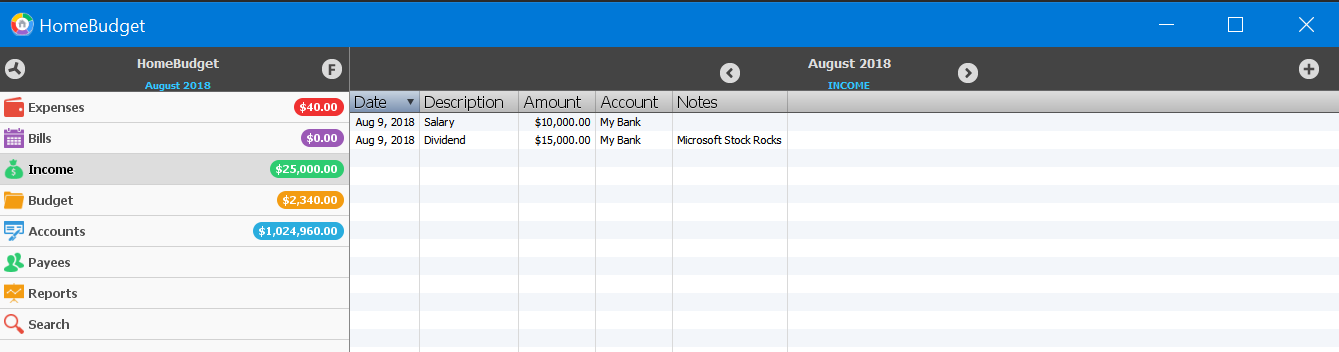
Tracking multiple sources of income and distributing it across multiple accounts is easy. I’ve set up my 401k, stocks, and other income in just a couple of minutes. I distribute the payments across multiple checking and savings accounts and a quick glance at the summary screen when I open the app shows me how much I have, what is spoken for, and forecasts where I’ll be in the next few months.

Income
Track your income

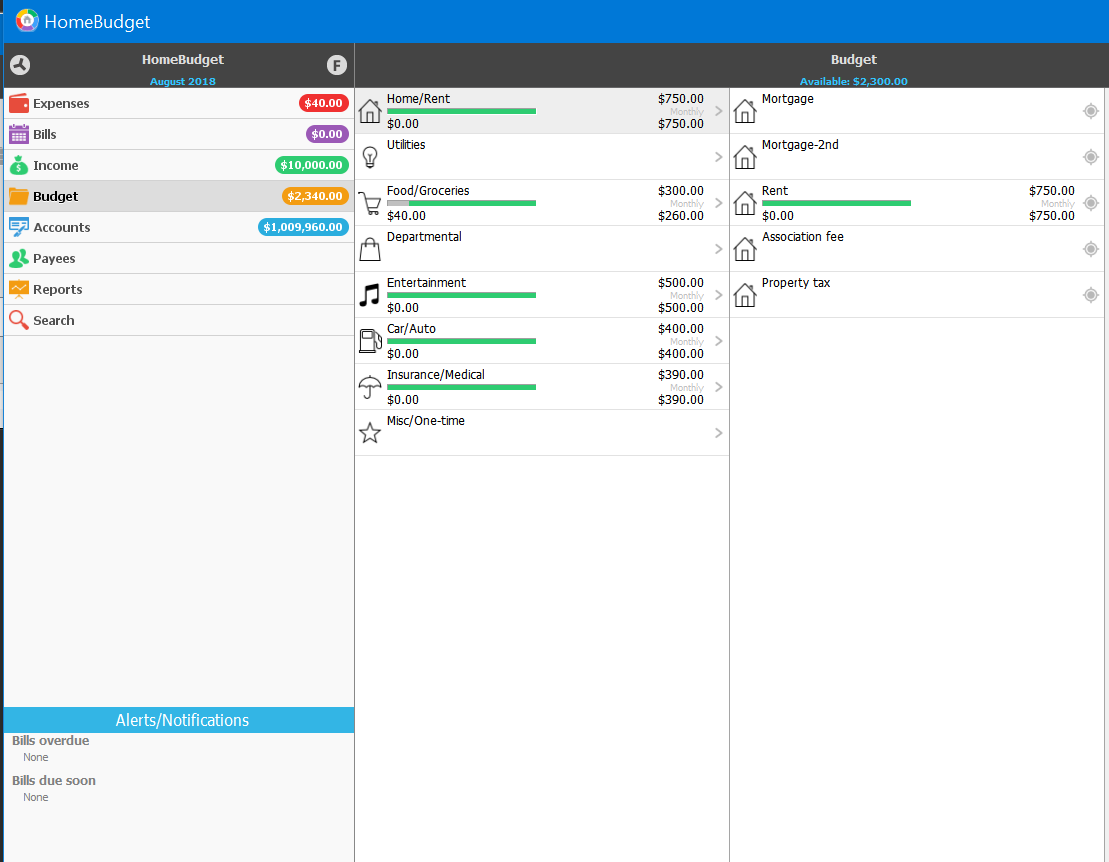
I can’t stress enough how important having a budget and sticking to it is for you financial future. I used to be one of those people who paid zero attention to their finances. Whatever my ATM receipt said I had in the bank, was what I had to spend. After a long time of not getting anywhere, I decided to start tracking everything in detail.

I was shocked to see how much I was spending on trivial things like fast food and movie rentals. I was keeping my local McDonald’s and Subway in the green all by myself. Seriously, if I would have spent that much on the stock instead of chicken nuggets and foot long BMTs, I could have retired by now. I had spent $3600.00 on just lunch in one year!!! Guess who takes their lunch almost everyday now? Lunch out was costing $10 – $15 per day. Taking my lunch costs $2 – $3 per day and it’s better for me to boot. I still get away from work for my break, I just do it in the lunch room with my Switch or a good book.

Budget
Build a budget

Weather you use Homebudget or some other application that suits you better, use something. You won’t know where your money is going until you start tracking it. Don’t be like my younger self and fall for the voice in your head that says you know what you spend. You don’t. Just like you don’t know how much you eat without tracking it. For most of us, our built-in gratification mechanisms keep us from seeing the full truth about things we like or want to do and that little voice that says you don’t need to worry about it, is just part of your ego’s cover-up.

Digital Security. Why maintain the illusion of privacy?

In the age of the Internet, social media, robot vacuums, and computerized record keeping in almost every industry, is anything truly private or are we just kidding ourselves? Can you live in a connected society and still maintain a modicum of privacy? I don’t think you can. More importantly, I’m not sure you should try.

In my career I have often been employed by various healthcare and financial companies. Until the HIPAA act of 1996, these types of institutions did not have data security departments for the most part. Effectivley meaning that somebody getting ahold of your personal records was no big deal. What changed to make the protection of this and other seemingly private information worthy of a multi-billion dollar industry of its own?

The world has been bamboozled into thinking that the “privacy” of your digital identity somehow matters. Account credentials aside, your personal preferences, medical records, shopping history, and web-site preferences have no intrinsic value.  I liken this phenomenon to the marketing campaigns that have resulted in crystalized carbon (diamonds) escalating to ridiculous values. A series of commercials in the 1950s made the substance a “must have” for any couple thinking about marriage. Diamonds are not a girls best friend, they are literally made from one of the most common substances in the known universe. A diamond’s value is determined solely by the mislead perception of the masses and so too, is the value of privacy and thus the value of personal data.

There is no such thing as digital privacy, there never has been and there never will be. How does one privately share something? The notion that its possible to do so is entirely nonsensical. It was difficult to privately communicate in the analog world; everyone has witnessed a teacher intercepting a note. It’s impossible in the digital realm. Everything you do or have done on every computerized device you have ever touched is logged by the systems you were interacting with at the time. The systems and their interconnected software cannot function without the data you provide them. If you authenticated (logged on) to the device or a service with some type of account then the logs can be correlated to you personally.

Facebook cannot post your latest witty comment if you don’t type it into their app’s box. The email you send to your BFF cannot be delivered without traveling through countless routers, switches, appliances, and computers each one of which learns your email address, your IP address, what type of system you are using and more. The photo application on your smartphone cannot organize your pictures by the location you took them in if it didn’t know where you were when you snapped them. You cannot connect to Xbox live and play a game with other users anonymously. In all of these cases, the purveyor of the services you’ve connected to is able to find out exactly who and where you are if they are willing to invest the time and effort to do so.

You can obscure your digital trail from service providers by using man in the middle services like VPNs and TOR, but you’ve only shifted the burden of identification to those service providers instead. You may feel or have read that TOR, or the encryption your VPN uses, is unbeatable but that information has been proven to be false multiple times. At best, it makes you more difficult to track. At worst using these technologies flags you as someone worthy of extra attention.

HIPPA, FISMA, and GPDR are regulatory laws that have been enacted in the United States and Europe to ensure organizations take steps to safeguard your personally identifiable data. They accomplish this goal by applying expensive fines to companies that are determined to have lost private data. There are all kinds of loopholes and exceptions in the regulations, of course, but that isn’t the main issue in my opinion.

HIPPA violations can warrant fines of up to $250,000 per infraction. These fines impart a value on the data. It makes good business sense to invest in personnel and solutions that drastically reduce the chances of the information being accessed in an unauthorized manner, as long as the cost is less than the fines. The same is true for your personal information on your own computer. It’s value is determined by what you would pay to have it kept private. Thus, the computer security industry was born.

What if we didn’t care? How much financial value would personal data have if we all stopped pretending that it was private in the first place? Assuming we could get over ourselves and de-value privacy, who would invest time and resources into obtaining worthless information?  Our own misconceptions about the number of people and companies that have access to every bit of your supposedly private information from your social security number to your bank card info, has been leveraged to build a booming empire around making something public feel private.

Oculus Rift No HDMI Cable Connected, AMD GPU

My PC recently downloaded the Windows 10 April 2018 update. The installation of the feature update went fine. After my system booted up I started verifying everything was working and noticed that I could no longer access the Radeon Settings software for my GPU.

No problem, there was a new version out anyway so I installed 18.4.1 and bob’s your uncle, it fixed the problem. I went on about my day.  Later that evening one of my children reported that they couldn’t get the Oculus Rift to work. I checked it out and found that the Oculus software showed “No HDMI cable connected”. I check all the cables; I went so far as to disconnect all of them and reconnect them one at a time. All the USB cables were detected but no HDMI.

I unplugged the cable from the Rift itself. You gently pull back on the foam insert and the HDMI cable will disconnect. Be gentle though, if you break this cable you’ll be up a creek. It didn’t work. I figured maybe the software got corrupted during the update so I uninstalled it and then downloaded and installed the newest version. Still no go.

The only thing in the event viewer or any of the Oculus log files that I could find was a reference to OCVRLauncher not having a user session. I started suspecting the AMD driver was at fault so I uninstalled it and tried the headset using the built-in Windows driver. It worked.

After testing every version of the driver I had on my hard drive I found that the newest version of the Radeon Adrenalin software that I can run and still use my Rift is 18.2.1. Even 18.2.2 will not work. I cannot say if the Windows 10 April 2018 update has anything to do with this problem or not. To be honest I’m not sure what version of Radeon I had installed before my system was updated and I’m not willing to roll back the Windows update because I don’t have the time. If you’re having a similar issue with your Oculus Rift and AMD GPU combo, you can get the driver version 18.2.1 here.

UPDATE: 

I evenentually had to update my drivers past 18.2.1, some of my software required it. I was able to permantley resolve the issue by doing the following:

  1. Uninstall all AMD software (add/remove programs)
  2. Delete all AMD folders from the C drive
  3. Run the AMD driver clean up utility 
  4. Download and install the newest AMD driver.

Traveling without a laptop for the first time in 15 years! Thanks to my Samsung Note 8.

I have been employed by the tech sector for my entire working life. Somehow I always wind up in positions that demand on-call service. As a result, I rarely leave my home or office without a laptop and it’s accessories in tow. I have never been on vacation or a business trip without one.
I’ve tried every Palmpilot, Pocket PC, Windows CE, Psion, tablet, and mobile ever made in an attempt to free myself from “The Bag”. Sometimes I feel like Lydia from Skrim ” … sworn to carry your burden”. Until now, the mobile devices always fell short for me to use them as anything other than companions. They lacked power, storage, input options, apps, something was always missing.

I’ve had my Note 8 since launch day and have been locally venturing away from base without “The Bag” for a while now. My company has a VDI infrastructure that I can easily connect to with my Note. The hover mode afforded by the S-Pen acts as a wireless mouse and the awesome handwriting recognition handles my input needs with ease. Openvpn on my home network means I can RDP to any of my personal equipment as well. The Google play store is fully fleshed out with engineering and development utilities along with any productivity software that you might require.

The Note 8 has one more brilliant trick up its sleeve that has allowed me to end up on this flight to San Antonio with nothing in the overhead bin but my jacket. The Dex dock in my luggage means I have access to a full PC experience should it be required on my journey. I only need to hook the dock to the hotel TV (HDMI) and connect my portable keyboard / touchpad to one of the USB ports and I’ll be in business. Many of my apps like Word, Excel, and Outlook will run in fullscreen or windows in Dex mode and if I need more power I only have to logon to the VPN and connect to my VDI or RDP to the system that needs attention.

The Dex dock also increases my entertainment options by letting me stream fullscreen video, browse the web, and even play games. Not all applications work with it but more than enough to get by do.

So I sit here on the plane writing this post and try to suppress a chuckle as my seat neighbor tries in vain to get his laptop to fit on the tray-table in a manner that allows him to comfortably type. All the while, reflecting on what a different experience airport security is without “The Bag”. OMG, I never knew how easy it could be!

Sneak Attack! Blob Bombs; A Tech support scam that locks up your system.

Denial of service attacks (DoS) have been around for quite a while and will continue to be a bothersome presence for the forseeable future. In part DoS attacks are popular because they are relatively simple to accomplish. The attacker isn’t required to hack secure systems or subvert encryption algorithms. They only need to instigate an action that causes the target system to become so busy that it is unable to fulfill its legitimate user requests.

DDoS (Distributed Denial of Service) methods involve getting multiple systems to make erroneous requests to a service until it can no longer answer its real users. These types of attacks have been responsible for taking down services like Google and Facebook on multiple occasions throughout the last few years and have gained notoriety in the process.

DoS attacks are less flashy and generally only effective against one system at a time. However they are now being combined with social engineering in new type of scam. Tech support scamming has been around for a while; you go to a web page and get a pop-up that says you need to call 1-800-FIX-MEUP because your computer has something terribly wrong with it.

techsupportscam
A classic Tech Support Scam

These were effective at first, but they’ve been around for so long now that most people just close their browser and start over; being more careful not to type the wrong address or avoid the link that led them to the bad page. Occasionally you have to go as far as clearing your browser’s cache to keep the pop-up from recurring. This means the scammers need to do something different to get users to turn over control of their systems, passwords, and personal information.

Enter Blob Bombs. In short, a blob bomb is a technique in which nefarious characters code a web page in such a way that it causes your browser to download a small file over and over again. It performs the repetitive download so rapidly that your system can do nothing else and appears to be locked up. At the same time the page pops up a tech support scam like the one pictured above; the exact scam page will probably vary. The hope is the notion that something is really wrong will be more convincing since your system will appear to be hung when the message is presented. Social engineering at its finest. If you’re interested in the details of the method itself, the malwarebytes blog has published a full technical analyisis.

The current round of Blob Bombs are targeting the Chrome browser’s window.navigator.msSaveOrOpenBlob API. If you think you’re safe from this because you run Linux or Mac you should reconsider your position. The same technique will work on their browser APIs with just a slight modification to the landing page. It will also be possible to craft the landing pages to work with other browsers. I suspect this is going to be a wide-spread issue in the near future.

What do you do if you fall victim to this DoS scam? The first thing to try is to launch your task manager or application monitor software and forcibly close your browser (end its task). If your system is so busy that it can not open the task manager you can power off by holding down the power button until your computer shuts off, then turn it back on. Once you’ve gotten your browser shut down, use its menu options to clear its cache (temporary files) it will be full of the downloads. The downloaded files are blobs or unassociated raw data and shouldn’t pose a threat themselves but they do take up room on your hard drive. If this happens to you on your company system you should contact their tech support immediately and let them know what’s happened. I also suggest that you run a full virus and malware scan.

XP-Pen Fix Screen Flicker and Pressure Sensitivity Loss

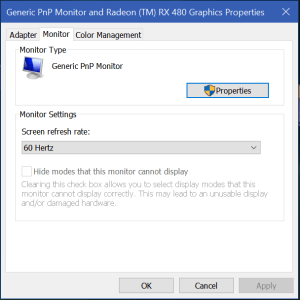
There are a couple of issues that commonly occur with the XP-Pen tablet drivers. First is the screen flickering. If your screen flickers on and off, it is most likely happening because the refresh rate of the XP-Pen tablet was incorrectly detected at 59Hz. You need to adjust the refresh rate to be 60Hz. Search for Display Settings, open the app and select your XP-Pen monitor then click the Display Adapter Properties link and use the drop down under the monitor tab to select 60Hz.

displayadaptersettings

Refresh_Rate

The other common problem with XP-Pen and other drawing monitors is a loss of pressure sensitivity during long drawing sessions. I’ve had luck in stopping the drop-outs by adjusting the Windows Ink driver settings. Search for Pen Settings and open the app. Disable all of the switches and select Nothing in all of the drop downs. This will keep Windows from interfering with the drivers that control your pen. Your mileage may vary.

windows pen settings

Patchageddon; Microsoft issued a patch to disable Intel’s patch!

If you listen to the silicon valley hipsters and their PR armies; AI is going to be taking over the world soon. Right after they figure out how to stop relativey simple injection techniques from powning every CPU on the planet. I’m sure in their minds, they truly believe that if they can just beat this one last hack everything will be fine.

Humans have an inate ability to destroy what they make. Watch any child with a pile of blocks and you will inevitably witness the joy that comes from wrecking their own creations. I think a certain segment of our technical society revels in being the wrecking ball.

AI will have a difficult time making useful headway into our lives as long as the balls are flying and knocking down all of the blocks. These types of technical disruptions have been part of the computing landscape since the beginning and show no signs of slowing. If anything they are gaining in frequency and ferocity. As people, communities, and nations become more wary of AI; the headwinds it faces will blow stronger.

In the latest round of you build it I’ll break it, Microsoft has released an emergency out-of-band patch that disables Intel’s spectre variant 2 patch. Microsoft believes the patch is ineffective, causing corruption and unwanted reboots, and that this variant has not been seen in the wild. Read KB4078130 for the details and the patch.

Digital Art and the XP-Pen Artist 15.6 drawing monitor

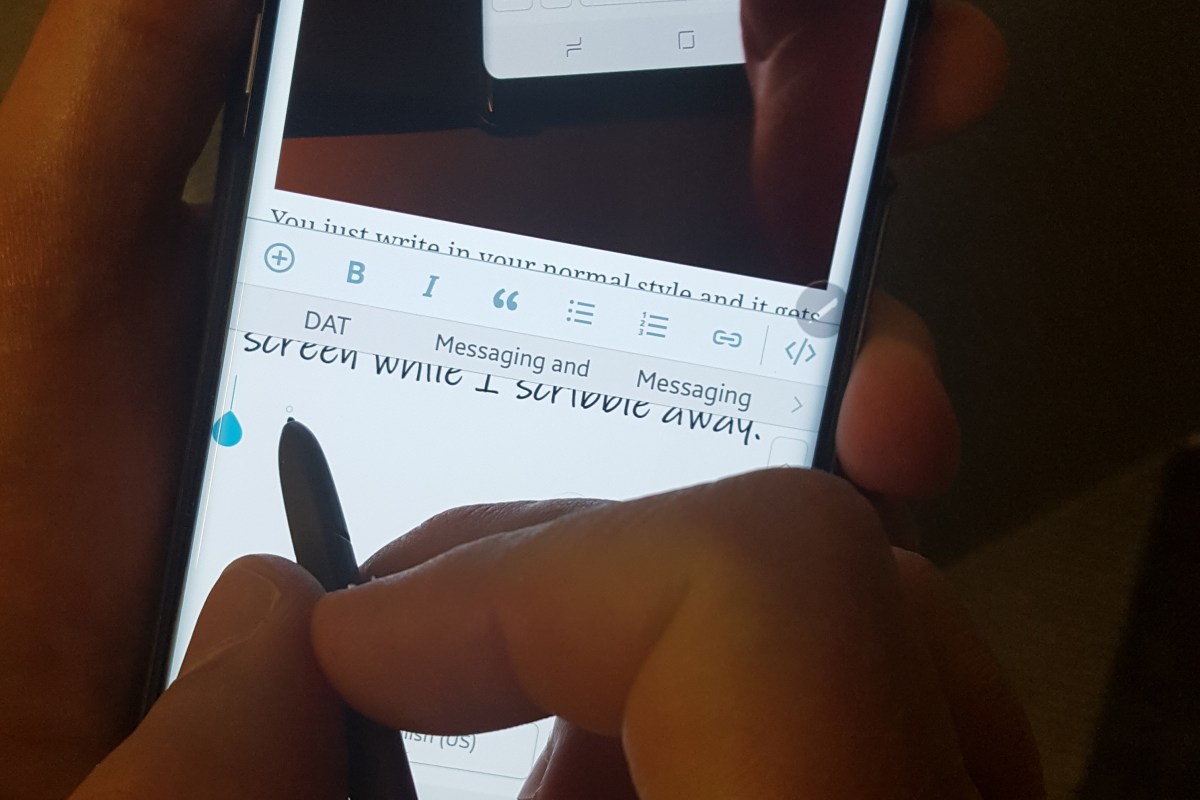
I’ve written about my fondness of pen input on computers and mobiles before. I’m writing this article on my Galaxy Note 8 with the S-Pen in handwriting mode. Some of my posts feature digital sketches and drawings that I’ve done on my Note or my Surface Pro.

My son has also shown an interest in digital art. We share an Adobe Creative Cloud subscription which gives us access to all of their software; Photoshop, Illustrator, Premiere Pro, and even their animation software is included. You can install the applications on two devices but can only use one of them at a time. It’s a good value in my opinion. I don’t think I’d ever drop the thousands it would cost to purchase all of the apps independently. They also give you a synchronization solution and 100GB of cloud storage so your works can be accessed from any of your devices at any time.

There are lots of free or inexpensive art and photo editing apps like Mediabang and Paint.Net, the built-in Microsoft Paint, and more; they’re good enough, but not the same caliber as Adobe’s software. In the same way that Open Office is good, but not quite as great as Microsoft Office. They make a great place to start if you want to make art, edit photos, or try your hand at animation while keeping costs down. They’re also great for learning how digital tools work.

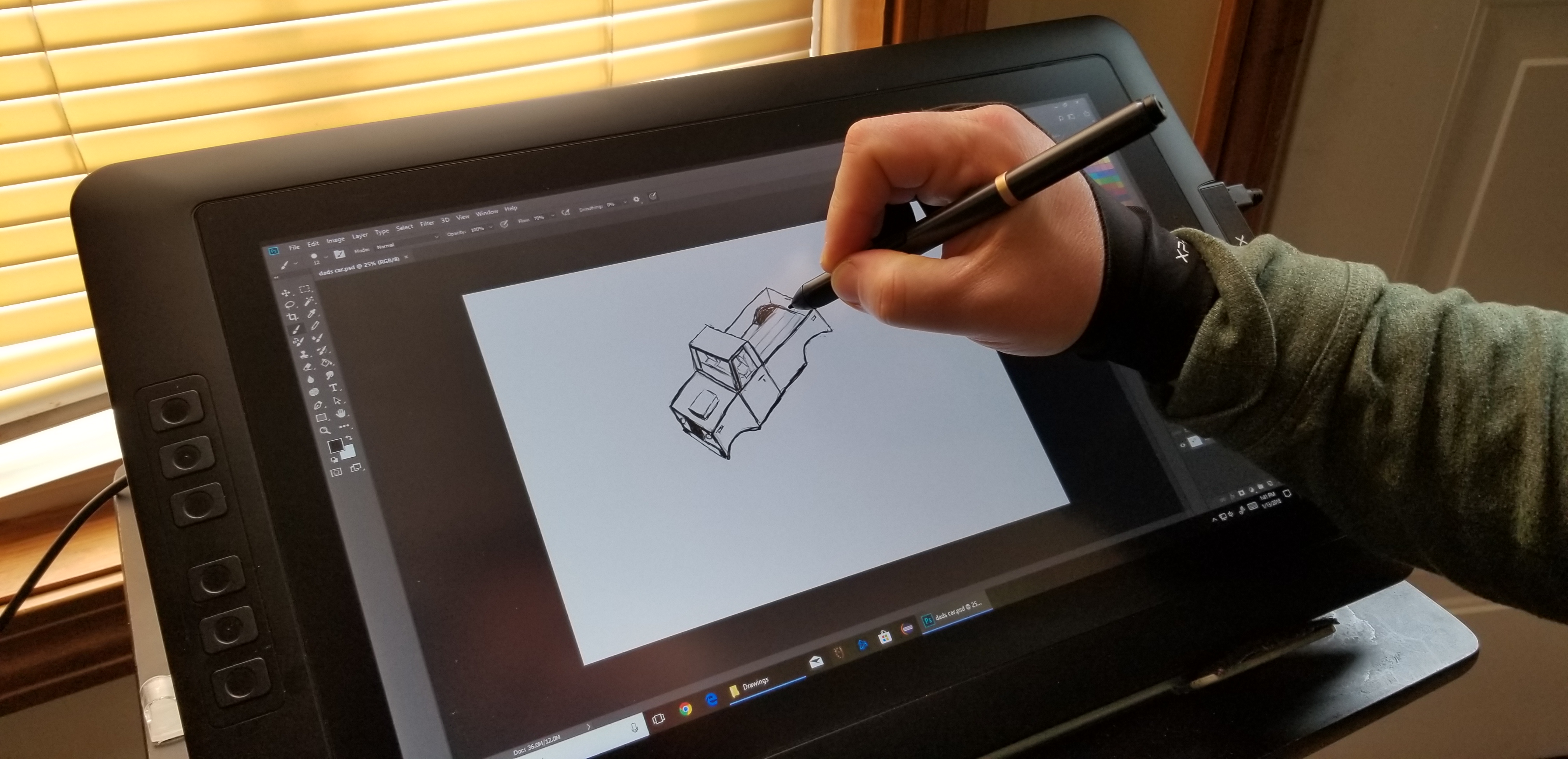
Things like layers, lassoes, and pixel cloning are going to be new concepts if you’re used to paper. It’s features like these that separate digital and analog art techniques. For example; in the sketch of a truck that I’m using throughout this article, I only needed to draw one tire and then copy/paste. The truck is a seperate layer from the background and color which would let me easily do something else with it. When I drew the hood scoop, it was a little off-center. I didn’t need to start over. I  just had to use the lasso tool to move it.

TruckSketch

When we started out with digital art, my kid had decided on a Wacom Intous Draw tablet. This tablet is like a mouse pad that you write / draw on with a stylus. They are in-expensive (depending on size); I picked up ours at Best-Buy for $79.00 on sale. In terms of art, it works well but there is a disconnect between the tablet and what you’re working on, because your drawing or photo is on the screen but your stylus is touching the pad on a different plane. It works reasonably well after acclimation.

While we’re on the subject, it takes around 40 hours to become accustomed to any input device. Whether we’re talking about a drawing pad, a game controller, a keyboard, or a stylus you won’t have it mastered until you’ve spent about 40 hours working with it. So many of the people I know pick up a tool and judge it a failure if they can’t fully use it in 10 minutes. That’s just not how learning a new motor skill and building muscle memory works. In my opinion, it’s the biggest downfall of stylus input on computers. When the digital tool doesn’t work exactly like a pencil or pen on paper, people get turned off. It’s not supposed to be like paper. The experinece is supposed to be better than paper and if you dedicate the time to gain the skills, I think you’ll be surprised.

The trouble with drawing pads occurs when you lift your pen to connect two lines. For example; when drawing a large square you might lift your pen at the end of each side. Knowing where to put your pen down to start the next line can be a little challenging. The screen will show you where your stylus is hovering but there’s still a disconnect between your hand and your eyes that you just can’t quite overcome at first. There is also some translation happening between the size of your monitor (40″ in my case) and the size of the drawing space (5.7″) that you just can’t quite predict every time. Don’t get me wrong, if you spend the afore-mentioned 40 hours working with the device you’ll get the hang of it, but when working on complex shapes with minute details, it can be slower and become bothersome if you’re working on a long project.

The next step in digital art tools is a drawing monitor. Of course the primary difference between a drawing pad and a drawing monitor (aka pen display) is that the drawing surface is also a screen. The Cadillac of drawing monitors is the Wacom Cintiq line. Wacom popularized the technology first and owns several patents around the technology. Their screen based products are quite expensive, especially if you’re not using them for professional reasons. My son and I are not able to spend thousands of dollars on a digital art device so we needed to find an alternative. Lucky for us, several key patents for pen tech have expired or are about to expire. As a result, there are lots of competitors on the market that understand if they want “everyday” people to consider purchasing this type of device; the price point needs to be much lower.

I never purchase a new gizmo or gadget over $50.00 without doing a ton of research first. In this case, I’ve worked with pen displays through-out my career and know several professional digital artists. My experience and their recommendations were combined with hours of research online (lots of YouTube reviews) by myself and my son to produce our short list.

In the end, we chose the XP-Pen because the Huinon was so large that it would always require a stand and sometimes we like to draw on our lap. The Parblo Coast had a lot of complaints on various blogs for driver issues with Photoshop. Although, from their descriptions, I think it was probably a failure to adjust the refresh rates in their video driver.

XP-Pen

The XP-Pen was easy to set up; just go to their web-site and download the newest drivers, hook up the included cable(s) and hit the power button. If your system is relatively new you should be able to plug the USB power cable in to one port and the controller cable into another. It comes with a power adaptor and plug fittings for both the US and Europe. It also ships with a mini display-port to HDMI adapter cable. They have drivers for both Windows and MAC so no matter your computer preference, it should work well.

There’s a reported issue with many of these tablet devices blinking or flickering while you’re using them. If this happens to you, try adjusting the refresh rate of your video card to match the 60Hz refresh rate of the screen. For some reason it gets auto-deteced at 59Hz and this causes the flicker. In Windows just search for Display Settings, then click Display Adapter Properties and use the drop down to select 60Hz.

Refresh_Rate

This thing is fantastic. It’s the best overall drawing experience I’ve had to date. Part of the reason behind this is that the graphics are being driven by my Radeon GPU instead of a the Intel chipset my Surface Pro has. Even if that wasn’t the case, the drawing experience itself is better. The screen is not smooth like glass, there is a texture applied to it that offers a little tactile feedback to your strokes. The pen tracks well and suffers very little, if any parallax (pen tip and cursor don’t align). There’s a rocker switch on the side that adjusts the brightness and the colors look good.

The drivers work great. If you’re using it with Windows 10 and want the pressure sensitivity to work you’ll need to enable Windows Ink; search for it to find the settings. I tested it with the Adobe products, Paint.Net, Microsoft’s built-in apps, MediaBang, and Auto-Desk. It worked well on all of them.

My son and I both wish the tablet had more shortcut keys but that isn’t a deal breaker by any means. Also, we already had a tablet stand that we knew would work with this thing. If you don’t, you’ll need to consider buying theirs. There’s a bundle that includes the stand on Amazon or you can order it as an accessory from the XP-Pen website. There are also quite a few inexpensive tablet stands out there that would work well for it and I suspect that you could use a painting easel.

Overall we’re very happy with our purchase and would recommend it to anybody looking to use a digitizer for computer input. At $359.00 with free shipping from Amazon, it’s a bargain. If you’re wondering how that sketch of the truck came out, here it is with the color layer turned on. Thanks for reading.

TruckPainting


Sneak Attack! Proxy Malware; What it is, How to Find It, and How to Remove It

There’s a new trick up the Internet bad guy’s sleeves and it’s a doozy. Instead of installing keyloggers or other capturing tools they install a proxy server and set your browsers and other web apps to use it. A proxy server is a tool that re-directs web traffic to the proxy which then forwards it on to the site you asked for. For example, when I open google.com at work my browser asks the office proxy server for the page which checks against a list of allowed sites and then sends my computer google.com (assuming its allowed and safe). It’s a man in the middle. Advanced programming techniques have allowed nefarious characters to package an entire proxy server into a small easily executed file.

Once the proxy has been enabled on your system all of your traffic gets directed to it, which then forwards to the dark web servers so the bad guys can see the bank site and password you typed in. Here’s the rub, you don’t usually know this is happeing. Their system is a true proxy and is returning the pages you’re asking for. You might notice a delay or you may get errors when you try to go to certain sites that say “Proxy Error”. The other problem is that this type of software is a legitmate tool so most Anti-Virus or Anti-Malware software doesn’t detect or flag it.

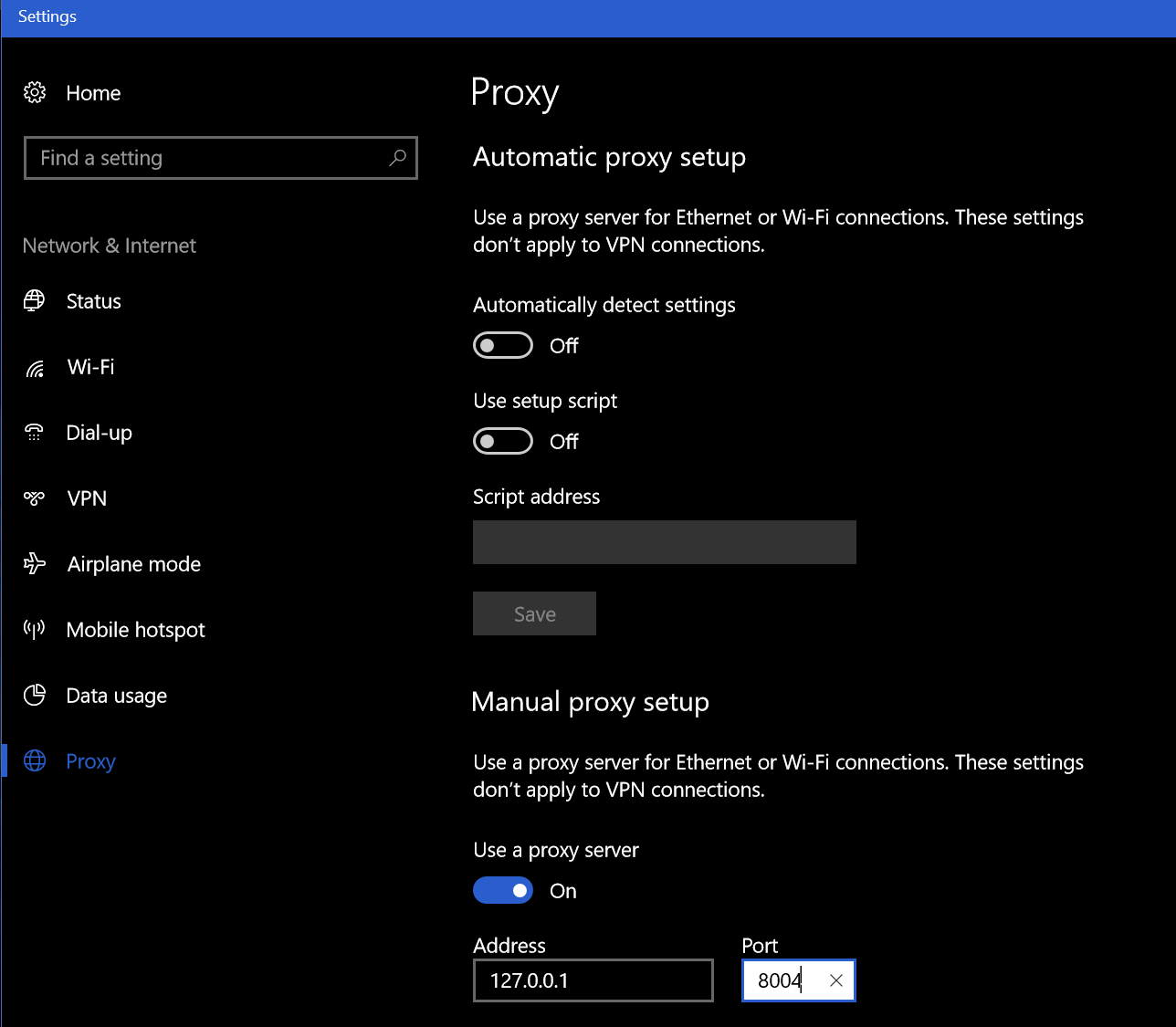
How do you know if you’ve been hit by this type of malware? Besides the afore mentioned “Proxy Error” you may notice unusual delays in your browser or web apps. The first thing to check is your Browser’s proxy settings. These are different for every broswer and every Operating System so Google “My browser proxy settings” and “My Windows Version” to see where to look on your system. When you get there, you should not see an address of 127.0.0.1, if you do this is an indication you’re a victim of a proxy attack. You’ll know for sure if you turn the proxy setting off, reboot, and find it turned back on (assuming your not on a mananged PC where you IT staff is doing this).

Windows10_Proxy_Settings

You can also go to a site like http://www.ipchicken.com and see if the public IP address it shows you matches the one on your internet modem / gateway’s admin page. If it doesn’t this is proof your web traffic is being re-routed through a foreign IP.

You’re being proxied, now what? Follow the instructions below at your own risk, I’m not in-front of your computer and each situation is unique. This is general advice and you are responsible for your actions, not me or whatdouknow.com. If you have a backup available you should consider formatting your hard drive and re-installing everything.

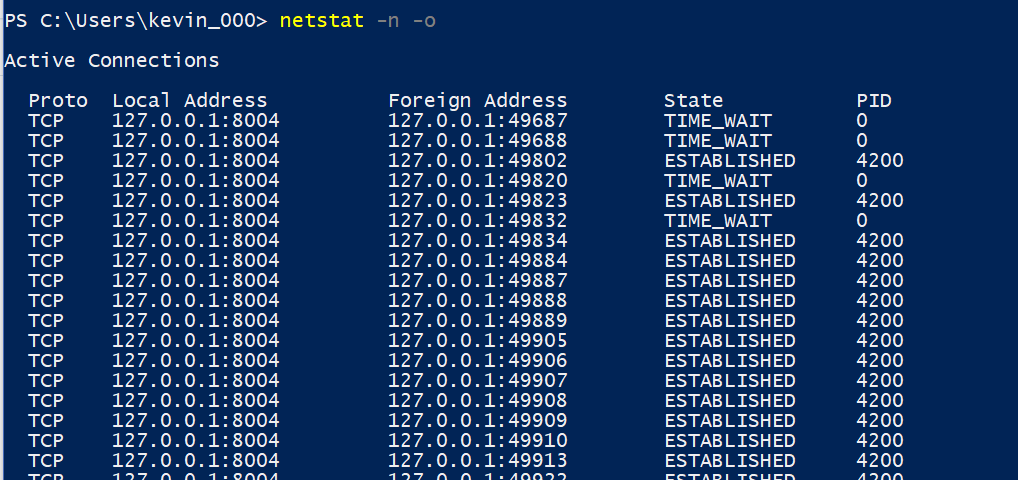
I’m going to assume your operating system is Windows. I’ve not seen this type of attack on Linux or MACs yet. So, first open PowerShell (search for it or find it in the start menu). Once you have it open type: Netstat -n -o and press enter. This is going to show you all the open network connections on your computer and the PIDs (Process ID) for the software that opened them. We’re looking for a line or lines that match what you saw in the browser settings of your computer.

WIndows10_Netstat

Once you’ve found it open another PowerShell session. Type: Get-Process -PID Number where number is the PID number that corresponds to the PID of your Netstat command (4200 in my case). Press enter and PowerShell will show you the name of the process. Write this down or type it into Word or notepad.

Windows10ProcessName

Now open task mananger (CTRL+ALT+Delete, click TaskManager) and find that process in the list of running apps. Right click on it and choose Open File Location, this will launch Windows Explorer and go to the directory that contains this file. Go back to the task manager and right click on the file again, this time choose End Task. Now go to the Explorer window you just opened and delete the entire folder. Just ending the task won’t stop the software from running again the next time your reboot your computer but you can’t delete the file until you’ve ended the task so the order is important here.

Once you’ve killed the task and deleted the file run Netstat -n -o again you should no longer see connections from 127.0.0.1. If you do, you may have more than one copy of the proxy attack installed, keep repeating the process until you’ve gotten them all. Always right down the name of the process. After you’ve stopped them all and deleted all their files we’ll need to clean up the registry.

Type Regedit in the search or run bar to open it. Right click on computer (top left) and choose find and search for the IP and Port numbers you found in your Netscan. If you find a match, delete the value by right clicking on the entry and choosing Modify, then clear the Value box and click OK. Press F3 to keep searching. Repeat the process until you see the “Finished Searching through the Registry” message pop-up. If you found more than one proxy on your system repeat the process until you’ve cleared all of them.

Now we’ll search the registy for the software entries. Right click on computer (in Regedit) and click find. Then enter the name of the process you found when you ran Get-Process in PowerShell. This time instead of deleting the value we’re going to delete the Key (folder) or Record itself. Right click on whatever it is and choose delete, click yes when prompted. Press F3 and keep searching / deleting until you get to the end of the registry. Repeat this process for every copy that you found.

Now go to your Proxy settings and turn it off. Then reboot your computer. When it comes back up everthing should be back to normal. Run the Netstat -n -o command again in PowerShell to be sure you got everything cleaned up. Go change all of your passwords for everything.


Multiple Nintendo Switches play Splatoon 2 on the same ISP/Network and fix NAT Type D; Pfsense Firewall

In my house there are two Nintendo Switches and we have two copies of Splatoon 2. We like to play the game together but of course we only have one Internet connection. At first it seemed like this wasn’t going to work. We could start two games separately and play just fine but if one tried to join the other’s game (through the friend option in the game menu) then both would get kicked out of the game. I was able to use advanced logging and network captures to see where the problem occurred and come up with a solution.

I use Pfsense for my router/firewall and a Ubiquiti Unifi mesh wireless network. The principal configuration in my solution should be possible on most modern networks but the terms and menu options will be different on other manufacture’s equipment. We’re going to create static IP addresses for each device and then make virtual wireless networks for them as well. This fools Nintendo’s network into treating each device as connecting from a separate network (allows UPnP to set the same ports).

Nintendo network games are notorious for having issues with multiple consoles using the same Internet connection. Some routers deal well with it right out of the box, and some don’t. The steps below outline what I did to get mine working. The same steps allow all my kid’s 3DS consoles to play Mario Kart at the same time as well.

Assign a Static IP Address

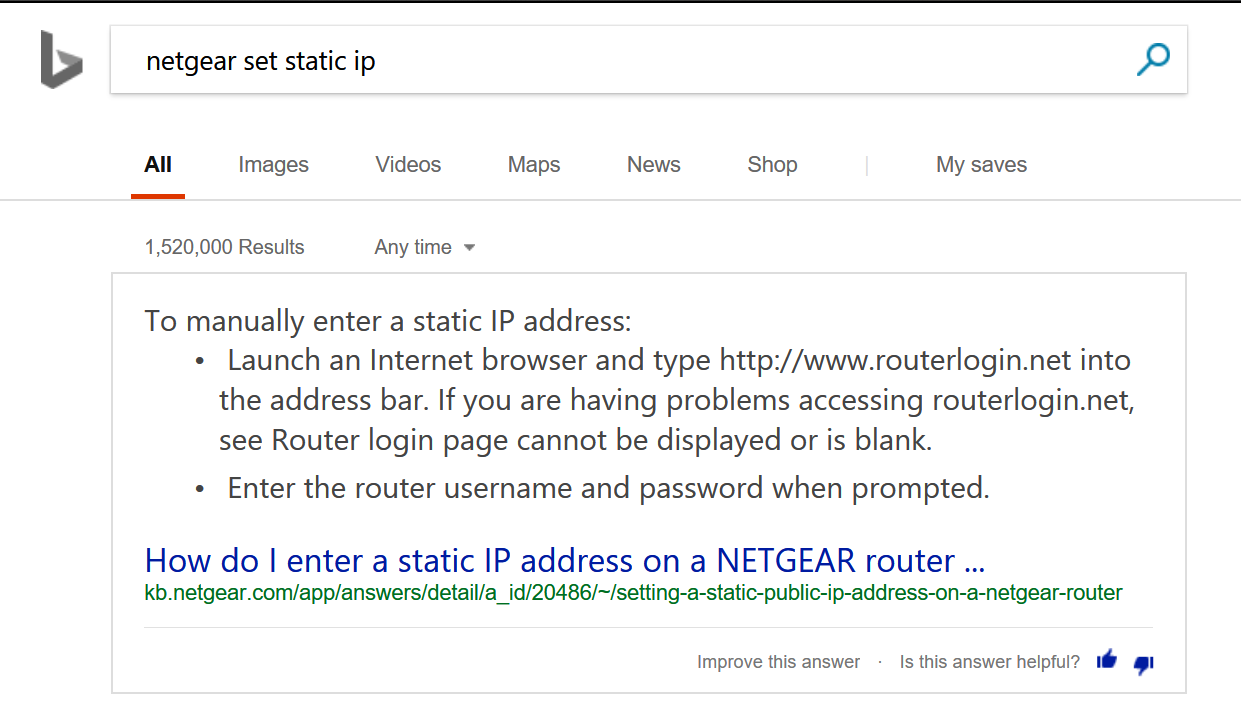
Before you can set special rules for a device on your network you need to assign it a static (never changes) IP address. This is a slighty different process in each type of router/firewall; use Google or Bing to find out how to do it in yours. Just type: “Firewall/Router Model Set Static IP”  BingSetStaticIP

  1. In Pfsense open the web console
  2. Click on Status
  3. Choose DHCP Leases from the drop down menu
  4. Find your device and click the pencil icon at the end of the row. pfsencestaticip
  5. Enter an IP address that is outside of your DHCP range in the IP address box.
  6. Click the Save button at the bottom of the form.

Allow NAT Outbound Static Port

This sounds complicated but most residential firewalls (bought at Best Buy) don’t have this setting in the first place. Advanced (enterprise class) systems randomly scramble the source port to prevent NAT hacking. This has no effect for browsing the web or basic Internet activities but network games cannot handle it. If your firewall or router scrambles the source port on NAT traffic you’ll need to create a rule to stop it for your Switches. Assuming that you have Pfsence;

  1.  Open the web console
  2. Click on Firewall -> NAT -> Outbound
  3. Click the Add button at the bottom of the page. pfsencestaticnatport
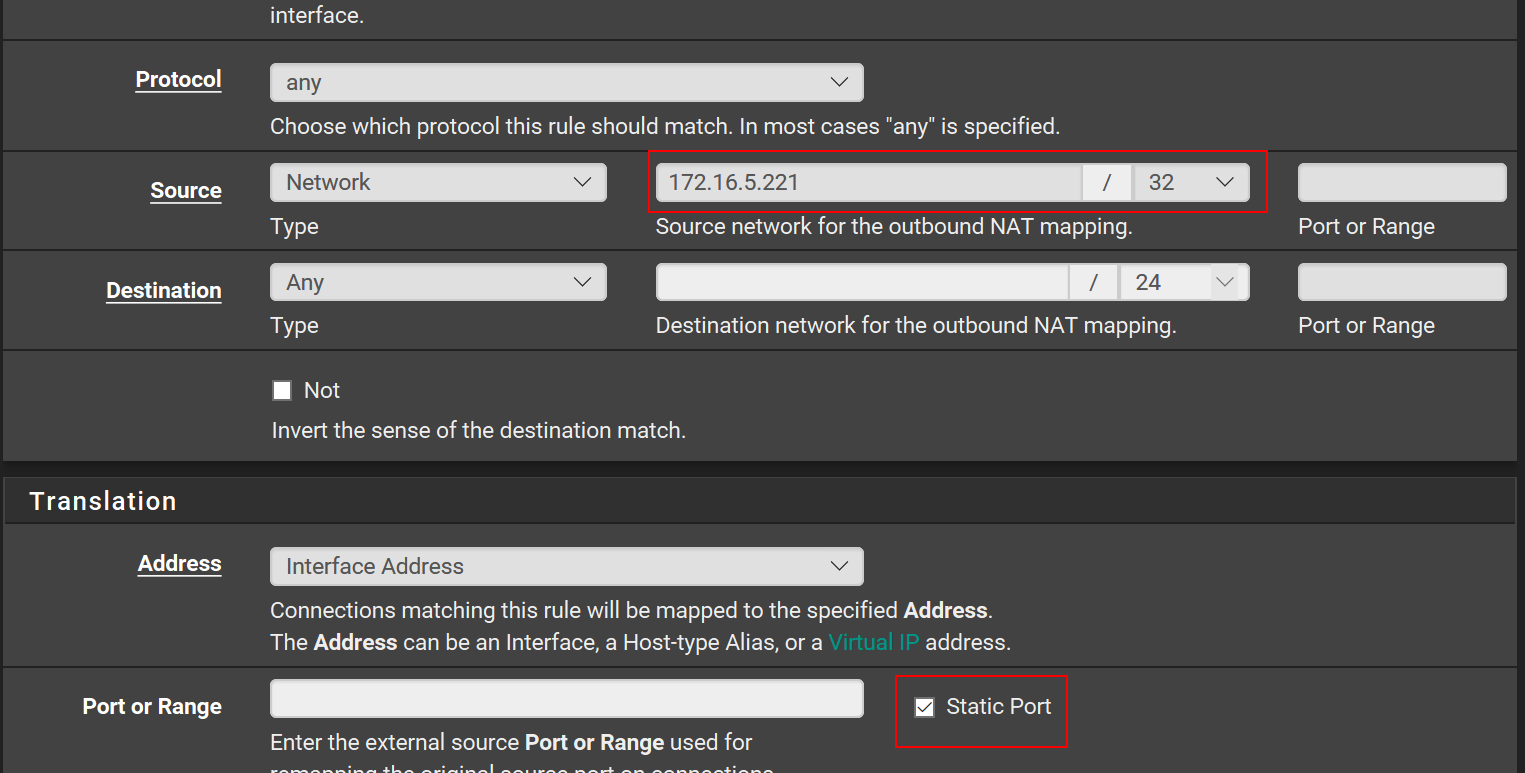
  4. Enter the Static IP address that you created in the seciton above with a / 32 subnet mask and check the Static Port box. pfsencestaticnatportandip
  5. Click the Save button at the bottom of the form. You should not need to change any of the other boxes.

You should configure the two options above for any multi-player gaming device connected to your network. This includes consoles, smart-phones, tablets, PCs, etc. The scrambled source port will keep most devices from connecting properly. It shows in games and “Strict NAT” or “NAT type 3”.

Create Multiple Wireless Networks

UPnP is a service that is already enabled on most modern firewall / router devices. If it isn’t turned on in your edge device you’ll need to enable it; again Google/Bing “Firewall/Router Model Enable UPnP” UPnP is a service that allows your firewall to automatically open network paths from the Internet to your devices. The trouble is, the way it accomplishes its goal can fail when two similar devices are trying to create similar paths on the same network. The way to work around this issue is to create multiple SSIDs and join a Switch to each.

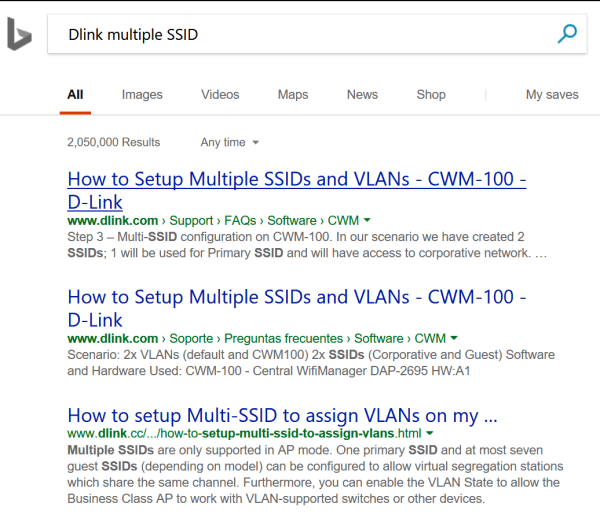
In most wireless access points you are allowed to create more than one SSID or the device will have a guest network. Some systems even have multiple radios and will let you setup one network on each radio. Once again, use Google or Bing to find instructions for your particular setup. The goal is to create and join one wireless network for each Switch that you have. BingMultipleSSID

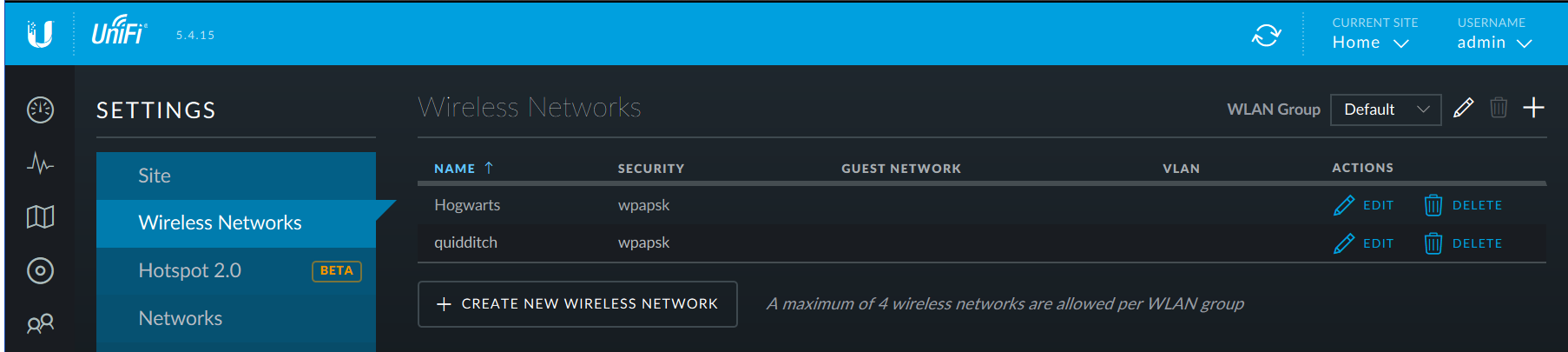
If you have a Unifi wireless network you’ll need to go to settings (the gear icon on the left) and then to Wireless Networks. Click the CREATE NEW WIRELESS NETWORK button and complete the form that opens. UnifiAddSSID

After you join each Switch to one wireless network you should be able to play Splatoon 2 multiplayer; I think you’ll find that most other multiplayer games work now as well. I’ve also adapted the same technique to resolve issues with multiple Xbox One and PS4 consoles. Games like Destiny 2 and Overwatch also use UPnP to establish their network paths and will sometimes not allow multiple consoles to play on the same network.

Splatton2LisaandKevinleaderboard
My wife and I are the top two players on the winning team! This game is a blast for couples.

Skin your Gear

All of our portable devices: laptops, phones, tablets, and game systems are subjected to the bumps and bangs of life when we take them on the go. It’s not the violent drops to the sidewalk that end up defiling my gear. I’m careful and rarely drop equipment.

My stuff always ends up scuffed and scratched from riding around in my laptop bag or being tossed in my desk drawer. For a lot of people the solution is to put their gizmo in a case. I can’t stand cases. Why would I pay a small fortune to get the slimmest, lightweight, super styled gadget and then turn around and stick it in a giant plastic box?

Luckily for people like me there’s a happy medium. Skins are vinyl decals that are cut to perfectly fit your device. They don’t alter the shape or weight but are sturdy enough to ward off most minor dings and scratches.

The sky is the limit when it comes to style. You can get clear skins or have then made out of your own photos. There are countless designs and several quality manufacturers. I like Decalgirl.com the site is easy to use and the skins are high quality. They have designs for almost every type of gadget. As you can see in the pic below, I’m partial to the blue galaxy design. My son prefers the retro NES look.